Consent Mode v2 on Shopify: Technical GDPR Guide (2026)


Step-by-step technical guide to implement Google Consent Mode v2 on Shopify. Customer Privacy API, GTM, Tag Assistant testing, and attribution impact for 2026.
Google Consent Mode v2 has been mandatory for EEA and UK traffic since March 2024, and it is the technical bridge between your Shopify cookie banner and Google advertising products. If you skip it, Google Ads stops populating remarketing lists and Smart Bidding loses the personalized signals it needs.
This guide walks through the full implementation on Shopify: the Customer Privacy API, the GTM template, how to test the setup with Google Tag Assistant, and what the whole thing does to your conversion tracking and attribution. All steps are verified against Google's official Consent Mode documentation and Shopify's Customer Privacy API reference.

What is Google Consent Mode v2?
Consent Mode is a Google API that tells Google tags how to behave based on a user's consent choices. Version 2, introduced in November 2023 and enforced for EEA and UK traffic on 6 March 2024, adds two new parameters to the original framework:
ad_user_data: consent to send user data to Google for advertising purposes.ad_personalization: consent for personalized ads (retargeting, Customer Match).
These join the five original v1 signals: ad_storage, analytics_storage, functionality_storage, personalization_storage, and security_storage. In total, Consent Mode v2 exposes seven consent types, of which four drive advertising behavior (ad_storage, ad_user_data, ad_personalization, analytics_storage).
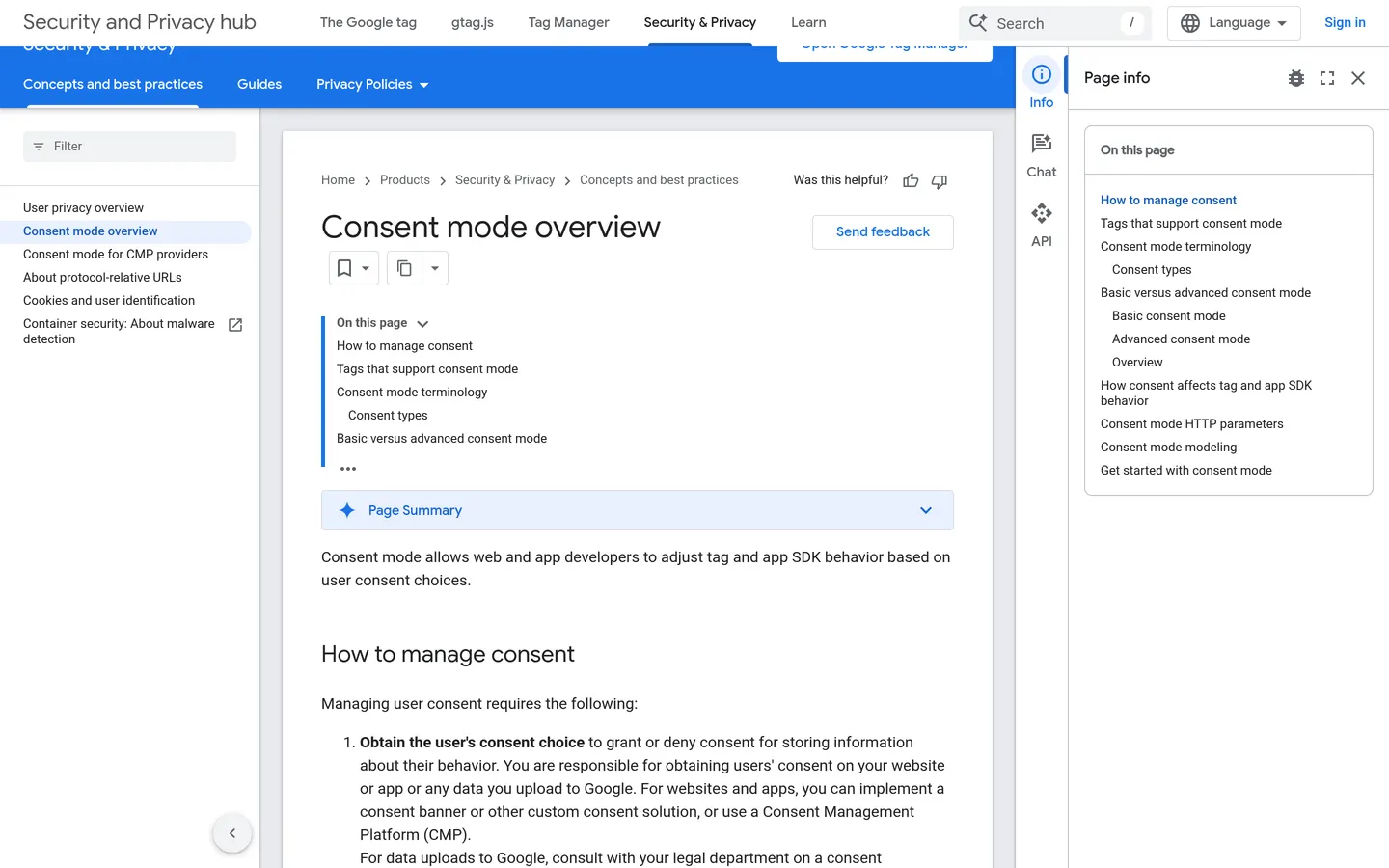 Google's official Consent Mode overview page on developers.google.com.
Why Google made v2 mandatory
Under the Digital Markets Act and the updated Google EU User Consent Policy, Google needs an explicit signal that the user has consented to personalized advertising before it can use their data for audiences, Customer Match, and Smart Bidding. Without that signal, Google Ads can still serve ads, but:
- New remarketing audiences stop populating.
- Customer Match lists degrade for any record without proof of consent.
- Smart Bidding loses the first-party signals it uses to optimize bids.
For a Shopify store that relies on Google Ads retargeting or Performance Max, the financial impact is direct. I have seen merchants lose 15 to 30 percent of their Google Ads ROAS in the first weeks after the enforcement date when Consent Mode v2 was missing.
Basic vs Advanced Consent Mode: which one should you use?
Consent Mode offers two implementations, and the choice shapes both your data loss and your compliance posture.
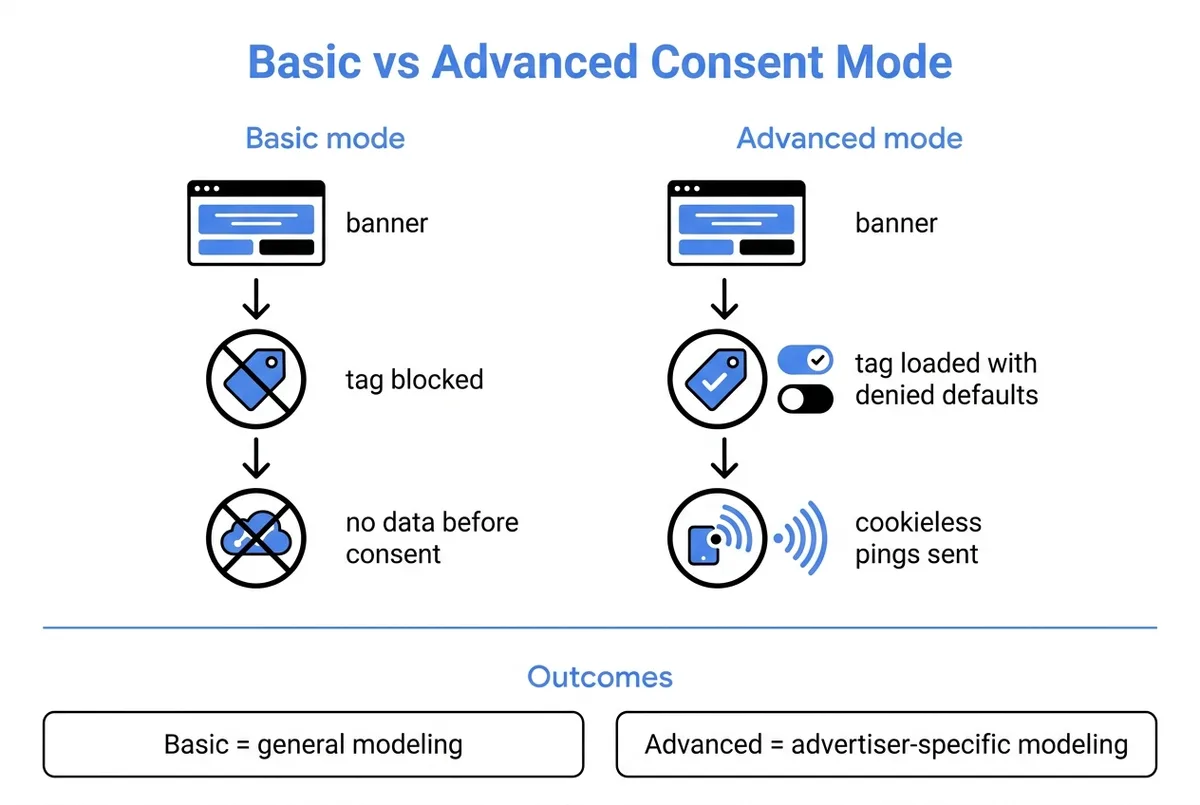
| Feature | Basic mode | Advanced mode |
|---|---|---|
| Tag loading | Blocked until the user interacts with the banner | Loads immediately with denied defaults |
| Data before consent | None | Cookieless pings (consent state, key events) |
| Modeling quality | General model | Advertiser-specific model |
| Typical measurement recovery | Limited | 65-70% of denied conversions (per Google docs) |
| Implementation complexity | Lower | Higher (needs CMP tuning, server-side controls) |
| Data-protection risk | Very low | Low, but requires a careful CMP configuration |
Basic mode
With Basic mode, no Google tag fires before the user clicks the banner. If consent is denied, nothing at all is sent to Google. This is the safest setup from a CNIL or DPA perspective: a visitor who refuses cookies is completely invisible to Google.
The trade-off is data loss. You only measure users who actively consent, and conversion modeling in Google Ads falls back to a general model calibrated across the whole Google Ads ecosystem rather than your own account history.
Advanced mode
In Advanced mode, the Google tag loads on page load with all consent signals set to denied by default. Before the banner interaction, it sends cookieless pings: no persistent identifier, no cookies written, just consent state and key event signals. When the user grants consent, the tag escalates to full measurement.
Google uses those cookieless pings to train an advertiser-specific conversion model. In internal Google benchmarks cited in their tag platform documentation, Advanced mode recovers about 65 to 70 percent of conversions that would otherwise be missed.
The data-protection consideration is that the cookieless pings still carry IP (truncated) and User Agent information. European DPAs have debated whether this counts as "processing of personal data" requiring consent. In practice, the CNIL's position is that cookieless pings fall within the measurement exemption provided they cannot be used to re-identify the user, which Google documents they cannot.
For most Shopify merchants with EU traffic, Advanced mode is the right default. Basic mode is a better pick for stores with stricter legal reviews or highly regulated verticals.
The Shopify piece: Customer Privacy API
Shopify handles consent on the merchant side through the Customer Privacy API, a browser-based JavaScript API exposed at window.Shopify.customerPrivacy. It is the source of truth for Shopify-managed surfaces: Web Pixels, checkout analytics, marketing audiences, and any app pixel installed through the Shopify App Store.
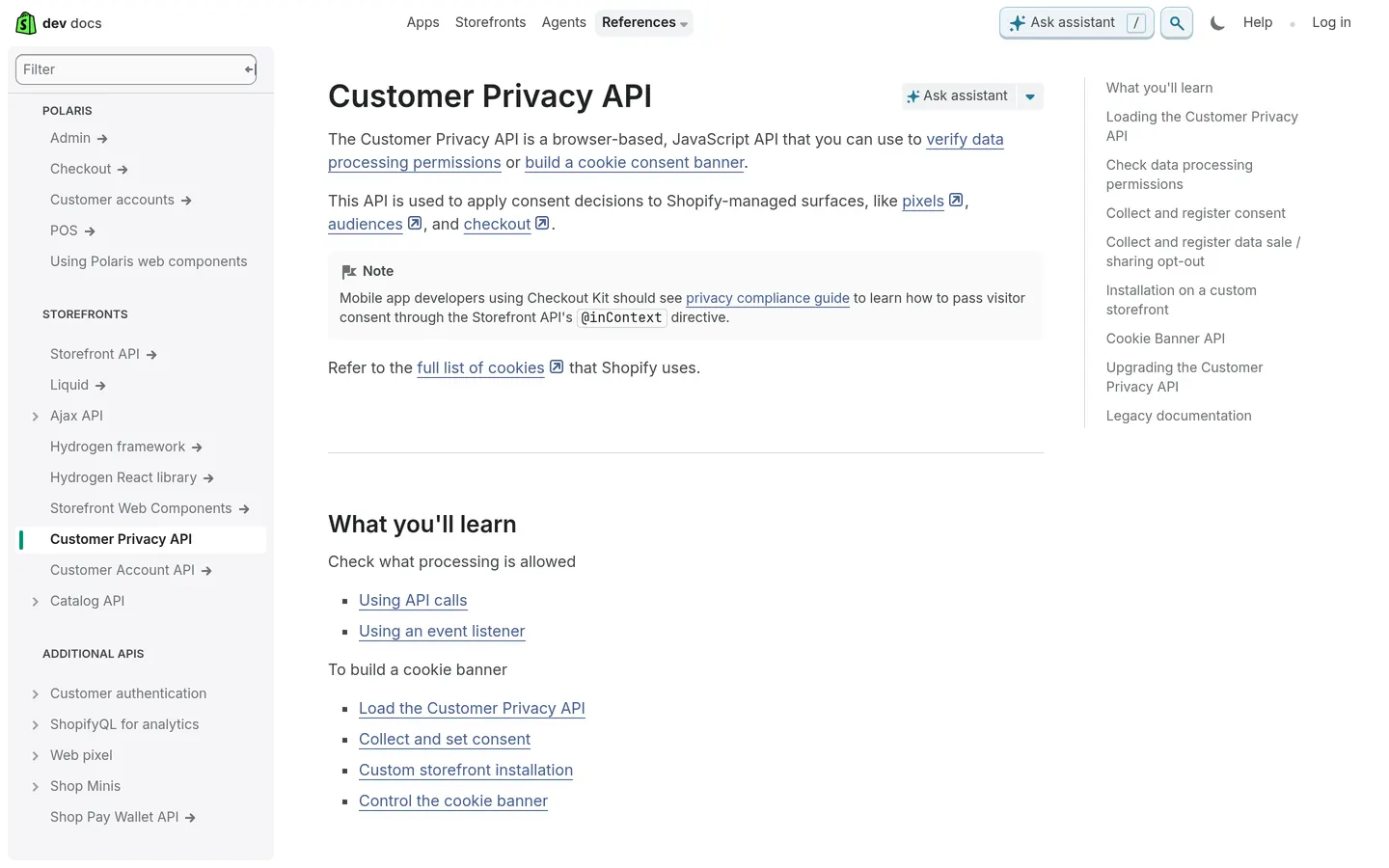 Shopify's official Customer Privacy API documentation.
Loading the API
The API is not loaded by default. You have to explicitly request it:
window.Shopify.loadFeatures(
  [
    {
      name: 'consent-tracking-api',
      version: '0.1',
    },
  ],
  (error) => {
    if (error) {
      console.error('Customer Privacy API failed to load', error);
      return;
    }
    // API ready at window.Shopify.customerPrivacy
  },
);
Reading consent state
Four methods return true or false based on current consent:
window.Shopify.customerPrivacy.preferencesProcessingAllowed();
window.Shopify.customerPrivacy.analyticsProcessingAllowed();
window.Shopify.customerPrivacy.marketingAllowed();
window.Shopify.customerPrivacy.saleOfDataAllowed();
Listening for changes
The visitorConsentCollected event fires whenever consent changes:
document.addEventListener('visitorConsentCollected', (event) => {
  console.log(event.detail);
  // { marketingAllowed: true, analyticsAllowed: false, ... }
});
This event is the hook you need to bridge Shopify consent into Google Tag Manager. Keep it in mind, we come back to it in the implementation section.
Writing consent
setTrackingConsent persists the choice and applies it to Shopify pixels:
window.Shopify.customerPrivacy.setTrackingConsent(
  {
    analytics: true,
    marketing: true,
    preferences: true,
  },
  () => console.log('Consent captured'),
);
Shopify's guidance, which I agree with, is never to read or write Shopify cookies directly. Always go through this API so your stack keeps working when Shopify ships a new cookie version.
Implementation: step-by-step on Shopify
Here is the exact sequence I use when I set this up for a merchant. The full flow is three moving parts: Shopify, a Consent Management Platform, and Google Tag Manager.
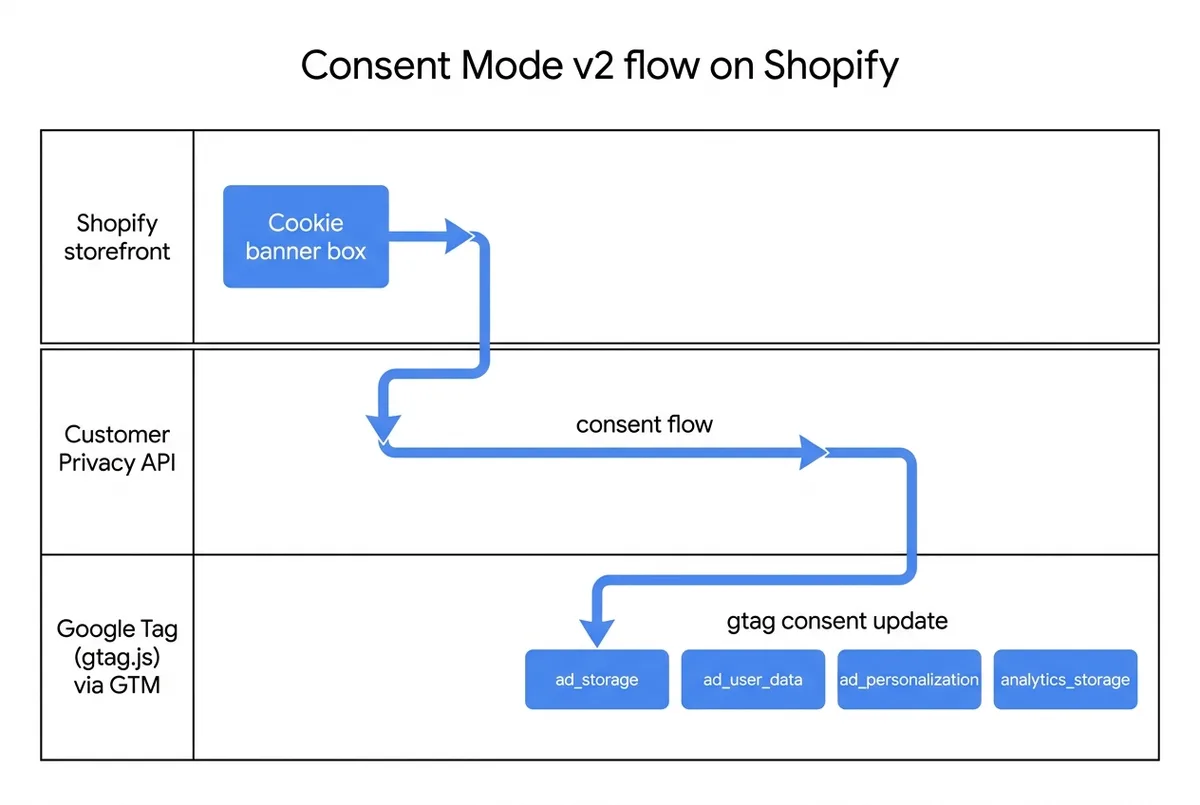
Step 1: enable the cookie banner in Shopify admin
In Settings → Customer privacy → Cookie banner, turn on the cookie banner. Shopify ships a native banner that works out of the box for basic compliance. Pick the regions where consent is required (EU, EEA, UK, plus any state-level regions like California if relevant).
For most merchants with serious EU traffic, the native banner is too limited: it does not surface category-level consent, does not integrate with IAB TCF, and cannot display a Legitimate Interest argument. In that case, disable it and install a dedicated CMP in step 2.
Step 2: install a Consent Management Platform from the Shopify App Store
For a production Shopify store, I recommend installing a CMP like Pandectes, Consentmo, or CookieYes. These apps:
- Provide a banner aligned with IAB TCF v2.2, the industry framework maintained by IAB Europe since May 2023.
- Write consent through
window.Shopify.customerPrivacy.setTrackingConsent, so Shopify Web Pixels respect it. - Inject a Consent Mode v2 signal in the dataLayer that GTM can read.
- Support per-region banners (one version for EU, one for California, one for Brazil).
Configuring the CMP takes about 20 minutes: define categories (strictly necessary, functional, analytics, marketing), set the default state, customize the banner text.
Step 3: wire up Google Tag Manager
In GTM, you need three things.
A. A Consent Mode default template. Create a new tag of type "Consent Mode" (or import a template from the GTM Community Template Gallery). Set all four v2 signals to denied by default, plus the legacy analytics_storage:
gtag('consent', 'default', {
  'ad_storage': 'denied',
  'ad_user_data': 'denied',
  'ad_personalization': 'denied',
  'analytics_storage': 'denied',
  'wait_for_update': 500,
});
Fire this tag on the Consent Initialization - All Pages trigger. The wait_for_update value (500 ms) gives the CMP time to push the real consent state before tags start evaluating their consent checks.
B. A consent update trigger. Create a custom event trigger that listens for the visitorConsentCollected event from Shopify, or for whatever event your CMP pushes to the dataLayer (Pandectes, for example, pushes consent_update). When it fires, call updateConsentState with the user's real choices:
gtag('consent', 'update', {
  'ad_storage': 'granted',
  'ad_user_data': 'granted',
  'ad_personalization': 'granted',
  'analytics_storage': 'granted',
});
C. Consent checks on every tag. In GTM, open each tag (GA4, Google Ads Conversion, Google Ads Remarketing) and go to Advanced Settings → Consent Settings. Set "Require additional consent for tag to fire" and pick the relevant signals (ad_storage for remarketing, analytics_storage for GA4).
Publish the container.
Step 4: let Shopify Web Pixels take the consent signal
Shopify Web Pixels (custom pixels you write in Shopify admin, or app pixels provided by apps) read consent through the Customer Privacy API, not through GTM. Because step 1 or step 2 already wrote the consent into customerPrivacy, pixels respect it automatically.
If you use an app pixel like Facebook Pixel via a Shopify app, double-check in the app's settings that it is listening for consent and not firing unconditionally. For Meta specifically, this means the app needs to be compatible with Meta's Consent Mode equivalent (passed through the Conversions API or the Pixel consent parameter).
Testing with Google Tag Assistant
You cannot ship this without testing, and the right tool is the free Google Tag Assistant Chrome extension. Here is the protocol I run on every store.
- Install Tag Assistant Companion from the Chrome Web Store.
- Open your Shopify store in a fresh incognito window.
- Click Add domain in Tag Assistant and enter your store URL.
- Reload the page. Tag Assistant starts recording.
- Before clicking the banner, check the Consent tab. You should see the default signals:
ad_storage: denied,ad_user_data: denied,ad_personalization: denied,analytics_storage: denied. - Click Accept all on the banner. Within 500 ms, the Consent tab should show an Update event with all signals now
granted. - Reload the page. The Consent tab should show
grantedimmediately on load (because the CMP persisted the choice). - Run the same test with Reject all and verify signals stay at
deniedafter the banner interaction.
Cross-check in the Google Ads UI: Tools → Tag → Consent settings shows a diagnostic card once v2 data is flowing. It usually takes 24 to 48 hours after deployment for the Consent Settings screen to move from "Not detected" to "Active".
If the Consent tab in Tag Assistant is empty or shows a mix of granted and unset, the most common cause is that GTM is firing Google tags before the Consent Mode default has executed. The fix is to make sure the Consent Mode default tag has Consent Initialization - All Pages as its trigger, and that every other tag uses Initialization - All Pages or a page event.
Impact on conversion tracking and attribution
Deploying Consent Mode v2 does not magically preserve all your data. It changes the shape of your measurement in three concrete ways.
1. Raw conversion count drops
For users who deny consent, no cookie is written and no persistent identifier is stored. Advanced mode still sends cookieless pings, but Google Ads conversions based on those pings are modeled, not observed. On EU traffic, expect a 10 to 25 percent drop in reported Google Ads conversions right after the banner goes live, depending on your refusal rate.
2. Attribution becomes noisier for paid social and search
With fewer observable click events, attribution models (first-click, last-click, data-driven) have less signal. Cross-device attribution in particular degrades because the user's consent state may differ on mobile and desktop. This is where first-party UTM tracking becomes decisive.
I wrote a short companion tool, the UTM link builder, precisely to keep a clean attribution chain that does not rely on third-party cookies. When your paid traffic lands on your Shopify store with consistent UTM parameters, you preserve a measurable path from campaign to conversion that survives regardless of consent choices.
3. Post-consent channels become more valuable
Channels that run after consent, where the user has explicitly opted in to hear from you, keep a measurable attribution chain independent of browser cookies. Email, SMS, and WhatsApp marketing fall in this bucket. The consent they rely on is explicit and documented in the CRM, so every message can be attributed to a revenue event through the merchant's own order table.
This is a big part of why I built Kanal around WhatsApp and Shopify: in a Consent Mode v2 world, the channels where you control the consent record are the most reliable for ROI reporting. For the full KPI framework, see our ROI and benchmarks for WhatsApp marketing.
French and EU specifics: CNIL, TCF, legitimate interest
The French CNIL takes a stricter line than most European DPAs on cookie consent. A few points I make sure every merchant with French traffic understands.
 The CNIL's official guidance on cookies and trackers, the reference document for French stores.
- Rejecting must be as easy as accepting. The banner must offer a "Reject all" button at the same level as "Accept all". No pre-ticked checkboxes. No cookie walls that block access to the site. The CNIL's cookie guidelines are explicit on this.
- Consent has to be granular. At minimum, one toggle per purpose (measurement, targeted advertising, social media, personalization). A single "Accept all" toggle is not valid.
- Consent is logged and auditable. Every CMP I trust stores a Consent ID and timestamp. Shopify's
window.Shopify.customerPrivacy.consentId()returns the ID the merchant can cross-reference with the audit log. - Legitimate interest is not a workaround for advertising. Under CNIL interpretation, advertising purposes cannot rely on legitimate interest as a legal basis. Consent is required.
- The CNIL has fined merchants. In 2021 and 2022, the CNIL issued fines of up to 150 million euros (Google) and 60 million euros (Facebook) on cookie consent flows. Shopify merchants are a smaller target, but French merchants have been audited and fined at the 100 000 to 300 000 euro range for broken consent.
For EU-wide standardization, the IAB Europe Transparency and Consent Framework v2.2, launched in May 2023, is the industry standard. A CMP that is on the IAB Europe Global Vendor List and TCF-compliant covers the technical interoperability piece.
Common pitfalls I see on Shopify stores
After running this setup for dozens of Shopify merchants, these are the mistakes that come up the most.
Mistake 1: leaving the GTM container unconsented. The GTM container script itself does not need consent, but if you put anything other than the Consent Mode default in the GTM container, tags fire before the consent state is known. Keep GTM lean: only the consent template loads on Consent Initialization.
Mistake 2: forgetting the Shopify Web Pixel. Facebook Pixel and Google tags installed directly through the Shopify theme bypass GTM. Migrate them to the Customer Events API (Shopify Web Pixels), which reads consent from customerPrivacy automatically.
Mistake 3: missing the server-side Conversions API for Meta. Meta's Pixel loses signal under Consent Mode v2 similarly to Google tags. Installing Meta's CAPI via a Shopify app with consent-aware routing preserves server-side conversions for users who consent.
Mistake 4: not setting region-specific defaults. Consent Mode defaults should be scoped to regions where a banner is shown. For US traffic (except California), most stores do not need default denied on analytics. Use region in gtag('consent', 'default', ...) to avoid hurting measurement where consent is not required.
Mistake 5: shipping without Tag Assistant verification. Every merchant I have seen with a broken setup skipped the Tag Assistant step. Twenty minutes of testing in incognito catches 90 percent of the issues.
A realistic rollout plan
For a Shopify store with EU traffic and Google Ads spend, here is the rollout plan I use. It takes about two weeks of elapsed time with one or two hours of hands-on work per day.
- Week 1, day 1-2: audit the current setup. List every tag, pixel, and app that touches the storefront. Identify the ones that need consent.
- Week 1, day 3-4: install and configure the CMP. Run the first version in a staged theme.
- Week 1, day 5: update GTM: consent default, update trigger, consent checks on every tag. Publish to a preview environment.
- Week 2, day 1-2: QA in Tag Assistant on desktop and mobile. Test Accept, Reject, and Settings flows.
- Week 2, day 3: publish to production. Monitor Google Ads Consent Settings diagnostic and GA4 reports for anomalies.
- Week 2, day 4-7: measure the delta. Compare conversion volumes, attribution, ROAS.
The merchants I have coached through this process typically see a 12 to 20 percent reduction in reported Google Ads conversions in the first week, which stabilizes to around 8 to 12 percent after Google's modeling kicks in and historical data accumulates.
FAQ
Is Consent Mode v2 mandatory for Shopify merchants selling in the EU?
Consent Mode v2 is required if you want to keep using Google Ads remarketing, Google Analytics audiences, and personalized advertising features for EEA and UK traffic. Google enforced this in March 2024, and sending data without Consent Mode v2 signals means remarketing lists stop populating. It is not a law, but it is the technical bridge between GDPR consent and Google advertising products.
What is the difference between Basic and Advanced Consent Mode?
Basic mode blocks Google tags from firing until a user grants consent, so no data is sent before the click. Advanced mode loads tags with denied defaults and sends cookieless pings that Google uses for conversion modeling. Advanced preserves more measurement (advertiser-specific models, around 65 to 70 percent modeled recovery on denied traffic based on Google's documentation), while Basic is simpler and lower risk from a data-protection standpoint.
Does Shopify send consent to Google automatically?
No. Shopify's Customer Privacy API handles consent for Shopify-managed surfaces (Web Pixels, checkout, audiences) through the visitorConsentCollected event. Passing those signals to Google tags still requires an explicit bridge, typically a Google Tag Manager template that listens for the Shopify event and calls gtag('consent', 'update', ...) with the four v2 parameters. A CMP app from the Shopify App Store can also do this automatically.
How do I verify that my Consent Mode v2 setup is working?
Install the Google Tag Assistant Chrome extension, load your storefront in incognito, and watch the consent state in the Tag Assistant timeline. You should see a default state with ad_storage, ad_user_data, ad_personalization, and analytics_storage set to denied, followed by an update event after the user clicks the banner. The Consent Mode tab in Google Ads also shows a diagnostic once data starts flowing.
Will Consent Mode v2 break my conversion tracking and attribution?
Conversion volume drops in absolute terms because users who deny consent stop being tracked with cookies. Advanced mode partially compensates through modeling, but attribution gets noisier for paid channels. This is why many Shopify merchants reinforce first-party, server-side signals, for example UTM parameters passed through to CRM (Klaviyo, Kanal), and why post-consent channels like WhatsApp marketing keep a measurable attribution chain independent of browser cookies.
What happens if I do not implement Consent Mode v2?
For EEA and UK traffic, Google Ads features that rely on personalized measurement (audiences, remarketing lists, Smart Bidding with first-party signals) degrade or stop working. You do not get fined by the CNIL for missing Consent Mode v2 specifically, the fines target missing or broken consent banners under the ePrivacy Directive. But you do lose the technical path between your CMP and Google, so your advertising performance suffers while your competitors still get modeled data.
Next steps
If you run EU traffic on Shopify, you cannot skip Consent Mode v2. The setup is a two-week project with a clear path: enable Shopify's Customer Privacy API, install a CMP, wire GTM, verify with Tag Assistant. The harder question is how to keep measuring when third-party cookies go away.
I built Kanal to help Shopify merchants invest in post-consent channels where attribution stays clean: WhatsApp, email, SMS. When your paid-media measurement is rattled by consent signals, the channels where your customers have explicitly opted in become your most reliable growth surface. For a deeper look at the metrics that matter in this new world, see our WhatsApp marketing ROI and KPIs guide and try the UTM link builder to keep attribution intact across the journey.

Nicolas accompagne les marques e-commerce dans leur croissance grâce au marketing WhatsApp. Expert de l'écosystème Shopify et du commerce conversationnel, il partage des stratégies éprouvées pour la relance de paniers abandonnés, les campagnes broadcast et l'engagement client via l'IA.
Prêt à booster vos ventes WhatsApp ?
 Installer avec Shopify