WhatsApp Channels for Business: Complete Guide (2026)

WhatsApp Channels is Meta's one-way broadcast feature for brands. Setup, best practices, and how Channels differ from Newsletter and Groups in 2026.
Table of contents (11)
WhatsApp Channels are Meta's one-way broadcast feature, launched in 2023 and now rolled out globally. A Channel is a public, follow-able profile from which only the admin posts. Followers see updates in a dedicated Updates tab, separate from their chats. There is no two-way conversation, no replies in chat, and no API. Channels are how brands build a free, owned audience on WhatsApp without paying per-message under the Business API. This guide covers what Channels can and cannot do, how they differ from a WhatsApp Newsletter or a Broadcast list, and when a Shopify brand should ship one.
Channels vs Groups vs Broadcast Lists vs Newsletter
Four formats, often conflated, very different mechanics. Pick the wrong one and you spend a quarter rebuilding.
| Format | Direction | Reply mechanic | Max audience | Cost | API |
|---|---|---|---|---|---|
| WhatsApp Channel | One-way (admin only) | Reactions, polls (no chat) | Uncapped, public | Free | None in 2026 |
| WhatsApp Group | Many-to-many | Open chat, all members visible | 1024 members | Free | None |
| Broadcast list (free app) | One-way push | Private reply per recipient | 256 contacts per list | Free | None |
| Newsletter via Business API | One-way push, two-way reply | Private chat reply | Uncapped, opted-in | Per-conversation pricing | Yes |
Each format was built for a different stage of the relationship with the customer.
- Channels are for free brand reach. No automation, no segmentation, no Shopify trigger. Followers opted in by tapping Follow.
- Groups are for small clusters with active two-way chat. Almost never the right surface for e-commerce marketing because phone numbers are visible to all members.
- Broadcast lists are the entry-level free-app push, limited to 256 contacts and requiring recipients to have your number saved.
- Newsletter via Business API is the paid, automation-friendly surface for scale and measurement. Our Newsletter guide covers that path in detail.
The most important pair to disambiguate: Channels vs Newsletter. Channels are free, public, one-way with reactions only. Newsletter is paid, private, two-way capable, automation-driven. Brands typically run both: Channels for top-of-funnel reach, Newsletter for measurable conversion. See also our broadcast guide for the broadcast-specific deep dive.
How Channels Work for Followers
The follower experience is closer to Instagram Stories than to a chat. Four mechanics:
Separate Updates tab. Channel posts land in a tab distinct from chats. No chat-list entry, no unread badge.
Reactions and polls only. One emoji per post. Admins can publish polls. No free-text reply. To message the brand, the follower uses the separate Business chat.
Notification opt-in per Channel. Expect 25 to 60% of followers to have notifications on. Follower count is not a notification reach.
Public profile. Public URL (whatsapp.com/channel/<id>), bio, avatar, header. Posts can be forwarded.
Channel Directory and Discovery
WhatsApp ships an in-app directory of public Channels organized by country and category. Discovery is a meaningful channel for brand growth in 2026, but it is not Instagram, and the algorithm rewards a narrower set of signals.
What drives directory visibility:
- Country match. Channels rank in the directory of their declared primary country
- Category fit. Pick a category that maps tightly to your product (Fashion, Beauty, Sports, Food, Travel)
- Follower growth velocity in the first 7 days after launch
- Reaction rate per post as a soft engagement signal
- Post frequency, with a minimum threshold below which Channels are deprioritized
Outside the directory, the bigger discovery driver is the share link. Channels are shared inside chats and groups frequently because the format is lightweight. Brands that put the Channel link on packaging, in the WhatsApp link of their bio, and in checkout confirmation emails typically grow 3 to 5x faster than directory-only Channels.
How to Create a WhatsApp Channel
The setup is short, the constraints are real. Five steps:
- Country availability. Channels are now live globally as of 2024, but admin functionality is region-restricted in a few markets (notably China). Check Meta's Channel availability documentation before launching.
- Open WhatsApp on the device that will host the admin account. This must be a real phone number you control. You cannot host a Channel from MM Lite or the Business API.
- Tap the Updates tab, then the plus icon, then Create channel. Set the Channel name (the brand name), the description (under 100 characters), and the avatar.
- Pick a category and a country. These two attributes drive directory placement. Pick the narrowest fit, not the broadest.
- Publish your first post. Do not let the Channel sit empty after creation. The first 24 to 48 hours are when the early follower velocity signal is measured. Have 3 to 5 posts ready before you share the link.
The admin account hosting the Channel is a normal WhatsApp account. The phone number is not displayed publicly to followers, but it is visible to Meta. Most brands host Channels on a dedicated phone number that is not the personal number of any team member.
Best Practices for E-commerce Brands
A Channel is a different content surface from a Newsletter. Patterns that pay off in 2026:
Frequency. 3 to 5 posts per week. Daily is too much. Less than 2 and you fall out of the directory ranking.
Content mix. 60% product (drops, restocks, looks), 30% brand (behind-the-scenes, founder, customer features), 10% direct sales. Pure-sales Channels get muted fast.
Lead with the image. Hero image carries the message. Captions 1 to 3 short sentences with a link.
Polls every 2 to 3 weeks. Triples reactions on surrounding posts and surfaces variant preferences.
Track weekly, not daily. Weekly net adds is the signal that says whether your content strategy is working.
Anchor to product launches. Announcement, teaser, poll, drop drives 10 to 25% of launch-day revenue. See our Black Friday WhatsApp playbook.
Channels vs Newsletter via Business API
The most important strategic question for a Shopify brand is when to use a Channel and when to use a paid Newsletter. Both exist on WhatsApp. They serve different goals.
| Dimension | Channel | Newsletter (Business API) |
|---|---|---|
| Cost | Free | Per-conversation pricing |
| Direction | One-way, reactions and polls only | One-way send, two-way reply possible |
| Audience | Public followers, can be discovered | Opt-in subscribers, requires opt-in flow |
| Where it lands | Updates tab (separate from chats) | Customer's main chat list |
| Open rate | Not measured by Meta on free tier | 90 to 96% |
| Automation | None in 2026 | Full automation, Shopify-event triggered |
| Segmentation | None | Tag, RFM, last-purchased SKU |
| Reply mechanic | Reactions, polls only | Free-text two-way chat |
| Best for | Top-of-funnel reach, brand affinity | Conversion, transactional ROI |
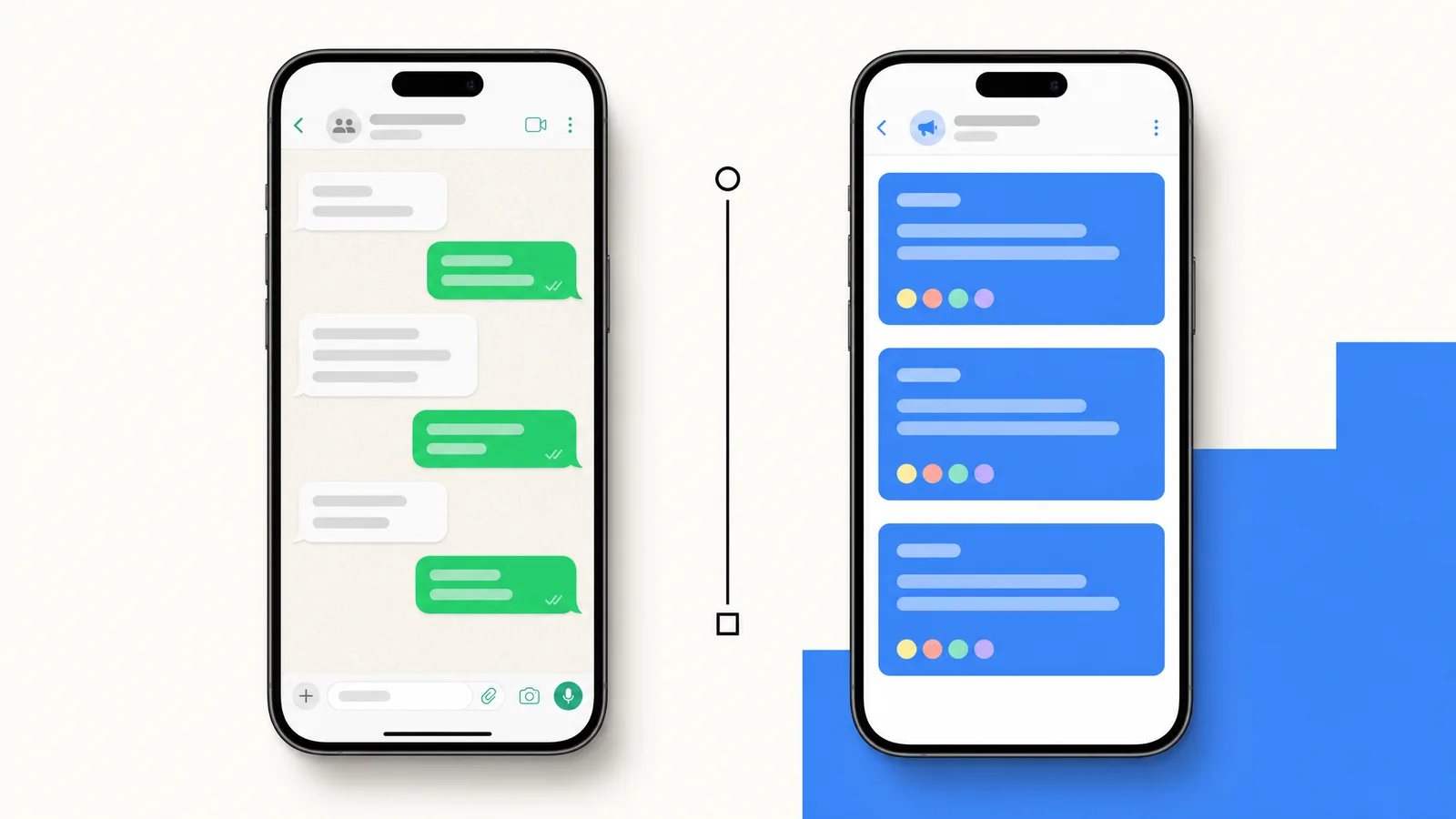
The clearest mental model: Channels are a megaphone, Newsletter is a one-to-one CRM. Each does one job well. Almost no Shopify brand picks one and not the other. They are stacked.
A typical 2026 stack on a Shopify store with 50 to 200k followers/subscribers:
- Channel (free): brand awareness, drop teasers, content marketing, polls, story moments
- Newsletter via Business API and Kanal: segmented sends, abandoned cart, back-in-stock, post-purchase automations, click-to-WhatsApp ads follow-up
- Customer support chat via same API: replies to incoming queries
Examples of Brands Using Channels Well
A few public Channels worth studying in mid-2026:
Fashion drops. Brands like Daily Paper and Aime Leon Dore post lookbook teasers, drop reminders, and short-form video. Every other day. Captions under 30 characters. Strong reaction rate.
Beauty. Glossier and Trinny London mix product education, restocks, and founder content. Polls surface shade and SKU preferences before launches.
Food and beverage. DTC food brands use Channels for recipe content, behind-the-scenes, and flash drops. 4 to 5 posts per week.
Sports and creators. Used as a bridge between Instagram audience and a paid newsletter or subscription. Promo codes in pinned posts is the main monetization route.
What ties the strong examples together: consistent voice, image-first feed, narrow product category, and a clear path off the Channel into a paid surface.
Limitations and What to Plan Around
What Channels do not do in 2026:
- No API, no automation. Posts must be published manually. No Klaviyo integration, no Shopify event trigger, no webhook.
- No segmentation. Every follower sees every post. You cannot send to "VIP" or "France only" segments.
- No two-way chat from a follower. If a follower wants to ask a question, they must message the brand on a separate surface.
- Limited analytics. Free-tier analytics show follower count, reactions per post, poll responses. They do not show open rate, click rate, or conversion attribution. There is no per-post revenue dashboard.
- No native CTA buttons. Posts can include links, but there is no template-style structured button. Conversion happens via plain links.
- Light moderation tools. As an admin, you cannot ban a follower from reacting or seeing posts. Mute and report are the only abuse controls.
These constraints are intentional. Channels are a brand-affinity surface, not a CRM. If you need real automation, attribution, or segmentation, you need the WhatsApp Business API and a Newsletter setup.
When to Choose Channels vs Newsletter for Your Store
A short decision framework:
Start with a Channel if you are pre-revenue or sub $50k MRR and you do not have a Business API setup yet. The Channel is free and validates whether your audience opts in to a WhatsApp surface.
Start with a Newsletter if you are doing $50k+ MRR and email open rates are dropping. The Business API runs through a BSP like Kanal or one of the alternatives. Per-conversation cost is offset by 90% open rates.
Run both if you are above $100k MRR. The Channel builds top-of-funnel reach. The Newsletter drives measurable revenue. They reinforce each other.
How Kanal Complements WhatsApp Channels
Kanal does not host Channels (Channels live inside the WhatsApp app and Meta does not expose a Channel API). What Kanal does is run everything around the Channel.
- Newsletter on the Business API for segmented, automation-driven sends (WhatsApp campaigns)
- Click-to-WhatsApp ad funnels that feed both Channel and Newsletter
- Shopify integration that connects order, cart, and customer events to messaging automations (Shopify integration)
- AI chatbot for replies to incoming customer messages (AI chatbot)
- Free WhatsApp link generator to put Channel join links in your bio, packaging, and email footers
Brands using Kanal alongside a Channel see 2 to 4x faster Newsletter list growth in the first 6 months, because the Channel's free reach feeds into the paid surface via prompt CTAs in the Channel itself. See pricing and book a demo to see the integrated setup.
Getting Started
If your store does not already have a WhatsApp presence, start with a Channel. Free, 15 minutes to set up, validates whether your audience engages on the surface. Once you cross 1k followers, layer on a Newsletter via the Business API.
If you are on Shopify, install Kanal for the Newsletter side. Channels you set up directly from the WhatsApp app, then promote the join link through your existing channels (bio, packaging, email footer).
Frequently asked questions
What are WhatsApp Channels?
WhatsApp Channels are Meta's one-way broadcast feature, launched in 2023 and rolled out globally through 2024. A Channel is a public, follow-able profile from which only the admin can post. Followers see new posts in their Updates tab (separate from chats). There is no member chat, no reply, and no two-way conversation. Channels are how brands and creators build a follower base on WhatsApp without using the Business API.
How are WhatsApp Channels different from a WhatsApp Newsletter?
A WhatsApp Channel is free, lives in the Updates tab, allows reactions and polls but no two-way chat, and has no API or automation in 2026. A WhatsApp newsletter through the Business API is paid (per-conversation pricing), lands directly in the customer's chat list, supports two-way replies, and integrates with Shopify automations. Channels are for free reach and brand affinity. Newsletter is for measurable, automation-driven commerce messaging.
Are WhatsApp Channels free for businesses?
Yes. Creating a Channel, posting, and growing a follower base are all free. Meta does not charge per-post fees for Channels in 2026. The trade-off is no automation, no API, no real-time analytics on the free tier, and no Shopify integration. Brands typically use Channels in addition to a paid Business API setup, not as a replacement.
Can I send a WhatsApp Channel post to followers automatically?
No. As of 2026, Channels do not support API-driven automation. You cannot schedule a post via a webhook, cannot trigger one from a Shopify event, and cannot connect a Channel to Klaviyo or any marketing automation tool. Posts must be written and published manually in the WhatsApp app or web interface. If you need automation, you need the WhatsApp Business API and a Newsletter setup, not a Channel.
How many followers can a WhatsApp Channel have?
There is no follower cap announced by Meta as of 2026. The largest public Channels (sports, news, celebrities) have tens of millions of followers. For e-commerce brands, typical follower counts in the first year sit between 1,000 and 50,000 depending on existing brand audience and discovery efforts. Channels can be discovered via the in-app directory plus shared via link.
Can WhatsApp Channel followers reply to my posts?
Not in chat. Followers can react with emojis (one per post) and respond to polls. They cannot send a free-text message to the Channel. If a user wants to message the brand, they must do so through the brand's regular Business chat (a separate surface). This is the main structural difference between Channels and Newsletter. Channels are true one-way broadcast.
WhatsApp Channels vs Groups, what is the difference?
A WhatsApp group is many-to-many: every member can post and see every other member's number. Max 1024 members. A Channel is one-to-many: only the admin posts, followers see only the admin, follower count is uncapped. Groups suit small communities and customer support clusters. Channels suit brand broadcast at scale. For e-commerce, Channels are almost always the right surface and groups almost always the wrong one.

Nicolas helps e-commerce brands grow revenue with WhatsApp marketing. With deep expertise in Shopify ecosystems and conversational commerce, he shares proven strategies for abandoned cart recovery, broadcast campaigns, and AI-powered customer engagement.
Ready to boost your WhatsApp sales?
 Install with Shopify
Glossary terms in this article
Quick definitions for the WhatsApp Business terms used above.
Broadcast
A broadcast is a message sent to many WhatsApp contacts at once, typically a marketing campaign delivered to a segment of opted-in customers.
Read full definitionOpt-in
An opt-in is the explicit permission a customer gives a business to contact them on WhatsApp. It is required before a business can send any message.
Read full definitionWebhook
A webhook is an automatic notification WhatsApp sends to a business application whenever an event happens, such as an incoming message or a delivery status update.
Read full definitionBusiness Solution Provider (BSP)
A Business Solution Provider (BSP) is a Meta-approved company that gives businesses access to the WhatsApp Business Platform, usually through a dashboard built on top of the API.
Read full definitionClick-to-WhatsApp Ads
Click-to-WhatsApp ads are Facebook and Instagram ads that open a WhatsApp chat with the business when tapped, instead of sending the user to a website.
Read full definitionSuggested articles
WhatsApp Marketing for Beauty Brands: Strategies & Templates (2026)
The vertical-specific WhatsApp playbook for beauty and skincare brands. Real examples, consultation flows, replenishment automation, VIP loyalty, 7 ready-to-use templates and KPIs that move the needle in 2026.
WhatsApp Click-to-Chat Links: Generate, Track & Convert (2026)
Create WhatsApp click-to-chat links that turn Shopify visitors into customers. Free generator, URL syntax, Shopify setup, tracking, and Click to WhatsApp Ads comparison for 2026.
WhatsApp Business Templates: 25 Examples Ready for Meta Approval (2026)
Master WhatsApp Business templates in 2026: 25 ready-to-submit examples, Meta approval rules, the 4 template categories, costs, and the rejection reasons killing most submissions. Built for Shopify merchants running cart recovery, shipping updates, and broadcasts.
Black Friday WhatsApp Marketing: 8-Step Playbook for Shopify (2026)
The complete Black Friday WhatsApp marketing playbook for Shopify stores. Pre-BF list build, broadcast timing, cart recovery, Cyber Monday extension, templates and KPIs for 2026.