WhatsApp newsletter: how to send one, cost and rules

Summarize this article with an AI
 ChatGPT
 Claude
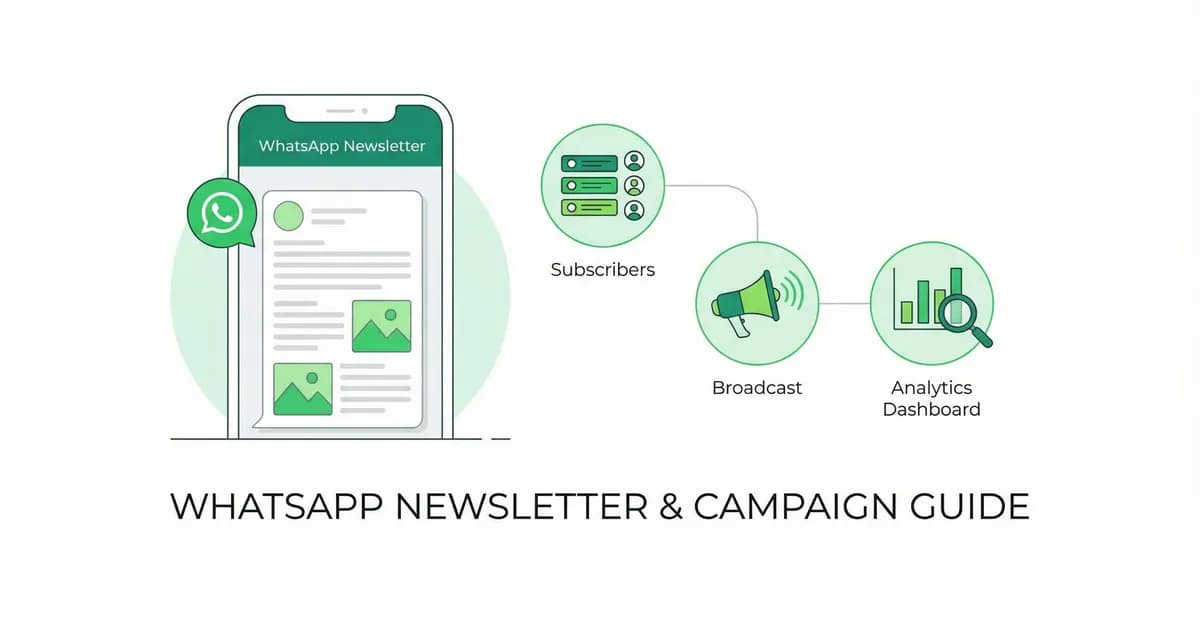
A WhatsApp newsletter is a regular message sent to subscribers who opted in. Three ways to send one, what each costs, the opt-in rules and templates.
Table of contents (38)
Key takeaways
- WhatsApp has no feature called newsletter, so you send one through a Channel, an app broadcast list or a marketing campaign on the Business Platform.
- A broadcast list holds up to 256 contacts who saved your number, so a customer list needs the Platform, where Meta charges each delivered marketing message.
- Meta requires opt-in before you message people, with the business clearly named, and every request to opt out must be respected.
A WhatsApp newsletter is a regular message a business sends on WhatsApp to people who agreed to receive it: news, offers, launches. WhatsApp has no feature called "newsletter": you send one through a Channel, a broadcast list in the app, or a marketing campaign on the WhatsApp Business Platform, and only the last one is built for a customer list.
| WhatsApp Channel | Broadcast list (WhatsApp Business app) | Campaign on the WhatsApp Business Platform | |
|---|---|---|---|
| Who receives it | Followers of the channel | Contacts who saved your number | Customers who opted in |
| Where it lands | In the Channels tab | In each recipient's chats, as an individual message | In each recipient's chats |
| Size | No follower limit listed | Up to 256 contacts per list | No list size set by the app: sends go through the API |
| How you send | By hand, in the app | By hand, in the app | Marketing templates reviewed by Meta, sent to segments, on a schedule |
| Cost | No fee listed in WhatsApp's Help Center | No fee listed for the list itself; a monthly broadcast limit applies in some countries | Meta charges each delivered marketing message, by country, plus your provider's subscription |
Sources, read on October 8, 2026: WhatsApp Help Center on broadcast lists, broadcast limits and finding and following channels; Meta for Developers on pricing and template review.
This guide explains each route, what it costs, the opt-in rules and how to write and measure a newsletter. If you run a Shopify store and want the tool itself, see Kanal's WhatsApp newsletter for Shopify, which runs on the WhatsApp Business Platform.
What is a WhatsApp newsletter?
It is email's newsletter moved into a chat app: a message you send on a regular rhythm to a list of subscribers. The difference from email is where it arrives (among the customer's personal conversations) and the rules that come with it (opt-in, templates, a charge per delivered message on the API).
WhatsApp newsletter vs email newsletter
| WhatsApp newsletter | Email newsletter | |
|---|---|---|
| Format | Short text, image or video, buttons | Full HTML design |
| Where it arrives | The customer's chat list | The inbox, sometimes the promotions or spam folder |
| Cost model on the API | Per delivered message, rate by country | Usually per contact per month |
| Typical use | Launches, restocks, time-limited offers | Long-form content, digests |
For the email side, Mailchimp's benchmarks put the average e-commerce open rate at 29.81%, the click rate at 1.74% and the unsubscribe rate at 0.19% (data available in December 2023, read on October 8, 2026). There is no independent public benchmark for WhatsApp marketing open or click rates, and vendor figures are not audited: compare the read, click and opt-out rates in your own account with your own email numbers.
How do you send a newsletter on WhatsApp?
Option 1: a WhatsApp Channel, for public updates
A Channel is a feed that people and organizations publish and that anyone can choose to follow. WhatsApp's Help Center says followers see updates "like written notes, links to information, or media", and each follower decides whether to turn on notifications for the channel. A Channel posts the same update to every follower, so it works for reach, not for messaging a customer list by segment. Our WhatsApp Channels guide covers it in detail.
Option 2: a broadcast list in the WhatsApp Business app
A broadcast list sends one message to several contacts at once. According to WhatsApp's Help Center:
- Tap Chats, open the menu and tap Broadcast lists.
- Create a list and select the contacts to add, up to 256 contacts in each list. You can create as many lists as you like.
- Write your message and send it. Each recipient receives it as an individual message from you, and their reply is not sent to the other contacts.
Two limits make it a tool for small lists. Only people who added you to their phone's contacts receive the broadcast. And in some countries a monthly broadcast limit is rolling out: where it applies, WhatsApp's page says you can send up to 35 free broadcast messages per month.
The WhatsApp Business app also has a paid feature called marketing messages (renamed business broadcasts in some countries): you add a photo or video, text and an action button, pick an audience from your contacts and lists, and pay for the messages that are delivered. Meta reviews these messages before they are sent (How to create and send a marketing message, read on October 8, 2026).
Our broadcast guide and the broadcast glossary entry cover the mechanics in more detail.
Option 3: campaigns on the WhatsApp Business Platform
This is the route for a store with a customer list. The number is connected to the WhatsApp Business Platform (the API) through a provider, and the newsletter is a marketing template sent to a segment of opted-in customers, on a schedule, with delivery, read and click figures for each send. This is what WhatsApp broadcast at scale means in practice, and the rest of this guide is about this route.
What does a WhatsApp newsletter cost?
On the WhatsApp Business Platform, Meta charges per delivered message, at a rate that depends on the message category and on the country of the recipient's phone number; a newsletter is a marketing message. Meta does not charge for the messages customers send you (Meta's pricing documentation, updated September 30, 2026). Your provider's subscription comes on top.
So the cost grows with every message delivered, which is the opposite of email, where the list size sets the price. Two habits follow: send to segments instead of the whole list, and judge each send on revenue per recipient. Rates by country are in our WhatsApp Business pricing guide, and WhatsApp marketing in the USA covers the rules specific to US numbers.
WhatsApp newsletter vs broadcast vs group
The three terms get used interchangeably and should not be. Before you choose, compare four things: sending limits, templates, opt-in rules and delivery analytics.
| Newsletter on the Business Platform | Broadcast list (app) | Group | |
|---|---|---|---|
| Sending limits | Set by Meta for your number, not by a list size | 256 contacts per list, plus a monthly broadcast limit in some countries | A shared chat, not a sending tool |
| Templates | Required: marketing templates reviewed by Meta | Not required | Not required |
| Opt-in rule | Required before you message people | Recipients must have saved your number | Members are added or join by link |
| Who sees replies | Only the business | Only the sender | All members |
| Do members see each other? | No | No | Yes |
| Delivery analytics | Delivered, read and click figures per send | None beyond the message info of each chat | None |
For marketing to customers, the newsletter and the broadcast are the appropriate formats. A group is a conversation between members, who see each other and every reply: use it for a community, not for promotions.
Why do ecommerce brands add a WhatsApp newsletter to email?
Email is mature, cheap, and predictable. WhatsApp is younger, more expensive per message, and harder to scale. So why do brands add it? Three reasons tied to how the channel works:
No spam folder. Messages land in the same inbox where customers chat with friends and family, next to their personal conversations rather than in a promotions tab.
Inline buttons. The format is conversational, the CTAs are buttons inside the message, and the customer can reply in the same thread.
Delivery you can check. Meta charges for delivered messages, and the platform reports the status of each one, so you know how many subscribers actually received the newsletter.
The trade-off is per-message cost (Meta charges each delivered marketing message at a rate set by the recipient's country, plus BSP fees) and a more constrained design surface (no full HTML). Whether the math favors WhatsApp for your store is something to measure: compare revenue per recipient on both channels for the same offer.
If you sell on Shopify, our WhatsApp campaigns feature page covers how newsletters fit alongside abandoned cart, post-purchase, and back-in-stock automations. Track revenue per recipient across the mix to decide which email sends WhatsApp should take over.
How do you create a WhatsApp newsletter?
Step 1: Connect a number to the WhatsApp Business Platform
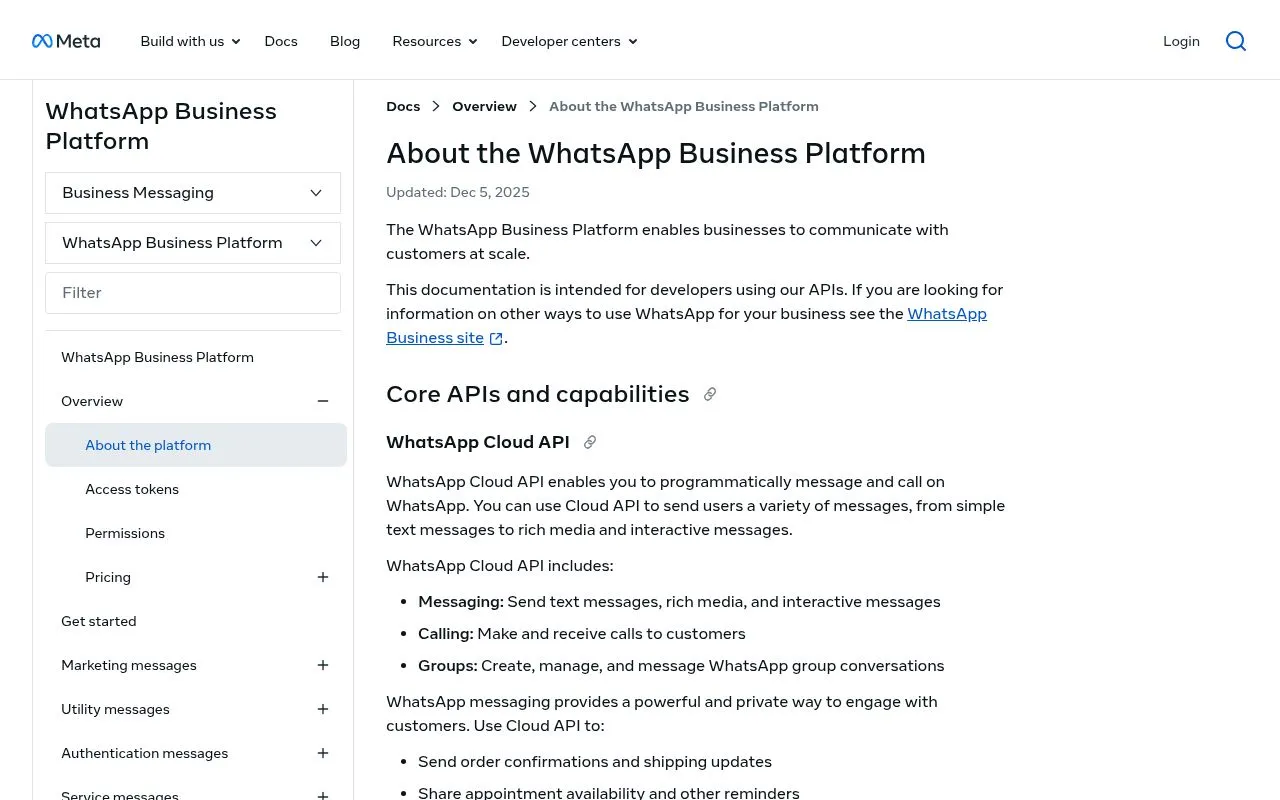
A broadcast list in the app holds up to 256 contacts, which is not enough for a customer list. You need the WhatsApp Business API, reached through a provider.
On Shopify, one way is to install Kanal from the Shopify App Store and connect your number from the app.
Step 2: How to build a WhatsApp subscriber list for ecommerce
You need opt-in from every subscriber: the rules are in the section on opt-in further down. Here are four common opt-in mechanisms for e-commerce:
1. Checkout opt-in. A checkbox or post-purchase prompt on your Shopify checkout asking customers to receive order updates and offers via WhatsApp. It reaches customers at the moment they buy, without ad spend. Keep the wording clear ("Receive updates from {brand} on WhatsApp"). Kanal collects opt-ins at checkout through its Shopify integration.
2. Popup or floating widget with incentive. Site popup that offers a code in exchange for WhatsApp opt-in (our comparison of popup apps for Shopify covers the tools). Store the consent timestamp and the source URL with each opt-in.
3. Click-to-WhatsApp ads. Meta ads that route to a click-to-chat flow that captures the opt-in inside the chat. Useful for cold acquisition. The cost per subscriber depends on your category and targeting: track it per campaign.
4. QR codes on packaging, receipts and in store. A QR that opens a WhatsApp chat with a prefilled message. Customers who scan are already engaged. Works especially well for repeat-purchase brands.
For each method, make sure you have:
- Explicit consent (a click or message, not a pre-checked box)
- Clear language identifying your brand and the type of messages
- An easy opt-out method (replying STOP, or a button in every marketing template)
- A record of the consent (timestamp and source URL)
Measure the opt-in rate of each mechanism on your own store before you scale the one that works. Our WhatsApp link generator and QR code generator create the links and QR codes for these opt-in points.
Step 3: Get your templates approved
Every marketing WhatsApp message that goes outside the 24-hour customer window must be sent through a Meta-approved marketing template. The approval process is a meaningful friction point that catches first-time senders off guard.
Categories. Template messages fall into three categories: marketing, utility and authentication (Meta's pricing documentation). Meta defines marketing templates as templates "for promotional objectives": a newsletter belongs there.
Review timeline. Meta says "it can take up to 24 hours for an approval decision to be made" (Template review, read on October 8, 2026). Submit templates several days before a planned send.
Rejections. Meta rejects templates that contain spam or scam-like content, that violate WhatsApp policies, or that duplicate the wording of an existing template. A rejected template can be edited and resubmitted, or appealed.
Approval rate. Track your first-pass approval rate. A rejection notification includes the reason: fix the cited issue and resubmit.
Step 4: Create your first newsletter
With the WhatsApp Business API through Kanal:
- Choose your template type: Text, image, video, or carousel
- Write your copy: Keep it concise, WhatsApp is conversational, not editorial
- Add rich media: Product image, GIF, or short video
- Include a CTA button: "Shop Now", "See Collection", "Get Offer"
- Submit for Meta approval: a decision can take up to 24 hours
- Segment your audience: Use Klaviyo integration for advanced segments
- Schedule and send: Pick optimal timing based on your audience
Step 5: Improve from your own numbers
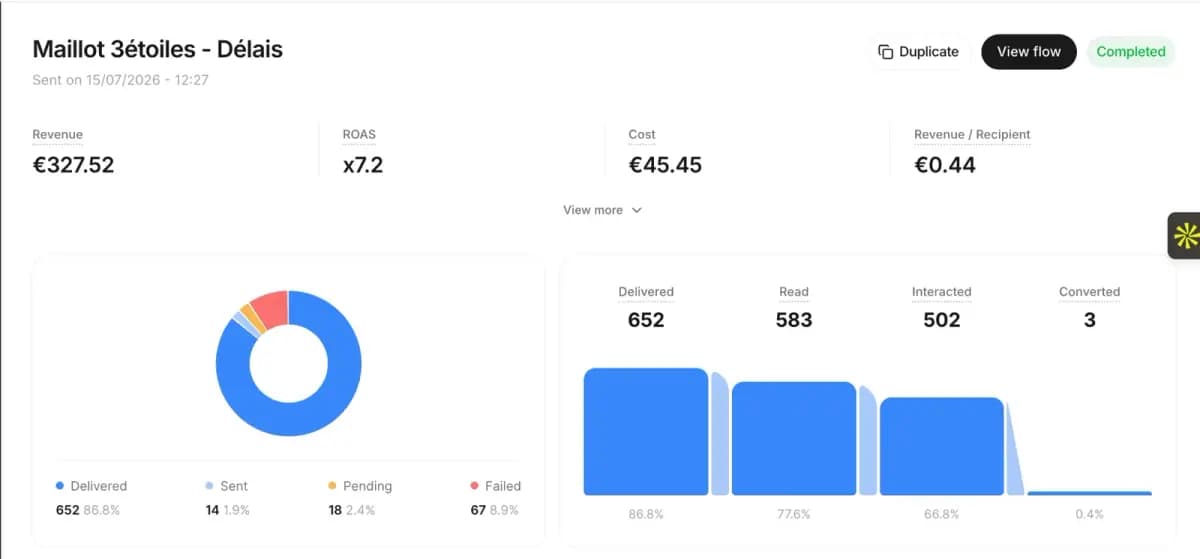
Track these metrics for every send (Kanal's plans are on the pricing page):
- Delivery rate: delivered messages divided by messages sent
- Open rate: read messages divided by delivered messages
- Click-through rate: button clicks divided by delivered messages
- Conversion rate: Track revenue attributed to each newsletter
- Opt-out rate: opt-outs divided by recipients, per send
- Revenue per recipient: a more useful long-term metric than CTR alone
Your first sends give you the baseline: compare every new newsletter against it rather than against someone else's average.
WhatsApp newsletter templates to copy
Weekly product drop
Hey {name}! 🔥 New this week:

{product_image}

{product_name} just dropped, and it's selling fast.

Early access for our WhatsApp VIPs. Ships free today.

[Shop Now] [Save for Later]
Flash sale alert
{name}, this is your 4-hour warning ⏰

Our Spring Sale starts at 6PM:
• Up to 50% off bestsellers
• Free shipping on everything
• Extra 10% for WhatsApp subscribers: WANEWS10

[Set a Reminder] [Shop Early Access]
Behind the scenes
{name}, want to see how {product} is made? 👀

{video_preview}

Our founder shot this at the workshop last week. 90 seconds of pure craftsmanship.

[Watch Now]

P.S. We only made 200 units. First come, first served.
Customer spotlight
Meet {customer_name} from {city} 💚

"{testimonial_quote}"

They've been using {product} for 3 months. Here's what changed...

[Read Their Story] [Shop {product}]
How should you segment a WhatsApp newsletter?
Generic newsletters underperform. Segment your list and send tailored copy: these four segments are the ones to build first.
VIP customers (top 10% by lifetime value). Send early access, exclusive products, and personal-tone messages. Compare their click-through rate with your general broadcasts.
First-time buyers (1 purchase). Send cross-sells and a small repeat-purchase discount in the 30 days following the first order. Measure the share who place a second order within 30 days.
Cart abandoners (no purchase in 30 days). Send reactivation: stock urgency, a review quote, a small discount. Measure the recovered revenue against a holdout group. See our abandoned cart recovery strategies.
Subscribers without purchase (engagement-only). Send conversational segmentation: "what's holding you back?" with reply options. Track how many cold subscribers place a first order.
VIP customers (top 10% by lifetime value)
Hey {first_name} 👑

Your favorite collection just expanded. We added 3 new pieces
inspired by what you've already loved.

{product_image}

VIP early access for the next 48h. After that, it goes live
to everyone.

[Shop the new pieces] [Reply STOP to opt out]
Why it works: early access rewards your best customers before the offer goes public.
First-time buyers (1 purchase)
Welcome to the club, {first_name} ✨

Loved your first {product_category}? Customers like you keep
coming back to these:

{carousel_3_products}

Use code REPEAT15 for 15% off your second order.
Valid for 7 days.

[Browse recommendations]
Why it works: the first order tells you what they like, so the recommendations are relevant.
Cart abandoners (no purchase in 30 days)
{first_name}, we saved your spot 👀

That {product_name} you were eyeing? Still in stock, but only
{stock_count} left.

Here's what other customers said about it:
{review_quote}

[Finish your order: code SAVE10 inside]
Why it works: low stock and a review from another customer give a reason to finish the order now rather than later.
Subscribers without purchase (engagement-only)
{first_name}, time for a confession 💬

You've been with us for {days_subscribed} days but haven't
ordered yet. What's holding you back?

[I want to see new arrivals]
[I'm waiting for a sale]
[I have questions]
Conversational segmentation: each reply triggers a specific follow-up flow, and the answers tell you what holds cold subscribers back.
What should you test in a WhatsApp newsletter?
Sending WhatsApp newsletters without testing leaves results to chance. Here's a structured testing playbook.
What to test
- Send time: 9 AM vs 6 PM vs Saturday morning
- Subject line / first 50 chars: WhatsApp shows the first message preview in the app, so the opening matters
- Image vs no image: check whether an image lifts clicks for your audience
- CTA wording: "Shop now" vs "See what's new" vs "Get the offer"
- Discount value: 10% vs 15% vs free shipping
- Frequency: weekly vs bi-weekly impact on opt-out
Reading the result
- Send each variant to groups of the same size, large enough for the gap to be more than noise
- Wait until late readers are counted before you compare
- Track click and conversion rates, not just the read rate (a read does not mean a click)
First tests to run
Run these as two versions of the same WhatsApp campaign and keep what wins on your own list:
- Personalized first name vs generic copy
- Single CTA vs multiple options (to avoid decision paralysis)
- Soft urgency ("only 24h left") vs hard urgency ("HURRY")
- Products in use vs product-only shots
How do you measure a WhatsApp newsletter?
Open rate is a vanity metric on WhatsApp: a message that was read has not necessarily driven a click or a sale. The metrics that matter:
Revenue per recipient (RPR). Total revenue attributed to the newsletter divided by recipients reached. Compare against email RPR and SMS RPR on the same offer for a fair channel comparison.
Click-through rate (CTR). Clicks on the CTA button divided by delivered messages. When it drops from one send to the next, the offer is weaker or the audience is poorly segmented.
Conversion rate. Purchases attributed within a 7-day window divided by clicks. Compare it with the conversion rate of your email clicks and of your store overall.
Opt-out rate. Customers tapping the opt-out button or replying STOP divided by recipients. A rise from one send to the next is a warning signal; a sudden spike calls for an immediate pause and an audit of the segment and the offer.
Blocks and reports. Meta's opt-in guidance tells businesses to monitor their quality rating, especially when rolling out new opt-in methods. Blocks are the signal that people received something they did not expect.
Cost per acquired revenue (CPA inverse). Total WhatsApp send cost divided by revenue attributed. Set your own ceiling from your margins, and check that the ratio stays under it as the list grows.
We dig into channel-level economics in our WhatsApp Business pricing guide. The conversation-based pricing glossary entry covers the older model, which Meta replaced with per-message pricing on July 1, 2025.
Which channels grow a WhatsApp subscriber list?
Building a WhatsApp list costs money. Here is how the main acquisition channels compare. Track the cost per subscriber of each one on your own store: ad spend, discounts, printing and creator fees all count.
| Acquisition channel | Volume potential | Suits |
|---|---|---|
| Checkout opt-in | High | All brands |
| Popup with discount | Medium | DTC and apparel |
| QR code on packaging | Low but high quality | Repeat purchase brands |
| Email list migration | One-time bulk | Established email lists |
| Paid social to WhatsApp link | High | Scaling brands |
| Influencer collab | Variable | Lifestyle and beauty |
Checkout opt-in is the natural place to start: it reaches buyers who are already engaged, without ad spend. The Kanal Shopify integration covers it.
How often should you send a WhatsApp newsletter?
Use this as a starting point, then adjust it to your own opt-out and block rates:
| Frequency | Suits | Opt-out Risk |
|---|---|---|
| Daily | Flash sales, time-sensitive offers | High |
| 2-3x/week | Active e-commerce with frequent drops | Medium |
| Weekly | Most e-commerce brands (recommended) | Low |
| Bi-weekly | Low-frequency purchase categories | Very low |
| Monthly | Luxury, high-consideration products | Very low |
Our recommendation: Start weekly, then adjust based on engagement. If read rates slide or opt-outs climb from one send to the next, reduce frequency.
Which tool sends a WhatsApp newsletter?
Any provider of the WhatsApp Business Platform can send marketing templates. What changes from one tool to the next is the stack it plugs into and how it builds segments, so this guide does not rank them: the comparisons live on dedicated pages.
- WhatsApp marketing platforms compared, for the marketing features side by side.
- WhatsApp Business API providers compared, for providers and how they bill.
- Kanal next to Wati, Charles, Zoko, Trengo and Gallabox, one page each.
Kanal is the WhatsApp app for Shopify stores: its WhatsApp newsletter uses Shopify customer data for segments and collects opt-ins at checkout and on the site. Whatever you pick, the rules in this guide are the same: be on the official API and message people who opted in.
Which newsletter formats are worth testing?
Below are five newsletter formats worth testing, with what each one is for. Compare them on revenue per recipient in your own account.
Format 1: Single product, single CTA, image-led. A square product image, two lines of copy, one button. Used for new product drops and restock alerts.
Format 2: 3-product carousel with category framing. A carousel card showing 3 products under a single category headline ("New in summer", "Customer favorites"). Lets the customer pick which product interests them. Used for cross-sell and replenishment campaigns.
Format 3: Multi-button "choose your path". A single hero image with three reply buttons. Used for engagement-only segments and conversational lead qualification. The qualitative signal (which button they pick) is the real value.
Format 4: Founder video, short and unfiltered. A 30 to 60 second vertical video from the founder. Used for storytelling and brand building. Judge it on replies and repeat purchases rather than clicks.
Format 5: Time-bounded flash sale. A short message with a clear deadline and code. Used for end-of-collection sales and BFCM. Use it sparingly: the format wears out quickly.
What comes after the newsletter?
A newsletter is one send to many people. Automated flows answer what each customer does:
- Newsletter → drives traffic and awareness (WhatsApp campaigns)
- Abandoned cart → recovers lost sales (cart recovery)
- Post-purchase → increases LTV (upsells)
- Support → builds loyalty (AI chatbot)
- Reviews → builds social proof (review collection)
- Back-in-stock → captures demand (alerts)
Connect Klaviyo if you use it: your Klaviyo segments sync to Kanal and your Klaviyo flows can trigger WhatsApp messages, while email and SMS stay in Klaviyo.
What are WhatsApp's opt-in rules for a newsletter?
Meta's documentation is direct: "Businesses are required to obtain opt-in before messaging people on WhatsApp" (Get opt-in for WhatsApp, updated June 16, 2026, read on October 8, 2026). The requirements:
- Clearly state that the person is opting in to receive communication from the business.
- Clearly state the name of the business the person is opting in to receive messages from.
- Comply with applicable law.
The method is up to you: Meta lists SMS, a website, a phone call and paper as examples, and adds that the opt-in can be general and not specific to WhatsApp, as long as local laws are respected. The WhatsApp Business Messaging Policy (last updated September 23, 2026) also requires you to respect every request "to block, discontinue, or otherwise opt out", including by removing the person from your contacts list.
Local law comes on top: the GDPR in the European Union, the TCPA in the United States, and Meta's Business Policy for what you may send. Kanal collects opt-ins at checkout and on your site and handles opt-outs, so campaigns only reach customers who still want them (plans on the pricing page).
The short version
A WhatsApp newsletter is a regular message to people who opted in. A Channel or a broadcast list is enough for a small audience; a customer list needs the WhatsApp Business Platform, with reviewed templates and a charge per delivered message. Segment, watch opt-outs, and judge every send on revenue per recipient.
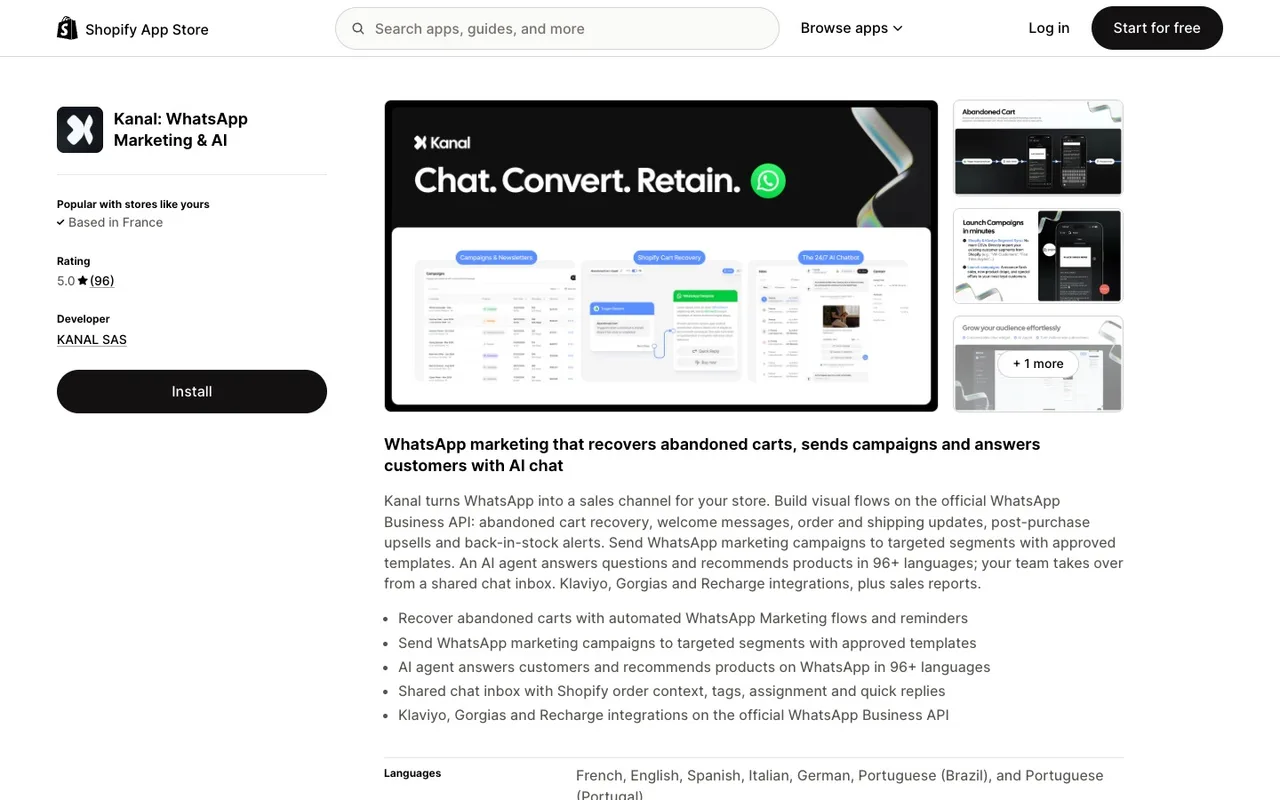
To send yours from Shopify, install Kanal from the Shopify App Store or book a demo.
Build your subscriber list with our WhatsApp Link Generator and QR Code Generator.
Further reading
- WhatsApp Broadcast Guide: master the broadcast feature that powers newsletters
- WhatsApp Business Pricing: understand the cost of sending newsletters at scale
- WhatsApp Business API Providers Compared: full BSP comparison including newsletter features
- Abandoned Cart Recovery Strategies: pair newsletters with cart recovery for maximum revenue
- Best Shopify Abandoned Cart Apps: combine newsletters with cart recovery for maximum ROI
- Kanal vs Wati: side-by-side feature comparison
- Kanal vs Charles: side-by-side feature comparison
- WhatsApp campaigns feature page
- Marketing Template glossary entry
- Broadcast glossary entry
- Kanal pricing
Frequently asked questions
What is a WhatsApp newsletter?
A WhatsApp newsletter is a regular message a business sends on WhatsApp to people who agreed to receive it: news, offers, product launches. WhatsApp has no feature with that name. In practice it is sent as a Channel update, as a broadcast list in the app, or as a marketing template campaign on the WhatsApp Business Platform, which is the route stores use for a customer list.
How do I create a WhatsApp newsletter?
Pick the route first. For a small list of contacts who saved your number, create a broadcast list in the WhatsApp Business app, up to 256 contacts per list. For a customer list, connect a number to the WhatsApp Business Platform through a provider, collect opt-ins, have a marketing template reviewed by Meta, choose a segment and schedule the send.
Is a WhatsApp newsletter free?
It depends on the route. WhatsApp's Help Center lists no fee for posting in a Channel or sending to a broadcast list, within the app's limits. On the WhatsApp Business Platform, Meta charges each delivered marketing message at a rate set by the recipient's country, and your provider adds its own subscription. Compare revenue per recipient with email before you scale.
What are the opt-in rules for a WhatsApp newsletter?
Meta requires businesses to obtain opt-in before messaging people on WhatsApp. The opt-in must clearly state that the person agrees to receive communication from the business, name the business, and comply with applicable law. You must also respect every request to opt out. Keep a record of each consent, and offer an easy way to stop in every newsletter.
WhatsApp newsletter vs broadcast vs group: what is the difference?
A newsletter is the use: a regular message to subscribers. A broadcast list is one way to send it from the app, to up to 256 contacts per list who saved your number, each receiving an individual message. A group is a shared conversation where every member sees the others and their replies, which makes it unsuitable for marketing to customers.
How often should I send a WhatsApp newsletter?
Weekly is a reasonable starting point for an active online store, and every two weeks or monthly for products bought less often. There is no official recommended frequency. Watch the opt-out rate and the blocks after every send: when they rise from one newsletter to the next, slow down or tighten the segment.
See Kanal on your own store
- Your campaigns and cart reminders on WhatsApp, starting from your own store
- Post-purchase offers, back-in-stock alerts, then the AI agent that advises your customers
- You leave with the plan that fits and its price

- brands
- 500+
- to set up
- 5 min
- open rate on WhatsApp
- +90%
5/5 on the Shopify App Store (132 reviews)

Nicolas helps e-commerce brands grow revenue with WhatsApp marketing. With deep expertise in Shopify ecosystems and conversational commerce, he shares proven strategies for abandoned cart recovery, broadcast campaigns, and AI-powered customer engagement.
Glossary terms in this article
Quick definitions for the WhatsApp Business terms used above.
WhatsApp Business Platform
The WhatsApp Business Platform is the set of APIs Meta offers businesses to message customers on WhatsApp at scale: the Cloud API, the Business Management API and the Marketing Messages API. It is separate from the WhatsApp Business app, which runs on a phone.
Read full definitionWhatsApp Business App
The WhatsApp Business App is a free mobile application designed for small businesses to chat with customers, with a catalog, quick replies, and automated greeting messages.
Read full definitionMarketing Template
A marketing template is a WhatsApp message template used for promotion: offers, product launches, back-in-stock alerts or cart reminders. It can be sent at any time to customers who opted in, and Meta charges each delivered message at the marketing rate of the recipient's country.
Read full definitionOpt-in
A WhatsApp opt-in is the permission a person gives a business to send them messages on WhatsApp. WhatsApp's Business Messaging Policy requires it before any message: the business must have the person's phone number and their agreement to hear from that business.
Read full definitionOpt-out
A WhatsApp opt-out is a person's request to stop receiving messages from a business on WhatsApp. WhatsApp's Business Messaging Policy requires businesses to respect every such request, whether it is made on WhatsApp or elsewhere.
Read full definitionBusiness Solution Provider (BSP)
A Business Solution Provider (BSP) is a company authorized by Meta to give other businesses access to the WhatsApp Business Platform, usually through its own software. Meta now calls these companies partners and splits them into Solution Partners, Tech Providers and Tech Partners.
Read full definitionClick-to-WhatsApp Ads
Click-to-WhatsApp ads are Facebook and Instagram ads whose button opens a WhatsApp chat with the business instead of a website. The shopper sends the first message, which lets the business reply freely and, under Meta's pricing, for free during a limited window.
Read full definitionSegmentation
Segmentation is the practice of splitting a WhatsApp contact list into groups based on traits like purchase history, behavior, or engagement, so each group receives messages that are actually relevant.
Read full definitionQuality Rating
The quality rating is the score WhatsApp gives a business phone number, and each of its message templates, based on how recipients react: blocks, reports and read rates. It is shown as high, medium or low (green, yellow, red).
Read full definitionSuggested articles
Black Friday WhatsApp Marketing: 6-Step Shopify Playbook
The Black Friday WhatsApp marketing playbook for Shopify: pre-BF list building, broadcast timing, cart recovery, templates and KPIs for 2026.
WhatsApp Broadcast: Send Bulk Messages Past 256 Limit
WhatsApp broadcast explained: create a list, the 256-contact limit and the monthly cap, broadcast message samples to copy, and when to use the Business API.
50+ WhatsApp Message Templates for Ecommerce: Copy and Paste (2026)
53 WhatsApp message templates ready to copy and paste: abandoned cart, order updates, review requests, winback and promos. With Meta categories.
WhatsApp in Shopify Messaging: Pricing, Features and Limits
WhatsApp is live in Shopify Messaging: what the channel does, per-message prices by country ($0.106 UK, $0.172 France), limits and the US rule, October 2026.