Click to WhatsApp Ads (CTWA): Paid Acquisition Guide 2026

Summarize this article with an AI
 ChatGPT
 Claude
Master Click to WhatsApp Ads for Shopify in 2026: setup, budget, audiences, creative best practices, Meta pixel sync and how to scale your spend.
Table of contents (19)
Key takeaways
- Click to WhatsApp Ads are Meta ads that open a WhatsApp thread instead of a landing page and require a WhatsApp Business API number.
- Start with three ad sets at 30€ to 50€ per day each, and let each reach 50 conversations before judging its creative.
- The welcome flow follows a 3-message rule: greet and qualify within 5 seconds, deliver the promised value, then nudge to conversion.
- An ad click is not a marketing opt-in, so ask for it explicitly and judge campaigns on cost per opt-in and 30-day ROAS.
Click to WhatsApp Ads (CTWA) turn a paid click into a one-to-one conversation instead of a landing-page visit. The conversation captures the phone number and, once the user opts in, lets you follow up on WhatsApp after the click instead of losing the visitor when they close the tab.
This guide is everything you need to launch, scale, and attribute Click to WhatsApp Ads in 2026, from the first 100€ test to a 10K€ daily spend.
What CTWA Is (vs Click-to-Chat, vs Lead Ads, vs DM Ads)
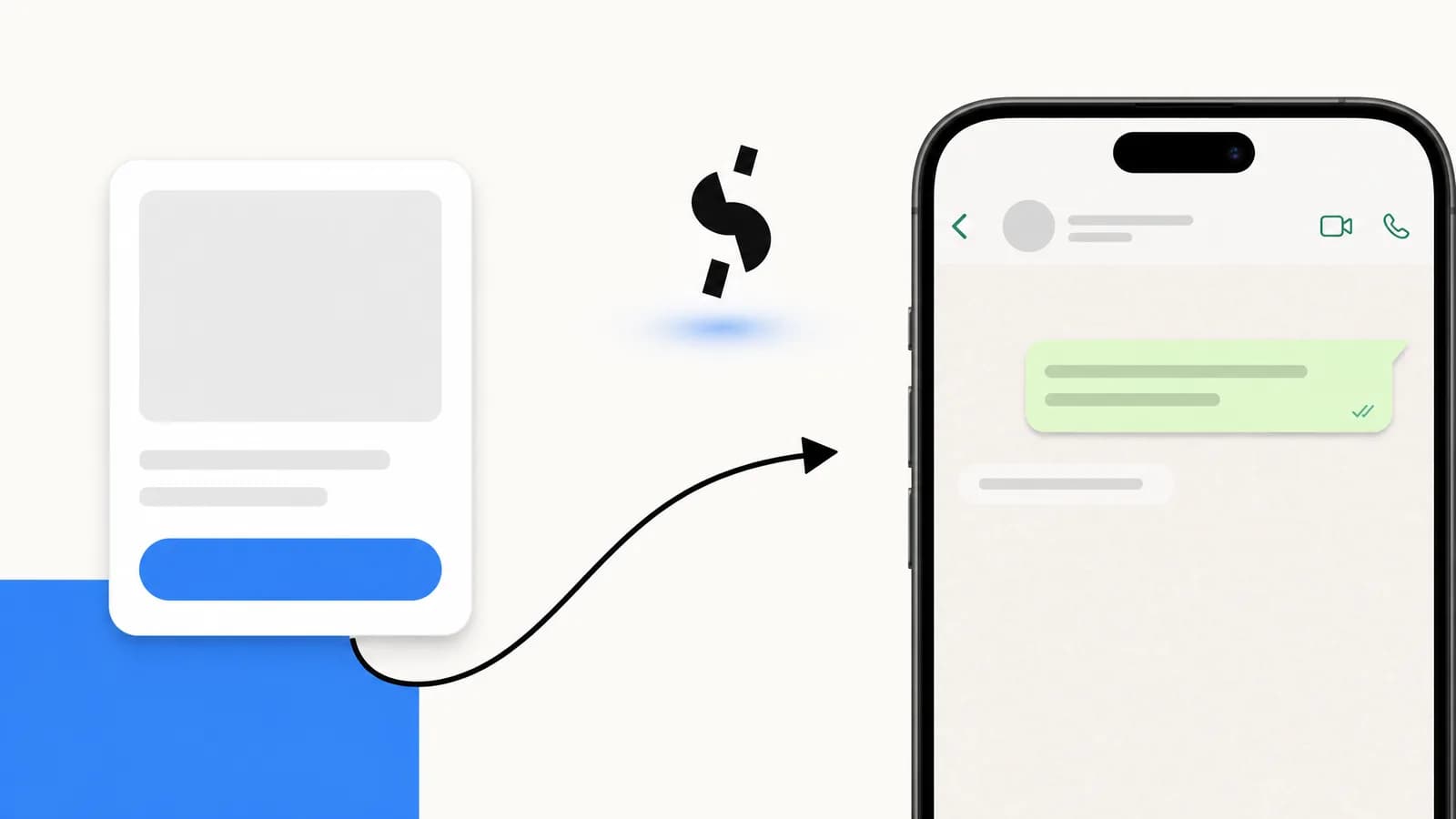
Click to WhatsApp Ads are Meta ad placements (Facebook feed, Instagram feed, Reels, Stories) that, instead of opening a website, open a WhatsApp thread directly with your business. The conversation starts with a pre-defined message and a welcome flow runs automatically.
People confuse four similar formats. Here is the difference:
| Format | Destination | Phone capture | Best for |
|---|---|---|---|
| CTWA | WhatsApp thread | Yes, native | DTC, lead gen, qualified traffic |
| Click-to-chat link | WhatsApp thread (manual) | No, only if user replies | Bio links, QR codes |
| Lead ads | Meta-hosted form | Yes, via form | Insurance, mortgage, B2B |
| DM ads (Messenger) | Messenger thread | Limited | Local business, FB-native audiences |
CTWA is the only format that combines: paid distribution, native phone capture, opt-in inside an owned channel (WhatsApp), and the ability to follow up with opted-in contacts without paying for another click, within the WhatsApp marketing opt-in rules. Those follow-ups still carry Meta's fees: each delivered template is charged per message, except during the free entry point window (up to 7 days, according to Meta's pricing documentation read on October 7, 2026) that opens when you reply inside the 24-hour customer service window to someone who messaged you from the ad (see our WhatsApp Business pricing guide).
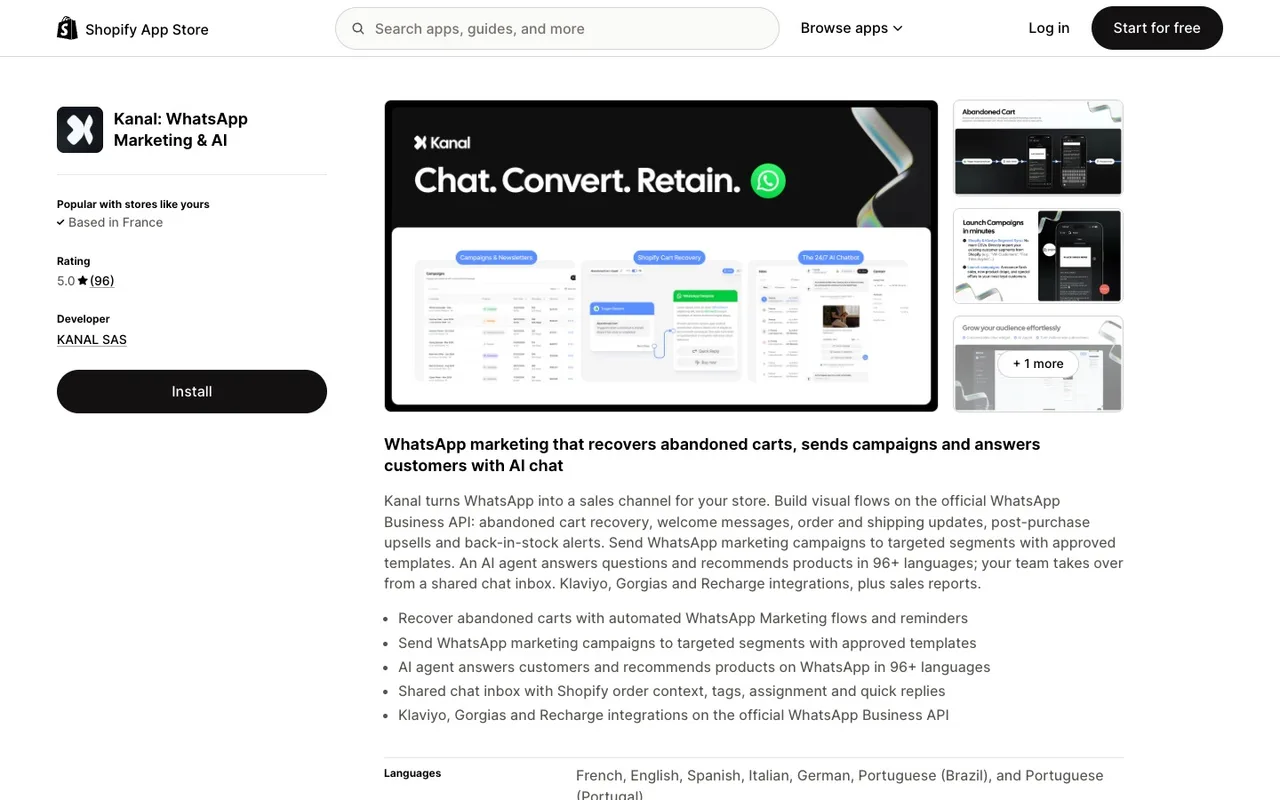
If you want to run CTWA on Shopify in 10 minutes, Kanal handles the full stack: Meta pixel sync, welcome flow, Shopify attribution, and broadcast follow-ups.
The 2026 CTWA Landscape: Who Is Winning, Who Is Bleeding Budget
Three patterns separate the brands that win at CTWA from the ones that burn budget:
Winners treat CTWA as a lead-gen format, not a sales format. They optimize for cost per opt-in (CPOI), then nurture via WhatsApp broadcasts and abandoned-cart sequences. The first sale can come days later, after the follow-up messages, not in the first thread.
Losers treat CTWA like a website-conversion campaign. They pay for the click, the user lands in WhatsApp, gets a 12-message hard-sell flow, and bounces. The conversation dies before any sale and CAC is brutal.
Here are the metrics that separate the two, and where to read them:
| Metric | What it tells you | Where to read it |
|---|---|---|
| CPM | What Meta charges to show your ad to this audience | Ads Manager |
| Cost per opt-in | What you pay for a contact you can message again | Ad spend divided by the opt-ins collected in your WhatsApp platform |
| 30-day ROAS | Revenue the opt-ins bring after the click, follow-ups included | Shopify orders with WhatsApp UTMs, or Conversions API events |
| Opt-in to first sale | How well the welcome flow and follow-ups convert | Shopify orders from the opt-in list |
Set your own baseline for each metric during the validation phase, then judge every change against it. Our Click-to-WhatsApp Ads benchmarks page shows how to build that baseline. Treat CTWA as the entry point of your conversational commerce flows, not as a one-shot: the follow-ups are where paid opt-ins turn into revenue.
Prerequisites: WhatsApp Business API + Meta Business Manager + Pixel
You need three things wired together before you spend a single euro:
- WhatsApp Business API number, hosted by a BSP or a turnkey platform. See our WhatsApp Business API guide for the full setup.
- Meta Business Manager with admin access to your ad account and your WhatsApp Business Account (WABA).
- Meta Pixel firing on your Shopify store, ideally via the Conversions API so iOS 17+ users get tracked server-side.
If you are missing any of these, start with how to start WhatsApp Business in 2026 before reading further.
Setup Step 1: Connect Your WhatsApp Number to Meta Business
Inside Meta Business Manager, go to Business Settings > Accounts > WhatsApp Accounts. Add your WABA and verify the linked phone number. If you onboarded via Kanal, this is already done.
Critical: the WhatsApp account and the ad account must be owned by the same Business Manager. If they are not, CTWA will appear in the ad creation flow but campaigns will not deliver.
Setup Step 2: Create Your First CTWA Campaign in Ads Manager
In Ads Manager, click Create. Choose objective Engagement (or Sales if you want to optimize for purchase via Conversions API). At the ad-set level, select WhatsApp under the "Conversion location" section.
Then:
- Budget: start at 30€ to 50€ per day per ad set. Three ad sets minimum.
- Audience: broad with age cap + country (we cover audience strategies below).
- Placements: Advantage+ placements (Meta will figure out where your ad performs).
- Ad format: single image, video, or carousel. Test a Reels-only ad set against feed placements and compare cost per opt-in.
- WhatsApp message: the pre-filled message the user sees when the thread opens. Keep it short ("Hi, I want my 15% off" is enough).
Save and publish. Meta enters its learning phase, typically 50 to 100 conversations.
Setup Step 3: Build the Welcome Flow That Converts (the 3-Message Rule)
The creative earns the click; the welcome flow decides what happens after it. Here is the 3-message rule, a simple structure to start from and adapt to your vertical:
Message 1 : Greet and qualify (sent < 5 seconds after thread opens)
"Hi! Thanks for tapping our ad. Quick question to send you the right offer: are you shopping for yourself or as a gift?"
Two-button reply. This captures intent and gets the user to reply. A reply is not a marketing opt-in on its own: WhatsApp's policy requires opt-in permission confirming that the user wants to receive subsequent messages from you, so ask for it explicitly (see mistake 3 below).
Message 2 : Deliver promised value
"Got it. Here is your 15% off code: WELCOME15. Use it on any of these 6 bestsellers [catalog message with 6 products]."
A WhatsApp catalog message with native product cards keeps the user browsing inside the chat instead of sending them out through a plain text link. Test both formats and compare clicks and orders.
Message 3 : Nudge to conversion (sent 30 to 60 minutes later if no purchase)
"Quick reminder, your code WELCOME15 expires tonight at midnight. Need help picking? Just reply with what you're looking for and I'll send 2 options."
That third message is there for the opt-ins who hesitated: track its clicks and orders separately so you know what it adds. After 24 hours, follow up with templated messages: see our chatbot WhatsApp guide and automatic message guide.
Budget: How Much to Start, How to Scale (from 100€/Day to 10K€/Day)
Phase 1 : Validation (100€ to 300€/day, week 1 to 2): three ad sets, one creative each, broad audience. Goal is to find CPOI under 2€. If you hit it, scale. If not, fix the creative or the welcome flow before touching budget.
Phase 2 : Scale (500€ to 2K€/day, week 3 to 6): duplicate the winning ad set, increase budget by 20 percent every 48 hours. Add Reels-only ad sets. Start launching WhatsApp broadcasts to the opt-in list to bring 30-day ROAS up.
Phase 3 : Industrialize (2K€ to 10K€/day, month 2+): Advantage+ campaigns with 10+ creatives, CBO. Run retargeting on WhatsApp opt-ins who did not buy in 7 days. Test 2 to 3 country expansions per month.
At that scale, estimate what the list is worth from your own numbers (opt-ins per month, share of opt-ins who buy, repeat-purchase rate) rather than from someone else's benchmark.
Targeting: 5 Audience Strategies That Work for DTC
1. Broad with age + country cap. Counterintuitive but works. Let Meta find the audience. The CTWA conversion signal is strong enough to feed the algorithm.
2. Lookalike from your top 10% LTV customers. Build a custom audience from Shopify (top decile by revenue), build a 1% LAL, run for 7 to 10 days, then expand to 3%.
3. Interest stacks of 4 to 6 layered interests. "Beauty" + "Skincare" + "Sephora" + "Glossier" + "Cosmetics" + "Online shopping". 800K to 5M audience size.
4. Retargeting site visitors who did not convert (last 30 days). Low CPOI, but volume is capped. Use as a constant always-on layer at 20€ per day.
5. Engagement retargeting (interacted with IG or FB in last 90 days). Warm, lookalike-adjacent audience. Best for awareness top of funnel.
Creative Best Practices (8 Ad Patterns to Test)
Eight creative patterns worth testing in 2026:
- UGC selfie video with CTA button "Send me the offer" (Reels). Start with it in fashion, beauty, supplements.
- Static carousel of 5 products with the offer in slide 1. Catalog-friendly. Works in homewares, jewelry.
- Founder-talking-head 12-second video. High trust signal in food, supplements, niche DTC.
- Animated "WhatsApp message preview" mock. The ad looks like a chat thread, the click feels native.
- Before/after split. Beauty, fitness, home renovation. Pair with a quick-quiz welcome flow.
- Stop-motion product hero. Works in beauty and fashion.
- "Tap here to get [specific deliverable]" CTA copy. A specific deliverable gives the user a reason to tap: A/B test it against a generic CTA.
- Customer-testimonial screenshot with star rating overlay. Worth testing in supplements and pet.
Attribution: Connecting CTWA to Shopify Revenue
The default Meta attribution gives you cost per opt-in. It does not natively give you ROAS (return on ad spend), because the purchase happens hours or days later via WhatsApp or via Shopify checkout.
To connect the dots, you need:
- Server-side pixel events from your WhatsApp platform back to Meta. Kanal fires
Lead,AddToCart, andPurchaseevents to the Conversions API with the original CTWA click ID. - Shopify UTM tagging on any checkout link sent in WhatsApp. Use
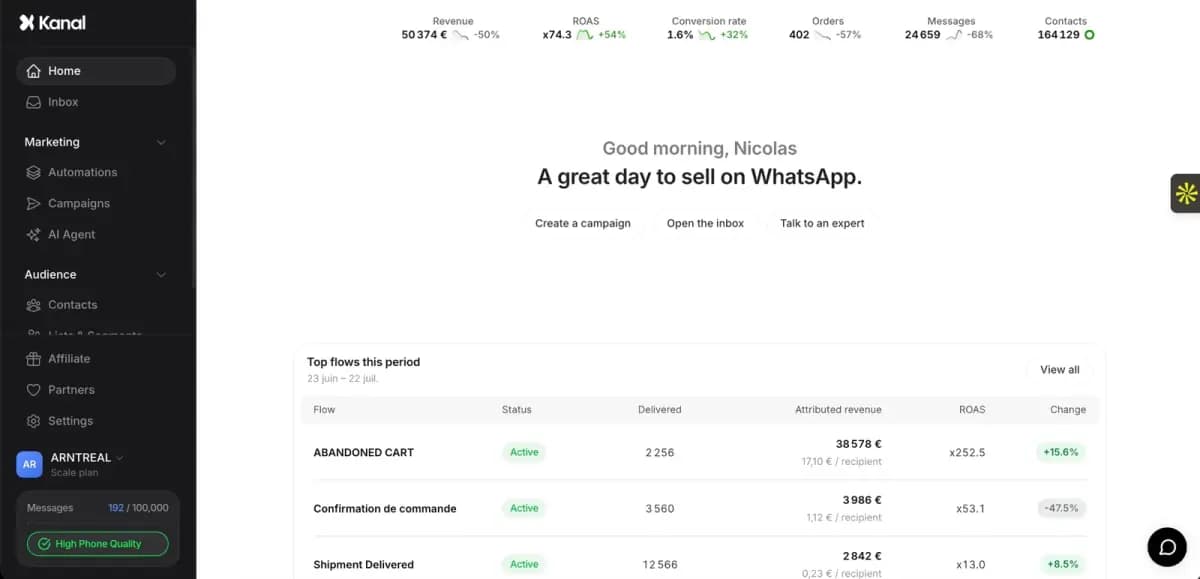
utm_source=whatsapp&utm_medium=ctwa&utm_campaign=[campaign_id]. - A revenue dashboard showing CTWA-attributed revenue over 7, 30, 90 days. Use the ROAS break-even calculator to know your true cap.
Without this stack, you fly blind. With it, you can confidently scale to 10K€/day.
The 5 Mistakes That Kill CTWA Campaigns
Mistake 1 : Sending the user to a sales pitch in message 1. The welcome flow must qualify first, sell second. Always.
Mistake 2 : No catalog message. If you sell physical products and you do not have a WhatsApp catalog wired in, every user has to leave the chat to see your products, which adds a step between intent and checkout.
Mistake 3 : Forgetting opt-in capture. Meta clicks alone are not WhatsApp opt-ins under GDPR. The user must explicitly accept marketing follow-ups. See our opt-in compliance guide.
Mistake 4 : No 7-day follow-up sequence. CTWA revenue does not stop at the first thread: users who hesitated can still buy in the days AFTER the click. If you have no broadcast sequence, you only capture the buyers who were ready on day one. Compare first-thread revenue with 7-day revenue to see the gap.
Mistake 5 : Optimizing too early. Meta's CTWA algorithm needs 50+ conversations per ad set to exit learning. Killing creatives at 20 conversations cuts them off before Meta has enough data to optimize.
Bonus mistake: not wiring the Meta pixel correctly. Without server-side events, you optimize blind.
Conclusion: CTWA Is the 2026 Acquisition Channel
CTWA combines the distribution of Meta with the engagement of an owned channel. The brands that build this stack now (Meta pixel + welcome flow + Shopify attribution + broadcast follow-ups) will compound a list that keeps generating revenue without new ad spend in 2027 and beyond.
Want to launch your first CTWA campaign in 10 minutes? Book a Kanal demo or install the Shopify app. We handle the full stack: API, welcome flow, pixel sync, Shopify attribution, and broadcasts.
FAQ
What is CTWA (Click to WhatsApp Ads)?
Click to WhatsApp Ads (CTWA) are Meta ads (Facebook and Instagram) that open a WhatsApp conversation instead of sending users to a landing page. The user taps the ad, lands directly inside a WhatsApp thread with your business, and a pre-built welcome flow takes over. Compare their cost per acquired customer with your website-conversion campaigns in your own ad account before you move budget.
Do I need WhatsApp Business API for CTWA?
Yes. You cannot run CTWA at scale with the free WhatsApp Business app because there is no automation, no template messages, and no Shopify integration. The WhatsApp Business API (via a platform like Kanal) handles the welcome flow, opt-in capture, Meta pixel sync, and Shopify attribution automatically.
What is the typical CPM for CTWA in 2026?
There is no independent public benchmark for CTWA CPMs: they vary with country, placement, audience, season and creative, and vendor figures are not audited. The reliable numbers are the ones in your own Ads Manager: run a test at a fixed daily budget and track CPM, cost per conversation started and cost per opt-in.
Can I run CTWA without a Shopify store?
Yes. CTWA works for any business with a Meta Business Manager and a WhatsApp Business API number: services, B2B, education, real estate, automotive. The Shopify integration is what makes attribution and revenue tracking turnkey, but it is not a hard requirement.
What welcome flow converts best after a CTWA click?
Start with the 3-message rule and test variants against it: message 1 thanks the user and qualifies intent with a single question, message 2 delivers the promised value (lead magnet, discount, product recommendation), message 3 nudges toward the conversion event (catalog link, checkout, appointment). Keep total flow under 90 seconds of read time.
Resources
- WhatsApp marketing in the USA in 2026
- Instagram auto reply and DM automation guide
- WhatsApp Business API guide
- Best WhatsApp apps for Shopify
- WhatsApp marketing for e-commerce
- WhatsApp broadcast guide
- WhatsApp business pricing guide
- WhatsApp business templates
- WhatsApp opt-in and GDPR
- Conversational commerce guide
- Chatbot WhatsApp e-commerce guide
- Abandoned cart recovery strategies
- WhatsApp marketing statistics 2026
- WhatsApp marketing examples from brands
- ROAS break-even calculator
- WhatsApp click-to-chat link
- Meta WhatsApp Business Platform docs
- Meta Conversions API
See Kanal on your own store
- Your campaigns and cart reminders on WhatsApp, starting from your own store
- Post-purchase offers, back-in-stock alerts, then the AI agent that advises your customers
- You leave with the plan that fits and its price

- brands
- 500+
- to set up
- 5 min
- open rate on WhatsApp
- +90%
5/5 on the Shopify App Store (125 reviews)

Nicolas helps e-commerce brands grow revenue with WhatsApp marketing. With deep expertise in Shopify ecosystems and conversational commerce, he shares proven strategies for abandoned cart recovery, broadcast campaigns, and AI-powered customer engagement.
Glossary terms in this article
Quick definitions for the WhatsApp Business terms used above.
Click-to-WhatsApp Ads
Click-to-WhatsApp ads are Facebook and Instagram ads whose button opens a WhatsApp chat with the business instead of a website. The shopper sends the first message, which lets the business reply freely and, under Meta's pricing, for free during a limited window.
Read full definitionwa.me Link (Click-to-Chat)
A wa.me link is WhatsApp's official click-to-chat URL. Opening it starts a conversation with a specific number, without the visitor saving the contact first.
Read full definitionOpt-in
A WhatsApp opt-in is the permission a person gives a business to send them messages on WhatsApp. WhatsApp's Business Messaging Policy requires it before any message: the business must have the person's phone number and their agreement to hear from that business.
Read full definitionCustomer Service Window (24-hour window)
The customer service window is a 24-hour timer that starts when a WhatsApp user messages or calls a business. While it is open, the business can reply with free-form messages; once it closes, it can only send approved message templates.
Read full definitionBusiness Solution Provider (BSP)
A Business Solution Provider (BSP) is a company authorized by Meta to give other businesses access to the WhatsApp Business Platform, usually through its own software. Meta now calls these companies partners and splits them into Solution Partners, Tech Providers and Tech Partners.
Read full definitionWABA (WhatsApp Business Account)
A WABA (WhatsApp Business Account) is the account that represents a business on the WhatsApp Business Platform. A business needs one to send and receive messages through the API and to create message templates; it holds the phone numbers, the templates and the billing setup.
Read full definitionWhatsApp Business App
The WhatsApp Business App is a free mobile application designed for small businesses to chat with customers, with a catalog, quick replies, and automated greeting messages.
Read full definitionSuggested articles
Click-to-WhatsApp Ads Benchmarks 2026: How to Build Your Own
How to benchmark Click-to-WhatsApp Ads in 2026: the 4 metrics that matter, how to compute them, what changes by region and placement, and the cost stack.

Ecommerce Marketing Automation: A Practical Guide for Shopify Stores (2026)
Ecommerce marketing automation explained: how flows work, the 10 flows every online store needs, email vs SMS vs WhatsApp, and how to set it up on Shopify.
50+ WhatsApp Message Templates for Ecommerce: Copy and Paste (2026)
53 WhatsApp message templates ready to copy and paste: abandoned cart, order updates, review requests, winback and promos. With Meta categories.
WhatsApp in Shopify Messaging: Pricing, Features and Limits
WhatsApp is live in Shopify Messaging: what the channel does, per-message prices by country ($0.106 UK, $0.172 France), limits and the US rule, October 2026.