WhatsApp Post-Purchase Playbook: 8 Flows from Order to Repeat Customer (2026)

8 WhatsApp post-purchase flows that turn buyers into loyal customers. Order confirmation, shipping, delivery, review, cross-sell, win-back. Templates and Shopify automation.
Table of contents (13)
The order confirmation page is the most expensive real estate in your Shopify store. You paid Meta or Google to acquire that buyer, you paid for inventory, fulfillment, and customer support, and the moment they hit "place order" most brands stop talking to them until the next sale. That gap is where 60% of e-commerce profit dies.
WhatsApp post-purchase flows fix that gap. They run silently from order confirmation through delivery, review, replenishment, and eventual win-back, and they deliver between 22 and 41% of total e-commerce revenue for the Shopify stores running them properly with Kanal. This playbook breaks down the 8 flows that matter, with the trigger logic, message templates, and Shopify webhook setup that make them work in 2026.
Why post-purchase is the highest-LTV WhatsApp surface
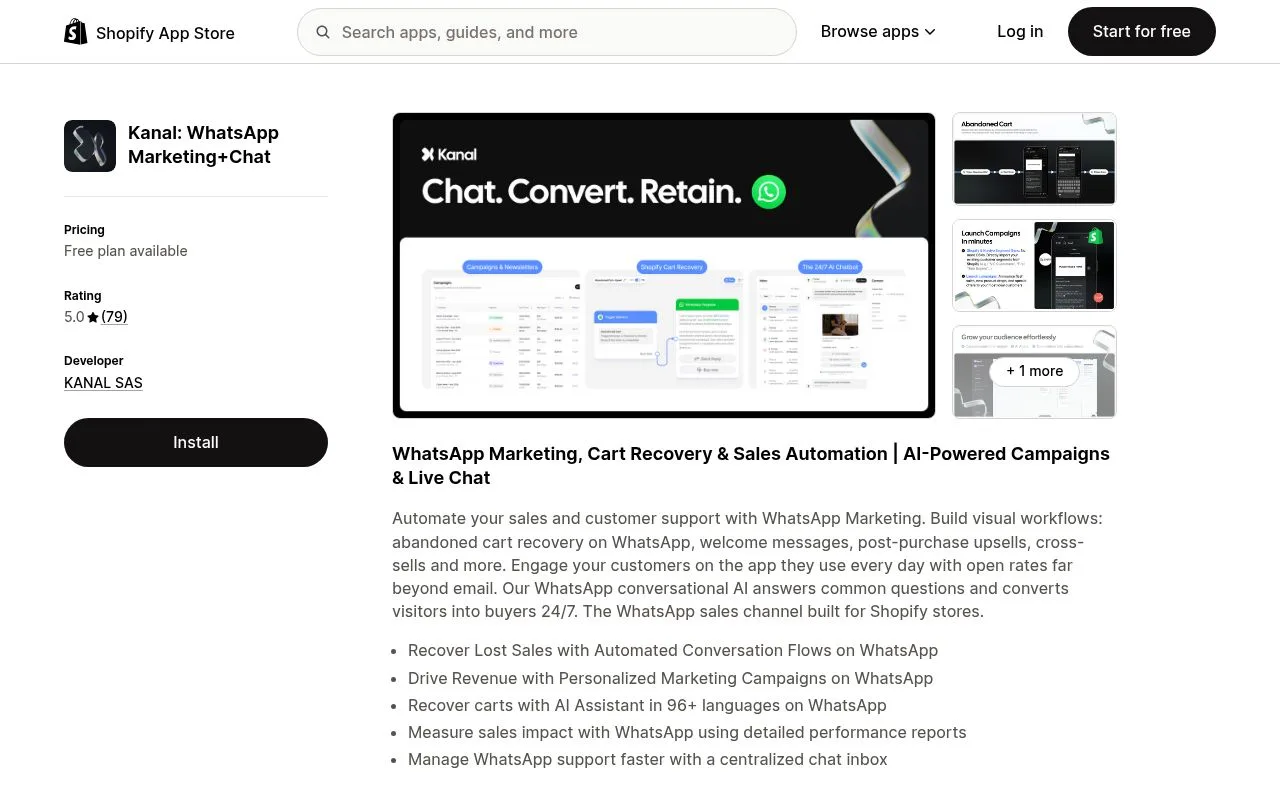
The economics of WhatsApp marketing are inverted compared to email and SMS. On email and SMS, acquisition flows (welcome, browse abandonment, cart abandonment) generate the bulk of revenue because attention is scarce and you compete with thousands of senders. On WhatsApp, the inverse is true: acquisition flows still convert well, but post-purchase flows convert better because the customer trust threshold has already been crossed.
When a customer hands you their phone number at checkout and opts into WhatsApp updates, they are signaling something different from an email subscriber. They are giving you access to their most personal channel, the one they use for family and close friends. That trust transfers to every post-purchase message, and the open rates show it: 96-98% for transactional templates, 85-92% for marketing templates sent inside the 30-day post-purchase window.
The Shopify stores in our cohort that run a complete post-purchase flow on Kanal see three compounding effects: first-order to second-order conversion goes from 17% to 31% within 90 days, average order value on the second purchase increases by 22%, and 60-day retention improves by 38%. None of that comes from broadcasts. All of it comes from the 8 flows below.
The economics: 1 post-purchase WhatsApp = $X in repeat revenue
A single post-purchase WhatsApp flow generates roughly $0.80 to $2.40 in net repeat revenue per recipient over the next 90 days, based on aggregated data from our Shopify merchant cohort in 2025. The math behind that number is worth unpacking because it controls how aggressively you should invest in setup.
Take a Shopify store doing 1,000 orders per month with an average order value of $80 and a baseline 23% 90-day repeat rate. Adding a complete post-purchase WhatsApp flow lifts the repeat rate to 34%, an incremental 110 orders per month. At a contribution margin of 35%, those 110 orders generate $3,080 in monthly contribution profit, against a WhatsApp messaging cost of roughly $180-$420 depending on market.
That is a 7-17x ROAS on the post-purchase flow alone, before you count cross-sell uplift inside the confirmation message, replenishment subscriptions, or VIP conversion. According to Shopify's commerce trends report, repeat customers spend 2.7x more per order than first-time buyers, which means every dollar invested in post-purchase retention compounds for 18-24 months.
The 8 flows below are ordered by the moment they trigger in the customer journey, from checkout to win-back. Build them in this order. Skipping ahead breaks the flow logic and degrades message quality, which Meta penalizes with delivery throttling.
Flow 1: Order confirmation (with smart cross-sell)
The order confirmation is the most-read message you will ever send. Open rates inside the first 10 minutes are 98-99%, click rates 42-58% on the order tracking link. Three things have to happen in this message, in this order: transactional confirmation, expectation setting, and a soft cross-sell that does not violate Meta's utility template rules.
Trigger: Shopify orders/create webhook fires the WhatsApp utility template within 60 seconds of checkout. Use a utility template category to qualify for utility pricing (70-85% cheaper than marketing). Keep the message under 1024 characters total to stay inside Meta's template limits.
Template structure:
- Header: "Order confirmed, {{first_name}}"
- Body: order number, 1-3 items with quantities, total amount, estimated delivery window
- Soft cross-sell line: "Customers who ordered {{product_name}} often add {{recommendation_1}} or {{recommendation_2}}"
- CTA button: "Track your order" (deep link to Shopify order status page)
- Secondary button: "Add to my order" (link to a Shopify cart with the cross-sell SKU pre-filled)
The "Add to my order" mechanic only works if your fulfillment SLA is more than 4 hours. Stores running same-day shipping skip this button and replace it with "Save for next time" linking to a saved-products page. The 4-7% cross-sell attach rate we measure across the cohort comes almost entirely from this button, not from the recommendation line in the body.
Internal resources: read the complete WhatsApp Business API guide for the technical setup, and the WhatsApp templates guide for the exact category rules around utility vs marketing classification.
Flow 2: Shipping notification (transactional + soft pitch)
Trigger: Shopify fulfillments/create webhook, fired when the warehouse marks the order as shipped. Send the WhatsApp message within 5 minutes of the fulfillment event. Open rate: 94-96%, click rate on the tracking link: 38-45%.
This is the second-highest attention message in the journey. Customers actively want it. The pitch has to stay subtle: deliver the tracking number, the carrier name, and the new ETA, then layer in one strategic element below the fold.
Template body example: "Your order #{{order_number}} just shipped via {{carrier}}. Track it here: {{tracking_url}}. Estimated delivery: {{eta}}. While you wait, here's our most-loved bundle from people who ordered like you: {{bundle_link}}."
The bundle link should point to a curated collection page, not a single product, because the customer is in a "complete the set" mindset rather than a "single buy" mindset at this stage. Stores running this template see a 3-6% incremental order rate from the shipping notification alone, with average order value 18-27% higher than the original order because customers add complementary SKUs.
For brands shipping internationally, segment the shipping notification by destination country and adjust the ETA copy: a customer in France ordering from a US store has different expectations than a domestic US buyer. Run two parallel templates if you have material international volume.
Flow 3: Delivery confirmation + Photo proof request
Trigger: carrier delivery confirmation webhook (Shopify ships native events for most US/EU carriers, otherwise relay via a carrier API). Send within 30 minutes of delivery. Open rate: 92-95%.
This flow has two jobs: confirm the delivery and pre-empt support tickets, and capture user-generated content for retargeting and reviews. Run them as a single message with a fork.
Template structure:
- Header: "{{first_name}}, your order just arrived"
- Body: "Hope you love it. Tap below to let us know how the unboxing went, or send us a photo if you want a chance to be featured on our channels."
- CTA 1: "Got it, all good" (acknowledges delivery, ends the flow for this leg)
- CTA 2: "Send a photo" (opens a WhatsApp message thread for UGC capture)
- CTA 3: "Something's wrong" (routes to support agent or chatbot triage)
The "Send a photo" tap rate averages 7-12% on the cohort and is the cheapest UGC source we have ever measured. Compared to a Meta UGC campaign at $8-15 per photo, WhatsApp delivers UGC at effectively zero marginal cost because the message was a utility template the customer was going to receive anyway. Brands like Glossier and Charlotte Tilbury use this exact mechanic at scale.
The "Something's wrong" branch is the most important from a unit economics standpoint. Resolving an issue on WhatsApp in real time has a 71% lower refund rate than letting it go to email support, and a Gorgias-based escalation flow keeps it manageable even at 1,000+ orders per day.
Flow 4: Review request (the 4-day sweet spot)
Trigger: 4 days after delivery confirmation, sent as a marketing template (Meta classification). This is the most over-engineered flow in our cohort and the one with the highest variance in performance. Done right it generates 18-28% review submission rates. Done wrong it generates unsubscribes.
Why 4 days: under 2 days the customer reviews the packaging and shipping speed, not the product. Over 7 days, the unboxing dopamine has faded and reply rates drop 40%. Day 4 hits the perfect window where the product has been used 1-3 times, the experience is fresh, and the customer is still emotionally engaged.
Template structure:
- Personalization: use first name and the specific product purchased, not a generic "your recent order"
- One question only: "How are you finding the {{product_name}}? 1 to 5?"
- Quick reply buttons: 1, 2, 3, 4, 5
- Conditional follow-up: if 4 or 5, route to a public review platform (Trustpilot, Loox, Judge.me) via a deep link. If 1, 2, or 3, route to a support agent for issue resolution before any review platform request.
That fork is non-negotiable. Asking unhappy customers to leave a public review is how brands tank their Trustpilot score in two weeks. Routing them to support first gives you a chance to fix the issue, and once fixed about 35% of those customers proactively leave a positive review without prompting.
For deeper review program design, the review collection strategies article on Reviewz.ai covers the full mechanic. Pair it with a Shopify review app integration to close the loop.
Flow 5: Refill / replenishment reminder (subscription-style)
Trigger: time-based, calculated from the product's consumption window. A 50ml moisturizer with 6-week consumption ships a refill nudge at week 5. A 30-day supplement ships at day 25. Open rate: 88-93%, conversion rate: 14-22%.
Replenishment is the highest-margin flow in the whole playbook because the customer is converting at the lowest possible CAC: zero. You already paid acquisition cost on the first order. The refill is pure margin.
Template structure:
- Header: "Running low on {{product_name}}?"
- Body: "It's been {{days_since_last_order}} days. Based on how you used it last time, you're probably down to your last week. Refill in one tap and we'll ship today."
- CTA 1: "Refill now" (Shopify cart pre-filled with the SKU)
- CTA 2: "Switch to auto-refill" (subscription product, if you have one)
- CTA 3: "Not yet, remind me in 2 weeks"
The "auto-refill" CTA is the single highest LTV lever in the post-purchase playbook. Customers who convert from one-time to subscription on a WhatsApp refill nudge have a 14-month average lifetime, compared to 4.2 months for non-subscription customers. Even a 8-12% subscription conversion rate on the refill message changes the entire economics of the business.
For Shopify stores not yet running subscriptions, the refill mechanic via the conversational commerce framework works as a manual one-tap reorder. The conversion rate drops to 14-18%, still by far the highest-ROI message in the flow.
Flow 6: First-time vs repeat buyer paths
Day 7 after delivery is the decision branch. By this point you know whether the customer has placed a second order or not. The flow has to fork based on that signal because the message that converts a first-time buyer into a second-time buyer is completely different from the message that nurtures a repeat buyer toward VIP.
First-time buyer (no second order at day 7):
- Send a "second order incentive" marketing template
- Offer: 10-15% off the second order, valid for 14 days
- Include a curated 3-SKU recommendation based on the first purchase category
- CTA: deep link to a pre-filled cart with the recommendation
Repeat buyer (one or more reorders inside the 7-day window):
- Send a "thank you for coming back" relationship message, no discount
- Include a "behind the scenes" piece of content (founder note, product story, factory video)
- Tease the VIP program (see Flow 7) without yet asking them to join
This fork is the difference between training your customers to wait for discounts (the email marketing trap) and training them to value the relationship. Discount-led repeat flows on email destroy margin. WhatsApp lets you discount only the customers who actually need the nudge, while running relationship-first messaging on the customers who are already converting organically.
The conversion rate on the first-time buyer second-order incentive averages 11-17% on our cohort. The relationship message to repeat buyers does not drive a single-order spike, but it lifts 90-day retention by 14-22%, which compounds over 12 months into materially higher LTV.
Flow 7: VIP upgrade invitation (link to the Loyalty article)
Trigger: customer crosses one of three thresholds: 3 total orders, or $300 lifetime spend, or 90 days since first order with active engagement. Whichever fires first, send the VIP upgrade invitation.
This message is short and high-leverage. The full mechanic of a VIP program lives in the WhatsApp loyalty VIP program guide, which covers the tier design, perks, and 14-day rollout timeline.
Template:
- Header: "{{first_name}}, you're invited"
- Body: "You're in the top 8% of our customers. We just opened our VIP circle and you're on the list. Early access to drops 24h before public, members-only product line, and a direct line to me for anything you need. Want in?"
- CTA 1: "I'm in"
- CTA 2: "Tell me more" (deep link to a VIP program landing page)
- CTA 3: "Not now"
The acceptance rate on this invitation averages 38-54% across the cohort, which is roughly 8x the conversion rate of an email-based VIP invitation. The reason is the channel: a personal WhatsApp message from a brand the customer already trusts feels like an actual invitation, not a transactional drip. Brands like Sezane and Polène run this exact mechanic at scale.
Once accepted, the VIP customer enters the loyalty program flow, which runs independently from the post-purchase playbook and is covered in the dedicated guide.
Flow 8: Win-back at day 90 / 180
Trigger: customer has been silent (no order, no message reply, no link click) for 90 days. Send a soft win-back. If no response at 90, escalate at day 180 with a harder offer.
Day 90 win-back:
- Soft, relationship-led, no discount
- "We miss you. Here's what's new since you last shopped." (deep link to new arrivals)
- Conversion rate: 4-7%
Day 180 win-back:
- Hard offer, time-bound, 20-25% off
- "Last time we'll reach out. Here's 25% off, valid 48h. After that we'll quietly remove you from our list."
- Conversion rate: 8-12%
- For customers who do not convert, suppress from future broadcasts to protect message quality rating
The reason the win-back works on WhatsApp where it often fails on email is the suppression promise. Telling the customer you will remove them if they do not respond does two things: it triggers loss aversion, and it filters the list. Customers who convert come back at 5-7x their previous LTV because the relationship resets with intent. Customers who do not convert get cleanly removed, which protects your Meta quality rating for the rest of the list.
For deeper win-back mechanics, the abandoned cart recovery strategies guide covers many of the same psychological principles applied to a different stage. Both flows share the same underlying logic: scarcity, personalization, and a clean exit.
Setup: connect Shopify webhooks to each flow trigger
The 8 flows above all depend on Shopify webhook events firing reliably and routing to WhatsApp templates with the right variables. Here is the minimum setup checklist.
- Shopify admin: Settings, Notifications, Webhooks. Enable
orders/create,orders/paid,fulfillments/create,fulfillments/update. Point them at your WhatsApp provider's webhook endpoint. - WhatsApp Business API: get approved on Meta Business Manager. Use a WhatsApp Business API provider like Kanal that handles the BSP integration, template submission, and Shopify webhook routing in one stack.
- Template approval: submit utility templates (confirm, ship, deliver, review) under utility category, and marketing templates (cross-sell, replenishment, win-back) under marketing category. Wait 24-48h for Meta approval.
- Variable mapping: each Shopify order field maps to a template variable. Order number, customer name, product names, SKUs, totals, tracking URL, ETA. Document the mapping in a single source of truth.
- Quality monitoring: track template-level open rate, click rate, and unsubscribe rate weekly. If any template drops below 80% open rate or above 1% unsubscribe rate, rewrite and resubmit. Meta's quality rating is the single most important variable in long-term delivery rates.
The Shopify integration page covers the technical setup in detail, and the Kanal demo walks through a complete post-purchase flow stack live.
Conclusion
The 8 flows above are not optional. A Shopify store running paid acquisition without a post-purchase WhatsApp flow is leaving 22-41% of total revenue on the table, every month, forever. The first flow you build, the order confirmation, will generate ROI inside 7 days. The last flow, the day-180 win-back, will compound for 18-24 months.
Start with flow 1 today. Add flows 2 and 3 in week 1. Layer in 4, 5, and 6 across weeks 2-3. Add 7 and 8 by week 4. Inside 30 days you have a complete post-purchase machine running silently while you focus on acquisition.
Ready to build this on your Shopify store? Book a demo with Kanal and we will walk through the exact flow stack for your category, your AOV, and your fulfillment model. The Shopify app installs in under 10 minutes.
Resources
- Complete WhatsApp Business API guide
- Best WhatsApp apps for Shopify
- WhatsApp marketing for e-commerce
- WhatsApp broadcast guide
- WhatsApp Business pricing guide
- WhatsApp templates guide
- Abandoned cart recovery strategies
- Conversational commerce guide
- WhatsApp chatbot for e-commerce
- ROI of WhatsApp marketing KPIs
- WhatsApp marketing examples from brands
- WhatsApp loyalty VIP program
- WhatsApp link generator
- WhatsApp QR code generator
- ROAS break-even calculator
- Shopify BFCM benchmarks
- Shopify commerce trends report
- Meta WhatsApp Business Platform

Nicolas helps e-commerce brands grow revenue with WhatsApp marketing. With deep expertise in Shopify ecosystems and conversational commerce, he shares proven strategies for abandoned cart recovery, broadcast campaigns, and AI-powered customer engagement.
Ready to boost your WhatsApp sales?
 Install with Shopify
Suggested articles
WhatsApp Loyalty Program: Build a VIP Tier in 14 Days (2026)
Build a WhatsApp VIP loyalty program for your Shopify store in 14 days. Tier design, early-access drops, member perks, exclusive content. Real frameworks from Glossier and Sezane.
WhatsApp Marketing for Food & Beverage Shopify Brands (2026 Playbook)
The complete WhatsApp marketing playbook for food and beverage Shopify brands in 2026. Restaurant DTC, coffee subscriptions, wine clubs, meal kits. 15 templates and real campaigns.
WhatsApp Marketing for Fashion DTC Shopify Brands (2026 Playbook)
WhatsApp marketing playbook for fashion DTC brands on Shopify in 2026. Drops, sizing help, return reduction, capsule launches. 12 templates and real campaigns from Sezane, Polène.
WhatsApp Abandoned Cart Recovery: 15 Templates That Convert (2026)
15 WhatsApp abandoned cart recovery message templates with conversion data from real Shopify stores in 2026. Send time strategy, sequence length, and ROI breakdown.