WhatsApp Business Pricing 2026: Cost per Message by Country

Summarize this article with an AI
 ChatGPT
 Claude
WhatsApp Business pricing in October 2026: the app is free to use, the API charges per message ($0.0250 marketing, $0.0034 utility in the US). 8 countries.
Table of contents (36)
Key takeaways
- The WhatsApp Business app is free to use, while the API bills each delivered message, $0.0250 for marketing and $0.0034 for utility in the US.
- Since October 1, 2026, replies inside the 24-hour service window cost the utility rate after 1,000 free service messages per phone number each month.
- Rates depend on the recipient's country, from $0.0118 per marketing message in India to $0.1365 in Germany, and your platform's plan comes on top.
WhatsApp Business pricing has two parts. The WhatsApp Business app is free to use. The WhatsApp Business API charges per delivered message: $0.0250 for a US marketing message and $0.0034 for a US utility message. Since October 1, 2026, replies inside the 24-hour customer service window cost the utility rate after 1,000 free service messages per business phone number each month. The rates below were read on Meta's rate calculator on October 7, 2026 (rate card effective October 1, 2026).
WhatsApp Business charges per message by country (October 2026)
| Country of the recipient | Marketing message | Utility message | Service reply, after 1,000 free per number each month |
|---|---|---|---|
| United States | $0.0250 | $0.0034 | $0.0034 |
| United Kingdom | $0.0635 | $0.0220 | $0.0220 |
| Germany | $0.1365 | $0.0550 | $0.0550 |
| France | $0.0859 | $0.0300 | $0.0300 |
| Spain | $0.0707 | $0.0200 | $0.0200 |
| India | $0.0118 | $0.0014 | $0.0014 |
| Brazil | $0.0625 | $0.0068 | $0.0068 |
| Mexico | $0.0397 | $0.0085 | $0.0085 |
Meta's list rates per delivered message, in USD, read on Meta's rate calculator on October 7, 2026 (rate card effective October 1, 2026). US prices are Meta's North America rates. A service reply costs the same as a utility message in each market. Mexico's marketing rate went up on October 1, 2026. Full rate cards in 16 currencies, with volume tiers: Meta's pricing documentation. These are Meta's fees: the platform you use to reach the API bills its own plan on top (see our comparison of WhatsApp Business API providers).
Is WhatsApp Business free?
Yes and no. The WhatsApp Business app (the one you download from the App Store or Google Play) is free to use: messaging, business profile, catalog, and quick replies included. The WhatsApp Business API (what platforms and larger stores use to automate and scale) is where costs start. Meta charges per delivered message, plus the monthly fee of the platform you use to access it. If you are a small shop answering chats by hand, you pay nothing. The moment you want automation, campaigns, or several teammates on one number, you move to the API and its per-message pricing below.
What are the WhatsApp Business pricing tiers?
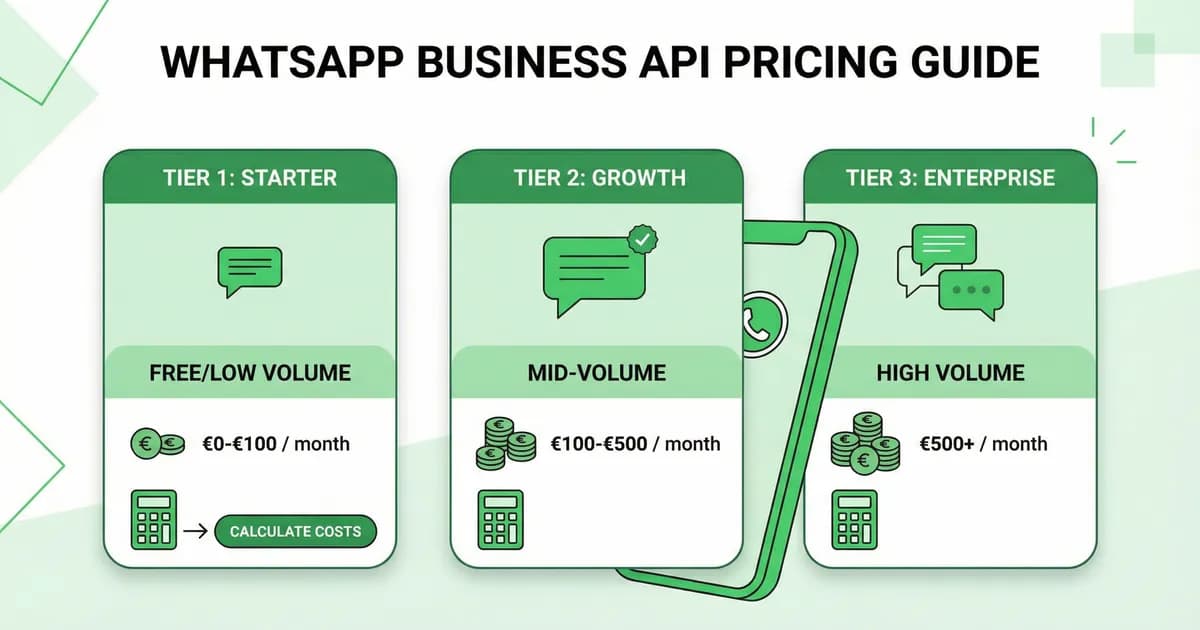
Tier 1: WhatsApp Business App (Free)
The WhatsApp Business app is free to download and free to use, according to Meta:
- Free to download and use
- Free messaging with customers
- Free business profile, catalog, and quick replies
- Free WhatsApp Web access
Limitations that cost you money indirectly:
- Manual messaging only (no automation = labor cost)
- Built to reach hundreds of customers, per Meta, so broadcasts don't scale
- No Shopify integration (manual order tracking)
- No analytics (can't optimize campaigns)
- No AI chatbot (support requires human agents)
Tier 2: WhatsApp Business API (Pay-per-Message)
The WhatsApp Business API enables automation and scale. You pay for:
- Meta message fees (per delivered message, varies by category and country)
- Platform fee (monthly subscription to your API provider, e.g., Kanal)
How much does WhatsApp charge per message in 2026?
Since July 1, 2025, Meta charges per message, not per conversation. You pay when a template message is delivered, not when it is sent. The rate depends on the template category and on the country calling code of the recipient's number. Messages your customers send you are not charged. If you are curious where that fee sits in Meta's wider model, see how WhatsApp makes money.
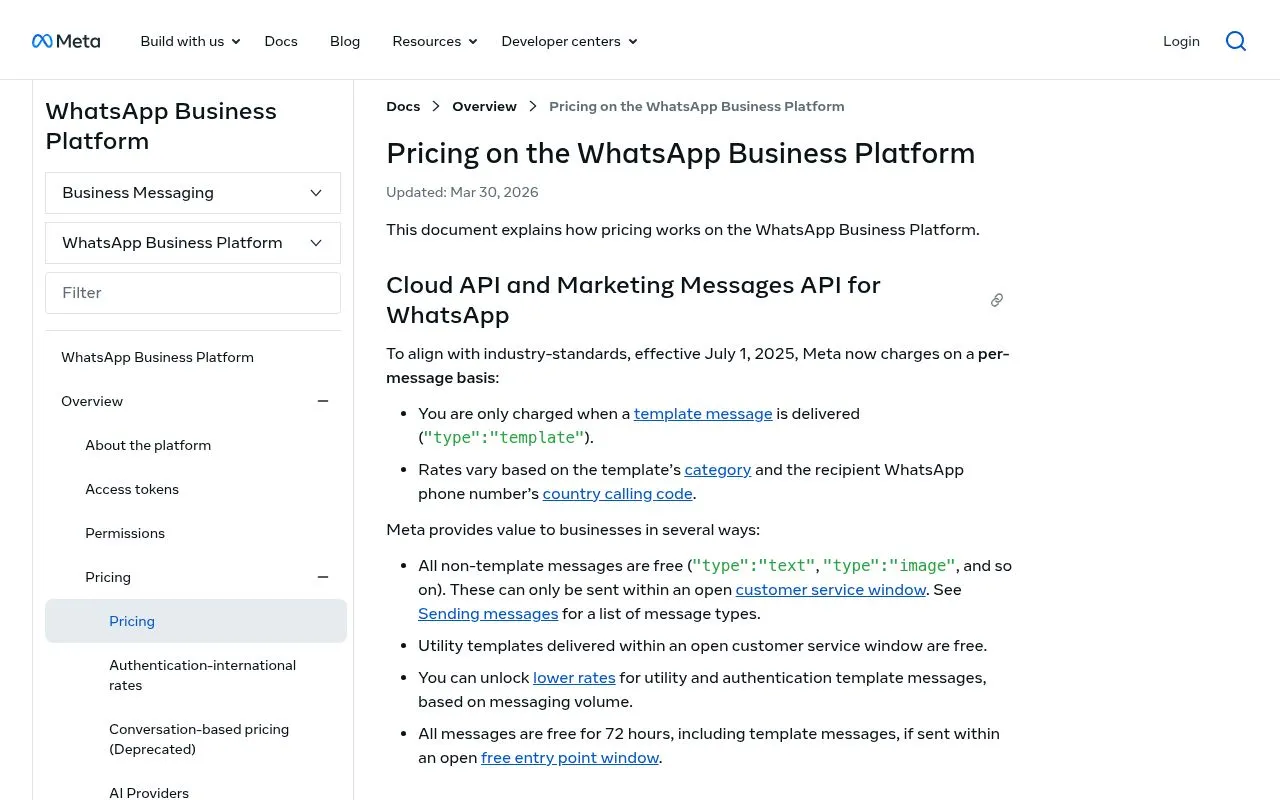
Meta's pricing documentation, updated on September 30, 2026 and read on October 7, 2026, lists two cases where a delivered message is not charged:
- The first 1,000 service messages each month, for each business phone number. Service messages are your free-form replies inside an open 24-hour customer service window. They were not charged at all from November 1, 2024 to September 30, 2026. The 1,000 free messages do not roll over to the next month.
- Messages in a free entry point window. When a customer messages you from an ad that clicks to WhatsApp and you reply inside the customer service window, that reply is not charged and opens a free entry point window. Meta's documentation now says this window may remain open for up to 7 days. Earlier versions said 72 hours, a figure Meta's pricing overview page still showed on October 7, 2026. While the window is open, marketing, utility, authentication and service messages are not charged. Meta Business Agent messages are.
Utility templates sent inside a customer service window, which were not charged from July 1, 2025 to September 30, 2026, are billed again since October 1, 2026.
Pricing by category
| Category | What It Covers | US Price | Germany Price | Brazil Price |
|---|---|---|---|---|
| Marketing | Promotions, campaigns, cart recovery, newsletters | $0.0250 | $0.1365 | $0.0625 |
| Utility | Order notifications, shipping updates, receipts | $0.0034 | $0.0550 | $0.0068 |
| Authentication | OTP codes, login verification | $0.0034 | $0.0550 | $0.0068 |
| Service | Your replies inside the 24-hour customer service window, by a person or a third-party AI | $0.0034 after 1,000 free | $0.0550 after 1,000 free | $0.0068 after 1,000 free |
Prices are per delivered message, in USD, read on Meta's rate calculator on October 7, 2026 (rate card effective October 1, 2026). US prices are Meta's North America rates (US and Canada). These are list rates: utility and authentication get cheaper with monthly volume. Since October 1, 2026, a service message costs the same as a utility message in each market, after 1,000 free service messages per business phone number each month.
Source: Meta WhatsApp Business Pricing and Meta's rate calculator. Rates for the UK, France, Spain, India and Mexico are in the table at the top of this page.
WhatsApp Business pricing update: service replies are billed since October 1, 2026
Updated October 7, 2026. Meta has changed how it bills replies to customers. The change matters most if you answer customers inside the 24-hour customer service window. Here is the timeline, as Meta's pricing documentation states it.
- Since July 1, 2025: Meta charges per delivered message instead of per conversation. Marketing, utility, and authentication templates are charged per message. Service messages (replies inside the 24-hour customer service window) were not charged from November 1, 2024 to September 30, 2026. Utility templates sent inside that window were not charged from July 1, 2025 to September 30, 2026.
- July 1, 2026: Meta launched Meta Business Agent. Non-template messages now fall into two categories. "Service messages" are powered by a person or a third-party AI (such as Kanal's AI). "Meta Business Agent messages" are powered by Meta's own AI agent platform (see our full Meta Business Agent guide).
- August 1, 2026: Meta started charging Meta Business Agent messages per token. Meta's rate is $2.00 USD per 1 million tokens. A message typically uses 20,000 to 25,000 tokens, which Meta puts at about 4 to 5 cents (USD) per message.
- September 30, 2026: Solution Providers and directly integrated businesses needed a payment method on file by this date. Without one, Meta does not deliver service messages beyond the 1,000 free ones each month.
- October 1, 2026: Meta started charging service messages, per message, at the same rate as utility and authentication messages in each market. Each business phone number gets 1,000 free service messages per month, with no roll-over. Utility templates sent inside the 24-hour window became billable too. The same day, Meta updated 40 rates on its rate card, including a higher marketing rate for Mexico.
What this means for your store
Since October 1, 2026, replying inside the 24-hour window is no longer free beyond 1,000 service messages per phone number each month. Build it into your budget:
- Marketing messages do not change. Every delivered marketing template is still charged at your market's rate.
- Utility messages have lost their window exemption. Order and shipping updates sent inside an open customer service window are billable. Volume tiers still lower utility rates as you grow.
- Support replies get a line-item cost. Past the 1,000 free messages, each reply costs the utility rate of the customer's country, with no volume tiers. Clear answers in fewer messages matter more than before, whether a person or an AI chatbot replies.
Where Kanal fits
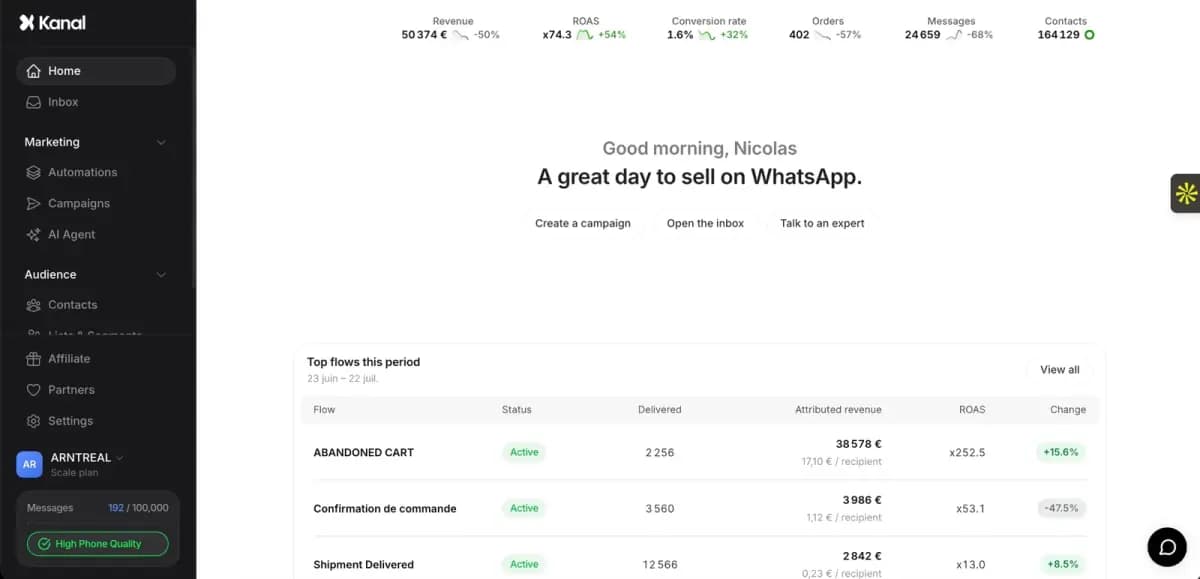
Kanal is a third-party layer on top of the WhatsApp Business Platform. Meta's fees still apply, and you keep full visibility on them: Kanal passes WhatsApp fees through at cost and shows them upfront, with no hidden per-message markup. Kanal's pricing page includes a cost simulator that shows your total, WhatsApp fees included, plus per-market rates per message.
See how it works on the WhatsApp Business API page.
How to estimate your monthly WhatsApp Business cost
Meta has no monthly fee: your bill is a count of delivered messages multiplied by a rate. To estimate it:
- Count your messages by category for one month. Marketing (campaigns, cart recovery, upsells), utility (order and shipping updates), service (your replies to customers).
- Take Meta's rate for each recipient country in the table at the top of this page.
- Multiply. Marketing messages × marketing rate, utility messages × utility rate.
- Subtract the free service messages. Each phone number gets 1,000 free service messages per month; only the replies beyond that are charged, at the utility rate.
- Add your platform's plan, which is billed separately from Meta's fees.
The two examples below apply this arithmetic with Meta's US rates, read on October 7, 2026: $0.0250 per marketing message and $0.0034 per utility message. They are illustrations, not quotes: your volumes and countries will differ.
Example for a small business: a Shopify store with 500 orders a month
| Flow | Messages/Month | Category | Cost |
|---|---|---|---|
| Cart recovery | 300 | Marketing | $7.50 |
| Order confirmations | 500 | Utility | $1.70 |
| Shipping updates | 500 | Utility | $1.70 |
| Customer support (200 chats, 3 replies each) | 600 | Service | Not charged (within the 1,000 free) |
| Monthly campaign | 1,000 | Marketing | $25.00 |
| Total Meta fees | 2,900 | $35.90 | |
| Kanal platform fee | See the pricing page |
The arithmetic: 1,300 marketing messages × $0.0250 = $32.50, plus 1,000 utility messages × $0.0034 = $3.40, plus 600 service replies inside the 1,000 free Total Meta fees: $35.90.
The revenue side depends on your store. Multiply the carts you recover and the orders your campaigns bring in by your average order value (our AOV calculator gives you the figure), then divide by the total above to get your ROAS. Use the recovery and conversion rates you measure in your own account, not a vendor benchmark.
Example for a mid-sized Shopify store with 3,000 orders a month
| Flow | Messages/Month | Category | Cost |
|---|---|---|---|
| Cart recovery | 2,000 | Marketing | $50.00 |
| Order notifications | 3,000 | Utility | $10.20 |
| Customer support (1,000 chats, 3 replies each) | 3,000 | Service | $6.80 (2,000 beyond the 1,000 free) |
| Weekly campaigns | 8,000 | Marketing | $200.00 |
| Post-purchase upsells | 1,500 | Marketing | $37.50 |
| Total Meta fees | 17,500 | $304.50 | |
| Kanal platform fee | See the pricing page |
The arithmetic: 11,500 marketing messages × $0.0250 = $287.50, plus 3,000 utility messages × $0.0034 = $10.20, plus 2,000 service replies beyond the 1,000 free ones × $0.0034 = $6.80. Total Meta fees: $304.50.
Use our ROAS calculator to estimate your specific ROI.
How do you reduce WhatsApp Business costs?
1. Let customers start the conversation
When a customer messages you first, your replies are service messages. The first 1,000 each month are free for each phone number. After that, they cost the utility rate, which is lower than the marketing rate in every market above. Design your flows so customers start the chat:
- Click-to-chat buttons on your website (create one)
- QR codes on packaging and receipts
- "Message us on WhatsApp" CTAs in emails
- Click to WhatsApp ads: if you reply inside the customer service window, Meta opens a free entry point window (up to 7 days, according to its pricing documentation) in which your messages are not charged
2. Use the 24-hour window wisely
A customer message opens a 24-hour customer service window, and each new customer message resets it. Inside it, you can send free-form replies. Since October 1, 2026, those replies are billable after the 1,000 free ones, and so are the utility templates sent in the window. Make every message count:
- Answer the whole question in one reply instead of three short ones
- Group order and shipping details into one utility message when you can
- Keep promotions out of utility templates: Meta charges the category applied to a template at the time you send it
3. Segment aggressively
Don't blast everyone. Use Klaviyo integration to send campaigns only to:
- Customers likely to convert (based on engagement score)
- Segments with matching interests
- Active subscribers (suppress dormant contacts)
Better targeting = fewer messages = lower cost + higher conversion.
4. Let AI handle support
Kanal's AI chatbot answers customer questions on WhatsApp around the clock (see our case studies, and our best WhatsApp chatbot comparison for the alternatives). AI replies from a third-party tool count as service messages too. An answer that settles the question in fewer messages also costs less.
How does WhatsApp Business pricing compare with SMS and email?
WhatsApp vs SMS marketing (Postscript, Attentive)
| Metric | WhatsApp (Kanal) | SMS (Postscript) |
|---|---|---|
| Cost per message | $0.0250 per US marketing message | Set by your SMS provider |
| Billing unit | Each delivered template message | Each SMS sent |
| Rich Media | Yes | No (SMS) / Limited (MMS) |
Compare open, click and revenue results for both channels on your own campaigns before you move budget from one to the other. See our full comparison of SMS vs WhatsApp.
WhatsApp vs email marketing (Klaviyo)
| Metric | WhatsApp (Kanal) | Email (Klaviyo) |
|---|---|---|
| Pricing | Per delivered message ($0.0250 per US marketing message) | Set by your email plan |
| Typical use | Urgency, cart recovery, support | Long-form, newsletters |
The best approach: use both. With the Kanal + Klaviyo integration, your Klaviyo segments and flows trigger the WhatsApp messages in Kanal, and email stays in Klaviyo.
How to compare WhatsApp platform fees, templates, seats and message charges
Meta's rates are the same for everyone, so quotes from WhatsApp platforms differ on everything around them. Put the same five questions to each provider:
| What to compare | Question to ask | Why it matters |
|---|---|---|
| Monthly platform fee | What does the plan cost, and which features and volumes does it include? | It is the fixed part of the bill |
| Message charges | Are Meta's fees passed through at cost, or marked up per message? | Meta's rates are public: any difference is the provider's margin |
| Templates | Is template creation or submission billed? | Costs per template add up when you test several versions |
| Seats | How many people can work in the inbox, and what does an extra user cost? | A support team often grows faster than message volume |
| AI replies | Are AI answers included, and how are they counted? | For Meta, replies from a third-party AI are service messages, while Meta Business Agent messages are billed per token |
Then run one real month of your volume through each quote: campaigns, order notifications, support replies beyond the 1,000 free service messages. On templates specifically: Meta reviews every template and assigns its category whichever platform submits it, so compare how each platform handles submission and what it charges for it, not approval itself. Kanal publishes its plans and a cost simulator on its pricing page, WhatsApp fees included.
What do WhatsApp platforms charge on top of Meta's fees?
Published prices, read on each provider's pricing page on October 8, 2026:
| Provider | Published price | How Meta's fees are billed |
|---|---|---|
| Kanal | Monthly plans, see the pricing page | Passed through at cost |
| Twilio | $0.005 per message, inbound or outbound | Passed through on top |
| 360dialog | From €49 per number per month | On top, no markup |
| Gupshup | $0.001 per message (self-serve) | Billed at actuals |
| Wati | From €59 per month, billed annually | Per Wati's rate card |
| Respond.io | From $79 per month, billed yearly | Not included, no markup per Respond.io |
Our comparison of 14 WhatsApp Business API providers links each source and covers channels and Shopify integration. For a Shopify store, see also the best WhatsApp apps for Shopify. Check Kanal's pricing page for full plan details.
What hidden costs should you watch for?
Beyond the published Meta rates, several costs are rarely mentioned upfront. Watch out for these to avoid surprises.
1. BSP markup on messages
Some Business Solution Providers add a markup on top of Meta's published rates. Always verify:
- Messages billed at exact Meta cost or with markup?
- One-time setup fees
- Per-template approval fees (some BSPs charge per submitted template)
- Tier-locked premium support (basic plan often lacks decent help)
Kanal passes WhatsApp fees through at cost, with no hidden per-message markup, plus a transparent monthly plan.
2. Template rejections and approval delays
Every marketing template needs Meta approval before use. Side effects:
- Approval lag: the campaign waits until the template is approved
- Rejections: you rewrite and resubmit
- Re-submission is unlimited but blocks campaign launches
- Repeated rejections lower your quality rating
Also check the category Meta assigned to each approved template. Whenever you use a template, you accept the charge for the category applied to it at that time.
3. Quality rating downgrades
Meta scores every business number Green (high), Yellow (medium), or Red (low). A low rating can cap your sending volume or pause your number.
Triggers: opt-outs, low engagement, spam reports. Direct cost: less volume = less revenue at the same Meta spend.
4. Currency conversion fees
Meta publishes its rate cards in 16 currencies, including USD, EUR, and GBP. Check the currency of your WhatsApp Business account. If it differs from your bank account's currency, expect:
- Bank fees on international payments
- A monthly cost that moves with the exchange rate
5. Number suspension for abuse
Meta can suspend a number that:
- Sends unsolicited messages (no clear opt-in)
- Generates abnormal user reports
- Uses non-compliant template content (excessive promises, misleading offers)
While the number is suspended, your WhatsApp activity on it is paused.
Common pricing mistakes
Mistake 1: Budgeting per conversation instead of per message
Many brands still budget WhatsApp per 24-hour conversation. That model ended on July 1, 2025. Meta now charges each delivered template message. A cart recovery flow with 3 reminders costs 3 marketing messages: $0.0750 in the US.
Mistake 2: Ignoring the free service quota
Each business phone number gets 1,000 free service messages per month, and unused ones do not roll over. Yet many brands never actively route customers to WhatsApp for support, leaving this lever untapped.
Mistake 3: Sending utility content as marketing
Send order confirmations as utility templates ($0.0034 in the US) instead of marketing ($0.0250). Always categorize templates correctly when submitting to Meta.
Mistake 4: Not adjusting for quality rating
If your rating drops to Yellow or Red, immediately scale back marketing volume. Restore quality with high-engagement utility templates first.
Conclusion
WhatsApp Business pricing comes down to the per-message model: the app is free to use, and the API (through a platform such as Kanal) charges each delivered message at Meta's rate for the recipient's country.
Don't compare WhatsApp's per-message cost to email's per-contact cost. Compare the revenue each channel generates on your own store, divided by what you spend on it.
See the pricing applied to your store. Book a demo and we'll run the estimate with your volumes. Or start with our ROAS calculator for a quick estimate.
Compare the best Shopify marketing apps to find your ideal stack, or check our best abandoned cart recovery apps comparison.
Tools to plan your WhatsApp spend
Use our tools to plan and optimize your WhatsApp marketing budget:
- ROAS Break-Even Calculator: calculate your minimum ROAS to break even on WhatsApp campaigns based on your AOV, margins, and messaging costs
- WhatsApp Link Generator: create click-to-chat links to grow your subscriber list (more subscribers = lower cost per acquisition)
- WhatsApp QR Code Generator: generate QR codes for in-store, packaging, and print materials to drive WhatsApp opt-ins
- WhatsApp Number Checker: verify which of your customers have WhatsApp before importing them, to keep your lists clean (Meta only charges delivered messages)
- Shopify Theme Detector: see what themes and apps your competitors are using to benchmark your stack
Frequently asked questions
Is WhatsApp Business free?
The WhatsApp Business app is free to use. The WhatsApp Business API charges per delivered message: in the US, $0.0250 for a marketing message and $0.0034 for a utility message (order updates). Since October 1, 2026, replies inside the 24-hour customer service window are billed too: each business phone number gets 1,000 free service messages per month, then pays the utility rate.
Does WhatsApp Business cost money?
The WhatsApp Business app costs nothing: messaging, catalog, and quick replies are included. Money only enters the picture with the WhatsApp Business API. Meta bills each delivered template message by category and country ($0.0250 for a US marketing message), and your platform provider adds a monthly fee. A small shop pays $0, while an automated store budgets per message.
How much does WhatsApp Business charge per message?
Since July 1, 2025, Meta charges per delivered message, not per 24-hour conversation. In the US, a marketing message costs $0.0250, a utility message $0.0034, and an authentication message $0.0034. Utility and authentication rates drop as your monthly volume grows. Since October 1, 2026, service replies cost the utility rate after 1,000 free per business phone number each month.
How much does a WhatsApp Business account cost per month?
The WhatsApp Business app is free to use and has no monthly fee. On the WhatsApp Business API, Meta does not bill by the month either: it charges each delivered message, by category and by the recipient's country, with 1,000 free service messages per phone number each month. The monthly amount on your invoice is the plan of the platform you use to access the API, plus those message fees.
How much does the WhatsApp API cost for a small business?
Add up your messages by category. A US store sending 1,300 marketing messages and 1,000 order updates a month, with 600 support replies, pays Meta $35.90: $32.50 for marketing at $0.0250 each, $3.40 for utility at $0.0034 each, and nothing for the replies, which fit in the 1,000 free service messages. The platform's monthly plan comes on top.
How should I compare WhatsApp platform fees, templates, seats and message charges?
Ask every provider the same five questions: what the monthly plan costs, whether Meta's message fees are passed through at cost or marked up, whether template submission is billed, how many users or seats the plan includes, and how AI replies are charged. Then run one month of your real volume through each answer. Meta's own rates are public, so any difference comes from the platform.
See Kanal on your own store
- Your campaigns and cart reminders on WhatsApp, starting from your own store
- Post-purchase offers, back-in-stock alerts, then the AI agent that advises your customers
- You leave with the plan that fits and its price

- brands
- 500+
- to set up
- 5 min
- open rate on WhatsApp
- +90%
5/5 on the Shopify App Store (132 reviews)

Nicolas helps e-commerce brands grow revenue with WhatsApp marketing. With deep expertise in Shopify ecosystems and conversational commerce, he shares proven strategies for abandoned cart recovery, broadcast campaigns, and AI-powered customer engagement.
Glossary terms in this article
Quick definitions for the WhatsApp Business terms used above.
WhatsApp Business App
The WhatsApp Business App is a free mobile application designed for small businesses to chat with customers, with a catalog, quick replies, and automated greeting messages.
Read full definitionCustomer Service Window (24-hour window)
The customer service window is a 24-hour timer that starts when a WhatsApp user messages or calls a business. While it is open, the business can reply with free-form messages; once it closes, it can only send approved message templates.
Read full definitionQuick Replies
Quick replies are saved message shortcuts in the WhatsApp Business App that insert a frequently used answer when the user types a slash command.
Read full definitionUtility Template
A utility template is a WhatsApp message template that follows up on something the customer did or asked for: an order confirmation, a shipping update, a payment receipt. It must not contain promotional content, otherwise Meta re-categorizes it as marketing.
Read full definitionAuthentication Template
An authentication template is the WhatsApp message template used to send one-time passcodes and verification codes. It is the only template category allowed for identity verification, and it follows a fixed format set by Meta.
Read full definitionMarketing Template
A marketing template is a WhatsApp message template used for promotion: offers, product launches, back-in-stock alerts or cart reminders. It can be sent at any time to customers who opted in, and Meta charges each delivered message at the marketing rate of the recipient's country.
Read full definitionWhatsApp Business Platform
The WhatsApp Business Platform is the set of APIs Meta offers businesses to message customers on WhatsApp at scale: the Cloud API, the Business Management API and the Marketing Messages API. It is separate from the WhatsApp Business app, which runs on a phone.
Read full definitionwa.me Link (Click-to-Chat)
A wa.me link is WhatsApp's official click-to-chat URL. Opening it starts a conversation with a specific number, without the visitor saving the contact first.
Read full definitionBusiness Solution Provider (BSP)
A Business Solution Provider (BSP) is a company authorized by Meta to give other businesses access to the WhatsApp Business Platform, usually through its own software. Meta now calls these companies partners and splits them into Solution Partners, Tech Providers and Tech Partners.
Read full definitionQuality Rating
The quality rating is the score WhatsApp gives a business phone number, and each of its message templates, based on how recipients react: blocks, reports and read rates. It is shown as high, medium or low (green, yellow, red).
Read full definitionWABA (WhatsApp Business Account)
A WABA (WhatsApp Business Account) is the account that represents a business on the WhatsApp Business Platform. A business needs one to send and receive messages through the API and to create message templates; it holds the phone numbers, the templates and the billing setup.
Read full definitionOpt-in
A WhatsApp opt-in is the permission a person gives a business to send them messages on WhatsApp. WhatsApp's Business Messaging Policy requires it before any message: the business must have the person's phone number and their agreement to hear from that business.
Read full definitionSuggested articles
WhatsApp Cloud API vs On-Premises: What the 2025 Sunset Means
Meta shut down the WhatsApp On-Premises API on October 23, 2025. What Cloud API offers, how it is priced and how to move a number still stuck on it.
WhatsApp Business Profile: 12 Best Practices That Convert
Set up a WhatsApp Business profile that converts in 2026. 12 best practices for photo, name, description, catalog, verification, and Shopify sync.
50 WhatsApp Greeting Message Examples for Businesses (2026)
50 WhatsApp greeting message examples to copy for your business, by industry and language, plus how to set the automatic greeting in WhatsApp Business.
WhatsApp Business App vs API: 2026 Decision Guide
WhatsApp Business app vs API for your Shopify store in 2026: pricing, features, scalability, automation and a decision framework with use cases.