RCS message: what RCS messaging is and how to turn it on
What an RCS message is, what RCS messaging adds to SMS, how to turn it on or off on Android and iPhone, what it costs, how secure it is and how brands use it.
 Nicolas ProvostOct 24, 2026 · 13 min read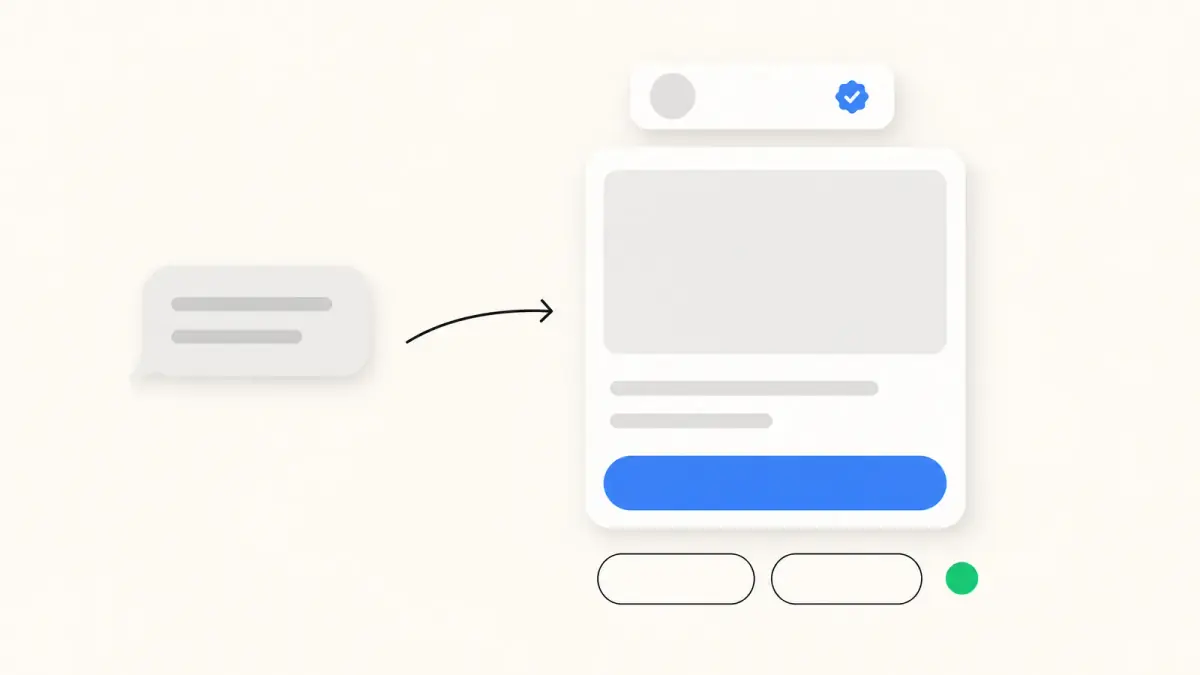
Summarize this article with an AI
 ChatGPT
 Claude
Table of contents (11)
Key takeaways
- RCS (Rich Communication Services) is the standard that replaces SMS in the phone's own messaging app: high-resolution photos, read receipts, typing indicators, group chats and messages from verified businesses.
- Turn it on in Google Messages under Messages settings, RCS chats, and on iPhone (iOS 18 or later) under Settings, Apps, Messages, RCS Messaging, if your carrier supports it.
- RCS goes over Wi-Fi or mobile data: Google says it costs nothing extra on free Wi-Fi, and on mobile data the cost depends on your data plan.
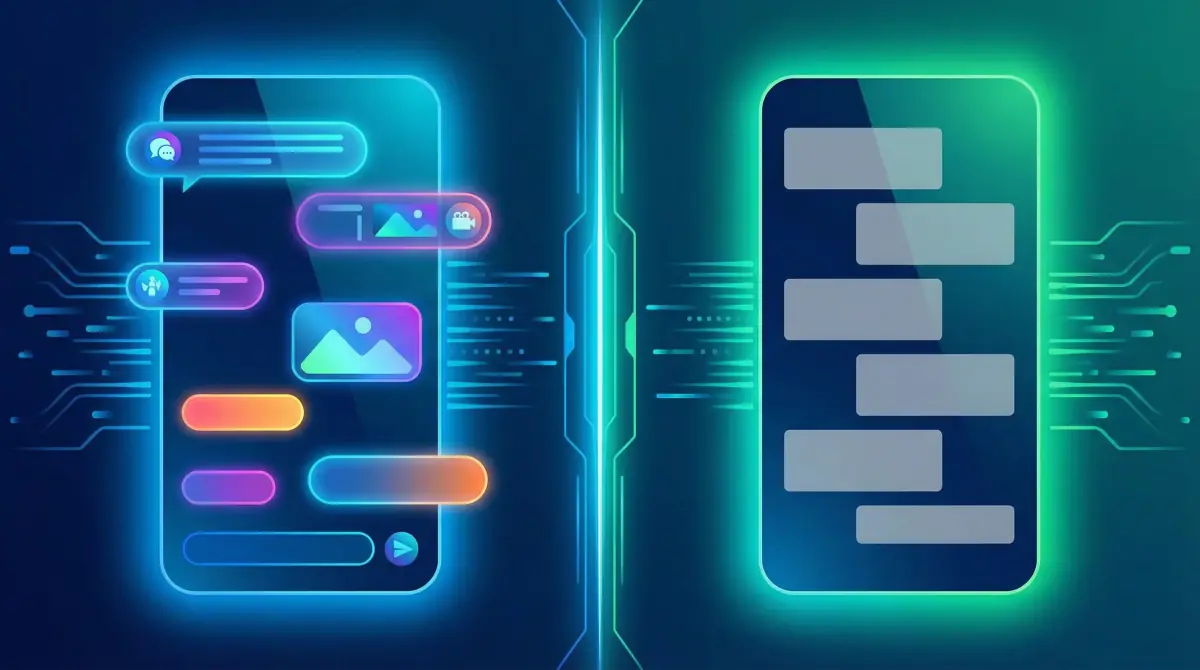
An RCS message is a text sent with RCS (Rich Communication Services), the standard that takes over from SMS inside your phone's own messaging app. It travels over Wi-Fi or mobile data instead of the carrier's SMS channel, and adds what plain texting never had: high-resolution photos and videos, typing indicators, read receipts, proper group chats and, from businesses, messages that carry a verified name and logo.
There is nothing to install. On Android, RCS works in Google Messages; on iPhone, it works in the Messages app from iOS 18, as long as your carrier supports it. This guide explains what RCS messaging is, how it differs from SMS, how to turn it on or off, what it costs and how secure it is, from Google's and Apple's own help pages read on October 24, 2026. The last part is for brands and online stores.
For transparency: Kanal is a marketing and sales app for Shopify stores that sends WhatsApp, RCS and SMS messages.
What is RCS messaging?
RCS is a messaging standard built by the mobile industry to succeed SMS and MMS. Google calls it a modern industry standard for messaging that enables more dynamic and secure conversations than SMS and MMS (Google Messages Help). The GSMA, the association of mobile operators, publishes its specifications as the RCS Universal Profile; version 3.0, announced on March 14, 2025, added end-to-end encryption based on the Messaging Layer Security protocol (GSMA).
Three ideas explain how it works in practice:
- It is a carrier service. Apple puts it plainly: "RCS messaging is a carrier-provided service" (Apple Support). Google adds that RCS is provided by Google or by your carrier, under your carrier's terms of service.
- It lives in the phone's messaging app. No separate app, no account: you still text phone numbers from your contacts.
- Everyone needs it. RCS features only apply when everyone in the conversation has RCS chats turned on. Otherwise, the message can go as SMS or MMS (Google's RCS FAQ).
RCS vs SMS in one table
RCS keeps what made SMS universal (you text a phone number, in the built-in app) and adds what chat apps have offered for years.
| SMS | RCS | |
|---|---|---|
| Content | Text only (MMS adds photos and video, compressed) | Text, high-resolution photos and videos, files, links |
| Network | The carrier's voice network, no Wi-Fi | Wi-Fi or mobile data |
| Typing indicators and read receipts | No | Yes, when the other person has them on |
| Group chats | No (MMS supports them, without read receipts) | Yes: rename, edit and leave groups |
| Encryption | None | End-to-end between Google Messages users; in beta on iPhone from iOS 26.5 |
| Business messages | A number or sender name, with no way to verify who sent it | Verified business name, logo and check mark, cards, carousels and buttons |
| Bubble color on iPhone | Green | Green |
Sources: Google Messages Help (Learn about RCS messaging, RCS chats with businesses) and Apple Support (Turn on RCS messaging on your iPhone), read on October 24, 2026.
Google's help page lists the same gains: share high-resolution photos and videos, know when someone is typing, get read receipts, send messages over mobile data and Wi-Fi, rename and leave group chats, and keep conversations end-to-end encrypted between Google Messages users. For costs, carrier reach and which one a business should send, see our full RCS vs SMS comparison.
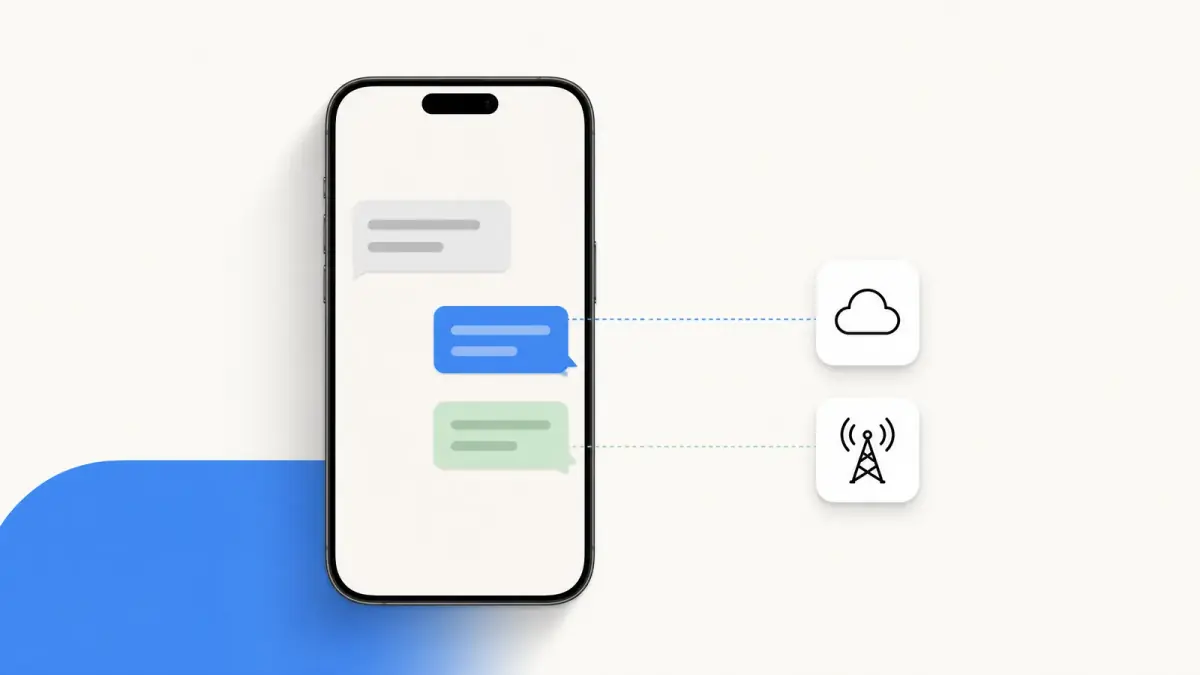
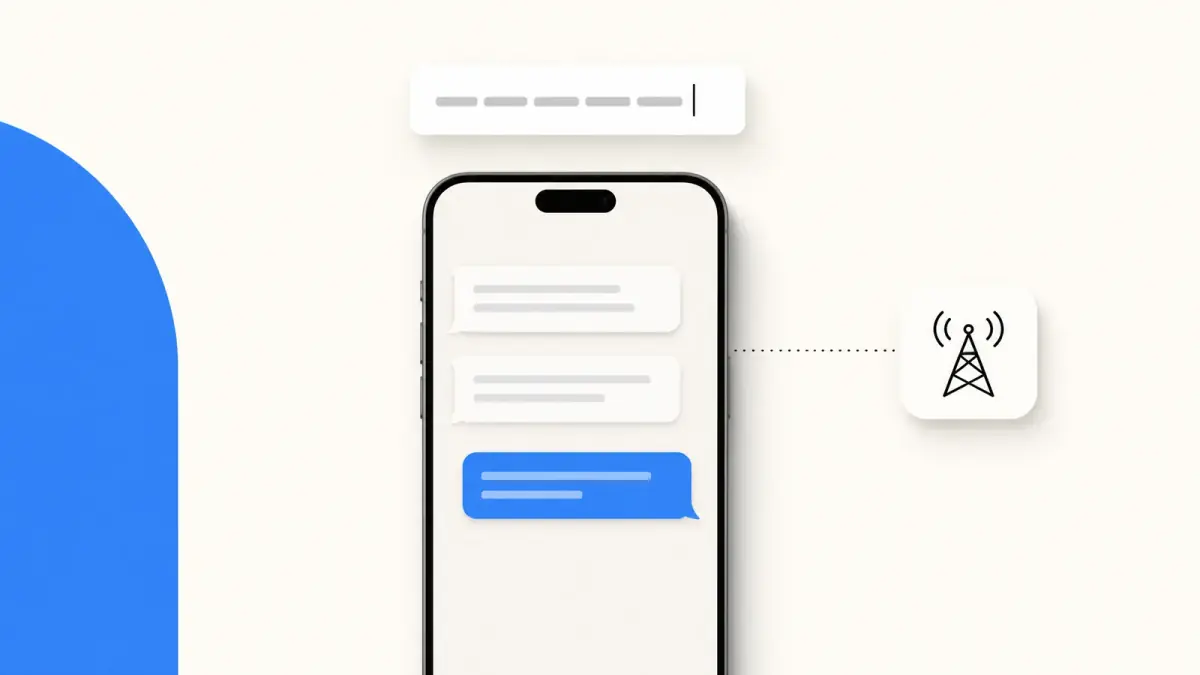
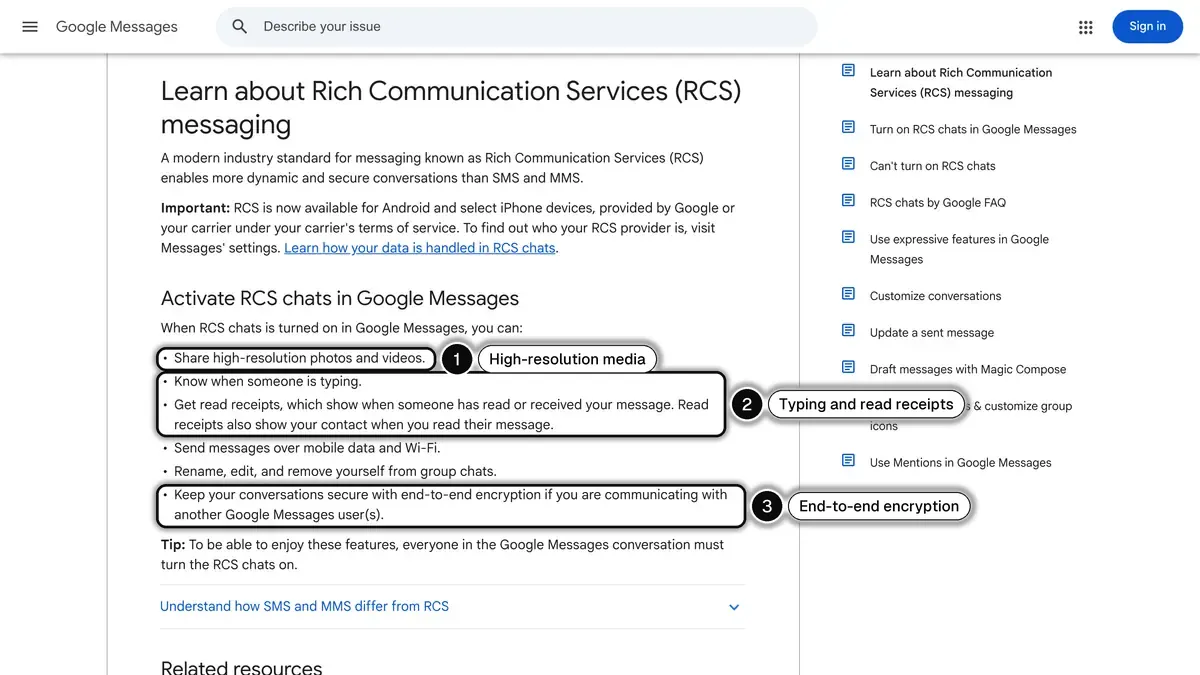 Source: Google Messages Help, Learn about Rich Communication Services (RCS) messaging, read on October 24, 2026. In 1, high-resolution photos and videos; in 2, typing indicators and read receipts; in 3, end-to-end encryption between Google Messages users.
How to tell if a message was sent as RCS
On iPhone, color will not tell you: RCS messages appear in green bubbles, just like SMS and MMS. Only iMessage between Apple devices is blue, as our guide to why your texts are green explains.
In Google Messages, look at the status icons next to your message: a check means sent, a double check means delivered and a color-filled double check means read. Google notes that these icons won't show on SMS or MMS messages, so if you see them, the conversation is on RCS.
How to turn RCS on or off on Android
On Android, RCS runs through Google Messages. Google's help pages give this path:
- Open Google Messages.
- Tap your profile picture or initial at the top right, then Messages settings.
- Tap RCS chats. If you do not see it, look for Chat features.
- Turn RCS chats on or off.
The same screen shows the status. "Connecting" means your number is being verified. If "Trouble connecting" stays for more than 30 minutes, Google Messages is having trouble verifying your number, and "RCS chats are not supported by your carrier" means your carrier does not offer it for now. The Automatically resend as text (SMS/MMS) switch decides what happens when RCS is not available.
Turning RCS off does not stop your texts: they go out as SMS or MMS instead, without read receipts or typing indicators. If your phone uses a messaging app other than Google Messages, the setting sits in that app's own menu.
How to turn RCS on or off on iPhone
RCS came to iPhone with iOS 18. Apple sets two conditions: iOS 18 or later, and a cellular plan from a carrier that supports RCS messaging on iPhone. The path is the same to turn it on or off:
- In the Settings app, tap Apps.
- Tap Messages.
- Tap RCS Messaging.
- Turn RCS Messaging on or off.
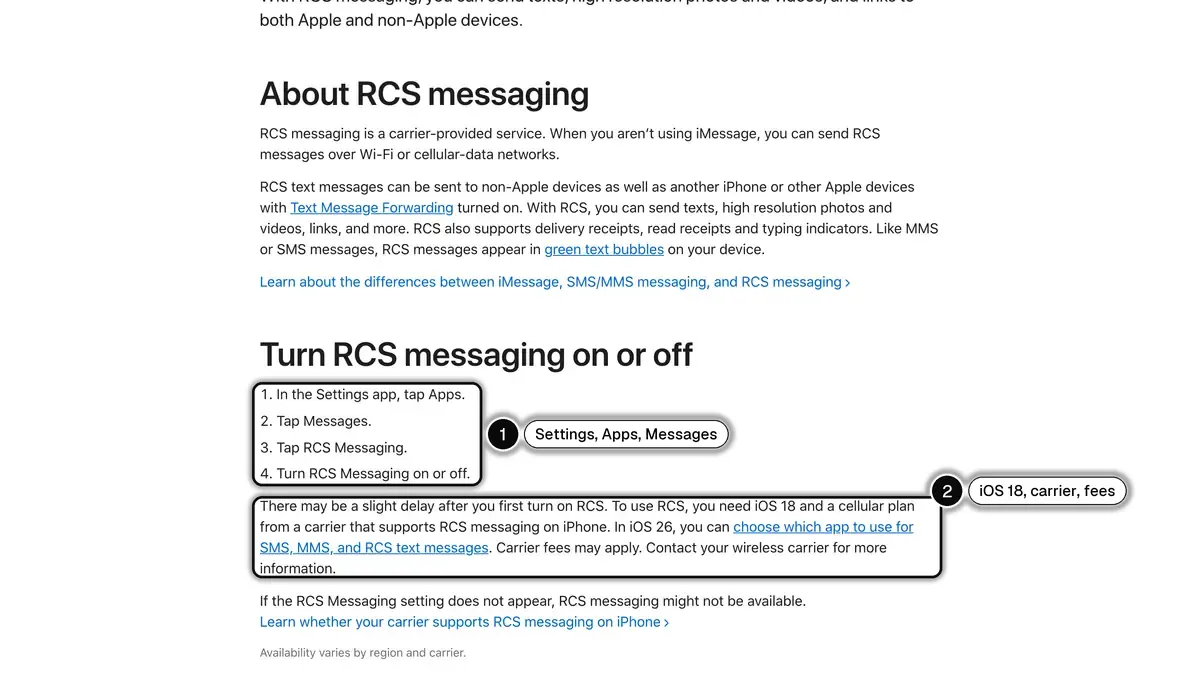 Source: Apple Support, Turn on RCS messaging on your iPhone, read on October 24, 2026. In 1, the path Settings, Apps, Messages, RCS Messaging; in 2, iOS 18, a carrier that supports RCS on iPhone, and possible carrier fees.
Apple adds three notes on the same page. There may be a slight delay the first time you turn it on. If the RCS Messaging setting does not appear, RCS might not be available with your carrier; availability varies by region and carrier, and Apple keeps a list of carrier features for iPhone in the United States and Canada. In iOS 26, you can also choose which app handles your SMS, MMS and RCS texts.
The same menu holds two more switches: RCS Business Messages, to stop the alerts and order updates some businesses send through RCS, and, from iOS 26.5, End-to-End Encryption (Beta), which is on by default.
Does RCS messaging cost money?
Not by itself, but it uses data. Google's FAQ explains that RCS messages go over Wi-Fi and mobile data: on a Wi-Fi network you do not pay for, there is no additional cost to send and receive them, and on mobile data, the cost is based on your data plan. Apple's page adds that carrier fees may apply and points you to your carrier.
A message that cannot go as RCS (no mobile data, or a recipient without RCS) can go as SMS or MMS, under your plan's terms for those services.
Is RCS messaging secure?
It is safer than SMS, which is not encrypted at all, but the level depends on who is on the other end:
- Between Google Messages users, RCS chats are end-to-end encrypted by default, according to Google.
- On iPhone, Apple offers end-to-end encrypted RCS in beta from iOS 26.5, available with supported carriers and rolling out over time. Google's FAQ, read the same day, still says RCS chats with iPhone users do not have end-to-end encryption, so between Android and iPhone, do not count on it yet.
- With a business, the conversation is not end-to-end encrypted. Google says the entities that manage business conversations, and in some cases carriers, can access message content; to fight spam, Google itself only accesses the messages businesses send, not your replies.
Google also gives a useful scam check: a business cannot join an RCS group chat. A group invite that claims to come from a brand is likely fraudulent and should be reported as spam (Google Messages Help).
RCS messages from businesses
This is the part SMS could never do: a brand can write under its own name, once verified. According to Google, when a business registers, Google or a third-party provider verifies its identity, and the conversation then shows:
- a verified check mark next to the business's name, meaning Google, your carrier or a third-party provider confirmed its identity;
- the business's name and logo at the top of the conversation;
- its name and description instead of a phone number in the header.
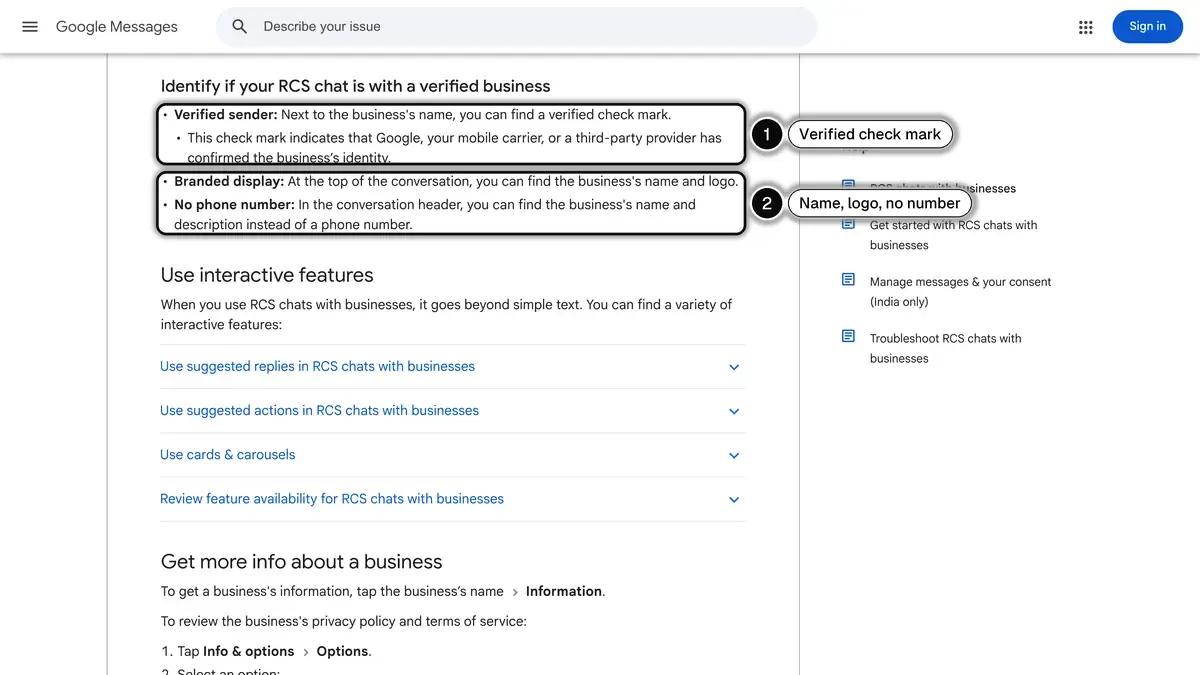 Source: Google Messages Help, RCS chats with businesses, read on October 24, 2026. In 1, the verified check mark confirmed by Google, the carrier or a third party; in 2, the business name and logo, with no phone number in the header.
The message itself can hold photos, videos, audio files or PDFs, link previews, cards and swipeable carousels, and suggested reply or action buttons such as "Track order" or calling the business. Google gives the example of browsing a product catalog inside the chat.
You stay in control. In Google Messages, tap More, then Unsubscribe, to stop non-essential messages (promotions) from a business: the app sends "STOP" from your number in the United States, and it is then up to the business to honor it. Essential, requested messages, such as one-time passwords or transactional messages, can still come through. On iPhone, the RCS Business Messages switch above turns business messages off, and Report Junk in a conversation lets you delete and report it.
RCS for brands: what an online store can send
For an online store, RCS covers the moments where a plain text runs out of room: showing the product, and giving a button to act without leaving the conversation.
| Store moment | What the RCS message can show | Google use case |
|---|---|---|
| New collection or sale | A carousel, one card per product with photo, price and a button | Promotional |
| Abandoned cart | The item left behind, its price and a button back to the cart | Promotional (Google lists abandoned cart reminders here) |
| Order shipped | The order number and a tracking button | Transactional (shipping information), no offers |
| Back in stock | The product card, available again | Not listed by Google; promotional once it carries an offer |
| After delivery | A review request with tap-to-answer replies | Transactional (feedback on a purchased product) |
Source: Google for Developers, RCS for Business agent use cases, read on October 24, 2026.
For eight ready-to-adapt messages built on these moments, see our RCS messaging examples for online stores.
Four conditions come with it:
- Go through a provider. Brands usually do not connect to RCS themselves: a messaging partner registered with Google's RCS for Business program creates the sender (called an agent), gets the brand verified and launches it carrier by carrier. Our RCS business messaging guide walks through each step, along with Google's consent rules.
- Get opt-in first. Google's rules for RCS for Business ask for the customer's consent before promotional messages, cart reminders included, and a simple way out such as replying STOP; the guide above covers them.
- Plan a fallback. Phones without RCS, phones with RCS turned off and customers whose carrier has not launched your agent will not get the RCS message, so you need a second channel, usually SMS.
- Budget per carrier. There is no single public price for RCS: carriers and providers set it. Our RCS pricing guide shows how US carriers bill RCS text and rich media messages.
One US-specific point matters for the channel mix. Meta's documentation says WhatsApp does not currently deliver marketing template messages to WhatsApp users with US phone numbers (Meta for Developers, read on October 24, 2026). For a store selling in the US, promotions to US customers therefore go through channels such as RCS and SMS, while WhatsApp keeps order updates and customer conversations.
RCS messaging with Kanal
Kanal is a marketing and sales app for Shopify stores. It brings RCS to the store alongside WhatsApp: a campaign with a product carousel sent to a segment of customers who opted in, a cart reminder with a "Resume my cart" button, order tracking with a "Track my parcel" button triggered by the order status in Shopify, and a back-in-stock alert that shows the product. Each campaign is tracked in orders and revenue. Our RCS marketing for Shopify page shows the four scenarios.
RCS and SMS are included from the Scale plan at $149 a month (pricing), and iMessage is coming soon. For customers who live on WhatsApp, Kanal sends the same moments there: campaigns, cart reminders, order notifications and back-in-stock alerts. More than 500 brands use Kanal, and setup takes 5 minutes.
The short version
- Definition: RCS (Rich Communication Services) is the standard that replaces SMS in the phone's messaging app, over Wi-Fi or mobile data.
- What changes: high-resolution photos and videos, typing indicators, read receipts, group chats and verified business messages.
- Turn it on: Google Messages, Messages settings, RCS chats; on iPhone with iOS 18, Settings, Apps, Messages, RCS Messaging.
- Cost: nothing extra on free Wi-Fi, your data plan otherwise.
- Security: end-to-end encrypted between Google Messages users, in beta on iPhone, not with businesses.
- For brands: a provider, a verified agent, opt-in, and an SMS fallback.
To see RCS and WhatsApp campaigns on your own Shopify store, book a Kanal demo.
See RCS on your own store
- One card per product: image, title, price and a button
- Your brand name and logo, with a verification check mark
- Sent from Kanal, alongside your WhatsApp campaigns
Available from the Scale plan
See Kanal's RCS marketingToday 10:02
The linen collection is back, Sarah.
See the collection
- brands
- 500+
- to set up
- 5 min
- open rate on WhatsApp
- +90%
Nicolas helps e-commerce brands grow revenue with WhatsApp marketing. With deep expertise in Shopify ecosystems and conversational commerce, he shares proven strategies for abandoned cart recovery, broadcast campaigns, and AI-powered customer engagement.