RCS business messaging: what it is and how to get verified
RCS business messaging from Google's own docs: verified name and logo, rich cards, how a brand gets access, billing, iPhone support and store use cases.
 Nicolas ProvostOct 7, 2026 · 18 min read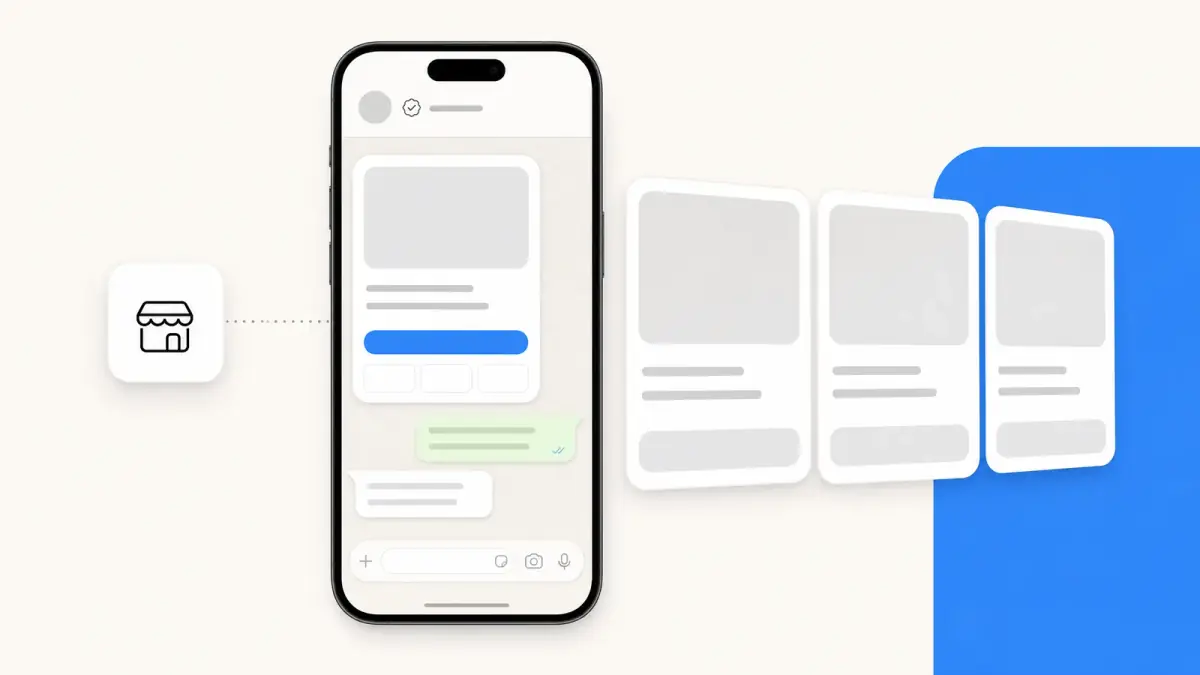
Summarize this article with an AI
 ChatGPT
 Claude
Table of contents (11)
Key takeaways
- RCS business messaging lets a verified brand send rich cards, carousels and suggested replies to the phone's own messaging app, under its name and logo.
- Brands get access through a messaging partner registered with Google's RCS for Business, then verify the brand and launch carrier by carrier.
- For an online store, Google classes shipping updates as transactional messages and abandoned cart reminders as promotional ones.
- There is no single public price, since billing follows each carrier's rate card, per message or per 24-hour conversation.
RCS business messaging lets a verified brand send branded, interactive messages (rich cards, carousels, suggested replies) to the phone's own messaging app, where an SMS would only show text. In most cases, a brand does not plug into it directly: it goes through a messaging provider registered with Google's RCS for Business program, which creates the brand's sender, has it verified and launches it carrier by carrier.
For transparency: Kanal is a marketing and sales app for Shopify stores that brings RCS to the store alongside WhatsApp and SMS, and iMessage is coming soon. This page describes RCS from Google's, Apple's and the GSMA's own documentation, read on October 24, 2026, then shows how an online store uses it and where it stands next to WhatsApp Business. For a side-by-side of the two text formats, read RCS vs SMS.
What is RCS business messaging?
RCS (Rich Communication Services) is the industry standard that modernizes SMS. The GSMA publishes it as the Universal Profile, which includes support for RCS business messaging and rich cards (GSMA). RCS business messaging is the part of the standard that lets a company, rather than a person, sit at the other end of the conversation. For the consumer side (turning RCS on, costs, encryption), see our guide to what an RCS message is.
Google provides the API that messaging providers connect to. Its documentation uses the name RCS for Business, presents it as a way to engage customers on Android and iOS with distinctive branding and a "Verified" icon, and still calls the interface the RCS Business Messaging (RBM) API (Google for Developers). On the customer's side, Google describes what changes compared with a text message (Google Messages Help):
- the conversation is branded with the company's name, its logo and a verification check mark, after Google or a third-party provider has verified the business's identity;
- the header shows the business's name and description instead of a phone number;
- messages can contain photos, videos, audio or PDF files, plus suggested reply and action buttons, so a customer can track an order without leaving the conversation;
- the conversation is one-to-one: a business cannot be part of a group chat.
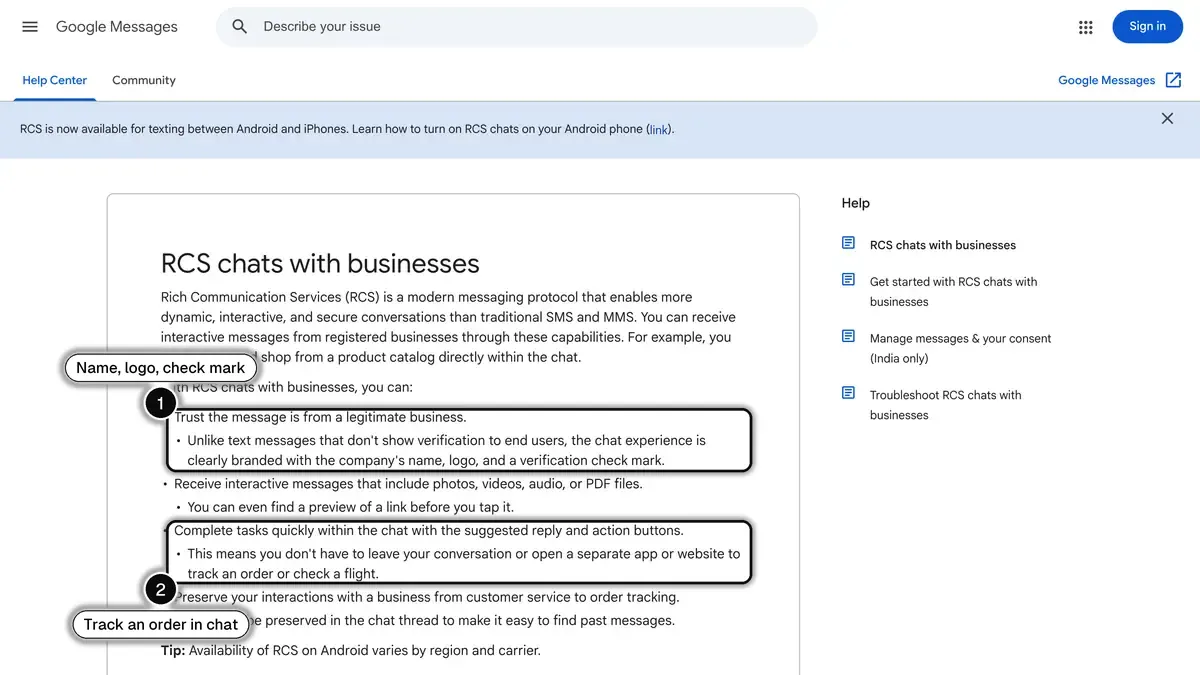 Source: Google Messages Help, RCS chats with businesses, read on October 24, 2026. In 1, the chat is branded with the company's name, logo and a check mark; in 2, the customer can track an order without leaving the conversation.
Every sender, called an agent, is created for one of four use cases defined by Google: one-time passwords, transactional, promotional or multi-use (agent use cases). A conversation usually starts with a message from the agent. Google also documents links, buttons and QR codes that let a customer open the conversation first (deep links).
How can a business send RCS messages with verified branding?
Usually not by signing up on its own. Google's documentation says that businesses typically work with messaging partners (aggregators, CPaaS providers, carriers and other RCS solution providers) that connect to Google's API and build and maintain the agent on the business's behalf (data security for RCS for Business). The path looks like this:
- Pick a messaging partner. To send messages, a company must first be registered as a partner with RCS for Business, which starts with an interest form; Google then contacts the companies that qualify (register as a partner). Ask your messaging provider whether it is one.
- Have your agent created. The partner creates the agent that represents your brand, with a name, a logo, a description, contact details, a billing category and a use case (create an agent).
- Verify the brand. An employee of your company with the authority to do so confirms the agent's information and the partner's right to manage it for you. Google asks for an individual representative's email address, not a distribution list, and some carriers also require a verification token from a recognized Verification Authority (brand verification, last updated on September 2, 2026).
- Get launch approval, carrier by carrier. Google, carriers, or both approve the agent. Once approved, it can reach RCS-capable users on the approved carrier networks. Some carriers manage approval themselves and may require a direct agreement (verify and launch your agent).
- Prepare what reviewers check. Before a Google-managed launch, Google lists a working website, links to your terms of service and privacy policy, support for the STOP keyword, and an agent preview video or step-by-step transcripts of the flows (launch approval, last updated on October 7, 2026).
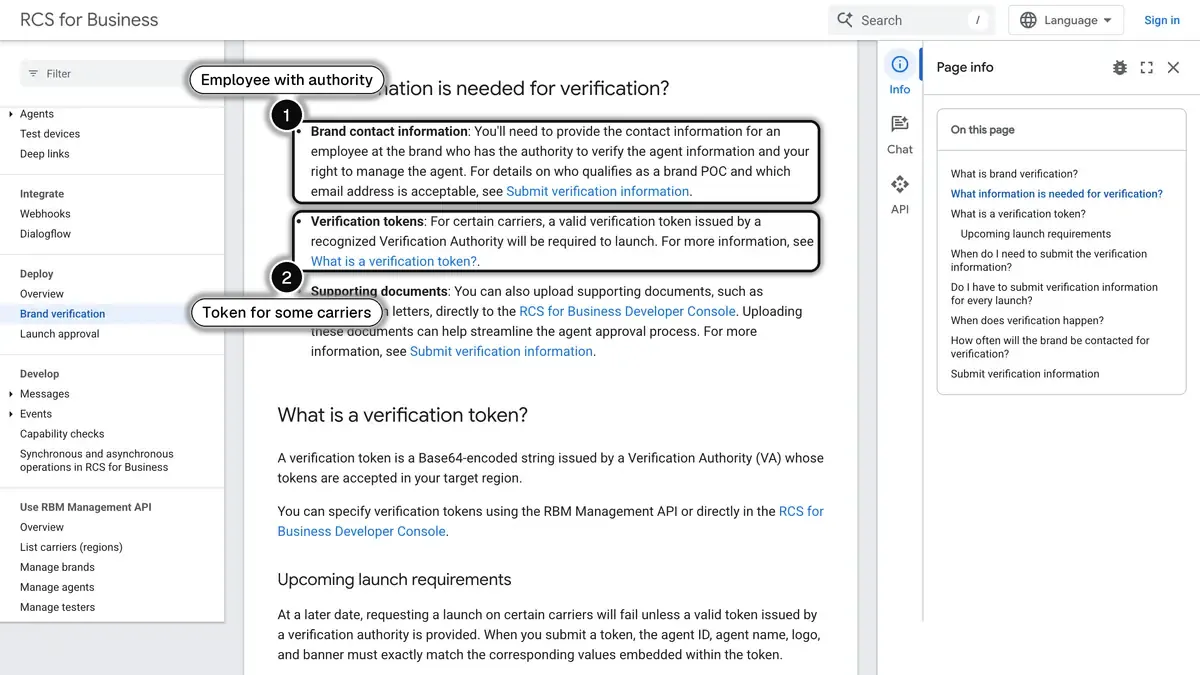 Source: Google for Developers, brand verification for RCS for Business, read on October 24, 2026. In 1, the brand contact must be an employee with the authority to verify the agent; in 2, some carriers also require a verification token.
What can an RCS business message show?
A single request can combine text, rich cards, media, suggested replies and suggested actions. The limits below come from Google's developer documentation.
| Element | What the customer sees | Limits in Google's documentation |
|---|---|---|
| Verified sender | Brand name, logo and a verification check mark at the top of the conversation | Shown once the agent is verified and launched |
| Text | A message, with a link preview when the app supports it | 3,072 characters |
| Rich card | Media (image, GIF or video), a title, a description and buttons in one message | Title: 200 characters. Description: 2,000 characters. 4 suggested replies or actions at most |
| Carousel | Several rich cards to swipe through | 2 to 10 cards |
| Suggested replies | Tappable answers | 25 characters each, 11 suggestions at most per message |
| Suggested actions | Buttons that dial a number, open a location on a map, share a location, open a URL or create a calendar event | 25 characters each |
| Files | Images, videos, audio and PDF files | 100 MiB per file |
For eight ready-to-adapt messages built from these elements, see our RCS messaging examples for e-commerce.
Sources: Google for Developers, rich cards (last updated on August 25, 2026) and send messages (last updated on October 13, 2026), read on October 24, 2026.
Google adds a caveat: rich card support depends on device capabilities, so it advises checking which features your audience's devices support. One example from the same documentation: suggestions that stay inside the message bubble are supported in Google Messages from version 20260225.00, and not on iOS or in Samsung Messages.
How an online store uses RCS business messaging
For a Shopify brand, RCS covers the same moments as the other messaging channels, with a product image and a button in the message itself. Google's use cases decide how each message is classed: shipping information is a transactional update, while a reminder about an abandoned shopping cart is promotional, and a transactional agent cannot carry offers or discounts (agent use cases, last updated on July 14, 2026).
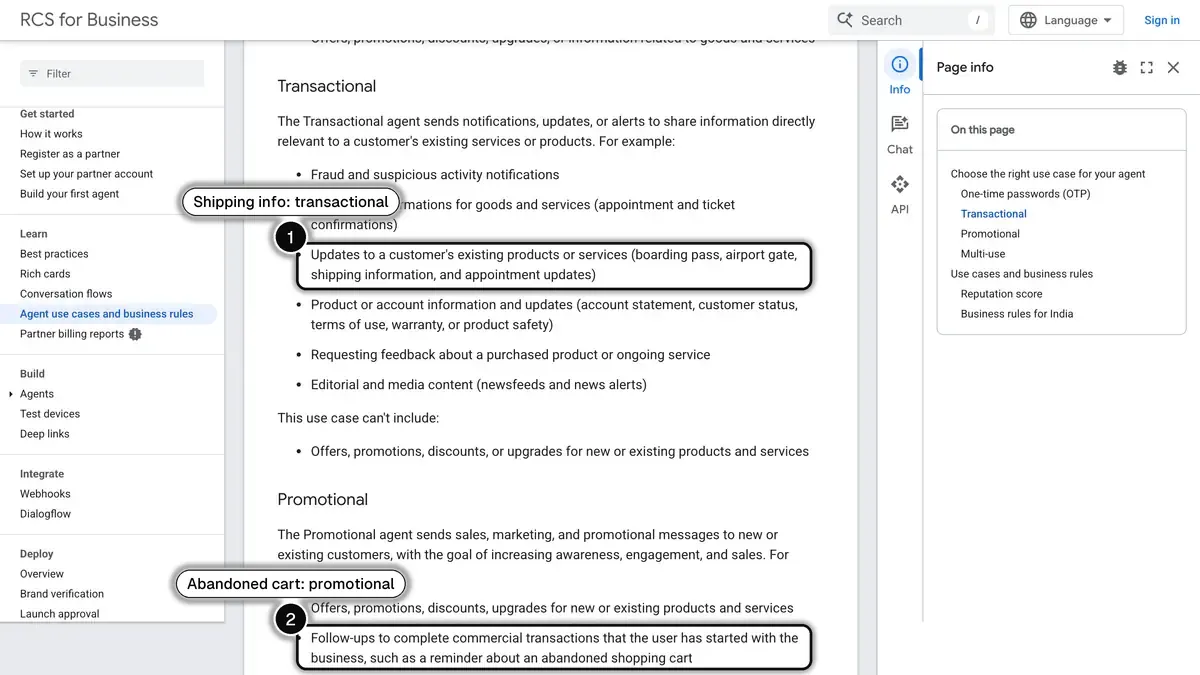 Source: Google for Developers, agent use cases and business rules, read on October 24, 2026. In 1, shipping information is a transactional update; in 2, an abandoned cart reminder is a promotional message.
| Store moment | What the RCS message can show | Google use case |
|---|---|---|
| Order confirmed | The order summary and a button to view it | Transactional (purchase confirmation) |
| Order shipped | The order number and a "Track my parcel" button | Transactional (shipping information) |
| Abandoned cart | The product left behind, its price and a "Resume my cart" button | Promotional (abandoned cart reminder) |
| Back in stock | The product card, available again, with a button to its page | Not named in Google's list; promotional as soon as it carries an offer |
| New collection or private sale | A carousel with one card per product | Promotional (offers and promotions) |
| After delivery | A review request with suggested replies | Transactional (feedback about a purchased product) |
Two points to plan for. Order updates sent by RCS answer the "where is my order?" question before it reaches your support team: our WISMO guide shows how stores cut those requests, and our e-commerce customer service guide covers the rest of the inbox. And the promotional messages (cart reminders, restocks, sales) need the customer's consent, covered below. On WhatsApp, the same moments are handled by Kanal's abandoned cart recovery, order notifications and back-in-stock alerts.
Who can receive it, and what happens when RCS is not available?
An agent only reaches people whose phone, app and carrier are ready for it:
- Carrier by carrier. Once approved, an agent reaches RCS-capable users on the carrier networks where it has been launched. If you message someone on a network where the agent is not launched, Google's platform returns a
404 NOT_FOUNDerror and nothing is delivered. - Device by device. If the phone does not support RCS or has it turned off, the platform returns the same error, and Google suggests reaching the user through the fallback methods defined in your infrastructure, such as another channel. If the phone is only offline, the message is held and delivery is retried for 30 days; you can set an earlier expiration of up to 15 days (send messages, read on October 24, 2026).
- iPhone included, depending on the carrier. Apple's support page mentions that some businesses can send alerts and updates about orders and other transactions through RCS, and gives iPhone users a switch to turn these business messages off (Apple Support). RCS on iPhone itself depends on the carrier: Apple lists supporting carriers for the United States and Canada, with links to the other regions.
Google's documentation therefore treats a fallback as part of the setup, for the customers RCS cannot reach. Our business SMS guide covers the text message side.
What the customer sees, on Android and iPhone
A business message arrives in the same app as the customer's texts, so it helps to know how that app shows RCS. If you landed here because your own phone shows "RCS business messages", this is the setting that lets verified businesses write to you there.
- On Android, in Google Messages. The compose bar reads RCS message when the conversation uses RCS and Text message when it goes through the carrier as SMS or MMS (RCS chats). Text bubbles are dark blue in the RCS state and light blue in the SMS/MMS state (message delivery).
- On iPhone, in Messages. RCS messages appear in green bubbles, like SMS and MMS. Apple asks for iOS 18 and a text-messaging plan from a carrier that supports RCS on iPhone, and adds that availability varies by region and carrier (Apple Support, published on May 11, 2026).
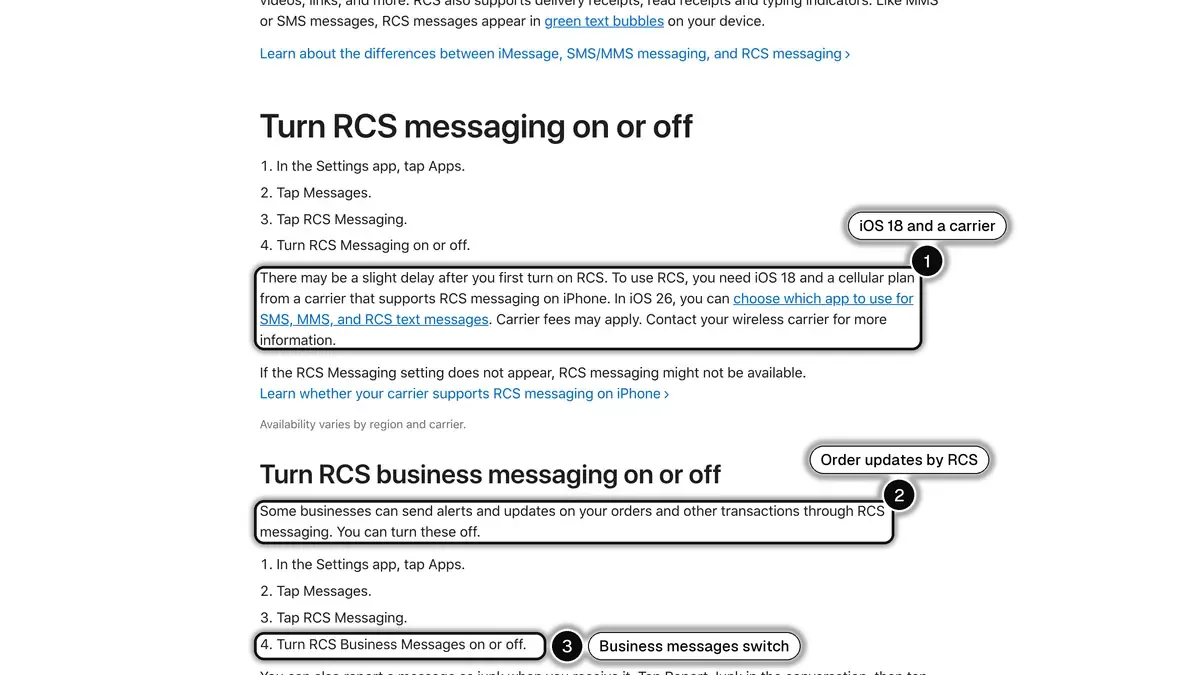 Source: Apple Support, Turn on RCS messaging on your iPhone, read on October 24, 2026. In 1, RCS needs iOS 18 and a supporting carrier; in 2, businesses can send order updates through RCS; in 3, the switch that turns RCS business messages off.
Why a message goes out as SMS instead. From Google's and Apple's help pages, the usual causes on the customer's side are: RCS is turned off, or not supported by the customer's carrier or app; the phone number is still being verified (turn on RCS chats); the iPhone runs a version older than iOS 18; or there is no connection. When that happens to a business message, Google's platform returns an error and the brand uses its fallback, usually an SMS.
How customers switch business messages off. On iPhone: Settings, Apps, Messages, RCS Messaging, then turn off RCS Business Messages; a message can also be reported as junk from the conversation (Apple Support, published on May 11, 2026). In Google Messages, Unsubscribe in the conversation sends a STOP message to the business (see the consent section below).
Do you need the customer's consent?
Yes. Google's Acceptable Use Policy for RCS for Business requires senders to give people notice and obtain their consent before soliciting them, to give a simple way to revoke it (replying STOP, for example) and to honor that revocation across all of the brand's promotional agents. The policy adds that complying with all applicable laws is the sender's responsibility (Acceptable Use Policy, last updated on October 3, 2025, read on October 24, 2026).
Customers also have their own controls. In Google Messages, an Unsubscribe option sends a STOP message to the business, in a list of countries that includes the United States, France, Germany and the United Kingdom (Google Messages Help). Honoring that request is the sender's job: Google says its platform does not provide a direct way to manage opt-out lists, so you keep your own (best practices).
Is RCS business messaging encrypted?
Not end to end. Google's data security page says RCS for Business does not offer end-to-end encryption, which is why no lock icon appears in these conversations. Messages are encrypted between the user's device and Google's servers, and between Google's servers and the messaging partner, and Google scans messages sent by businesses to detect spam and malicious content (data security for RCS for Business, last updated on May 14, 2026).
How is RCS for Business billed?
There is no single public price list. According to Google's billing overview, RCS for Business traffic is billable under a standard model, or under a separate model for US phone numbers, and according to each carrier's rate card (billing overview, last updated on June 3, 2026). So the price depends on the carrier, and you will get it from your messaging provider, not from Google's documentation.
What Google does define is what counts as a billable event. Outside the US, an agent is set up in one of two billing categories, chosen when it is created and not changeable later (standard billing FAQ, last updated on August 25, 2026):
| Billing category | Meant for | How events are counted |
|---|---|---|
| Non-conversational | Mostly one-way messages: one-time passwords, alerts, promotional offers | Per message delivered |
| Conversational | Back-and-forth exchanges | One conversation when a party replies within 24 hours, covering the messages exchanged during the following 24 hours. Per message otherwise |
Google also separates a basic message (text only, 160 characters or fewer) from a single message (rich content, or text over 160 characters). Ask your provider for its rate for each of these events in each country you sell to. We found no primary source that publishes one price for all carriers, so this page quotes none; our RCS pricing guide shows how the US model differs and what a public provider rate card looks like.
RCS vs WhatsApp Business for a Shopify brand
Both channels put a branded, interactive message in front of a customer who agreed to receive it. They differ in where the message lands, how you get access and who sets the price.
| RCS for Business | WhatsApp Business Platform | |
|---|---|---|
| Where the customer reads it | The phone's messaging app: Google Messages, or Messages on iPhone | The WhatsApp app |
| Who you can reach | RCS-capable users on the carriers where your agent is launched | People who use WhatsApp: more than 3 billion in over 180 countries, according to WhatsApp |
| How you get access | A messaging partner registered with Google, brand verification, then launch approval by Google, carriers, or both | Meta's WhatsApp Business Platform, which apps such as Kanal connect to |
| Consent | Notice and consent before soliciting, with a simple way to revoke it | Opt-in permission from the recipient before you contact them |
| First message from the brand | Sent by the agent on a trigger you define | An approved message template |
| Replies | Typed replies or suggested replies, in a one-to-one conversation | Messages without a template inside a 24-hour customer service window that resets with each customer message |
| Rich formats | Rich cards, carousels of 2 to 10 cards, suggested replies and actions | Message templates, including marketing carousel templates of 2 to 10 media cards with an image or a video and up to two buttons each |
| Billing | Carrier rate cards, per message or per 24-hour conversation | Meta's rate card, per delivered message, by message category and recipient country |
Sources: Google for Developers (pages linked above), WhatsApp, the WhatsApp Business Messaging Policy (last updated on September 23, 2026) and Meta's documentation on pricing and media card carousel templates (updated on June 24, 2026), read on October 24, 2026.
How to read this table for a Shopify store:
- Start from where your customers are. RCS reach depends on the carrier and the phone, country by country. WhatsApp reach depends on how many of your customers use the app. Your own data (the countries you ship to, the phones your visitors use) says more than any average.
- Look at how you will get access. RCS reaches brands through messaging partners such as aggregators, CPaaS providers and carriers. On a Shopify store, Kanal brings RCS alongside WhatsApp, and its demo reviews your store, the countries you sell to and how RCS is set up for your brand.
- Compare the full cost. Neither channel has a flat price: RCS follows carrier rate cards, WhatsApp follows Meta's rate card by category and country. Our WhatsApp Business pricing guide explains the Meta side.
- Check consent for each channel. Both require the customer's agreement first, so plan how you will collect it for each one. Our WhatsApp opt-in guide shows how stores collect it for WhatsApp.
The two can run side by side: RCS for the customers whose phone and carrier support it, WhatsApp for those who live on it. For a broader, channel-by-channel view, see our SMS vs MMS vs RCS vs WhatsApp comparison.
RCS business messaging with Kanal
Kanal is a marketing and sales app for Shopify stores. It brings RCS to the store alongside WhatsApp: a campaign with a product carousel sent to a segment of customers who opted in, a cart reminder with a "Resume my cart" button, an order tracking message with a "Track my parcel" button triggered by the order status in Shopify, and a back-in-stock alert that shows the product. Kanal syncs your customers, orders and carts, attaches consent to each contact, and reports the orders and revenue of each send. SMS is included from the Scale plan, and iMessage is coming soon.
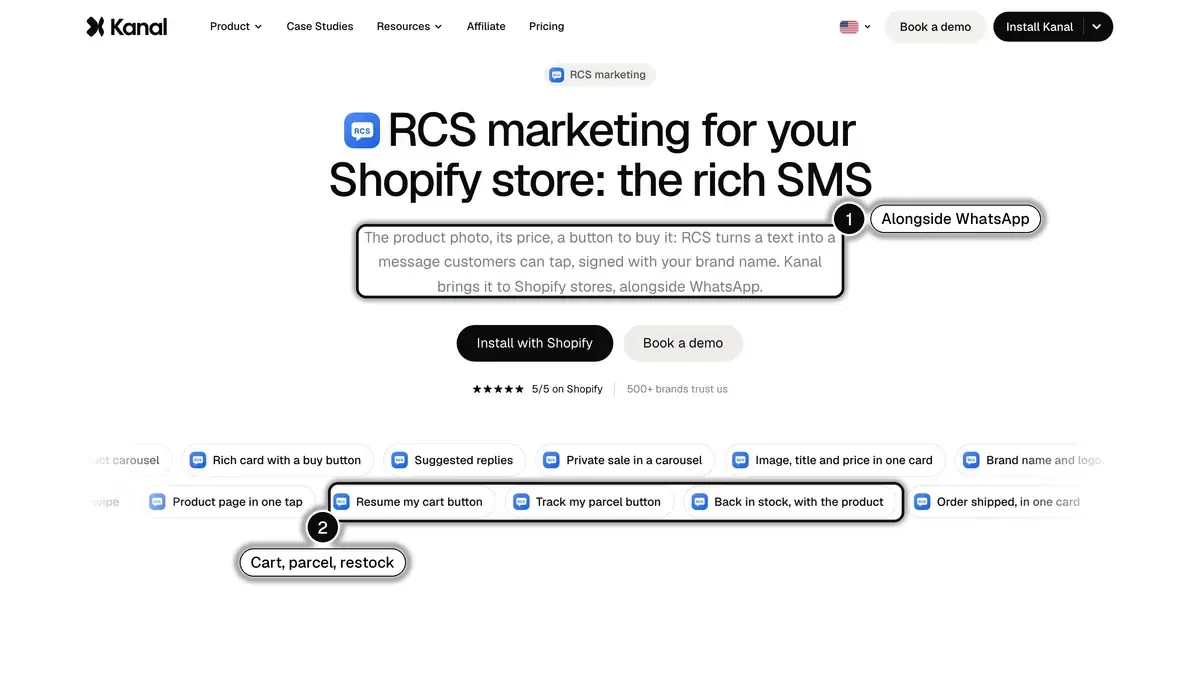 Source: Kanal, RCS marketing for Shopify, read on October 24, 2026. In 1, Kanal brings RCS to Shopify stores alongside WhatsApp; in 2, the cart, parcel tracking and back-in-stock messages.
On the WhatsApp side, Kanal covers campaigns and broadcasts, abandoned cart recovery, order notifications, post-purchase upsell, back-in-stock alerts, review collection, an AI chatbot, a team inbox, segments and automations. RCS is included from the Scale plan on the pricing page, and its message rates are given during the demo, based on your store and the countries you send to.
To see RCS on a store, start with the RCS marketing for Shopify page, or the WhatsApp for Shopify overview for the WhatsApp side.
See RCS on your own store
- One card per product: image, title, price and a button
- Your brand name and logo, with a verification check mark
- Sent from Kanal, alongside your WhatsApp campaigns
Available from the Scale plan
See Kanal's RCS marketingToday 10:02
The linen collection is back, Sarah.
See the collection
- brands
- 500+
- to set up
- 5 min
- open rate on WhatsApp
- +90%
Nicolas helps e-commerce brands grow revenue with WhatsApp marketing. With deep expertise in Shopify ecosystems and conversational commerce, he shares proven strategies for abandoned cart recovery, broadcast campaigns, and AI-powered customer engagement.