50 WhatsApp Greeting Message Examples for Businesses (2026)

Copy-paste WhatsApp greeting message templates for Shopify stores. 50 examples by industry, opening hours, language. Best practices and free editable templates.
Table of contents (14)
A WhatsApp greeting message is the first impression your Shopify store makes inside the world's most used messaging app. Get it right and you turn a curious shopper into an engaged conversation. Get it wrong and you lose them in 30 seconds. This guide gives you 50 ready-to-copy greeting examples sorted by industry, language, and use case, plus the exact setup steps for the free WhatsApp Business app and the WhatsApp Business API via Kanal.
These templates are battle-tested across thousands of Shopify stores running WhatsApp through Kanal. Every example has been written to convert: short, warm, mobile-first, and ending with a clear next step. Copy them, swap the brackets for your own brand variables, and you are ready to ship.
1. What is a WhatsApp greeting message
A WhatsApp greeting message is an automated reply that fires the first time a contact messages your business, or after 14 days of inactivity. It is the WhatsApp equivalent of a website chat widget's "Hi, how can we help?" but delivered inside the customer's most personal channel.
Greeting messages exist in three contexts:
- First contact: A shopper saves your number, scans a QR code, or clicks a click-to-chat link for the first time.
- Reactivation: An existing contact returns after weeks of silence. WhatsApp treats them like a new conversation.
- Trigger-based: On the WhatsApp Business API, you can send greetings on custom events like a new Shopify signup, the first order shipped, or after a QR code scan in-store.
The free WhatsApp Business app supports only the first two contexts. To unlock trigger-based greetings tied to Shopify events, you need the WhatsApp Business API through a Business Solution Provider like Kanal.
2. Anatomy of a high-converting greeting
Across the 50 examples below, you will notice every winning greeting message contains the same 5 elements:
- Identity: Brand name plus a tiny emoji or signature to confirm the contact reached the right business.
- Warmth: A human opener (Hi, Hey, Bonjour, Hola). Robots say "Welcome to XYZ Corp". Humans say "Hi there".
- Expectation: Response time. "We reply in under 5 minutes" or "Our team is online 9am to 7pm CET".
- Action: One clear next step. Browse the catalog, reply with a keyword, see the FAQ.
- Escape hatch: An alternative for shoppers who do not want to wait. A help center link, an AI chatbot, or a phone number.
Keep the message under 250 characters. Mobile screens truncate aggressively after ~100 characters in the preview, so front-load the brand name and the action.
3. 10 examples for ecommerce stores
These work for any Shopify store regardless of vertical. Replace [Brand] with your store name and [link] with your actual URL.
Example 1: minimalist
Hi! [Brand] here. Thanks for reaching out. A team member will reply within 15 minutes during 9am to 7pm. In the meantime, browse our latest drop: [link]
Example 2: with catalog button
Hey there! Welcome to [Brand]. Want to skip the wait? Tap "Catalog" to see our best sellers, or "Help" to talk to a human.
Example 3: with order tracking
Hi! [Brand] customer care. To check your order status, reply with your order number. For anything else, type "Hello" and we will get back to you within 10 min.
Example 4: conversion-focused
Welcome to [Brand]. As a thank you, here is 10% off your first order: WELCOME10. Need help choosing? Just reply.
Example 5: VIP tone
Hello and welcome to [Brand]. Our concierge team responds to every message personally within the hour. How can we help you today?
Example 6: post-purchase
Hi [name]! Thank you for your recent [Brand] order. We will message you here for shipping updates. Reply STOP to opt out, HELP for assistance.
Example 7: with AI chatbot handoff
Hi! You are now chatting with [Brand]. Our 24/7 AI assistant can answer most questions instantly. Tap "Start" or wait and a human will reply during business hours.
Example 8: holiday rush
Hi! [Brand] team. Due to high holiday volume, replies may take up to 2 hours. Track your order: [link]. For urgent questions, reply URGENT.
Example 9: subscription brand
Welcome to the [Brand] family! Manage your subscription, skip a month, or change products by replying to this chat. We answer in under 1 hour, 7 days a week.
Example 10: with social proof
Hi! [Brand]. 50,000 happy customers and counting. Need a recommendation? Type your skin type, hair type, or favorite color and our team will reply within 20 min.
To see how to send these from a Shopify dashboard, read our conversational commerce guide.
4. 10 examples for beauty and fashion brands
Beauty and fashion DTC brands convert best on WhatsApp because the channel feels personal. Lean into that tone.
Example 11: beauty brand voice
Hey beauty! Welcome to [Brand]. Whether you need a shade match, a routine recommendation, or just want to chat skincare, we are here. Reply anytime.
Example 12: shade matcher
Hi! [Brand]. Tap "Shade Match" to send a selfie and get a personalized foundation recommendation in 24h. Or reply with your question and we will help.
Example 13: fragrance
Welcome to [Brand]. Looking for your signature scent? Reply with 3 words that describe how you want to feel and we will recommend 3 perfumes.
Example 14: French luxury
Bonjour and welcome to [Brand]. Our advisors reply in under 15 minutes from 10am to 8pm CET. How may we assist you today?
Example 15: fast fashion
Hi babe! [Brand] here. New drop every Monday. Tap "Catalog" to shop, reply "Size" for our size guide, or "Help" to talk to a stylist.
Example 16: jewelry
Hello! [Brand]. Our team replies within 30 minutes during business hours. For engagement ring consultations, reply RING to book a private video call.
Example 17: haircare
Hi gorgeous! Welcome to [Brand]. Hair type? Curls, straight, wavy, coily? Reply and our hair coach will build your custom routine.
Example 18: skincare with quiz
Welcome to [Brand]. Take our 30-second skin quiz to get personalized product recommendations: [link]. Or message us directly, we reply in 15 min.
Example 19: men's grooming
Hey. [Brand]. We make grooming simple. Reply with your need (beard, shave, skin) and we will recommend the right products in under 10 minutes.
Example 20: sustainable fashion
Hi! Welcome to [Brand], rooted in slow fashion. Browse the collection: [link]. Questions about materials, sizing, or shipping? Reply anytime, we respond within 1 hour.
Read our deep dive on WhatsApp marketing for beauty brands for more conversion tactics.
5. 10 examples for support after order
Once a customer has placed an order, the greeting tone shifts from acquisition to retention.
Example 21: order confirmation
Hi [name]! Your [Brand] order #[number] is confirmed. We will keep you posted here on shipping. Need help? Reply anytime.
Example 22: shipping update
[Brand] update: your order has shipped! Track it here: [link]. Reply with any question, our team is on standby.
Example 23: delivery day
[Brand]: your order arrives today. Tip: enable WhatsApp notifications so you do not miss the courier. Any issue? Reply HELP.
Example 24: post-delivery NPS
Hi [name]! Your [Brand] order arrived 2 days ago. We hope you love it. On a scale of 0 to 10, how likely are you to recommend us?
Example 25: returns
Hi! [Brand] returns team. Sorry your order did not meet expectations. Reply RETURN and we will email you a prepaid label within 5 minutes.
Example 26: replenishment
Hi [name], we noticed you ordered [product] 30 days ago. Running low? Reply YES and we will ship a fresh one with 15% off.
Example 27: subscription pause
Hi! [Brand]. Need to pause, skip, or change your subscription? Reply with PAUSE, SKIP, or CHANGE. Anything else, just message us.
Example 28: warranty claim
Hello! [Brand] warranty support. For a fast claim, reply with your order number and a photo of the issue. We process most claims in 24h.
Example 29: VIP after first order
Welcome to the inner circle, [name]. As a first-time customer, you get early access to drops and a dedicated WhatsApp line. Save this number.
Example 30: feedback request
Hi [name]! Quick favor: a 1-line review of your last [Brand] order would mean the world. Reply with your honest feedback and we will send you 20% off your next order.
Pair these with abandoned cart recovery and full post-purchase flows for maximum LTV.
6. 10 examples for B2B and wholesale
B2B WhatsApp greetings need a more formal tone but still benefit from warmth.
Example 31: wholesale inquiry
Hello, thank you for contacting [Brand] wholesale. Please share your company name, country, and estimated monthly volume so we can route you to the right account manager.
Example 32: distributor
Welcome to [Brand] partner channel. Our team responds within 1 business day (Mon-Fri, 9am-6pm). For urgent matters, email partners@[brand].com.
Example 33: agency
Hi! [Brand] for agencies. Reply with your client count and we will share our partner pricing within 24h. Existing partners, reply with your code.
Example 34: SaaS to SaaS
Welcome to [Brand]. We help DTC brands scale on WhatsApp. Reply with your store URL and monthly orders, and we will recommend the right plan.
Example 35: enterprise
Hello, you have reached [Brand] enterprise sales. Our team will respond within 2 business hours. For a same-day callback, reply with your phone number.
Example 36: reseller
Hi! [Brand] reseller program. Minimum order: 50 units. Tier discounts from 20% to 45%. Reply CATALOG to receive the wholesale price list.
Example 37: white label
Welcome to [Brand] white label. Reply with your project brief (volume, branding, timeline) and our solutions team will respond within 24h.
Example 38: dropshipping
Hi! [Brand] dropship program. We integrate with Shopify, WooCommerce, and DSers. Reply STORE with your platform and we will share the API docs.
Example 39: bulk B2B sample
Thank you for reaching [Brand]. Samples available for verified businesses. Reply with your VAT number, address, and product interest.
Example 40: B2B with calendar booking
Hello! Thank you for your interest in [Brand]. Our enterprise team responds within 4 business hours. To book a demo immediately: [calendar link].
7. 5 multilingual examples (FR/ES/DE/IT/PT)
If you sell in multiple countries, you should detect the customer's locale and send a localized greeting. The WhatsApp Business API supports message templates in over 60 languages.
Example 41: French
Bonjour et bienvenue chez [Marque]. Notre equipe vous repond en moins de 15 minutes du lundi au samedi, 10h a 19h. Comment pouvons-nous vous aider?
Example 42: Spanish
Hola! Bienvenido a [Marca]. Nuestro equipo responde en menos de 15 minutos, de lunes a sabado de 10 a 19h. En que podemos ayudarte?
Example 43: German
Hallo und willkommen bei [Marke]. Unser Team antwortet innerhalb von 15 Minuten von Montag bis Samstag, 10 bis 19 Uhr. Wie konnen wir helfen?
Example 44: Italian
Ciao! Benvenuto da [Brand]. Il nostro team risponde entro 15 minuti dal lunedi al sabato, dalle 10 alle 19. Come possiamo aiutarti?
Example 45: Portuguese
Ola! Bem-vindo a [Marca]. Nossa equipe responde em ate 15 minutos, de segunda a sabado das 10h as 19h. Como podemos ajudar?
For a deeper dive into multilingual setup, see our WhatsApp newsletter guide.
8. 5 holiday and seasonal examples
Seasonal greetings convert because they create urgency and feel relevant.
Example 46: Black Friday
Hi! Welcome to [Brand] Black Friday. Up to 60% off until Monday midnight. Reply DEALS to see our top picks. Team replies within 30 min (high volume).
Example 47: Christmas
Merry Christmas from [Brand]! Last orders for delivery before Dec 24: today by 5pm. Reply GIFT for our last-minute curated picks under 50.
Example 48: Mother's Day
Hi! [Brand]. Mother's Day in 7 days. Reply MUM to receive our handpicked gift guide, free engraving included. Express shipping until May 22.
Example 49: Summer sale
Hey! [Brand] summer sale: 30% off everything. Reply SUMMER for the code. Sale ends Sunday midnight. Team online from 9am to 9pm during the sale.
Example 50: New Year
Happy New Year from [Brand]! Start 2026 right with 25% off our best sellers using NEWYEAR25. Reply for a recommendation tailored to your goal.
See our Black Friday WhatsApp playbook for full seasonal campaign templates.
9. How to set up automated greetings in WhatsApp Business app
For solo founders and stores under 10 orders a day, the free WhatsApp Business app is enough. Here is how to configure the greeting:
- Open WhatsApp Business and tap the three dots menu.
- Go to Business tools then Greeting message.
- Toggle Send greeting message to ON.
- Paste your greeting text (250 character limit).
- Choose recipients: everyone, contacts not in address book, or a custom list.
- Tap Save.
Limitations of the free app:
- Same greeting for everyone (no personalization with customer name).
- No trigger on Shopify events.
- Cannot send media (image, button, list).
- One device only (no team inbox).
- Resets after 14 days of inactivity, not configurable.
Read the full WhatsApp Business Web and Desktop guide for the free app capabilities.
10. How to set up greetings with WhatsApp Business API (Kanal)
For stores doing more than 10 orders a day, the WhatsApp Business API via Kanal unlocks personalization, Shopify event triggers, and team inbox.
Steps with Kanal:
- Install the Kanal Shopify app and connect your WhatsApp Business number.
- Go to Automations then Greeting messages.
- Choose a trigger: first inbound message, new customer signup, first order shipped, abandoned checkout 30 min, or a custom Shopify event.
- Use merge tags:
{{first_name}},{{order_number}},{{cart_total}},{{store_name}}. - Add media: product image, catalog link, quick reply buttons, or a list message.
- Test with the preview tool, then publish.
Example merge-tag greeting in Kanal:
Hi {{first_name}}! Welcome to {{store_name}}. We saw you added {{product_name}} to your cart. Reply YES to complete checkout with 10% off, or HELP if you have questions.
You can also pair greetings with a WhatsApp AI chatbot that qualifies the request 24/7 and escalates to a human only when needed.
For Cloud API vs On-Premise considerations, read WhatsApp Cloud API vs On-Premise.
11. Common greeting mistakes
Avoid these 4 traps:
- Walls of text: anything over 350 characters gets ignored on mobile. Cut, then cut again.
- No call to action: if the customer does not know what to do next, they bounce. Always end with one verb.
- Wrong language: detect the customer locale (via Kanal auto-detection) before sending. A Spanish customer reading a French greeting will leave.
- No fallback for after-hours: a greeting fires 24/7 but humans do not work 24/7. Pair it with an away message or an AI chatbot.
For more automation patterns, read our message automation guide.
12. Conclusion
A great WhatsApp greeting message takes 5 minutes to write and saves you thousands of lost conversations a year. Pick the example closest to your brand, swap the brackets for your variables, and ship it today.
If you want to unlock personalization, Shopify triggers, and a team inbox, book a Kanal demo or install the Shopify app. We migrate your existing greeting from the free app in under 10 minutes.
For pricing, read our WhatsApp Business pricing guide. For GDPR compliance, check WhatsApp opt-in best practices.
Resources
- Kanal WhatsApp integration for Shopify
- Meta WhatsApp Business Platform docs
- Meta WhatsApp Cloud API reference
- WhatsApp Business app on Google Play
- Shopify WhatsApp messaging guide
- Kanal YouTube channel
- Free click-to-chat WhatsApp link generator
- Free WhatsApp QR code generator
FAQ
What is a good WhatsApp greeting message? A good WhatsApp greeting message is short (under 200 characters), warm, and ends with a concrete next step. It identifies your brand, sets response expectations, and gives the customer one easy action: reply with a keyword, browse the catalog, or wait for a human agent.
How long should a WhatsApp greeting message be? Aim for 150 to 250 characters (2 to 4 lines). WhatsApp truncates messages in the preview after about 100 characters on mobile, so put the most important information (brand, action) in the first line. Avoid walls of text that look spammy.
Can I personalize WhatsApp greetings with the customer name?
Yes, but only via the WhatsApp Business API. The free WhatsApp Business app sends the same greeting to every new contact. With Kanal, you can inject merge tags like {{first_name}}, {{order_number}}, or {{store_name}} for dynamic personalization at scale.
When should WhatsApp greetings trigger? Greetings should trigger on the first inbound message from a contact, and again after 14 days of inactivity (the default on the free app). On the API, you can also trigger greetings on Shopify events such as new customer signup or first order completion.
Do WhatsApp greetings work outside business hours? Yes. Greetings fire 24/7 regardless of business hours. To handle the conversation after the greeting, pair it with an away message or an AI chatbot that qualifies the request until a human agent is available the next morning.

Nicolas helps e-commerce brands grow revenue with WhatsApp marketing. With deep expertise in Shopify ecosystems and conversational commerce, he shares proven strategies for abandoned cart recovery, broadcast campaigns, and AI-powered customer engagement.
Ready to boost your WhatsApp sales?
 Install with Shopify
Suggested articles
40 WhatsApp Away Message Templates by Industry (2026)
Ready-to-use WhatsApp away message templates for after-hours, weekends, holidays, and high-volume periods. 40 examples for Shopify, beauty, fashion, food, B2B.

WhatsApp Automated Messages: 12 Ready-to-Use Templates (2026)
12 WhatsApp automated message templates for Shopify stores in 2026. Welcome, away, post-purchase, recovery flows. Setup guide for the API and the Business app.
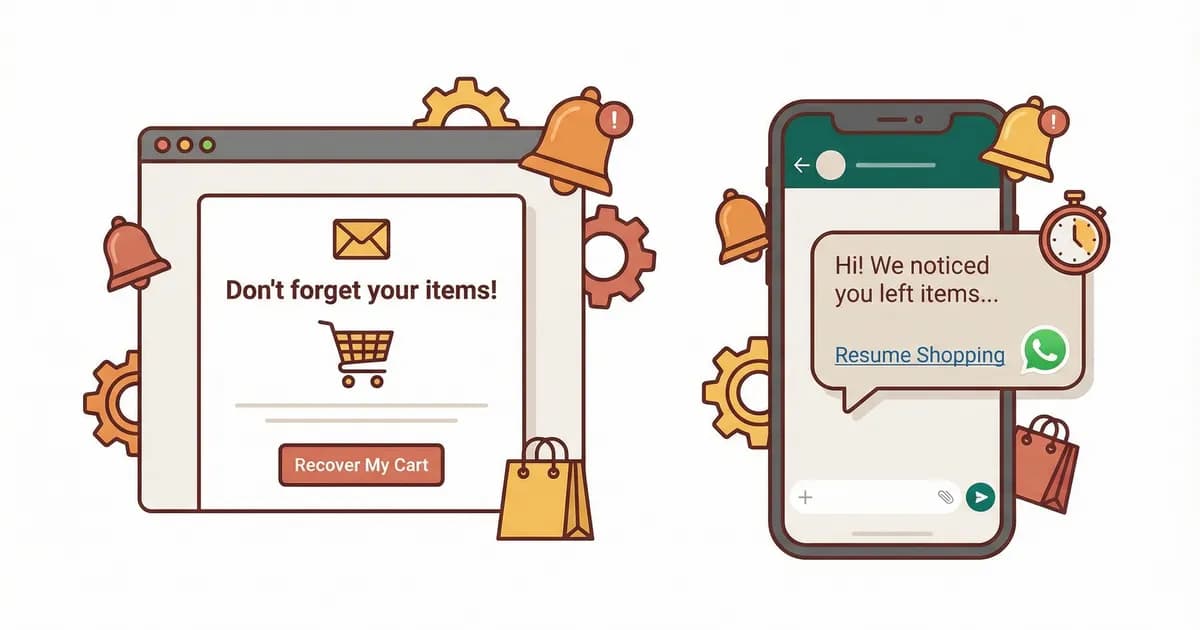
Abandoned Cart Email Examples: 12 Templates That Convert (2026)
12 abandoned cart email templates that convert in 2026. Real DTC brand examples, copy frameworks, send-time data, and how WhatsApp beats email for cart recovery.
WhatsApp Cloud API vs On-Premise: Which to Choose in 2026
WhatsApp Cloud API vs On-Premise comparison for 2026. Hosting, latency, cost, features, Meta's deprecation timeline, and a step-by-step migration path for Shopify stores still running On-Premise.