Klaviyo vs Mailchimp: Pricing and Features Compared
Klaviyo vs Mailchimp for Shopify stores: prices at five list sizes, how each counts contacts, sending limits, overages, SMS and the Shopify integration.
 Nicolas ProvostOct 7, 2026 · 12 min read
Summarize this article with an AI
 ChatGPT
 Claude
Table of contents (13)
Key takeaways
- At 5,000 contacts, Klaviyo's Email plan costs $100 a month, against $75 for Mailchimp Essentials and $100 for Mailchimp Standard.
- Klaviyo stops billing suppressed profiles, while Mailchimp counts unsubscribed contacts until you archive them, so the same list can land in different tiers.
- Both free plans cover 250 contacts and 500 emails a month, but Klaviyo's includes flows and Mailchimp's does not.
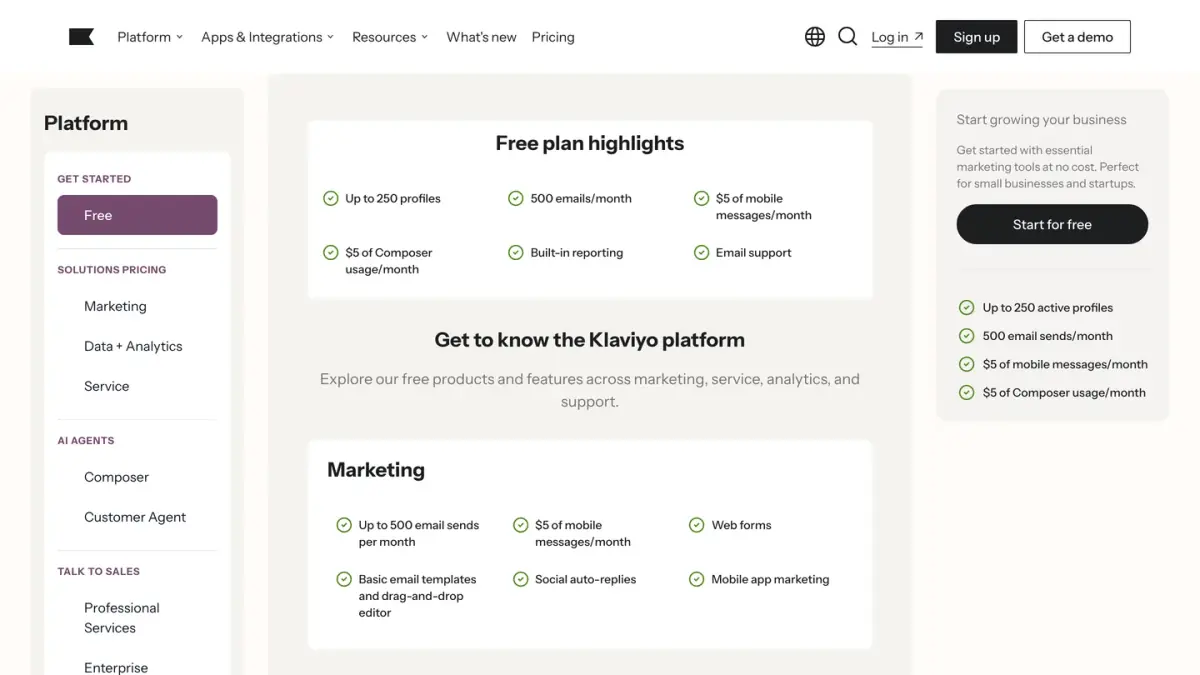
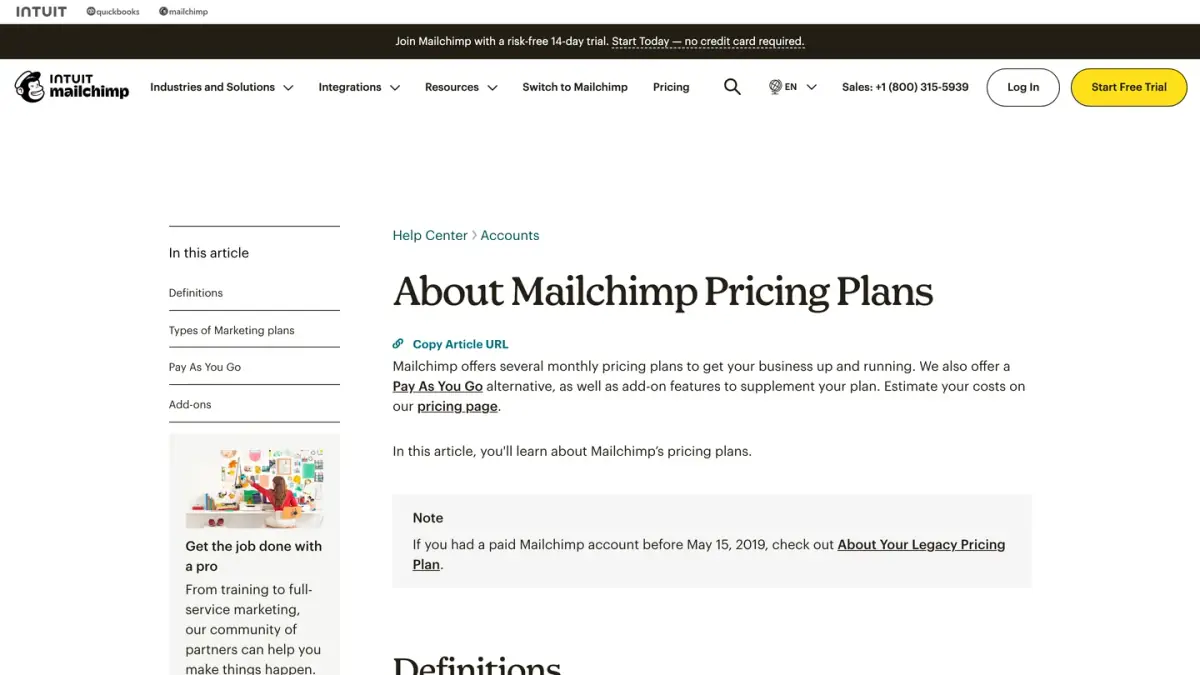
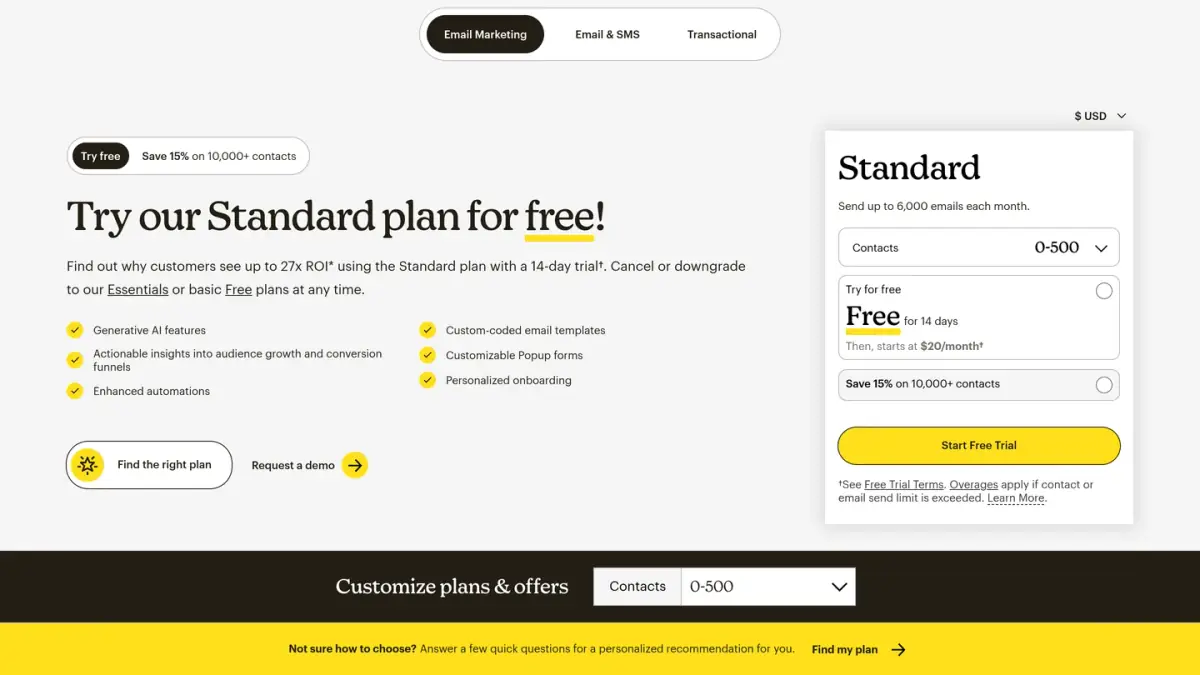
Klaviyo and Mailchimp are both priced on the size of your list, with a free plan for up to 250 contacts: Klaviyo's Email plan starts at $20 a month for 500 active profiles, and Mailchimp's paid plans start at $13 a month (Essentials) and $20 a month (Standard) for 500 contacts, as of October 7, 2026. The prices stay close as the list grows, so the decision usually rests on how each tool counts contacts, how many emails the plan lets you send and how deep you want the Shopify data to go.
This comparison uses only what each company publishes: Klaviyo's pricing page and Help Center, Mailchimp's pricing page and Help Center, and both apps' Shopify App Store listings. Everything was read on October 7, 2026, with prices in US dollars.
How do Klaviyo and Mailchimp compare at a glance?
| Klaviyo | Mailchimp | |
|---|---|---|
| Free plan | 250 active profiles, 500 emails a month | 250 contacts, 500 sends a month (250 a day) |
| Entry paid price | Email: $20 a month at 500 active profiles | Essentials: $13 a month, Standard: $20 a month at 500 contacts |
| Top published plan | Custom above 150,000 active profiles | Premium: starts at $350 a month |
| What is billed | Active profiles (suppressed profiles excluded) | Subscribed, unsubscribed and non-subscribed contacts (archived and cleaned excluded) |
| Monthly email allowance | 10 emails per active profile at every step we read | 10 times the contact limit on Essentials, 12 times on Standard, 15 times on Premium |
| Over the contact limit | Moved to a higher tier at the next billing cycle | Add-on contact blocks charged on the monthly bill |
| SMS | Per-message rate added to any plan | Add-on to paid plans |
| Shopify App Store rating | 4.7 out of 5 (3,357 reviews) | 4.8 out of 5 (1,507 reviews) |
Sources: Klaviyo pricing, Mailchimp pricing, Klaviyo on the Shopify App Store, Mailchimp on the Shopify App Store, as of October 7, 2026.
What does each one cost at your list size?
Klaviyo prices its Email plan with a slider of active profiles. Mailchimp prices each plan by contact tier. The table takes the same list size for both tools and reads the monthly price each pricing page displayed.
| List size | Klaviyo Email | Mailchimp Essentials | Mailchimp Standard |
|---|---|---|---|
| 1,000 | $30 (10,000 emails) | $26.50 (15,000 emails) | $45 (18,000 emails) |
| 5,000 | $100 (50,000 emails) | $75 (50,000 emails) | $100 (60,000 emails) |
| 10,000 | $150 (100,000 emails) | $110 (100,000 emails) | $135 (120,000 emails) |
| 25,000 | $400 (250,000 emails) | $270 (250,000 emails) | $310 (300,000 emails) |
| 50,000 | $720 (500,000 emails) | $385 (500,000 emails) | $450 (600,000 emails) |
Sources: Klaviyo pricing page slider and Mailchimp pricing page contact selector in USD, as of October 7, 2026. Mailchimp's 1,000 row is its 501 to 1,500 tier, the 5,000 row its 2,501 to 5,000 tier, and so on.
How to read these rows:
- Mailchimp's tiers are wider at the bottom. A list of 1,000 contacts sits in the 501 to 1,500 tier, so the allowance (15,000 or 18,000 emails) is calculated on 1,500 contacts.
- Each Mailchimp plan has a ceiling. Its Help Center states that Essentials stores up to 50,000 contacts and Standard up to 100,000. Premium is the plan above.
- Promotions were running on both sides. Klaviyo advertised $19 off the first month of the $20 Email plan. Mailchimp advertised 15% off the first 12 months for accounts with 10,000 contacts or more, and a 14-day trial of Essentials or Standard. Budget on the standard price.
- These are email prices. Text messages are billed on top on both tools.
For the full Klaviyo grid, including the Marketing plan and the add-ons, see our Klaviyo pricing guide.
A worked example (fictional store)
Take a fictional Shopify store with 4,200 people it can email and 1,800 past unsubscribes still stored in the account.
- On Klaviyo: unsubscribed profiles are not billable once processed, so the store pays for 4,200 active profiles. The slider goes from 3,500 to 5,000, so the store is on the 5,000 step: $100 a month.
- On Mailchimp, as is: unsubscribed contacts count, so the total is 4,200 + 1,800 = 6,000 contacts, in the 5,001 to 10,000 tier: $110 a month on Essentials or $135 on Standard.
- On Mailchimp, after archiving the 1,800 unsubscribes: the total is 6,000 - 1,800 = 4,200 contacts, in the 2,501 to 5,000 tier: $75 a month on Essentials or $100 on Standard.
The point of the arithmetic: the same store is quoted three different totals depending on the counting rule and on list hygiene. Check your own total against the tier boundaries before and after cleaning.
How does each tool count the contacts you pay for?
This is where the two vendors' documentation differs the most.
Klaviyo. Its Help Center defines an active profile as any profile that can be emailed through Klaviyo, regardless of consent status. That includes people who shared an email address at checkout without opting in. Profiles marked as unsubscribed, bounced or manually suppressed stay in the account for reporting but are not in the billable count once the suppression is processed, which can take 72 hours to show.
Mailchimp. Its Help Center states that subscribed, unsubscribed and non-subscribed contacts are included in your contact count, and that archived, cleaned and deleted contacts don't count toward your contact total or the price of your plan. The count is the number of contacts stored across all of your audiences.
In practice:
- On Klaviyo, the routine is suppression: profiles you no longer market to leave the bill.
- On Mailchimp, the routine is archiving: unsubscribed contacts keep counting until you archive them.
- On both, a shopper who reached checkout without subscribing can count.
How many emails can you send on each plan?
| Plan | Monthly email allowance | Source |
|---|---|---|
| Klaviyo Free | 500 emails | Klaviyo pricing |
| Klaviyo Email | 10 emails per active profile at every slider step we read (5,000 at 500 profiles, 100,000 at 10,000) | Klaviyo pricing |
| Mailchimp Free | 500 sends a month, 250 a day | Mailchimp Help Center |
| Mailchimp Essentials | 10 times your contact limit | Mailchimp Help Center |
| Mailchimp Standard | 12 times your contact limit | Mailchimp Help Center |
| Mailchimp Premium | 15 times your contact limit (150,000 at the first tiers) | Mailchimp pricing |
Mailchimp specifies that each email sent to an individual contact counts as one send, and that test and transactional emails count toward the monthly limit.
What happens when you go over a limit?
On Mailchimp's paid plans, sending continues and the bill grows. According to its article on additional charges, if your contact total or send count exceeds your tier, service is not interrupted: you are charged for an add-on contact block, or several, on your monthly bill. The price and size of a block depend on your plan and tier and are shown in your account. On Standard, a block of 1,000 additional contacts includes 12,000 additional sends.
On Mailchimp's Free plan, sending stops. Above 250 contacts, a hold is placed on live and test emails until you upgrade or reduce your contact total.
On Klaviyo, the list and the volume are handled separately. If your active profiles exceed your plan, you are moved to a plan that covers them at the next billing cycle. If you reach your sending limit, your billing preference decides: automatic upgrade to the next tier, a one-time flexible overage, or no sending until the cycle renews. On the free plan, the account is not upgraded but cannot send above its limits.
Downgrades. Klaviyo schedules a downgrade for the next billing cycle and does not refund mid-cycle downgrades. Mailchimp's pricing page says downgrades go into effect at the end of the monthly billing period, without a refund for charges already billed, and that you keep access to the features until the period ends.
Which features differ on each vendor's own pages?
Both App Store listings show the same broad feature families: email campaigns, automations, pop-ups and forms, segmentation, A/B testing, SMS. The differences below come from each vendor's plan tables.
| Topic | Klaviyo | Mailchimp |
|---|---|---|
| Automations | Flows on every plan, including Free | Free: not included. Essentials: up to 4 flow steps. Standard and Premium: up to 200 flows |
| Seats | No seat limit listed on the pricing page | Free: 1 seat. Essentials: 3. Standard: 5. Premium: unlimited |
| Audiences or lists | No list limit listed on the pricing page | Free: 1 audience. Essentials: 3. Standard: 5. Premium: unlimited |
| Support | Free: email support for the first 60 days | Free: email support for the first 30 days. Essentials and Standard: 24/7 email and chat. Premium: phone and priority support |
| Integrations stated | 350+ | 300+ |
| Channels named on the Shopify listing | Email, SMS, WhatsApp, mobile push, pop-ups | Email, SMS, pop-up forms |
| Other pricing options | Add-ons such as Reviews, Customer Hub and Marketing Analytics | Pay As You Go email credits, 15% discount for nonprofits and charities |
Sources: Klaviyo pricing, Mailchimp pricing, Klaviyo listing, Mailchimp listing, as of October 7, 2026.
SMS
Klaviyo adds mobile messages to any plan and bills a per-message rate that depends on the channel and the country. Its calculator showed $15 a month for 1,000 SMS sent to the United States from a toll-free number, $70 for 5,000 and $125 for 10,000, provider fees included. Mailchimp's plan table lists "SMS add-on" for Essentials, Standard and Premium and "Not included" for Free. The plan table we read did not display a per-message rate, so check the rate in your account before you compare.
How does each one connect to Shopify?
Klaviyo documents its integration in a Help Center guide. It brings customer profile and order data into Klaviyo, can add people who accept email or SMS marketing at checkout to a list you choose, syncs Shopify Markets catalogs, enables onsite tracking for browsing events, and can sync profile data from Klaviyo back to Shopify. Its listing says new stores get a guided setup (sign-up form, welcome email and abandoned checkout flow) inside the Shopify admin.
Mailchimp describes its integration on its App Store listing: welcome, abandoned cart and back-in-stock automations, Shopify segments synced to personalize email and SMS campaigns, single-use discount codes, Shopify customer events turned into segments, and attributed revenue tracked in Shopify.
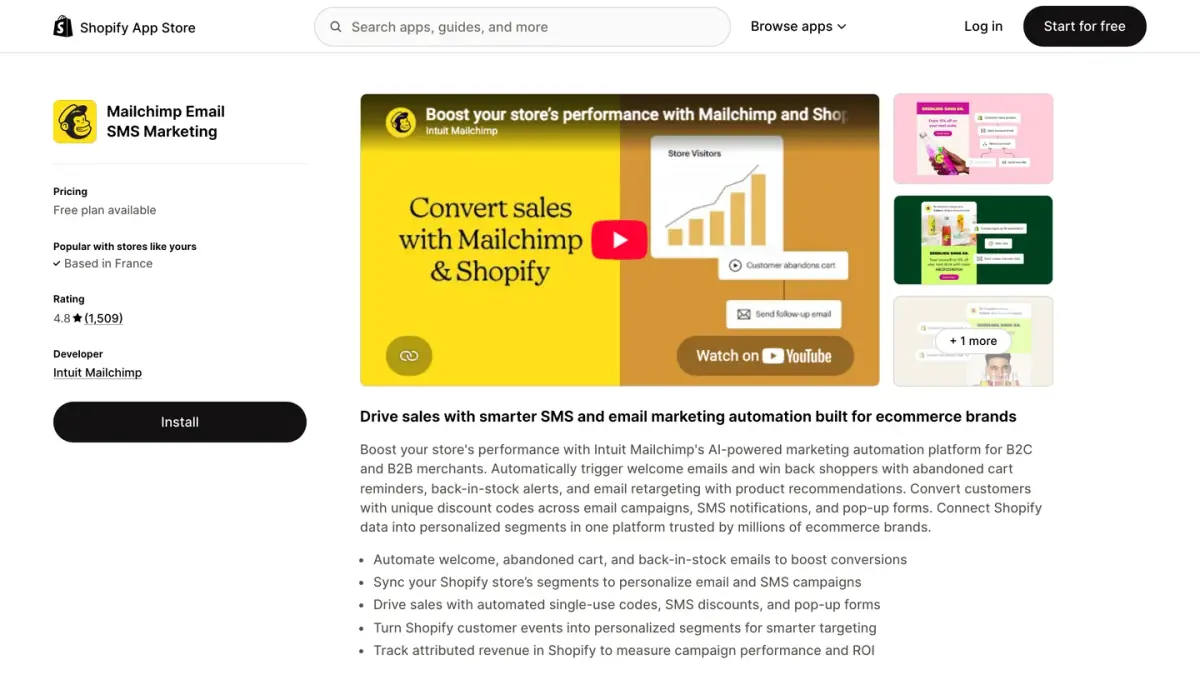
Both listings show the app as working with Shopify Checkout and Shopify Flow.
What should you know before switching?
Klaviyo's integration guide carries one explicit warning: if you are migrating from another email service that is still connected to your Shopify store, disconnect it before you integrate Klaviyo. Otherwise, double opt-in emails could be sent to your existing subscribers.
Three checks that apply in both directions:
- Count your list the way the new tool will. Unsubscribed contacts count on Mailchimp until archived. Checkout contacts without consent can count on both.
- Price your sending, not only your list. A weekly newsletter plus flows can pass 10 emails per contact in a busy month.
- Run both tools for a full billing cycle on a small segment before you cancel the old one, and export the reports you want to keep.
How to choose between Klaviyo and Mailchimp
Start from your situation, then read the matching row of the tables above.
- List under 250 contacts. Both free plans cover you with 500 emails a month. Klaviyo's includes flows and Mailchimp's does not include automation flows, according to each plan table.
- Many unsubscribed or inactive contacts. The two counting rules give different totals for the same list. Do the arithmetic from the worked example with your own numbers.
- Several people on the account. Mailchimp limits seats by plan (3 on Essentials, 5 on Standard). Klaviyo's pricing page does not list a seat limit.
- SMS is part of the plan. Klaviyo publishes its per-message cost on the pricing page. Ask Mailchimp for its add-on rate at your volume.
- You want other options first. Our Klaviyo alternatives comparison and our ranking of the best Shopify email marketing apps cover more tools, and Omnisend vs Klaviyo applies the same method to a third one.
Where does WhatsApp fit next to your email tool?
Email and SMS stay in the tool you choose here. WhatsApp can run in a dedicated app next to it. Kanal, our WhatsApp marketing app for Shopify, integrates with Klaviyo: your Klaviyo segments can be imported as WhatsApp campaign audiences and WhatsApp templates can be sent from Klaviyo flows, while email and SMS stay in Klaviyo. Kanal has no integration with Mailchimp: with Mailchimp, WhatsApp campaigns run from your Shopify data in Kanal, alongside your email program.
Klaviyo vs Mailchimp in short
Both tools charge by list size and both start with a 250-contact free plan. Klaviyo bills active profiles and includes 10 emails per profile. Mailchimp bills stored contacts, unsubscribes included, with 10, 12 or 15 sends per contact depending on the plan, and limits seats, audiences and automation by plan. Read each pricing page at your own list size, count your list both ways, and add text messages at your real volume before you compare totals.
See Kanal on your own store
- Your campaigns and cart reminders on WhatsApp, starting from your own store
- Post-purchase offers, back-in-stock alerts, then the AI agent that advises your customers
- You leave with the plan that fits and its price
From €89/month
- brands
- 500+
- to set up
- 5 min
- open rate on WhatsApp
- +90%
Nicolas helps e-commerce brands grow revenue with WhatsApp marketing. With deep expertise in Shopify ecosystems and conversational commerce, he shares proven strategies for abandoned cart recovery, broadcast campaigns, and AI-powered customer engagement.