Send a WhatsApp Without Saving the Number: 5 Ways (2026)

Summarize this article with an AI
 ChatGPT
 Claude
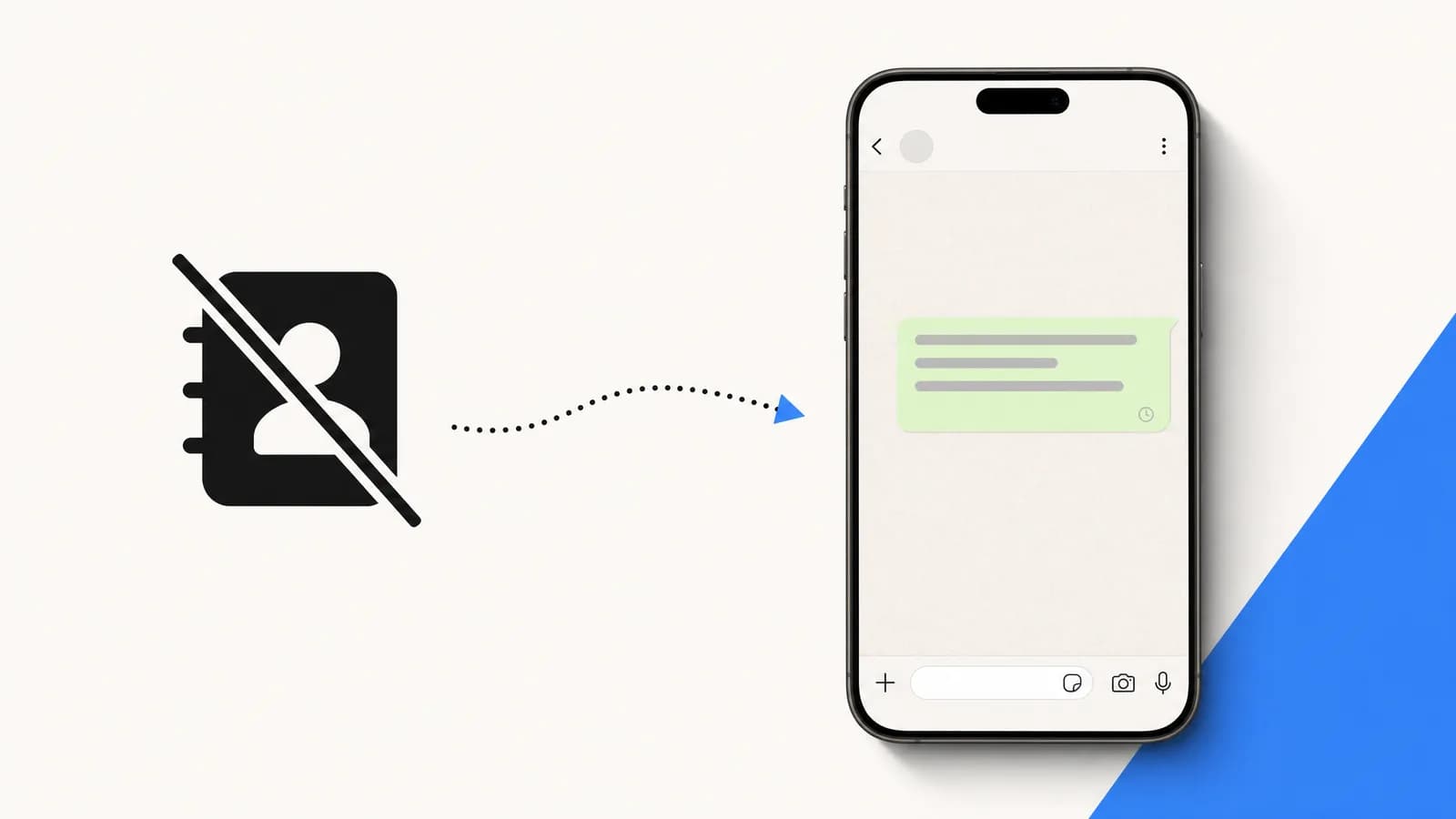
Send a WhatsApp message without saving the number: type wa.me/ plus the full international number in your browser. Five methods for iPhone, Android and desktop.
Table of contents (13)
Key takeaways
- Typing wa.me/ followed by the full international number in a browser opens a WhatsApp chat without saving the contact.
- The number must be digits only, starting with the country code, with no plus sign, spaces, dashes or leading zero.
- Adding ?text= and a URL-encoded message to the end of the link opens the chat with a pre-filled message.
- Messaging a whole list at once requires the WhatsApp Business API, opt-in from each recipient and a sending platform such as Kanal.
Quick answer
How do you send a WhatsApp message without saving the number? Open your browser, type wa.me/ followed by the full international number without spaces or symbols (for example wa.me/33612345678), press Enter, then tap Continue to chat. WhatsApp opens a conversation with that number, no contact saved.
This is WhatsApp's official click to chat feature, documented in its Help Center: it works on your phone and on WhatsApp Web, as long as the person has an active WhatsApp account.
The 5 methods covered in this guide:
- wa.me link in any browser (fastest, works everywhere)
- A link generator like the Kanal tool (clean link + QR in one go, with an optional pre-filled message)
- QR code generated from the number
- Siri or Google Assistant shortcut (dictate the number)
- WhatsApp Web direct URL (
web.whatsapp.com/send?phone=) when you work from a computer
You have a phone number on a sticky note, in a CRM record, on a delivery slip, or scribbled at the bottom of a quote. You need to ping the person on WhatsApp once, then never again. Saving them in your contacts feels like overkill.
The good news: WhatsApp documents an official way to do it, called click to chat, and there are five reliable ways to use it. The fastest works on any phone with a browser. The most elegant uses the Kanal link generator to produce a clean link or QR. The most automatable plugs into Siri or Google Assistant so you can dictate the number out loud.
In this guide we cover all five methods, when to use each, what breaks on iPhone vs Android, and what to do if you want to scale this to thousands of conversations as a Shopify store.
Why you might want to skip saving the contact
Saving a contact is not free. It clutters your address book, it syncs to iCloud or Google Contacts, it may auto-add the person to "people you may know" suggestions across your social apps, and it dumps your name into their chat list with full visibility.
Five common scenarios where skipping the save is the right call.
One-off support reply. A customer left a phone number in a contact form. You want to reply on WhatsApp once and close the loop.
Delivery coordination. The driver wants to confirm an address. After today, you will never speak again.
Vendor or supplier. A Shopify integrator sent you a number. The conversation is transactional, not relational.
Cold outreach you want kept clean. You are testing whether a prospect responds before committing them to your CRM and your phone book.
Testing your own click-to-chat flow. You need to scan your own QR code or paste your own wa.me URL to verify it works. Saving your own business number to your personal contacts makes no sense.
For all five, the methods below let you start a conversation in seconds without touching your contacts app.
Method 1: The wa.me URL trick
This is the universal method. WhatsApp's Help Center says click to chat works on both your phone and WhatsApp Web.
The format is:
https://wa.me/<full-international-number-no-plus-no-spaces>For example, to message the French number +33 6 12 34 56 78:
https://wa.me/33612345678Paste that into your browser address bar (Safari, Chrome, Firefox, anything). The browser asks "Open in WhatsApp?". Tap Open. WhatsApp launches with a fresh chat ready to type. The number stays out of your contacts. If the number is not registered, WhatsApp shows an invalid-number error, so this same link doubles as a way to check if a number is on WhatsApp.
WhatsApp's rule for the number is simple: the full number in international format, without zeroes, brackets or dashes. The link always starts with the country calling code:
| Country | Calling code | The link starts with |
|---|---|---|
| United States, Canada | 1 | https://wa.me/1 |
| United Kingdom | 44 | https://wa.me/44 |
| India | 91 | https://wa.me/91 |
| Malaysia | 60 | https://wa.me/60 |
| France | 33 | https://wa.me/33 |
After the calling code, type the rest of the number without its leading zero, if it has one. The calling codes above are the ones Meta lists in its WhatsApp pricing documentation.
You can also add a pre-filled message:
https://wa.me/33612345678?text=Hi%2C%20it%27s%20me%20from%20yesterdayThe %20 is a URL-encoded space and %2C is an encoded comma. You can type those by hand or let the Kanal click-to-chat generator do the encoding for you.
This method costs nothing. It is documented in WhatsApp's Help Center under How to use click to chat (read on October 7, 2026).
Method 2: Click-to-chat link generator (with our link tool)
Building the URL by hand is fine for one number. If you do this often (sales follow-ups, support replies, supplier coordination), use the Kanal click-to-chat link generator.
You paste the number with or without the plus sign, in any common format. The tool strips spaces, hyphens, parentheses, normalises the country code, and produces a clean wa.me URL with optional pre-filled message. You can copy it, share it by email, drop it in a Slack channel, or save it in a Notion page for re-use.
Why use the tool instead of typing by hand? Three reasons.
Encoding correctness. Special characters in the pre-filled message (apostrophes, accented characters, emoji) need URL encoding. Manual encoding is error-prone.
International number normalisation. A US number written (415) 555-2671 needs to become 14155552671 (with country code, no plus, no spaces). The tool does that for you.
Shareable. The generator gives you a copy button and a QR code download, so you can drop the link in a doc or stick the QR on a business card without leaving the page.
The tool needs no signup and adds no watermark. It is the same generator powering our internal merchant onboarding flow.
Method 3: WhatsApp QR code scan
A QR code is just a printable wrapper around a wa.me URL. If the number lives on paper (a business card, packaging, an in-store poster), the QR is faster than typing.
Generate the QR with the Kanal QR code generator, or read our dedicated WhatsApp QR code guide for the deep dive on sizing, design, error correction, and placement.
To scan: open your phone camera, point at the QR, tap the notification that pops up. WhatsApp opens with the chat ready. The number is never saved to contacts.
This method is the natural fit for offline-to-online: scanning removes the typing step that a printed URL requires. Read our conversational commerce guide for the strategic context.
Method 4: Siri / Google Assistant shortcut
If you do this often and you are happy talking to your phone, this is the most ergonomic option.
On iPhone (Siri Shortcut). Open the Shortcuts app, create a new shortcut, add the action "Open URLs", paste https://wa.me/[Dictated Number] where [Dictated Number] is a "Dictate Text" action that strips non-digits. Save the shortcut as "WhatsApp number". Then say "Hey Siri, WhatsApp number" and dictate the number out loud. Siri opens WhatsApp directly.
On Android (Google Assistant routine). Same logic via Routines: trigger phrase "WhatsApp number", action "Open URL" with a dictated number parameter. Slightly more setup than iOS but the result is identical.
It is handy in a car, a stockroom or at a trade show, wherever typing is impractical. It costs zero and once configured it takes two seconds per send.
Method 5: WhatsApp Web direct URL
If you spend your day at a laptop, opening WhatsApp Web is faster than picking up your phone. The direct URL works the same way as wa.me but routes through the web client.
https://web.whatsapp.com/send?phone=33612345678&text=HelloPaste that into your browser. WhatsApp Web opens, the chat appears in the right pane, and you can type and hit Enter. The number is not saved to your phone contacts.
One thing has changed here: WhatsApp Web no longer needs your phone to be online. According to WhatsApp's Help Center, linked devices work without your phone connected, but they are logged out if the phone goes unused for over 14 days (About linked devices, read on October 7, 2026).
For desktop-heavy workflows (customer support, B2B sales), we recommend pairing WhatsApp Web with Kanal so that incoming conversations land in a shared inbox accessible from any browser without phone tethering. Read our WhatsApp Business Web and Desktop guide for the full setup.
What about WhatsApp usernames?
WhatsApp is rolling out usernames, a way to reach someone without their phone number at all. The Help Center describes the rollout as gradual, so the feature may not be available on your account yet (How to contact someone by username, read on October 7, 2026).
Where it is live, you start a new chat, type the person's full, exact username in the search bar and tap their name. If they have set a username key, you need that key as well. A username also creates a direct link in the form wa.me/username.
It does not replace the five methods above: it only works with people who have chosen a username and shared it with you.
Side-by-side comparison
| Method | Setup time | Works on iOS | Works on Android | Works on desktop |
|---|---|---|---|---|
| 1. wa.me URL | 5 sec | Yes | Yes | Yes (WhatsApp Web or the desktop app) |
| 2. Kanal link generator | 5 sec | Yes | Yes | Yes |
| 3. QR code scan | 0 sec | Yes | Yes | No (no camera) |
| 4. Siri/Google shortcut | 2 min setup | Yes | Yes | No |
| 5. WhatsApp Web URL | 5 sec | Indirect | Indirect | Yes (primary) |
If you only memorise one method, memorise method 1. It is the fastest and most universal. If you do this 10+ times a day, set up method 4 once and use it forever.
Mistakes to avoid
Four common mistakes that break the no-save flow.
Including the plus sign and spaces. wa.me/+33 6 12 34 56 78 does not work. The wa.me path expects digits only. Strip the plus and the whitespace.
Forgetting the country code. A French number starts with 33, not 06. The wa.me URL always uses the full international number without the leading zero.
Pre-filling a message with unescaped special characters. Apostrophes, accented letters, and emoji must be URL-encoded. Use the Kanal generator to handle encoding automatically.
Sending to a number that has no WhatsApp. No chat opens and nothing is sent: WhatsApp shows an error saying the phone number is not on WhatsApp. Check the digits and the country code before trying again.
For Shopify stores: turn this into a sales channel
The methods above are great for one-off conversations. If you are a Shopify merchant, the bigger opportunity is to systematise them.
Click-to-chat on your storefront. Add a floating WhatsApp button on every page with a pre-filled message like "Hi, I have a question about [product name]". The customer asks in a live chat instead of filling a form and waiting for an email. Compare orders from WhatsApp clicks with orders from your contact form to measure the difference on your own store. Read our WhatsApp customer support for Shopify guide for the implementation.
QR on every packaging insert. Replace the "follow us on Instagram" card with a QR that opens a stylist conversation. Our WhatsApp marketing ecommerce guide has the script.
Abandoned cart recovery on WhatsApp. When someone abandons a cart, your store sends them a WhatsApp message (with opt-in, of course) referencing the products and offering a one-tap checkout. Compare its click-through and recovery rates with your email reminder, ideally with a holdout group, to measure what WhatsApp adds. Read our abandoned cart recovery strategies and the WhatsApp abandoned cart deep-dive.
To scale any of those flows, you need the WhatsApp Business API (not the consumer app), opt-in collection that complies with GDPR (see our opt-in guide), and a platform like Kanal to orchestrate templates, automation, and inbox routing. The WhatsApp Business pricing guide explains the cost per delivered message under Meta's current pricing model.
Conclusion
Sending a WhatsApp without saving the contact is a 10-second exercise once you know the trick. For one-off use, wa.me is unbeatable: type the URL, send the message, move on. For repeated use, the Kanal click-to-chat link generator saves you the URL-encoding gymnastics and gives you a QR for the surfaces where typing is not an option.
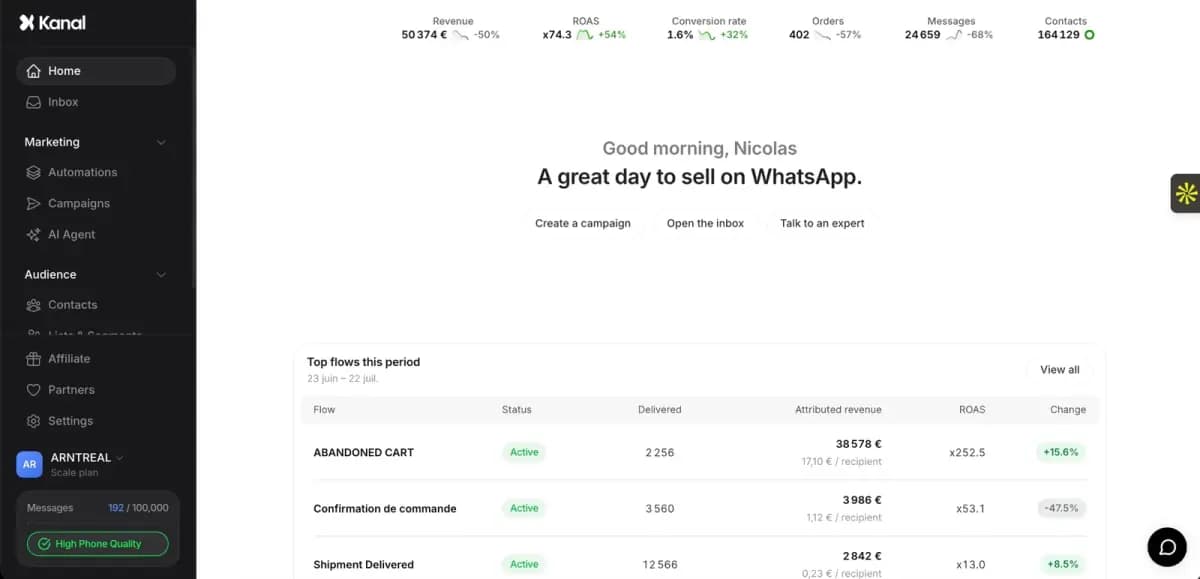
For Shopify merchants ready to scale conversations from "one at a time" to "thousands per day", the natural next step is to plug your store into the Kanal Shopify integration and let the AI chatbot handle inbound replies in your brand voice 24/7. The demo shows the setup on your own store.
Resources
- Click-to-chat link generator
- WhatsApp QR code generator
- WhatsApp Business API guide
- WhatsApp click-to-chat link deep-dive
- WhatsApp QR code guide
- Conversational commerce playbook
- Kanal Shopify integration
- Meta WhatsApp Business platform
- WhatsApp Help Center: How to use click to chat
- Meta developer documentation
Frequently asked questions
Can I send a WhatsApp to someone not in my contacts?
Yes. WhatsApp lets you start a conversation with any number that has WhatsApp installed, even if you have not saved it in your phone book. The fastest method is to type wa.me/ followed by the international number into your browser address bar, which opens WhatsApp with an empty chat ready to send.
Does wa.me work on iPhone?
Yes, wa.me works perfectly on iPhone in Safari, Chrome, Firefox, and from inside Notes or Messages by long-pressing the link. If the link does not open WhatsApp the first time, make sure WhatsApp is updated via the App Store and that you have an internet connection. Some users see a Safari warning the first time, which is normal.
Is the click-to-chat method free?
Yes. Both the wa.me link and the click-to-chat URL format are free to use, with no per-message fee. WhatsApp's own messaging is free between users. You only pay if you send through the WhatsApp Business API (transactional or marketing templates), where Meta charges per delivered message.
Does the recipient see my phone number?
Yes. As soon as you send your first WhatsApp message, the recipient sees your number in their chat list. WhatsApp does not anonymise sender identity.
Can I do this in bulk?
Not via wa.me directly: each wa.me link opens one chat at a time, manually. To send WhatsApp messages to a list of numbers at once, you need the WhatsApp Business API and a sending platform like Kanal. Make sure each recipient has opted in to receive messages, because Meta enforces strict opt-in rules and will suspend your sender ID otherwise.
How do I send a WhatsApp message without saving the number on Android?
Open Chrome on your Android phone, type wa.me/ followed by the number in full international format (country code first, no plus sign, spaces or leading zero) and press Enter. Tap the button to continue to the chat: WhatsApp opens a conversation with that number, and nothing is added to your contacts. WhatsApp calls this feature click to chat and documents it in its Help Center.
What is the WhatsApp link to message a number without saving it?
The link is https://wa.me/ followed by the full phone number in international format, for example https://wa.me/1XXXXXXXXXX for a number in the United States. WhatsApp's Help Center asks you to leave out zeroes, brackets and dashes. Add ?text= and a URL-encoded message at the end to open the chat with a pre-filled message.
Can I message someone on WhatsApp with a username instead of a phone number?
WhatsApp is rolling out usernames gradually, so the feature may not be available on your account yet (Help Center, read on October 7, 2026). Where it is live, you start a new chat and type the person's exact username in the search bar, without knowing or saving their phone number. A username also creates a direct link in the form wa.me/username.
See Kanal on your own store
- Your campaigns and cart reminders on WhatsApp, starting from your own store
- Post-purchase offers, back-in-stock alerts, then the AI agent that advises your customers
- You leave with the plan that fits and its price

- brands
- 500+
- to set up
- 5 min
- open rate on WhatsApp
- +90%
5/5 on the Shopify App Store (125 reviews)

Nicolas helps e-commerce brands grow revenue with WhatsApp marketing. With deep expertise in Shopify ecosystems and conversational commerce, he shares proven strategies for abandoned cart recovery, broadcast campaigns, and AI-powered customer engagement.
Glossary terms in this article
Quick definitions for the WhatsApp Business terms used above.
WhatsApp Web
WhatsApp Web is the official browser client that mirrors a WhatsApp account on a computer, so users can read and send messages with a desktop keyboard.
Read full definitionwa.me Link (Click-to-Chat)
A wa.me link is WhatsApp's official click-to-chat URL. Opening it starts a conversation with a specific number, without the visitor saving the contact first.
Read full definitionOpt-in
A WhatsApp opt-in is the permission a person gives a business to send them messages on WhatsApp. WhatsApp's Business Messaging Policy requires it before any message: the business must have the person's phone number and their agreement to hear from that business.
Read full definitionSuggested articles
How to Schedule a WhatsApp Message (What Works in 2026)
WhatsApp has no schedule button for regular chats. What its Help Center does document: scheduled business broadcasts, away messages, events and reminders.
How to edit a WhatsApp message (15-minute limit)
You can edit a WhatsApp message for 15 minutes after sending it. The steps on Android, iPhone and Web, what the other person sees, and what to do after.
How to Check if a Number Is on WhatsApp (2026)
How to check if a number is on WhatsApp: the free wa.me link method, the contact-save method, and how to validate a whole opt-in list with the API.
WhatsApp Community vs Group: Limits & How It Works (2026)
A WhatsApp community links up to 100 groups and 2,000 members around one announcement group. Community vs group, member limits, and how to create one.