WhatsApp QR Code 2026: Complete Guide + Free Generator

Summarize this article with an AI
 ChatGPT
 Claude
Generate WhatsApp QR codes that open a pre-filled chat with your Shopify store: use cases, design tips, tracking and the best placements to convert.
Table of contents (13)
Key takeaways
- A WhatsApp QR code simply encodes a wa.me click-to-chat link, so it is free to generate, never expires and works with any phone camera.
- Print it at least 2 by 2 cm, dark on light, with a 4-module quiet zone and error correction Q or H if you add a logo.
- Scanners cannot be identified, so give each placement its own pre-filled message to know which packaging, store or ad brings conversations.
A QR code that opens a pre-filled WhatsApp chat with your Shopify store turns a printed surface into a conversation with your customer. It costs nothing to generate, it works on every phone shipped in the last decade, and unlike a printed URL, nobody has to type anything.
In this guide, you will learn what a WhatsApp QR code actually is under the hood, why it is worth using in 2026, how to generate one in 30 seconds with the Kanal generator, twelve placements that turn passive surfaces into sales channels, the design rules that make the difference between a scan and a wasted print run, and how to track every QR independently so you know which placement is paying back.
If you only want the tool, jump to the WhatsApp QR code generator. Otherwise, read on.
What is a WhatsApp QR code
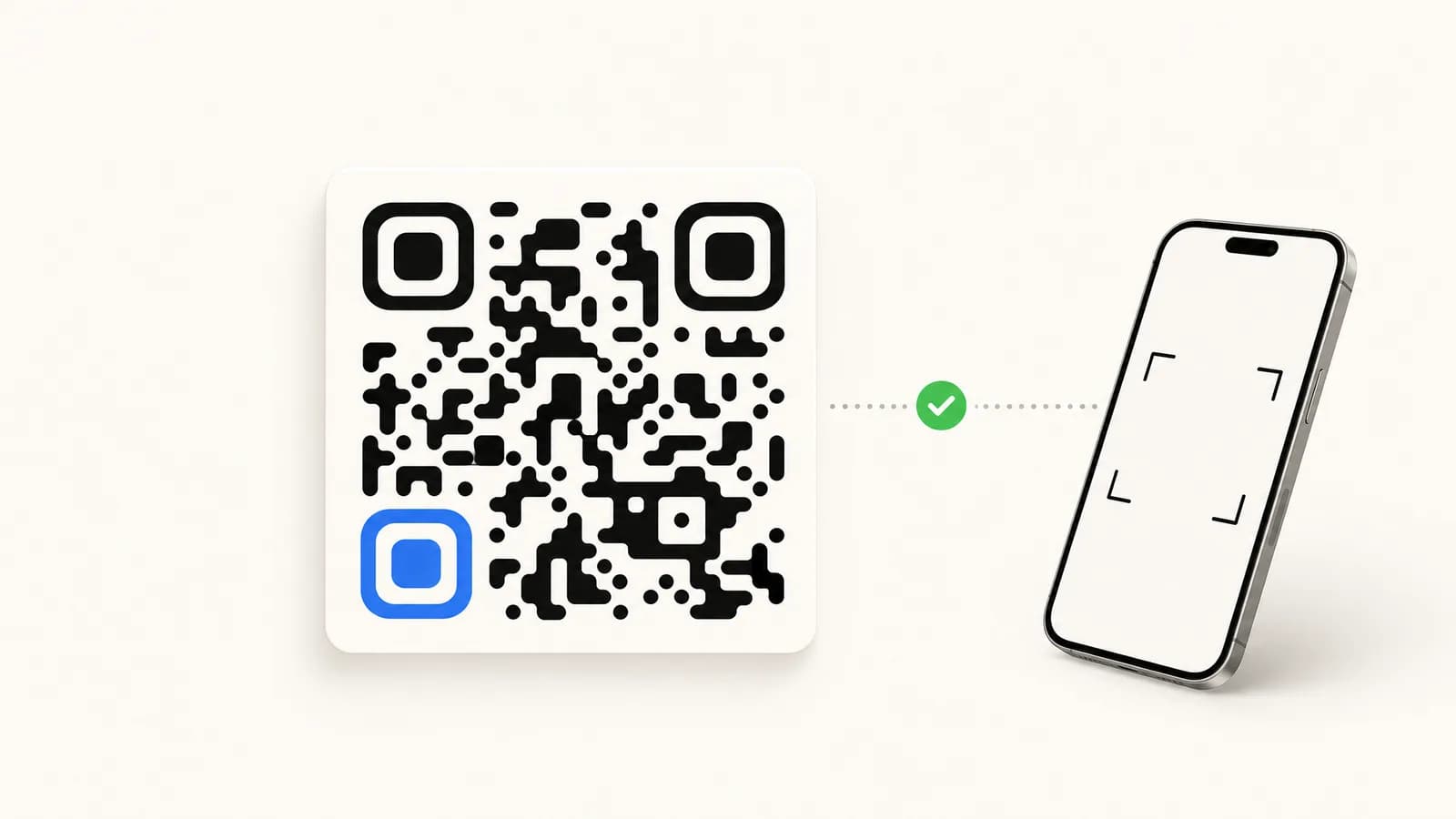
A WhatsApp QR code is nothing more than a QR code pattern that encodes a click-to-chat URL. When a phone camera focuses on it, the operating system decodes the URL, recognises the wa.me or api.whatsapp.com host, and offers to open WhatsApp directly with the destination number and an optional pre-filled message.
The URL under the QR usually looks like this:
https://wa.me/33612345678?text=Hello%2C%20I%27m%20interestedThat is a click-to-chat link, the same one detailed in our WhatsApp click-to-chat link guide. The QR code just wraps it in a printable form factor so you can put it on packaging, in a store, or on screen where a URL would not work.
The scan flow is universal: iOS Camera, Android default camera, WhatsApp's own in-app scanner, and every third-party QR app on the market all decode the same pattern. There is no proprietary "WhatsApp QR" format that you need a special tool for. This is great news because it means your generated QR code will work for every customer regardless of device.
Why use QR codes for WhatsApp in 2026
Three reasons make WhatsApp QR codes a practical offline-to-online connector right now.
Camera-first behaviour. The default camera app on iPhone and recent Android phones reads QR codes, no extra app needed. The friction of scanning is gone.
WhatsApp reach. WhatsApp is used in over 180 countries. When your customers already have it, the scan opens an app they know, with no install step to lose them on the way.
A conversation instead of a page. A scan that opens WhatsApp puts the customer in a chat with your team (or your chatbot) at the moment of interest, instead of on a web page they have to navigate alone.
That conversation lets you qualify, recommend, and overcome objections in real time, which a landing page cannot do. To know what it is worth on your store, compare orders from a QR that opens WhatsApp with orders from a QR that opens a web page on the same surface.
Read our broader playbook on conversational commerce for the strategic context behind this approach.
How to generate a WhatsApp QR code
There are three viable methods. We recommend the first.
Method 1: The Kanal generator (recommended)
The fastest path is the WhatsApp QR code generator. Enter your business number, optionally add a pre-filled message, pick a colour and a logo, and download a high-resolution PNG or SVG. The QR is static, never expires, and encodes a standard wa.me URL so it works on every device.
The tool needs no signup and adds no watermark. It is the same tool used internally by our merchants to print packaging inserts and storefront stickers.
Method 2: WhatsApp's own QR
If you use the WhatsApp Business app on Android or iOS, you can generate a basic QR from Settings > Business Tools > Short Link > QR code. The downside is it cannot include a pre-filled message, it cannot be customised with your brand colour or logo, and the resolution is low.
This is fine for a personal contact card, but underpowered for any marketing surface where you want to attribute scans to a placement.
Method 3: Manual via a generic QR tool
You can hand-craft a wa.me URL using our click-to-chat link generator and then paste it into any generic QR generator. This works but you lose the WhatsApp-specific design defaults (the rounded modules, the green accent, the safe error correction level) and you have to re-test the scan yourself.
We do not recommend it unless you have a specific brand reason.
12 high-converting placements
A QR code in the wrong place does not get scanned. Here are twelve placements worth testing for Shopify stores.
- Packaging inserts. A small QR card slipped in every order with the message "Tap to ask a stylist anything". The customer holds the product and has a reason to ask. Read our WhatsApp customer support for Shopify guide for the script.
- In-store at the till. Replace the "follow us on Instagram" sticker. Customers in a buying mood scan to claim a 10% next-purchase code via WhatsApp.
- Receipts. Thermal receipts have ample white space below the totals. Print a QR with the message "Reply HELP for returns".
- Product hang tags. Especially for beauty, electronics, and homeware where the customer might have a "how do I use this" question.
- Storefront window. A poster-size QR for after-hours scanning. Passers-by are earlier in their decision than shoppers at the till, but it generates leads you would otherwise lose.
- Trade show booths. A standee QR replaces the badge scanner. Faster, no app to install: each scan opens a WhatsApp conversation that your team can pick up in Kanal.
- Print ads. Magazine, newspaper, out-of-home. The QR is the call to action.
- Email signatures. Below your name, a tiny QR for "Chat with me on WhatsApp".
- Influencer kits. PR boxes for creators. The QR opens a direct line to your brand manager.
- Loyalty cards. Replace the stamp card with a QR that triggers a points lookup via WhatsApp.
- Pop-up events. Festival booths, market stalls, sample tables.
- Restaurant tables and hotel rooms. For commerce-adjacent brands. Order, ask for service, request room turndown.
The WhatsApp newsletter guide and the WhatsApp marketing ecommerce guide cover what to do once the conversation starts.
Design best practices
A QR code that does not scan is worse than no QR code at all because it burns trust. Five rules.
Size. Minimum module size is 0.4 mm in print. For a 2 x 2 cm sticker that means roughly 50 modules per side, quiet zone included, which is enough for a wa.me URL with a short pre-filled message. Keep your URL compact all the same: fewer modules means bigger modules that scan more easily.
Contrast. Dark on light, never the inverse. Cameras struggle with light-on-dark and many phone scanners refuse to decode it.
Quiet zone. Leave at least 4 modules of empty space around the QR. A QR butted up against text or a border fails to scan on older phones.
Error correction. Pick level Q (25%) or H (30%) if you want to embed a logo in the centre. The Kanal generator defaults to Q. Lower levels (L, M) will not survive a centre logo and will fail to scan once the print gets scuffed.
Centre logo. Maximum 20% of the QR area. Use your WhatsApp icon, your wordmark, or a simple monogram. Anything more and you eat into the error correction budget.
Test every printed QR on an older Android phone as well as a recent iPhone, since cameras and scanning apps differ from one device to another.
Tracking QR scans
The honest answer: you cannot identify individual scanners. WhatsApp does not expose user identity at scan time. But you can attribute scans to placements and measure conversion, which is what matters.
Per-placement pre-filled messages. Generate a separate QR for each placement with a unique invisible token in the pre-filled message, like "Hi from PKG-2026-Q2". When the conversation lands in your CRM, the token tells you which packaging batch the scan came from.
Short-link wrapper with UTMs. Instead of pointing the QR straight at wa.me, point it at a short link (bit.ly, your own /go/{slug}) that logs the click and 302-redirects. You get total scan counts per placement and you can decorate with UTM parameters for downstream analytics.
Dedicated landing pages. For high-stakes placements (a billboard, a TV ad), point the QR at a 1-second landing page that fires a Meta Pixel event and then forwards to wa.me. You sacrifice 200ms of friction but you get full pixel attribution.
Follow-up in Kanal. Conversations opened from a QR made with the Kanal QR code generator land in your inbox with their pre-filled message, so the placement token stays readable. You can then layer in the ROAS break-even calculator to model paid-vs-organic blended performance.
The ROI of WhatsApp marketing post goes deeper into attribution math if you want the full breakdown.
Common QR code mistakes
Five failure modes to avoid.
- Printing untested. Always scan from the final print substrate (matte cardboard, glossy paper, plastic) with at least two phones before signing off a print run.
- Embedding the QR inside dense imagery. Cameras need a clean focus target. A QR overlaid on a product photo is hostile design.
- Hardcoding a personal mobile number. Use a dedicated business number from day one. Migrating later is painful (read our WhatsApp Business API guide for the migration playbook).
- No call to action next to the QR. "Scan me" is the floor. "Scan to get 15% off your first order" is the ceiling. Without a reason to scan, people walk past the code.
- One QR for everything. If you use the same QR on packaging, in-store, and on Instagram, you have no idea which channel is paying back.
QR codes vs short links: when to use which
Both encode a click-to-chat URL. The difference is the medium.
| Surface | Use QR | Use short link |
|---|---|---|
| Print, packaging, storefront | Yes | No (cannot click paper) |
| Outdoor advertising | Yes | No |
| Social media post | No (link is faster) | Yes |
| Depends (some readers, like Gmail, prefer links) | Yes | |
| SMS, WhatsApp itself | No | Yes |
| TV ad, podcast | Yes (audio + visual QR) | Voice URL works for podcasts |
In other words: QR for offline-to-online, short link for everything that is already on a screen. Many merchants do both, with a single canonical destination managed in Kanal.
Conclusion
A WhatsApp QR code is one of the few marketing tools where the upside is large and the downside is essentially zero. It is free to generate, free to scan, works on every device, never expires, and slots cleanly into the conversational layer, where you can answer questions and close the sale in the chat.
Pick a placement (packaging is the safest first bet), generate your QR with the Kanal QR code generator, pre-fill a message that pre-qualifies the lead, print 100 units, scan them yourself before the production run, and measure conversation volume in week one.
If you want the conversation to convert (not just land), connect your Shopify store to Kanal and let the AI chatbot handle replies in your brand voice 24/7. Book a demo to see the setup on your own store before committing.
Resources
Frequently asked questions
Are WhatsApp QR codes free?
Yes. WhatsApp QR codes that point to a wa.me link are free to generate and free to scan. There is no per-scan fee from Meta and no cap on how many you create. You only pay if you embed business logic around the conversation (template messages, automation, CRM), which is where platforms like Kanal add value on top of the free link.
Can I track who scans my WhatsApp QR code?
Not directly. WhatsApp does not expose scanner identity. But you can track scan volume and attribution by using a unique pre-filled message per placement (e.g. "Hi, I saw your packaging insert"), by routing through a short link with UTM parameters before redirecting to wa.me, or by using dedicated landing pages per QR.
What size should a WhatsApp QR code be?
Minimum 2 x 2 cm (0.8 x 0.8 inches) for print at arm's length, 5 x 5 cm for storefront signage scanned from 1-2 meters, and 10 x 10 cm or bigger for posters or trade shows. For digital screens, 200 x 200 px is the practical minimum. Always test the scan on iOS and Android before printing in volume.
Can a WhatsApp QR code include a pre-filled message?
Yes. The underlying wa.me URL accepts a text parameter (wa.me/33612345678?text=Hello) and the QR code encodes that URL exactly as-is. The pre-filled message saves friction, qualifies the lead by intent, and lets you attribute the scan to the specific placement (packaging, ad, shelf talker).
Do QR codes expire?
Static QR codes (the kind generated by Kanal and most free tools) never expire. The pattern is just an encoded URL. Dynamic QR codes that route through a third-party redirect can expire if the redirect service shuts down, which is why we recommend pointing directly at the wa.me URL whenever possible.
See Kanal on your own store
- Your campaigns and cart reminders on WhatsApp, starting from your own store
- Post-purchase offers, back-in-stock alerts, then the AI agent that advises your customers
- You leave with the plan that fits and its price

- brands
- 500+
- to set up
- 5 min
- open rate on WhatsApp
- +90%
5/5 on the Shopify App Store (125 reviews)

Nicolas helps e-commerce brands grow revenue with WhatsApp marketing. With deep expertise in Shopify ecosystems and conversational commerce, he shares proven strategies for abandoned cart recovery, broadcast campaigns, and AI-powered customer engagement.
Glossary terms in this article
Quick definitions for the WhatsApp Business terms used above.
WhatsApp QR Code
A WhatsApp QR code is a scannable code that opens a chat with a business, turning offline touchpoints like packaging, receipts, and store displays into WhatsApp conversations.
Read full definitionwa.me Link (Click-to-Chat)
A wa.me link is WhatsApp's official click-to-chat URL. Opening it starts a conversation with a specific number, without the visitor saving the contact first.
Read full definitionWhatsApp Business App
The WhatsApp Business App is a free mobile application designed for small businesses to chat with customers, with a catalog, quick replies, and automated greeting messages.
Read full definitionSuggested articles
WhatsApp Marketing in the USA: What Works During Meta's Pause
Why WhatsApp marketing messages to US numbers are dropped: Meta does not deliver marketing templates to them. What still works, and error 131049 explained.
Yotpo Pricing in 2026: Reviews Plans and Order Tiers
Yotpo pricing explained: free plan limits, Starter and Pro prices by monthly orders, Reviews Booster overage, annual billing, Loyalty and bundle prices.
Shopify vs WooCommerce: Costs, Fees and Control (2026)
Shopify vs WooCommerce compared for US stores: subscription or hosting costs, payment fees, maintenance, flexibility, apps and how to migrate between them.
Shopify vs Wix: Plans, Payment Fees and Selling (2026)
Shopify vs Wix compared for US merchants: plan prices, card rates, product limits, sales channels, apps, support and how to migrate between the two platforms.