Shopify vs WooCommerce: Costs, Fees and Control (2026)
Shopify vs WooCommerce compared for US stores: subscription or hosting costs, payment fees, maintenance, flexibility, apps and how to migrate between them.
 Nicolas ProvostOct 7, 2026 · 12 min read
Summarize this article with an AI
 ChatGPT
 Claude
Table of contents (13)
Key takeaways
- Shopify is a hosted platform rented by the month, while WooCommerce is an open-source WordPress plugin you host and maintain yourself.
- Shopify Basic costs $29 a month paid yearly, against WooCommerce hosting that its own pricing page puts at $25 to $350 a month.
- US card rates match at 2.9% + 30¢, but Shopify adds a 2% third-party transaction fee on Basic when you use another processor.
Shopify is a hosted platform that you rent by the month, and WooCommerce is a free, open-source plugin that turns a WordPress site you host yourself into a store. For a US store as of October 7, 2026, Shopify starts at $39 a month ($29 paid yearly) plus 2.9% + 30¢ per online card payment, while WooCommerce has no subscription but leaves you to pay for hosting, extensions and maintenance, with card payments at 2.9% + $0.30 through WooPayments.
Each side of this comparison comes from the company's own pages, read on October 7, 2026, with Shopify's prices read again on October 24, 2026: Shopify's pricing page, with the prices shown to US stores, and its Help Center, and WooCommerce's pricing page, its WooPayments fee schedule and its plugin page on WordPress.org.
Shopify vs WooCommerce at a glance
| Question | Shopify | WooCommerce |
|---|---|---|
| What is it? | A hosted commerce platform | An open-source plugin for WordPress |
| Software cost | Basic $39 a month, Grow $105, Advanced $399 (less paid yearly) | Core plugin at no charge, no monthly subscription |
| Hosting | Included in every plan | Yours to choose and pay: $25 to $350 a month for most stores, according to WooCommerce |
| US card payments | 2.9% + 30¢ on Basic with Shopify Payments | 2.9% + $0.30 with WooPayments |
| Fee for using another processor | 2% on Basic, 1% on Grow, 0.6% on Advanced | None |
| Add-ons | Apps from the Shopify App Store, priced by each developer | Extensions at $29 to $299 a year each, according to WooCommerce |
| Hosting and software updates | Handled by Shopify | Yours, or your host's |
| Code and data | Closed platform, data exports | Open source, full ownership of content and data |
Sources: Shopify pricing page (US prices), WooCommerce pricing page and WooPayments fees, as of October 7, 2026.
How do the two models differ?
Shopify is software you rent. You pay a subscription and Shopify runs the store: the pricing page states that every plan includes secure hosting with unlimited bandwidth and a free SSL certificate, and that Shopify is certified Level 1 PCI DSS compliant. You work in one admin, pick a theme and add apps. You do not touch a server.
WooCommerce is software you own and operate. Its WordPress.org page describes it as the open-source ecommerce platform for WordPress, with more than 7 million active installations. The core platform costs nothing, and WooCommerce stresses that open source means you keep full ownership of your store's content and data. In exchange, the store lives on a WordPress site that someone has to host, secure and update. WooCommerce's hosting page puts it plainly: the first step is to choose your host.
Everything else in this comparison follows from that difference.
What does each one cost?
Shopify: a subscription and a card rate
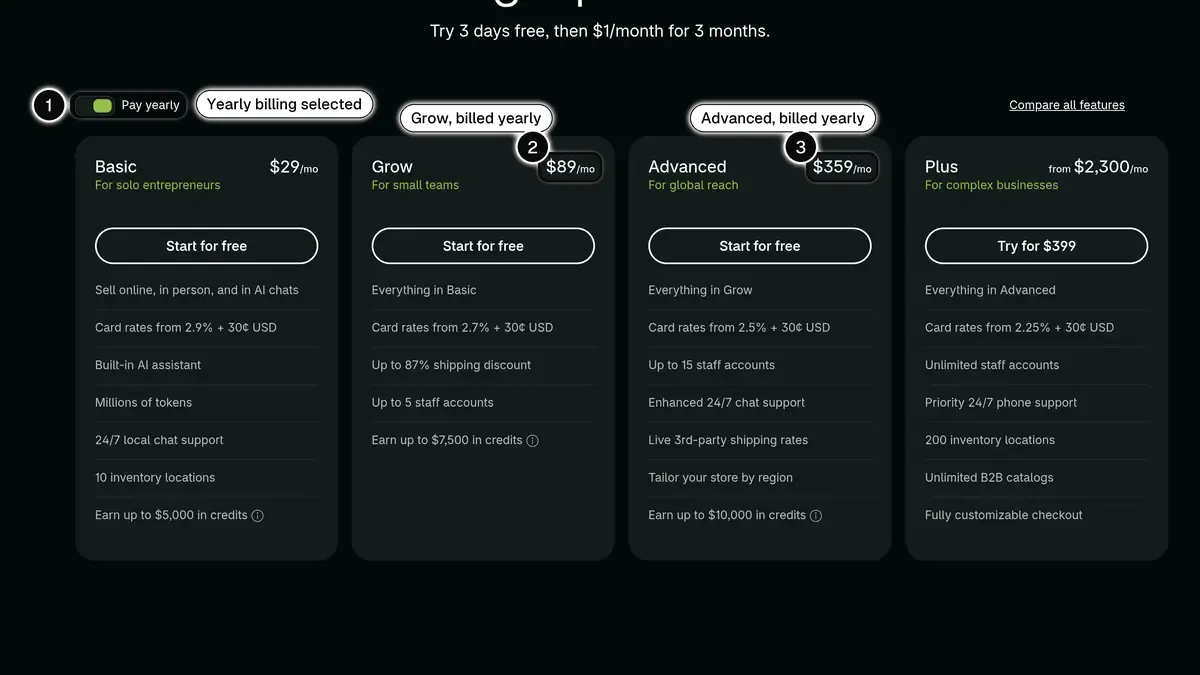 Source: Shopify pricing page, plan cards shown to a US visitor with Pay yearly selected, read on October 24, 2026. In 1, the yearly billing toggle; in 2, Grow billed yearly at $89 a month; in 3, Advanced billed yearly at $359 a month. Paid monthly, Basic, Grow and Advanced cost $39, $105 and $399.
| Plan | Pay monthly | Pay yearly (per month) | Online standard card rate | Third-party transaction fee |
|---|---|---|---|---|
| Basic | $39 | $29 | 2.9% + 30¢ | 2% |
| Grow | $105 | $89 | 2.7% + 30¢ | 1% |
| Advanced | $399 | $359 | 2.5% + 30¢ | 0.6% |
| Plus | From $2,300 | Not displayed | 2.25% + 30¢ | 0.2% |
Source: Shopify pricing page, prices displayed to US stores, as of October 24, 2026.
Hosting is in the price. Apps, a paid theme (from $100 to $500 in the Shopify Theme Store) and a domain come on top. Our guide to Shopify pricing details every line, and Shopify Plus pricing covers the top plan.
WooCommerce: no subscription, several separate bills
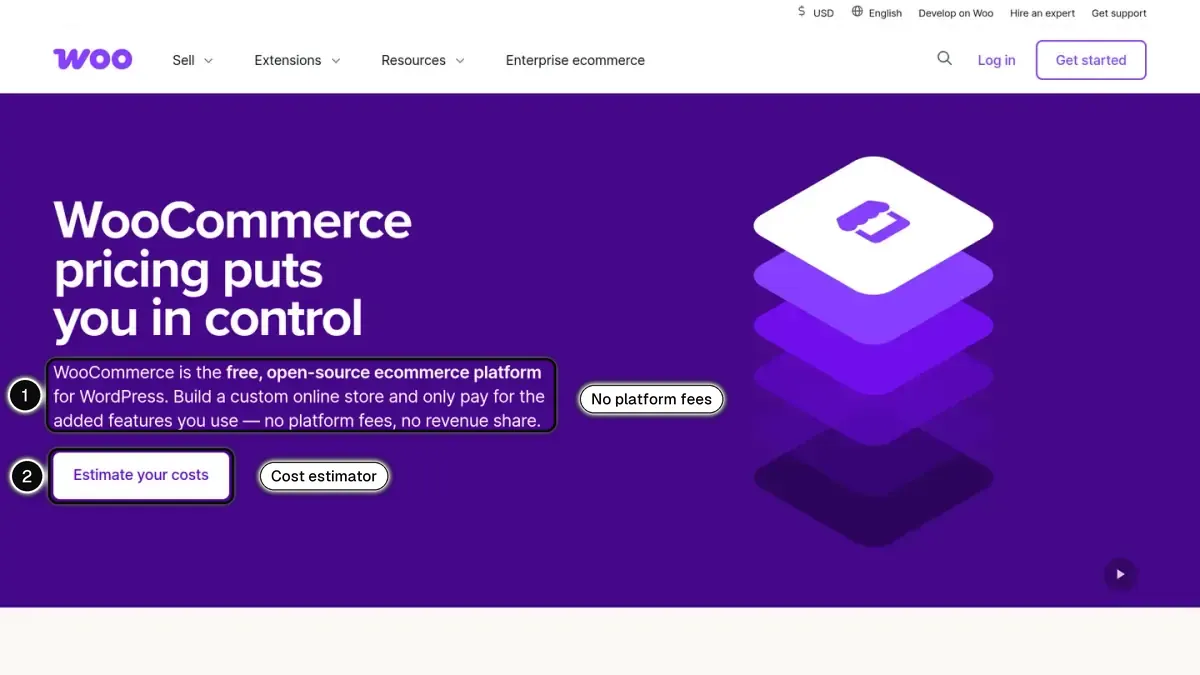 In 1, no platform fees and no revenue share; in 2, the tool that estimates your costs.
WooCommerce's pricing page breaks the cost into four lines:
| Line | What WooCommerce states |
|---|---|
| Core platform | No charge, with no monthly subscription |
| Payments | No extra costs, just your processor's fees |
| Hosting | $25 to $350 a month for most stores, scaling with traffic and performance needs |
| Extensions | $29 to $299 a year per extension |
Source: WooCommerce pricing page, as of October 7, 2026.
Two lines are missing from that list because they depend on you: the domain, and the time or the developer needed to build and maintain the site. A store owner who is comfortable with WordPress can keep that line low. A store that needs custom work pays for it on either platform, but on WooCommerce nothing is included by default.
What that looks like over a year
The example below is fictional and uses the published prices above. It leaves out the domain, themes, apps or extensions, and development.
| Over 12 months | Shopify Basic, paid yearly | WooCommerce, hosting at $25 a month | WooCommerce, hosting at $350 a month |
|---|---|---|---|
| Platform and hosting | $348 (12 × $29) | $300 (12 × $25) | $4,200 (12 × $350) |
| Card fees on 2,400 orders of $50 | $4,200 | $4,200 | $4,200 |
| Total | $4,548 | $4,500 | $8,400 |
Card fees: 2,400 × (2.9% of $50, plus 30¢) = 2,400 × $1.75, with Shopify Payments on Basic or WooPayments in the US.
At the low end of WooCommerce's hosting range, the two bills are almost identical. The difference comes from what you add: paid extensions and maintenance on one side, paid apps on the other, and a higher hosting tier as traffic grows.
Which has lower payment fees?
For card payments in the United States, the entry rates match.
| Fee | Shopify Payments (Basic) | WooPayments |
|---|---|---|
| Online card | 2.9% + 30¢ | 2.9% + $0.30 |
| In-person card | 2.6% + 10¢ | 2.7% + $0.10 |
| International card | + 1% | + 1.5% |
| Currency conversion | 1.5% | + 1% |
| Dispute or chargeback fee | $15 | $15 |
Sources: Shopify pricing page and Shopify Help Center for Shopify, WooPayments fees (United States table) for WooCommerce, as of October 7, 2026. Both return the dispute fee if you win the dispute.
Three differences matter more than the headline rate:
- Shopify's rate falls as the plan rises: 2.7% + 30¢ on Grow, 2.5% + 30¢ on Advanced and 2.25% + 30¢ on Plus. WooPayments publishes one rate and invites you to contact it about custom pricing.
- Shopify adds a fee when you use another processor. With a payment provider other than Shopify Payments, Shopify adds a third-party transaction fee of 2%, 1%, 0.6% or 0.2% depending on the plan, on top of that provider's fees. On WooCommerce, you choose any processor and pay its fees alone.
- WooPayments has its own extras. Its fee schedule adds 1% on any order containing a subscription payment when the subscription uses the Stripe Billing engine, and 1.5% on instant payouts.
If you plan to negotiate rates with a processor of your choice, or to run several gateways side by side, WooCommerce leaves you free to do it. If you are happy with the platform's own processor, Shopify's lower rates on higher plans can outweigh that freedom.
Which is easier to run day to day?
Shopify asks less of you. Hosting, the SSL certificate and automatic updates come with every plan, 24/7 live chat support is included, and the Help Center's setup checklist walks through the steps in order. Shopify notes that the most time-consuming step is usually adding and organizing your products, not the technical setup.
WooCommerce asks you to operate a WordPress site. Its WordPress.org page lists the server requirements (PHP 7.4 or greater, MySQL 5.5.5 or MariaDB 10.1 or greater), and its update guide recommends making a current backup and testing each update on a staging site whenever possible. A managed WooCommerce host takes on part of that work, which is one reason hosting prices vary so widely.
Neither is hard for someone who has done it before. The question is who does it in your business, and what an hour of that person's time is worth.
Which gives you more control?
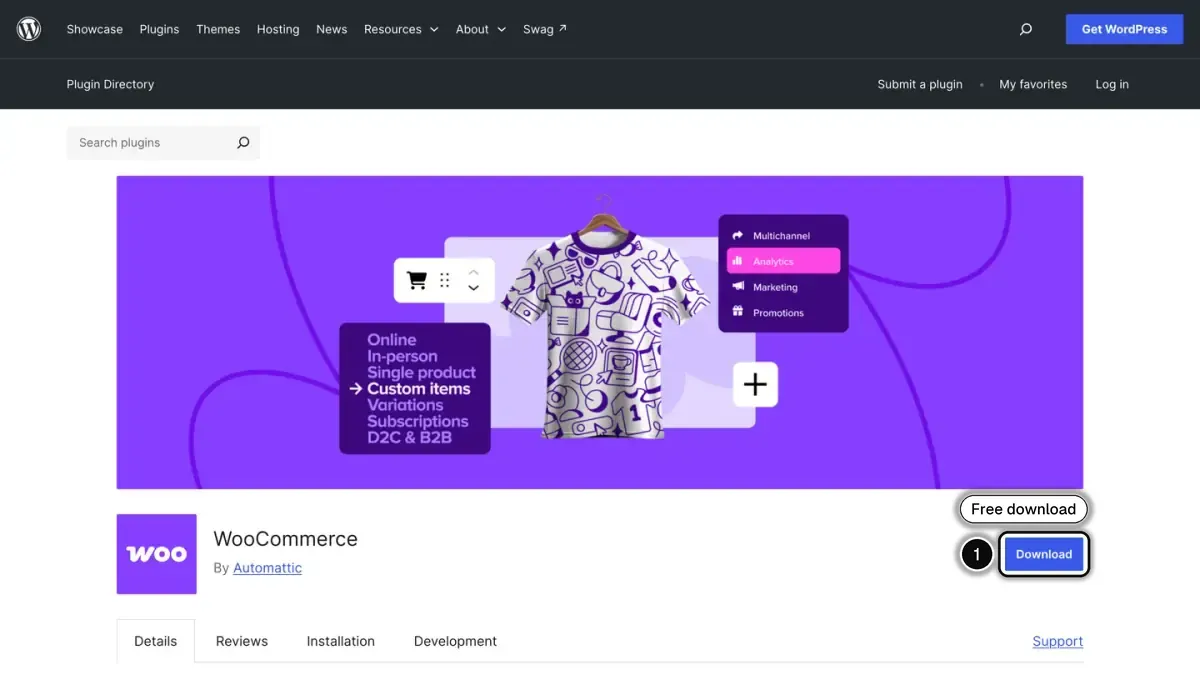
WooCommerce does, by design. The code is open, so a developer can change any part of the store, the checkout included. WooCommerce states that your store data is yours and that you can export all your content and take your site to any platform you choose.
Shopify trades part of that control for convenience:
- The checkout: checkout customization is limited on Basic, Grow and Advanced, and full on Plus.
- The URLs: products and collections live under fixed paths, /products and /collections, that can't be redirected.
- The catalog: a product can have 2,048 variants at most and three options.
- The rules: Shopify's Terms of Service allow it to suspend or terminate an account for any reason, without notice and at any time, unless otherwise required by law, and commit it to 30 days' advance notice before any change in fees.
For most stores, those limits never bite. They matter if your business depends on an unusual checkout, a complex catalog or full ownership of the stack. Our Shopify review goes through them one by one.
Apps and extensions
Both platforms rely on add-ons for what the core does not do.
- Shopify: the Shopify App Store lists over 16,000 apps. Each developer sets its price, and most charges land on your Shopify bill. Our best Shopify apps comparisons sort them by need.
- WooCommerce: its WordPress.org page mentions hundreds of free and paid extensions in the WooCommerce Marketplace, vetted and reviewed by its developers, in addition to the wider WordPress plugin ecosystem.
Before you choose a platform, check that the tools you rely on exist there. One example from our side: Kanal, the WhatsApp marketing and sales app we build, is a Shopify app, installed from the Shopify App Store.
How do you move from WooCommerce to Shopify?
Shopify publishes a migration guide for WooCommerce stores. It offers three routes:
- The Store Migration app, Shopify's own tool, which imports WooCommerce products. It is in early access, available for certain stores and on desktop.
- CSV files: you export your data from WooCommerce and import it into Shopify. Shopify warns that some data can't be migrated this way.
- Third-party migration apps from the Shopify App Store.
The same guide mentions a shortcut for design: enter your WooCommerce store URL in the theme store section of the admin, and Shopify generates a theme based on your existing storefront.
Whatever the route, three checks protect your sales: redirect every old URL to its new address (Shopify accepts 100,000 redirects per store, more on Plus), tell customers how their accounts carry over, and place test orders before you point the domain to the new store.
Shopify or WooCommerce: which should you choose?
Choose Shopify if:
- nobody on your team wants to manage hosting, updates and backups;
- you want one bill and one admin for the store, payments and support;
- you expect to grow into lower card rates on Grow, Advanced or Plus.
Choose WooCommerce if:
- you already run WordPress, or have a developer who does;
- you need to change the checkout, the data model or the code itself;
- you want to pick your own processor without a platform fee.
Still undecided? List the three things your store must do that a standard store does not. If Shopify and its apps cover them, the hosted route is simpler. If one of them needs custom code at the core of the store, WooCommerce gives you the room. And if the real alternative is a marketplace, our Shopify vs Etsy comparison covers that choice. For other hosted options, see Shopify and BigCommerce, Shopify vs Squarespace and Shopify vs Wix.
In short
Shopify and WooCommerce can cost the same at the start: $29 a month for Shopify Basic paid yearly against $25 a month at the low end of WooCommerce's hosting range, with identical US card rates of 2.9% plus 30 cents. What separates them is who does the work and who sets the rules. Shopify runs the platform and keeps control of it. WooCommerce hands you both the control and the maintenance. Price your real setup on each side, extensions and development included, before you decide.
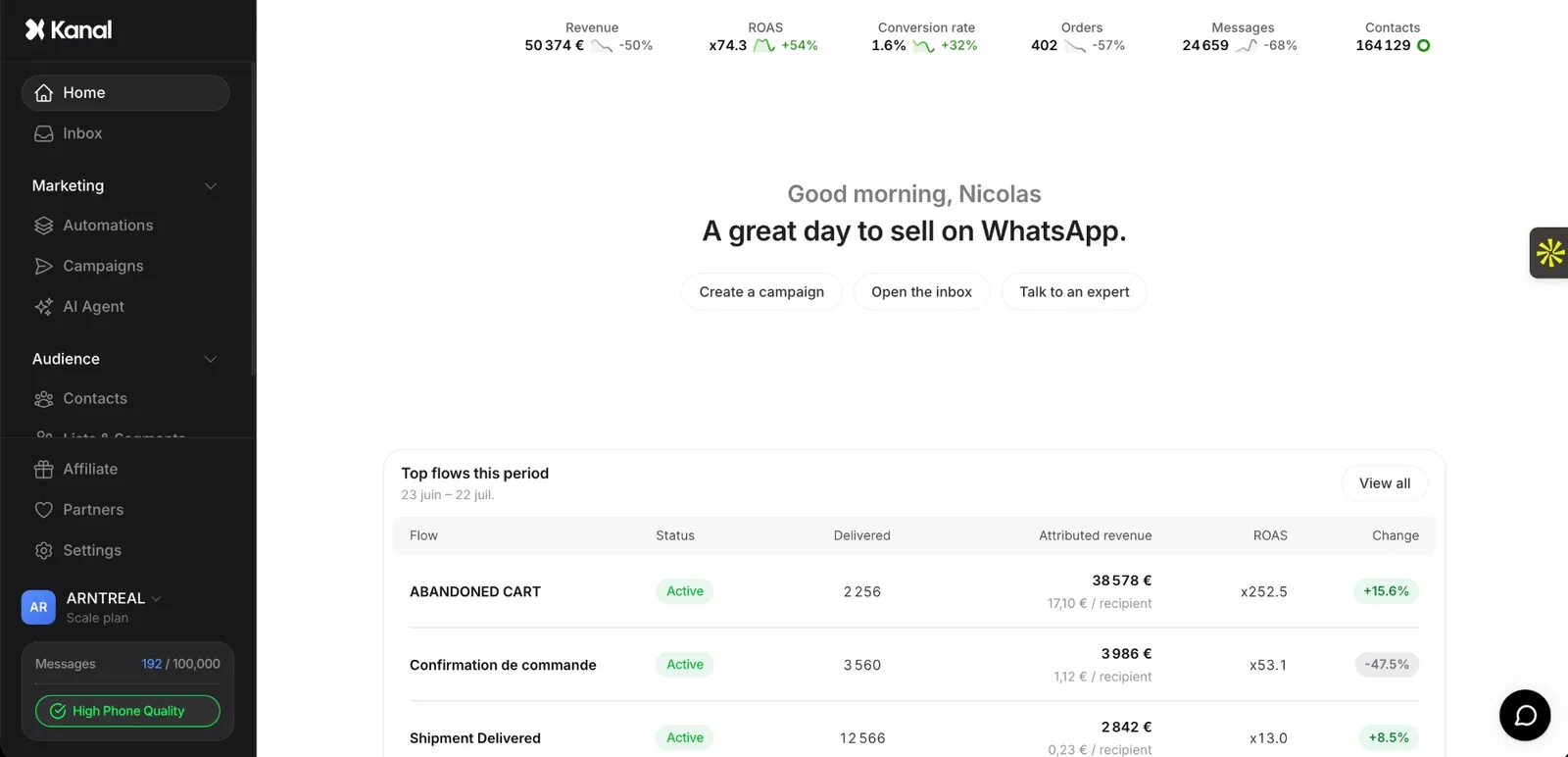
See Kanal on your own store
- Your campaigns and cart reminders on WhatsApp, starting from your own store
- Post-purchase offers, back-in-stock alerts, then the AI agent that advises your customers
- You leave with the plan that fits and its price
From €89/month
- brands
- 500+
- to set up
- 5 min
- open rate on WhatsApp
- +90%
Nicolas helps e-commerce brands grow revenue with WhatsApp marketing. With deep expertise in Shopify ecosystems and conversational commerce, he shares proven strategies for abandoned cart recovery, broadcast campaigns, and AI-powered customer engagement.