ManyChat for Instagram: How It Works, Setup and Rules
How ManyChat automates Instagram: connecting a professional account, the comment, story reply and DM keyword triggers, and the Meta rules that apply.
 Nicolas ProvostOct 11, 2026 · 10 min read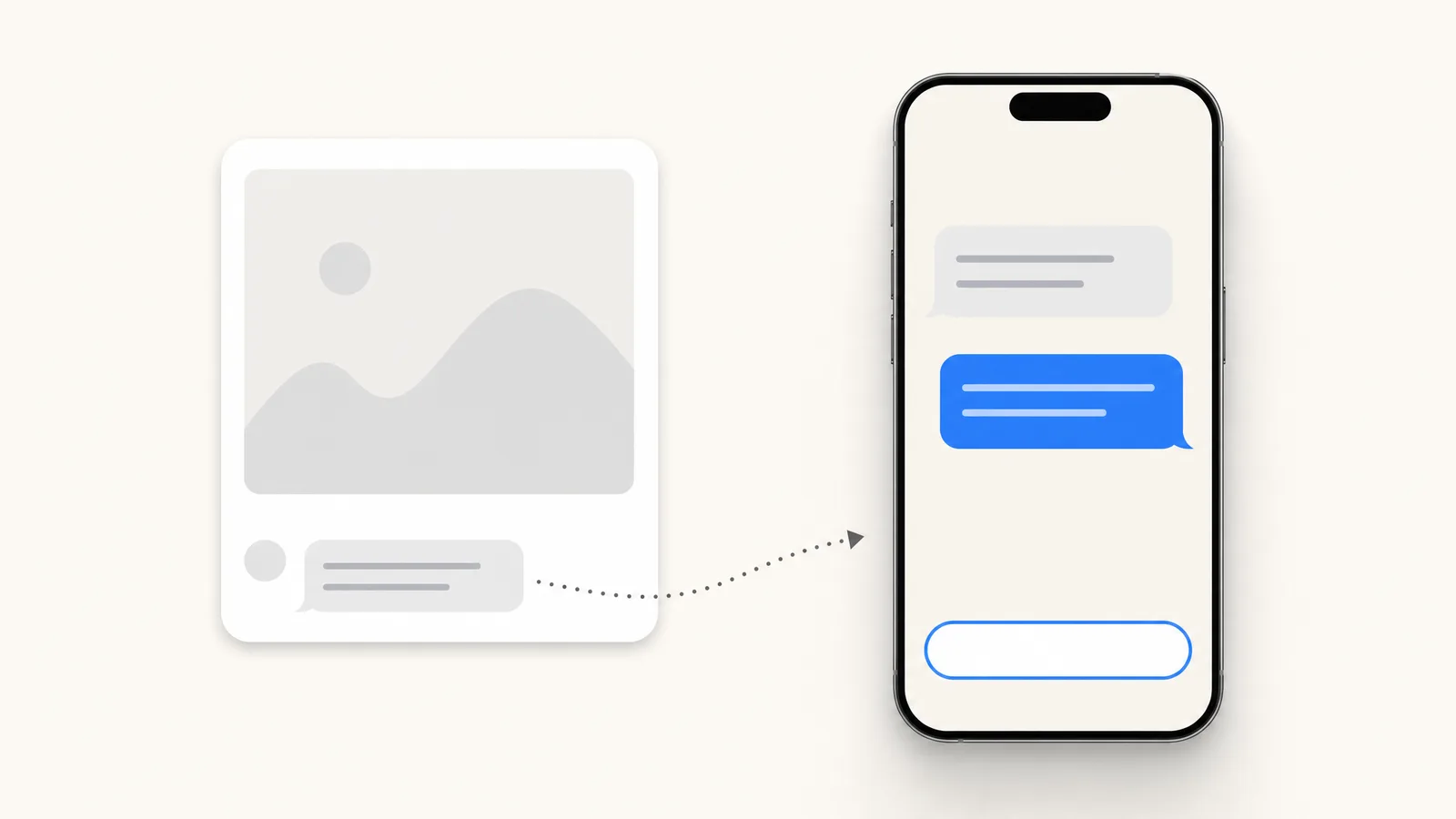
Summarize this article with an AI
 ChatGPT
 Claude
Table of contents (13)
Key takeaways
- ManyChat connects to an Instagram Business or Creator account in three ways, and its Help Center recommends the connection via Meta.
- A comment trigger sends one private reply, and the 24-hour messaging window opens only after the person replies or taps a button.
- Meta allows one private reply per comment within 7 days, and automated messages stop once the 24-hour window has closed.
ManyChat automates Instagram by connecting to your professional account through Meta's official login, then running flows that start from a trigger: a comment on a post or Reel, a reply to a story, or a keyword in a DM. The flow answers in Direct, with a link, a question or a button, within the messaging rules Meta sets for every automation tool.
This guide follows ManyChat's own Help Center and Meta's developer documentation as they stood on October 11, 2026: what the Instagram automation does, how to connect an account, how the main triggers work, what Meta allows, and where the price comes from. A short section at the end shows the same setup in Kanal's Instagram DM automation for a Shopify store.
ManyChat's Instagram triggers at a glance
| Trigger | What starts it | What ManyChat sends | Limit to know |
|---|---|---|---|
| Post and Reel comments | A comment on a chosen post, on all posts, or on your next post | A public reply and one private reply in Direct | One private reply, and the first message holds a single content block |
| Story reply | A message or an emoji reaction to your story | A message in Direct, within 24 hours | Does not fire on story likes |
| Keywords in DMs | A word or phrase in an incoming DM | The message or flow tied to the keyword | Works while the 24-hour window is open |
| Story mention | Someone mentions your account in their story | A reply in Direct | Listed in the Help Center as a separate trigger |
| Live comments | A comment during an Instagram Live | A private reply | Meta allows it only during the broadcast |
Sources: ManyChat Help Center articles on the comments trigger, the story reply trigger and the keywords trigger, and Meta's page on private replies, read on October 11, 2026.
What does ManyChat do on Instagram?
ManyChat's Instagram page sums it up in four automatic actions: send links, reply to comments, reply to DMs and get new followers. The use cases it lists are greeting new followers, running giveaways, delivering lead magnets, starting sales conversations and booking calls.
Two building modes exist, according to the same page: Quick Automations, which guide you step by step through a common case, and the Flow Builder, where you design the conversation yourself. ManyChat states that it is an official Meta Business Partner, and its Help Center says it works directly with Instagram's official APIs.
What do you need before you connect?
One thing: an Instagram professional account. The Help Center article on connecting Instagram says the account must be set to Business or Creator, and that personal accounts cannot be connected.
Depending on the connection method, you may also need a Meta Business Portfolio, or a Facebook Page linked to the Instagram account on which you are an admin with full control.
How do you connect Instagram to ManyChat?
In ManyChat, open Settings, select Instagram in the list of channels and click Connect. The Help Center then describes three methods:
- Via Meta. The recommended option, which gives access to the latest features, including Follow to DM automation and Conversions API tracking. The Instagram account must be connected to a Meta Business Portfolio. You select the account in the pop-up, review the permissions and save.
- Via Instagram. The quickest way, with no Meta Business account required. You check the permissions and click Allow. The article notes that some advanced features and automations may be limited with this option.
- Via Meta Business Suite. For agencies and advanced users who need advertising features. The Instagram account must be connected to a Facebook Page, and you must be an admin with full control of that Page. The flow goes through Facebook, then Instagram, then back to Facebook to confirm the Page and the permissions.
In all three cases, you grant permissions on Meta's or Instagram's own screens. That is the difference with tools that ask you to type your Instagram password into their interface.
How do the main triggers work?
Comments on posts and Reels
This is the comment-to-DM mechanic. In the Flow Builder, you add the trigger called "User comments on your Post or Reel", then choose its scope: a specific post or Reel, all of them, or the next one you publish. You then set keywords, either a list of words that fire the automation or words that exclude a comment, or you let any comment fire it.
You can add public replies under the comment. If you write several variations, ManyChat rotates them at random so that the answers do not all look the same.
The next step is the private message. The Help Center lists the constraints of this first private reply: it holds a single content block (a text or an image, with buttons or quick replies), and it cannot use user input, typing delays or dynamic blocks. It also carries one warning worth reading twice: sending the private reply does not opt the person in and does not open the 24-hour messaging window. The window opens only when the person interacts with the message, by replying or tapping a button. Everything after that first message depends on that tap.
Our Instagram auto reply guide covers keyword choice and the wording of the first message.
Replies to stories
The trigger "User replies to your Story" starts a flow when someone answers a story with a message or an emoji reaction. You choose between all stories and one specific story posted in the last 24 hours, and between any reply and specific ones. The Help Center specifies that the trigger does not fire for story likes.
Two options make the exchange feel less mechanical: a delay of up to 10 minutes before the first message, and an automatic heart reaction to the reply. Because the person wrote to you first, the 24-hour window is already open, and the message has to be sent within it.
Keywords in DMs
The keywords trigger watches incoming messages for words or phrases you define, on Instagram and on ManyChat's other channels. You create keywords in the Automation section or directly in a flow, select the channel, then choose the rule that decides how the keyword is matched. When a message matches, ManyChat sends a reply or starts the flow attached to it.
This is the simplest way to answer the questions that come back every day ("price", "shipping", "size"). Our guide to Instagram auto reply gives examples of messages for these cases.
Other triggers
The Help Center documents several more: story mentions, Live comments, Instagram ads, referral links, shares to DM, and a Follow to DM automation marked as beta on October 11, 2026.
Which Meta rules apply to ManyChat on Instagram?
ManyChat does not set the rules: Meta does, in its developer documentation, and they apply to every tool on the official API.
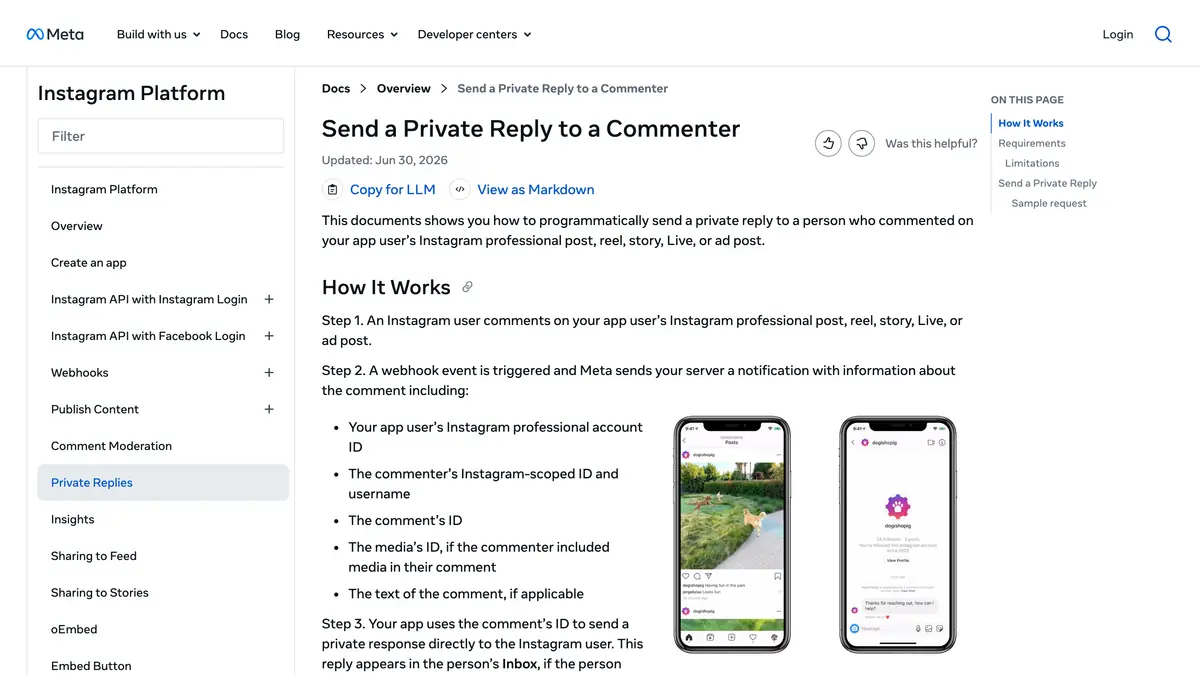
- One private reply per comment, within 7 days. Meta's page on private replies, updated June 30, 2026, says only one message can be sent to the commenter, within 7 days of the comment. For an Instagram Live, the reply can only be sent during the broadcast. A follow-up is possible only if the person responds, within 24 hours of that response.
- The 24-hour window. Meta's messaging documentation, updated September 28, 2026, says a business can message someone only after that person has sent a message, and that the standard window lasts 24 hours for most actions.
- The 7-day human agent window. The same page describes a separate 7-day window for replies written by a human agent. ManyChat's article on messaging windows confirms the split: manual messages from the inbox during those 7 days, no automated messages.
- Saying it is automated. Where the law requires it, Meta asks that an automated chat disclose itself at the start of the conversation, and names California and Germany. It recommends doing so everywhere.
ManyChat's Help Center says the platform blocks messages scheduled for a contact whose 24-hour window has closed. It also explains, in its article on Meta approval, that an approved tool does not make an account immune: Meta's systems can flag too many automated messages sent too quickly, or public comment replies that look copied and pasted, and ManyChat cannot reverse a restriction.
How much does ManyChat cost for Instagram?
The price depends on the number of active contacts, the people you exchange messages with during a billing month. On ManyChat's pricing page on October 11, 2026, with monthly billing: Free at $0 for 25 active contacts and up to 4 live triggers, Essential at $17 a month for 250, Pro at $39 for 2,500, Business at $99 for 7,500 and Advanced at $199 for 25,000.
Our ManyChat pricing guide details overage fees, annual billing and a worked example. If you are comparing tools, see our list of ManyChat alternatives, which includes the creator tool covered in LinkDM: pricing and alternatives.
Doing the same from Kanal on a Shopify store
Kanal is our Shopify app for WhatsApp and SMS marketing, and it automates Instagram through Meta's official messaging API on your professional account. The Instagram DM automation page describes the same mechanics as above:
- Comment to DM. A keyword under a post or Reel sends the DM with a link, a product card or a promo code (our Instagram DM templates for stores give copy to paste).
- Keyword flows and story replies. Replies branch the conversation, and a story reply can start a flow.
- AI answers. Product questions are answered from your Shopify catalog, with a buy link, by the Instagram AI chatbot.
- A bridge to WhatsApp. An engaged follower can join your WhatsApp list with a one-tap opt-in, and both channels share one inbox and one customer profile synced with your Shopify orders.
To set it up, you connect your Instagram professional account, and your Shopify data is already synced if Kanal is installed. Instagram automation is included in Kanal's plans, from $89 a month, with the AI agent on the Scale plan at $149 a month. The Meta rules described above apply in the same way.
A checklist before you go live
- Switch the Instagram account to Business or Creator.
- Connect it with the method that fits your setup, and read the permissions on Meta's screen.
- Start with one trigger on one post, with a keyword that is easy to type.
- Put a button or a question in the first private reply, since the conversation continues only if the person taps or answers.
- Write several public reply variations.
- Decide who answers by hand when the flow has no answer, within the 7-day human agent window.
- Check your active contacts after the first busy week and compare with your plan limit.
Join the Instagram early access program
- Comment to DM, auto-replies and AI answers as they roll out
- Priority onboarding with the Kanal team
- The full WhatsApp suite, included from day one
Early access opens progressively
See Kanal for Instagram@claire.mrn commented on your Reel: "LINK"
Here is the link you asked for. The Riviera set is back in stock.
- brands
- 500+
- to set up
- 5 min
- open rate on WhatsApp
- +90%
Nicolas helps e-commerce brands grow revenue with WhatsApp marketing. With deep expertise in Shopify ecosystems and conversational commerce, he shares proven strategies for abandoned cart recovery, broadcast campaigns, and AI-powered customer engagement.