WhatsApp Green Tick (Now a Blue Badge): How to Get Verified

Summarize this article with an AI
 ChatGPT
 Claude
The WhatsApp green tick is now a blue verified badge. How to get it on the API (Official Business Account) or in the Business app (Meta Verified).
Table of contents (11)
Key takeaways
- The WhatsApp green tick is now a blue verified badge, and it still means that Meta has verified who owns the account.
- On the API, you request an official business account in WhatsApp Manager after 30 days on the platform, with an approved display name and two-step verification.
- In the WhatsApp Business app, the badge comes with Meta Verified, a paid monthly subscription that is only offered in some countries.
The WhatsApp green tick is now a blue verified badge: Meta's documentation describes a blue checkmark next to the business name, and no longer mentions a green one. You get it in one of two ways. A number on the WhatsApp Business Platform (the API) requests an official business account in WhatsApp Manager, and a number on the WhatsApp Business app subscribes to Meta Verified, a paid plan, where WhatsApp offers it.
Everything below comes from Meta's and WhatsApp's own pages, read on October 7, 2026. Where Meta gives no figure (review time for the API request, approval odds), this guide gives none either.
Is the WhatsApp green tick now a blue tick?
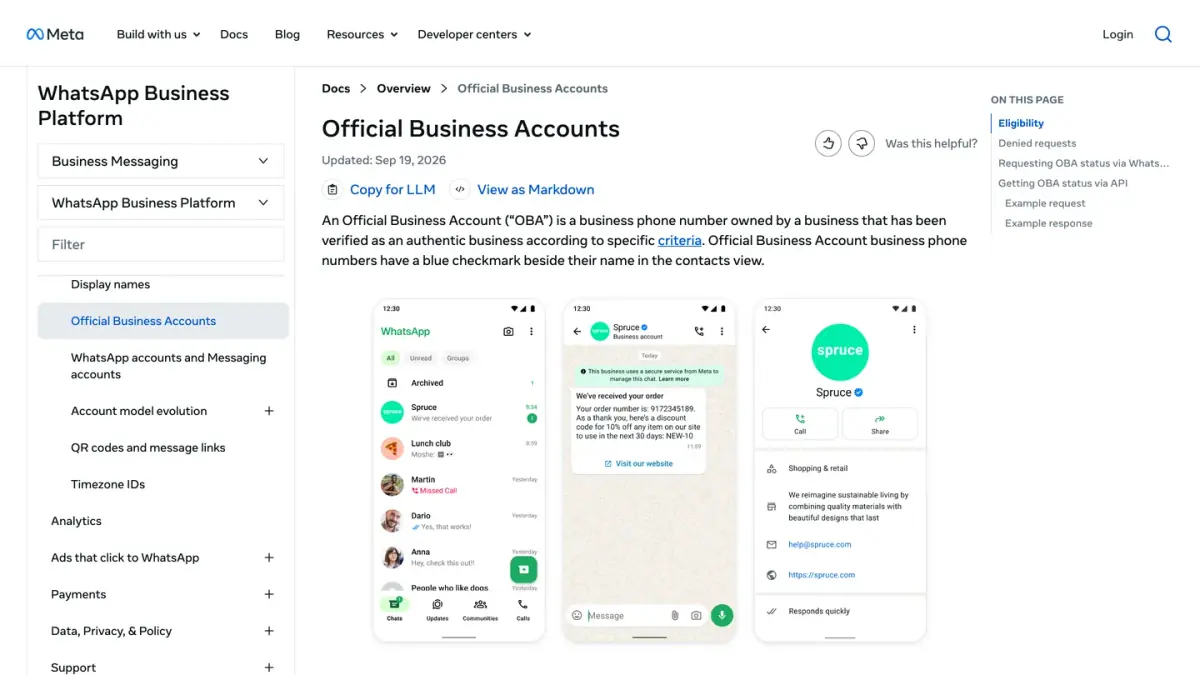
Yes. Meta for Developers states that Official Business Account numbers have a blue checkmark beside their name in the contacts view (Official Business Accounts, as of October 7, 2026). WhatsApp's Help Center calls it a verified badge, "also known as a blue tick or blue checkmark" (How to subscribe to Meta Verified for Business on WhatsApp).
What the badge means has not changed. WhatsApp says it shows that Meta has verified the account, based on its activity across Meta technologies or on information and documents the business provided (About verified business accounts). If your account already has a badge, WhatsApp says you keep your verified status and no action is required (About Meta Verified for Business on WhatsApp).
What is the difference between the badge, Meta Verified, an official business account and business verification?
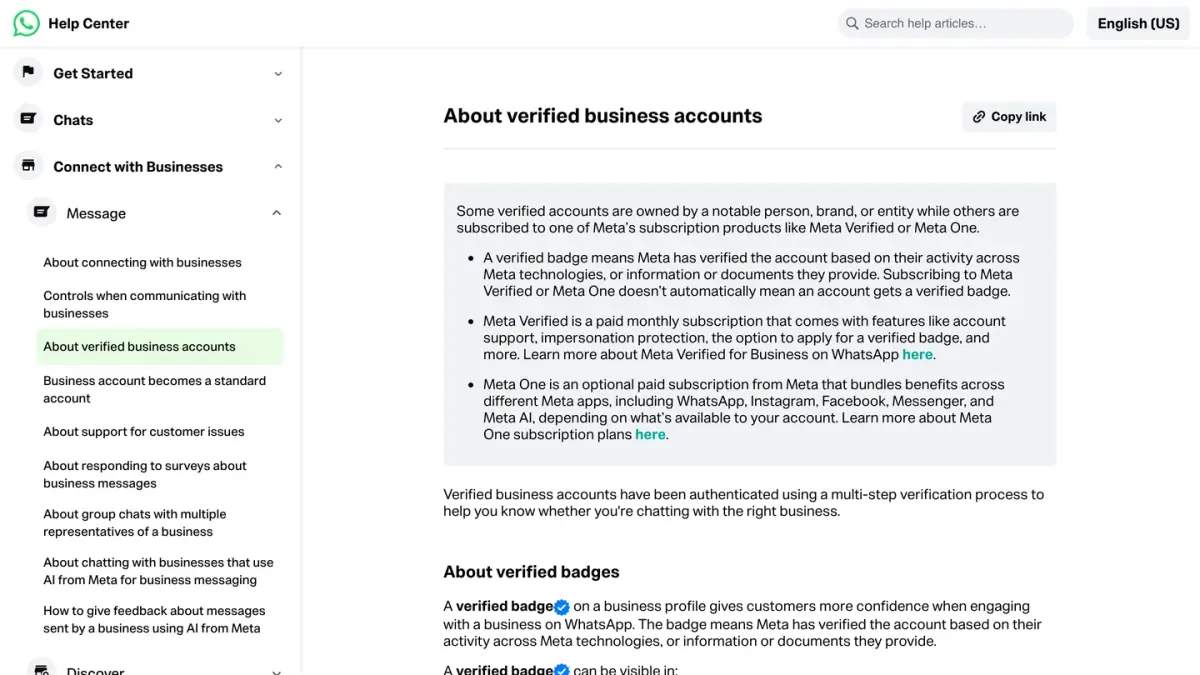
Four things carry the word "verified", and only two of them put a badge next to your name.
| What it is | Where it applies | Does it show a badge? | |
|---|---|---|---|
| Verified badge | The blue checkmark customers see | Both products | It is the badge |
| Official business account | A status Meta grants to a phone number after a request | WhatsApp Business Platform (API) | Yes |
| Meta Verified for Business | A paid monthly subscription | WhatsApp Business app, where offered | Yes, once Meta has verified the business |
| Business verification | A check of your legal entity in the Security Center of Meta Business Suite | Your business portfolio | No |
On the last line, Meta is explicit: verifying your business in Meta Business Suite is different from Meta Verified for businesses and will not give you a verified badge (Meta Business Help Center, as of October 7, 2026). Business verification is a condition for the API request, not the badge itself.
Meta lists two types of account on the Platform: the official business account, and the business account, which is the default for any account using the WhatsApp Business Platform or the WhatsApp Business app (About different types of WhatsApp Business accounts). That page describes no gray tick or intermediate badge.
WhatsApp also lists a second subscription that can carry the badge: Meta One business plans (Essential, Advanced, Expert and Max). WhatsApp says Meta One is in limited testing and not available everywhere yet (About Meta One plans).
Not sure which product your number is on? Our WhatsApp Business app vs API comparison explains the two.
Who is eligible for the verified badge?
On the WhatsApp Business Platform (official business account)
Meta for Developers lists five criteria (Official Business Accounts, as of October 7, 2026):
- the business complies with the WhatsApp Business Messaging Policy;
- the business has been registered on the WhatsApp Business Platform for at least 30 days;
- the business portfolio that owns the number has been verified through Business Verification;
- the business phone number has two-step verification enabled;
- the display name of the phone number has been approved.
The Meta Business Help Center words the third point more broadly: you need either to complete business verification or to show a record of high-quality messaging, with a minimum of 1,000 conversations over 30 consecutive days (Request a WhatsApp official business account).
What about notability? The two pages above do not list it. Another Meta page still does: a business that wants an official business account must be considered "a notable business", which Meta defines as a well-known business with a substantial presence in news articles from publications with sizable audiences (About WhatsApp Business display name). Meta gives no number of articles and no audience threshold.
Meta does not grant the status to business employees, test accounts or WhatsApp Business app phone numbers.
On the WhatsApp Business app (Meta Verified)
WhatsApp lists these requirements (eligibility for Meta Verified for Business on WhatsApp, as of October 7, 2026). The applicant must be at least 18 years old, have a phone number in a country where Meta Verified for businesses is available, and follow the Meta Verified for Business and WhatsApp Business terms. The account must:
- have been present on the WhatsApp Business app for a certain number of days (WhatsApp gives no figure);
- have recently sent a message;
- be located in a country where the subscription is available;
- have a profile name and a profile picture;
- not have an active Meta Verified subscription through Meta Business Suite.
WhatsApp adds that the subscription is currently not available to certain categories, such as government and political organizations.
How do you request the badge on the WhatsApp Business Platform?
Before you start, check the display name: Meta asks that the number already uses the correct display name, and once a number has Official Business Account status you have to contact direct support to change it (Display names). Then follow the steps of the Meta Business Help Center:
- Go to Meta Business Suite and select your business portfolio.
- Click All tools.
- Click WhatsApp Manager.
- In the WhatsApp accounts section, find and click the phone number for which you want to request an official business account.
- In the Profile section, find Official business account and click Submit request. If two-step verification is off, click Turn on two-step verification first: the request cannot be submitted without it.
- Enter the required information.
- Click Submit.
Meta then reviews the request and sends a notification saying whether the status has been granted. It publishes no review time for this request.
If you meet the criteria and see no option to apply, Meta's instruction is to contact your Meta point of contact, your Solution Provider or Meta Support. You can read the status of a request through the API with the official_business_account field of the phone number.
If business verification is the missing piece, it happens elsewhere: in the Security Center of Meta Business Suite, click Start verification, enter your legal business name, address, phone number and website exactly as they appear for your legal entity, then confirm your connection to the business by email, phone, text message, WhatsApp message or domain verification. Meta says a decision may take up to 14 working days (Verifying your business in Meta Business Suite, as of October 7, 2026).
How do you get the badge in the WhatsApp Business app?
First check that the option exists for you: go to Settings or Business Tools in the WhatsApp Business app and tap Meta Verified. If the option does not appear, it is not yet available to you. Then, per WhatsApp's Help Center (Android steps, as of October 7, 2026):
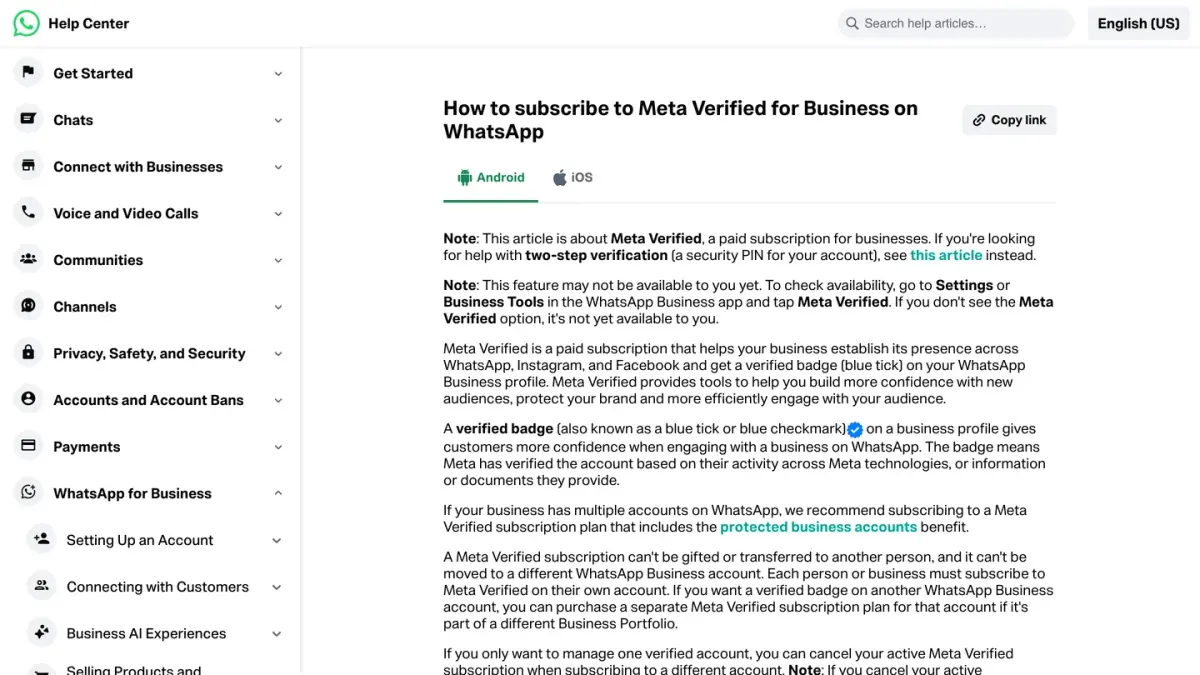
- From the chat list, tap Tools.
- Tap Meta Verified.
- Tap Continue.
- Tap the button for the subscription package recommended for your business.
- Select the account or accounts you want to verify. You can bundle linked Facebook or Instagram accounts.
- Tap Continue.
- If the account meets the eligibility requirements, set up your payment method, tap Pay and complete the payment. WhatsApp notes that this payment is refunded if Meta is unable to verify your business.
- Tap Next, select your business, then tap Next again. If your business is not listed, tap None of these matches my business.
- Select a verification method, then tap Next.
- Provide your verification information, then tap Next or Submit.
- Tap Done.
WhatsApp says the verification may take up to three business days, and longer in some instances when submission volumes are high.
Three points to know before paying:
- The name must match. The business name used for the subscription has to match the name on any business documentation you provide.
- Subscribing is not the same as being verified. After you subscribe, Meta verifies the business automatically, or asks for documents (which does not guarantee verification), or the subscription runs without a verification option. You keep the other benefits of the plan in all three cases.
- The price is shown in the app. WhatsApp describes four packages (Business Standard, Business Plus, Business Premium and Business Max), all with a verified badge, and says plans may be limited to select businesses or locations. Meta's page on Meta Verified for businesses displays prices, without naming the countries they apply to, so rely on the amount the app shows for your account.
What happens if your request is refused, and when can you apply again?
Official business account. A denial means Meta's team reviewed the account and found that it does not meet the eligibility requirements at this time. Meta adds that decisions cannot currently be appealed, and that you must wait 30 days before submitting another request (Meta Business Help Center and Meta for Developers, as of October 7, 2026). Meta publishes no list of refusal reasons beyond the eligibility criteria. In the meantime you can still edit your business profile: picture, email, website and description. Our guide to WhatsApp Business profile optimization covers those fields.
Business verification. Meta lists these reasons for a rejected submission (Meta Business Help Center):
- submitting, or being suspected of submitting, false or misleading information;
- attempting to claim or verify a business portfolio you do not own or are not authorized to represent;
- trying to circumvent Meta's verification review system;
- having a website that fails to load, is not HTTPS compliant, or contains a link that leads to an error message.
Here Meta says you may be eligible to appeal, from the Security Center.
Meta Verified in the app. WhatsApp gives three reasons a verification fails (Can't complete verification):
- you did not complete the verification process (the subscription is canceled and you are eligible for a refund);
- WhatsApp could not confirm your connection to the business (choose a different business record or verification method);
- you changed your WhatsApp Business profile after subscribing.
If your business is newly registered and does not appear on the Select your business screen, WhatsApp recommends trying again after 4 weeks. If your business name differs from your profile name, tap Update profile name: WhatsApp says the review typically takes about 48 hours.
What does the badge change for a store, and what does it not change?
What Meta says changes with an official business account (Meta Business Help Center, as of October 7, 2026):
- Your name instead of your number. The display name replaces the phone number in the chat list, chat screens, chat groups and contacts view, even if the customer has not saved you as a contact. For a standard business account, the display name appears only in the contacts view, in smaller text.
- The badge itself, in the profile and in chat thread headers.
- Search inside WhatsApp. Meta notes that a number without the status does not appear in search results when users look for it inside WhatsApp, unless the user has added it to their contacts.
For a Meta Verified subscriber on the app, WhatsApp says the badge can be visible in the Calls tab, business profiles, context cards, chats and incoming calls.
What the badge does not change:
- Messaging limits. Meta's messaging limits page does not mention the badge. A new business portfolio starts at 250 and moves to 2,000 by completing a scaling path: verifying the business, having your partner verify it, or sending 2,000 delivered messages outside customer service windows to unique users within a 30-day period, using templates with a high quality rating. After that, Meta raises the limit automatically (10,000, 100,000, then unlimited) based on message quality and usage. See how the quality rating works.
- The rules. The Messaging Policy applies with or without a badge. Complying with it is the first eligibility criterion.
- Permanence. WhatsApp writes that a verified badge is not permanent. On the app, Meta may ask for additional verification, and editing your business profile after you get the badge costs you the verified status. Switching the account to WhatsApp Messenger removes it, and changing your phone number cancels the subscription.
Meta publishes no figure on how the badge affects opt-in, reply or conversion rates, so we quote none.
What should a Shopify store do first?
If your number runs through an API provider, you are on the WhatsApp Business Platform: the route is the official business account, and the request is made in your own WhatsApp Manager. Start with the conditions you control: an approved display name, two-step verification, and business verification in the Security Center. Our WhatsApp Business API guide covers the setup, and the official business account glossary entry sums up the status.
If you run on the WhatsApp Business app, check whether Meta Verified appears under Tools.
Either way, the badge is not a prerequisite for messaging customers. Kanal is a WhatsApp marketing and sales app for Shopify stores: campaigns, abandoned cart recovery, order notifications and a team inbox. The badge request itself stays between you and Meta, in your own WhatsApp Manager. Plans are on the pricing page.
Sources
All read on October 7, 2026.
- Meta for Developers: Official Business Accounts, Display names, Messaging limits
- Meta Business Help Center: Request a WhatsApp official business account, About different types of WhatsApp Business accounts, About WhatsApp Business display name, Verifying your business in Meta Business Suite, Why was my business verification submission rejected?
- WhatsApp Help Center: About verified business accounts, About Meta Verified for Business on WhatsApp, How to subscribe, Eligibility requirements, Can't complete verification, About Meta One plans
Frequently asked questions
How do I get the green tick on WhatsApp?
The green tick is now a blue verified badge, and the route depends on your product. A number on the WhatsApp Business Platform (the API) requests an official business account in WhatsApp Manager: open the phone number, go to Profile, find Official business account and click Submit request. A number on the WhatsApp Business app subscribes to Meta Verified, a paid plan, from Tools in the app, where WhatsApp offers it.
Is the WhatsApp green tick now blue?
Yes. Meta's developer documentation says Official Business Account numbers have a blue checkmark beside their name, and WhatsApp's Help Center says the verified badge is also known as a blue tick. No current Meta or WhatsApp page we read on October 7, 2026 mentions a green tick. The meaning is the same: Meta has verified who owns the account.
Does business verification in Meta Business Suite give me the badge?
No. Meta states that verifying your business in Meta Business Suite is different from Meta Verified for businesses and will not give you a verified badge. Business verification is one of the conditions for requesting an official business account on the WhatsApp Business Platform, and one of the paths to a higher messaging limit, but the badge itself comes from a separate request or subscription.
Does the WhatsApp verified badge cost money?
On the WhatsApp Business Platform, Meta's page for requesting an official business account lists conditions and mentions no payment. In the WhatsApp Business app, the badge comes with Meta Verified, which WhatsApp describes as a paid monthly subscription. The price for your account is shown in the app before you pay, and WhatsApp says the first payment is refunded if Meta is unable to verify your business.
What happens if Meta refuses my request?
For an official business account, Meta notifies you, says decisions cannot currently be appealed, and lets you submit a new request after 30 days. Your business profile stays editable in the meantime. For Meta Verified in the WhatsApp Business app, WhatsApp lists three reasons a verification fails, including an unfinished process and profile changes made after subscribing, and you can subscribe again.
Does the verified badge raise my WhatsApp messaging limits?
Meta's messaging limits page does not mention the badge. It says a new business portfolio starts at 250 and reaches 2,000 through a scaling path such as business verification, then moves up automatically when message quality is high and at least half of the current limit was used in the last 7 days. The badge and the limits are separate topics.
See Kanal on your own store
- Your campaigns and cart reminders on WhatsApp, starting from your own store
- Post-purchase offers, back-in-stock alerts, then the AI agent that advises your customers
- You leave with the plan that fits and its price

- brands
- 500+
- to set up
- 5 min
- open rate on WhatsApp
- +90%
5/5 on the Shopify App Store (125 reviews)

Nicolas helps e-commerce brands grow revenue with WhatsApp marketing. With deep expertise in Shopify ecosystems and conversational commerce, he shares proven strategies for abandoned cart recovery, broadcast campaigns, and AI-powered customer engagement.
Glossary terms in this article
Quick definitions for the WhatsApp Business terms used above.
Official Business Account (blue tick)
An Official Business Account (OBA) is a WhatsApp Business Platform phone number that Meta has verified as belonging to an authentic business. It shows a blue checkmark next to the business name; the green tick it replaced no longer exists.
Read full definitionWhatsApp Business Platform
The WhatsApp Business Platform is the set of APIs Meta offers businesses to message customers on WhatsApp at scale: the Cloud API, the Business Management API and the Marketing Messages API. It is separate from the WhatsApp Business app, which runs on a phone.
Read full definitionWhatsApp Business App
The WhatsApp Business App is a free mobile application designed for small businesses to chat with customers, with a catalog, quick replies, and automated greeting messages.
Read full definitionMeta Verified
Meta Verified for Business is a paid monthly subscription that gives a business on WhatsApp a verified badge (a blue checkmark), impersonation protection and account support. It is subscribed to from the WhatsApp Business app.
Read full definitionMessaging Limits
Messaging limits are the maximum number of unique WhatsApp users a business can message outside a customer service window within a moving 24-hour period. A new business portfolio starts at 250, then moves to 2,000, 10,000, 100,000 and unlimited.
Read full definitionQuality Rating
The quality rating is the score WhatsApp gives a business phone number, and each of its message templates, based on how recipients react: blocks, reports and read rates. It is shown as high, medium or low (green, yellow, red).
Read full definitionOpt-in
A WhatsApp opt-in is the permission a person gives a business to send them messages on WhatsApp. WhatsApp's Business Messaging Policy requires it before any message: the business must have the person's phone number and their agreement to hear from that business.
Read full definitionSuggested articles
WhatsApp Usernames: How to Reserve Yours (2026 Guide)
WhatsApp usernames are rolling out in 2026: how to reserve your @username, the format rules, what changes for privacy, and what businesses must do about it.
RCS business messaging: how it works and how to get access
RCS business messaging explained: what it is, how a brand gets access through Google's RCS for Business, what a message can show, and where WhatsApp fits.
WhatsApp Account Review: How Long It Takes & What to Do
WhatsApp account in review? WhatsApp says most reviews are completed within 24 hours. What the status means, how to request a review, what to do while you wait.
WhatsApp Business Search: How to Get Your Store Found (2026)
Users can now find businesses directly in WhatsApp search. The readiness checklist for your Shopify store: profile, catalog, verification and fast replies.