WhatsApp disappearing messages: turn them on or off
WhatsApp disappearing messages erase new messages after 24 hours, 7 days or 90 days. How to turn them on or off, set a default timer, and what stays.
 Nicolas ProvostOct 7, 2026 · 9 min read
Summarize this article with an AI
 ChatGPT
 Claude
Table of contents (10)
Key takeaways
- Disappearing messages erase every new message in a chat 24 hours, 7 days or 90 days after it is sent, for the sender and the recipients.
- To turn them on or off, open the chat, tap the contact's name, tap Disappearing messages, then pick a duration or Off.
- A message can outlive its timer when it is forwarded to a chat without the timer, quoted in a reply or kept by someone in the chat.
WhatsApp disappearing messages erase every new message in a chat 24 hours, 7 days or 90 days after it is sent, for you and for the other person. To turn them on, open the chat, tap the contact's name, tap Disappearing messages and pick a duration; to turn them off, follow the same path and choose Off.
This guide follows WhatsApp's Help Center, read on October 7, 2026: the steps on Android, iPhone and WhatsApp Web, the default timer for new chats, the rules in groups, and the cases where a message outlives its timer. It also explains how disappearing messages differ from view once photos, which people often confuse with them.
What are disappearing messages on WhatsApp?
Disappearing messages are an optional privacy setting that you switch on chat by chat. Once the timer is on, here is what WhatsApp's page About disappearing messages describes, as of October 7, 2026:
- Three durations. New messages disappear 24 hours, 7 days or 90 days after they are sent, depending on what you selected.
- New messages only. The timer does not touch messages that were sent or received before you turned it on or changed it.
- Both sides. Messages disappear for the sender and for the recipients, including the messages you send to yourself.
- Media included. Photos and videos sent in the chat disappear too, and they are not saved to your phone's photos, whereas WhatsApp normally saves downloaded media there by default.
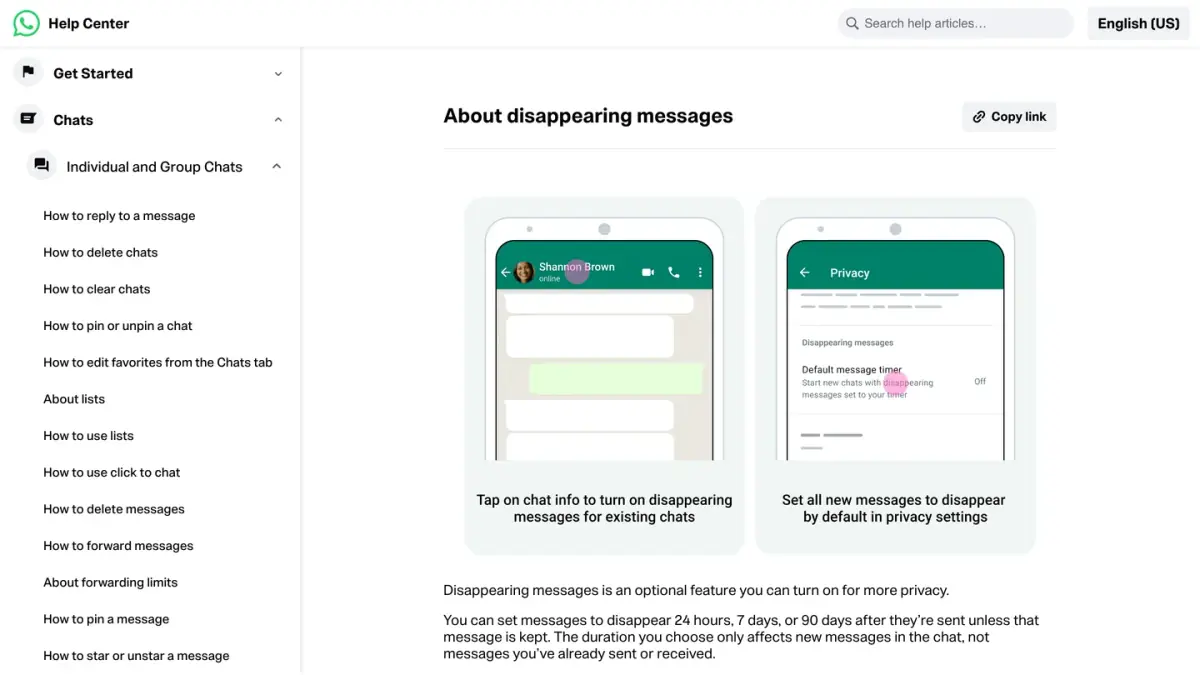
In a one-to-one chat, either person can switch the timer on or off.
How do you turn on disappearing messages in a chat?
The steps are almost the same on every device. They come from WhatsApp's page How to turn disappearing messages on or off, read on October 7, 2026.
- Open the chat.
- Tap the contact's name at the top of the screen. On Android, you can also tap the three dots (More options). On WhatsApp Web, click the contact's name.
- Tap Disappearing messages. If WhatsApp asks, tap Continue.
- Select 24 hours, 7 days or 90 days.
- Tap the back arrow to apply the change.
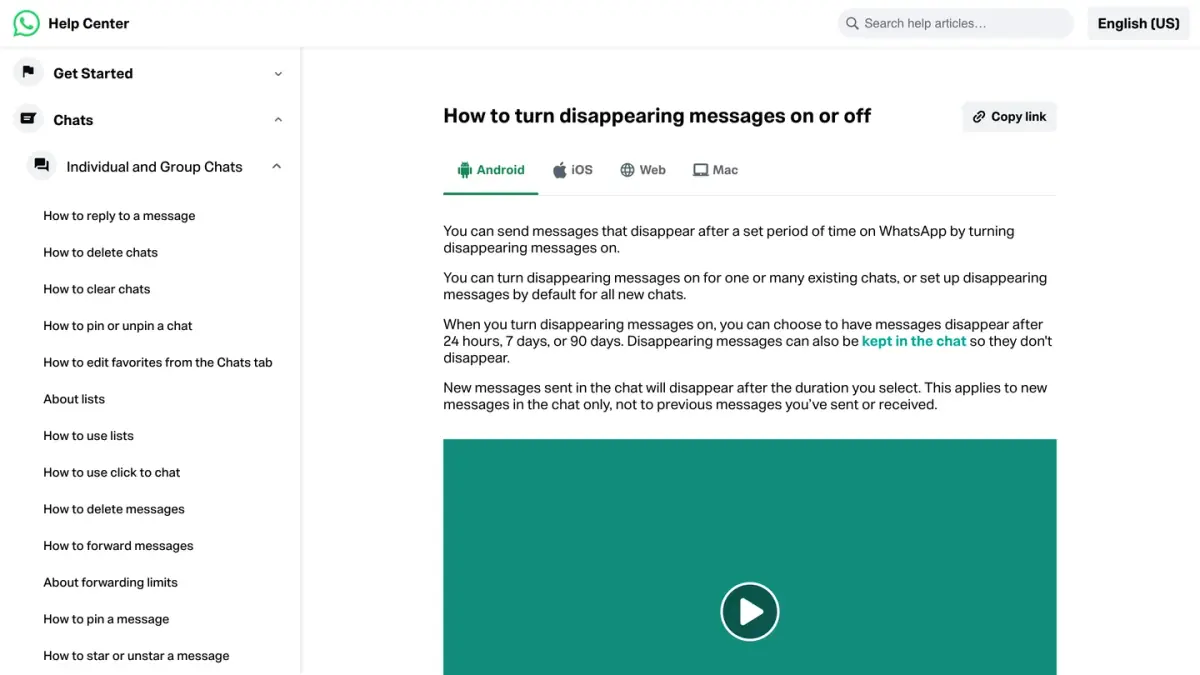
From that point, every new message in the chat disappears once the duration you selected has passed.
How do you turn off disappearing messages?
Follow the same path: open the chat, tap the contact's name, tap Disappearing messages, then choose Off. According to the same Help Center page, anyone in the chat can do this at any time.
Two things to know before you switch the timer off:
- A change of setting applies to new messages. WhatsApp's page says the duration you choose does not affect messages you have already sent or received.
- Once you disable disappearing messages, WhatsApp says you can no longer keep them (more on kept messages below).
How do you set a default timer for new chats?
You can make disappearing messages the default for every new one-to-one chat. WhatsApp calls this setting Default message timer.
| Device | Where to find it |
|---|---|
| Android | Three dots (More options), then Settings, then Privacy, then Default message timer |
| iPhone | Settings (or your profile picture), then Privacy, then Default message timer |
| WhatsApp Web | Settings (the gear icon), then Privacy, then Default message timer |
Select 24 hours, 7 days, 90 days or Off. WhatsApp then lets you apply the timer to chats you already have: select the chats you want, then confirm (with the check mark on Android and WhatsApp Web, with Apply on iPhone). If you want the timer for future chats and nothing else, go back without selecting any.
Source: How to turn disappearing messages on or off, WhatsApp Help Center, read on October 7, 2026.
How do disappearing messages work in a group?
By default, any member of a group can turn disappearing messages on or off. A group admin can change the group's settings so that admins alone can do it, as WhatsApp explains on its page about disappearing messages in groups.
- Go to the Chats tab and open the group.
- Tap the group name to open Group info.
- Tap Disappearing messages. If WhatsApp asks, tap Continue.
- Select 24 hours, 7 days or 90 days, or Off to stop.
You can also switch the timer on at the moment you create a group. If you are setting one up, our guide on how to create a WhatsApp group covers the rest of the settings.
When does a message not disappear?
The timer has limits, and WhatsApp lists them itself. Here are the cases documented on its page About disappearing messages, as of October 7, 2026.
| Situation | What happens |
|---|---|
| The recipient does not open WhatsApp before the timer ends | The message disappears from the chat, but its preview might still be displayed in notifications until WhatsApp is opened |
| The message is forwarded to a chat where disappearing messages are off | It does not disappear in that chat |
| Someone replies to the message | The quoted text might stay visible in the reply after the timer has passed |
| A backup is created before the message disappears | The message is included in the backup, and it is deleted when someone restores from that backup |
| Someone keeps the message | It stays visible to everyone in the chat |
| The message relates to a payment or an order | In certain countries, disappearing messages are not available for these messages |
WhatsApp's page says nothing about blocking screenshots of disappearing messages. Screenshot blocking is documented for view once media, covered below. In practice, a disappearing message is a message that tidies itself up, not a guarantee that nobody kept a copy.
The backup rule also answers a common question: restoring a backup does not bring a disappeared message back, since WhatsApp deletes disappearing messages during the restore. For ordinary messages, our guide to recovering deleted WhatsApp messages walks through the backup routes.
What are kept messages?
Keeping a message stops it from disappearing. WhatsApp's page About kept messages, read on October 7, 2026, sets the rules:
- Anyone in the chat can keep a message, as long as its timer has not run out. In a group, admins can limit this to admins.
- To keep a message, press and hold it (or click it on a computer), then choose Keep.
- A kept message stays visible to everyone in the conversation and no longer disappears.
- The sender is notified and has the last word: if the sender decides to unkeep the message, nobody else in the chat can keep it again.
- You find kept messages in the chat info, under Kept messages.
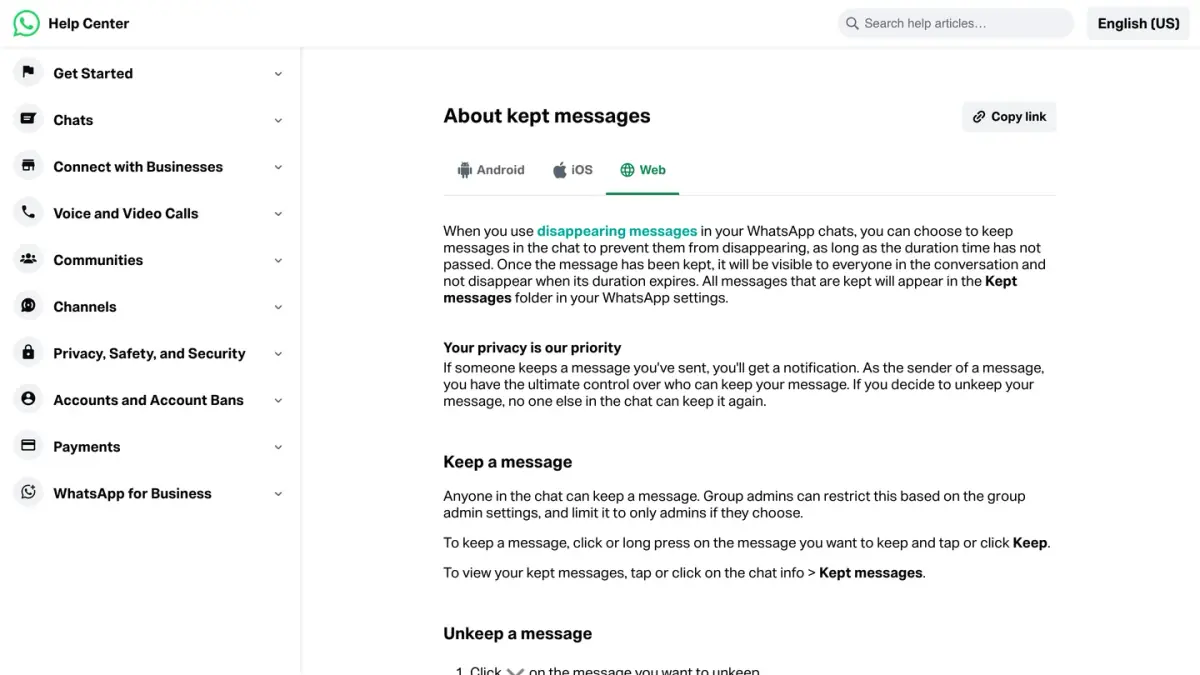
To undo it on iPhone, press and hold the message, tap Unkeep, then OK. On WhatsApp Web, open the menu on the message, then click Unkeep and OK. On Android, WhatsApp's page says to press and hold the message and confirm with OK. WhatsApp also sets a time limit for un-keeping a message, described on the same page.
Disappearing messages or view once: what is the difference?
Both features make content vanish, but they do not work the same way. View once applies to a single photo, video or voice message, and you have to select it each time you send one.
| Disappearing messages | View once | |
|---|---|---|
| Applies to | Every new message in the chat, media included | One photo, video or voice message at a time |
| Disappears | 24 hours, 7 days or 90 days after sending | After the recipient has opened it once |
| Turned on | Once per chat, or by default for new chats | Each time you send |
| If it is never opened | Disappears when the timer ends | Expires 14 days after it was sent |
| Screenshots | Not mentioned on WhatsApp's page | The recipient cannot take a screenshot |
Sources: About disappearing messages and About view once, WhatsApp Help Center, read on October 7, 2026.
Even with view once, WhatsApp warns that a recipient can photograph the screen with another device before the media disappears. And to see whether a view once message was opened, the recipient needs read receipts turned on: our guide to WhatsApp ticks and read receipts explains that setting.
Which other tools control what stays in a chat?
Disappearing messages are one option among several:
- To remove a single message for everybody right away, use delete for everyone.
- To correct a typo instead of deleting, edit the message while WhatsApp still allows it.
- To hide a whole conversation behind your fingerprint, Face ID or a secret code, use chat lock.
If you run a store
This guide is about your own chats. If you also run a Shopify store and want to reach customers on WhatsApp, Kanal is a WhatsApp marketing and sales app for Shopify stores: campaigns, abandoned cart recovery and order notifications.
If you run a business account, messages sent to customers at scale go through the WhatsApp Business API, which a company reaches through a provider or an app built on it. See WhatsApp Business API providers side by side and WhatsApp apps for Shopify stores.
Nicolas helps e-commerce brands grow revenue with WhatsApp marketing. With deep expertise in Shopify ecosystems and conversational commerce, he shares proven strategies for abandoned cart recovery, broadcast campaigns, and AI-powered customer engagement.