WhatsApp Ticks Meaning: One Grey, Two Grey, Blue (2026)

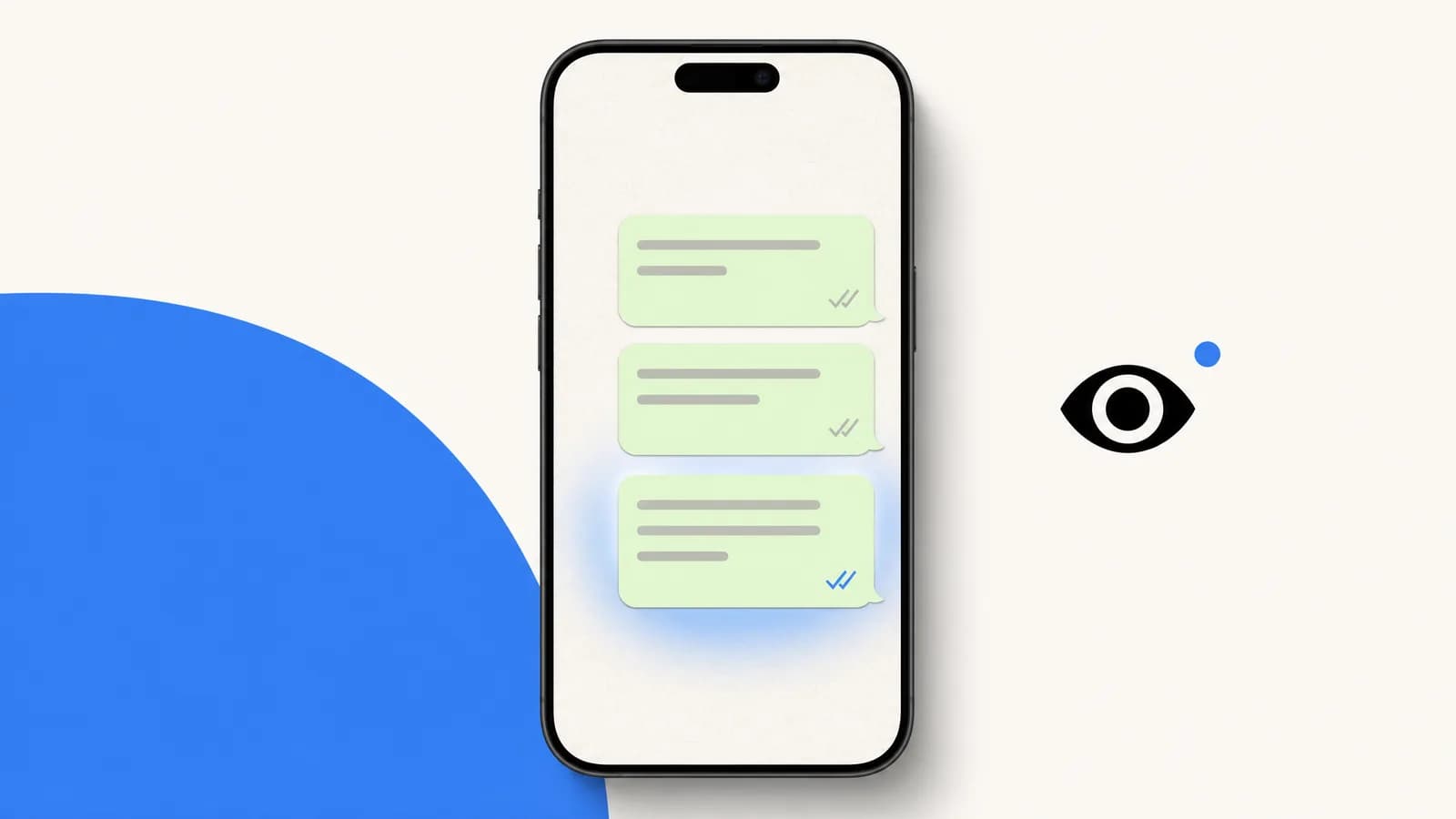
Summarize this article with an AI
 ChatGPT
 Claude
What WhatsApp ticks mean: one grey tick is sent, two grey ticks delivered, two blue ticks read. Plus how to tell if a message was read without blue ticks.
Table of contents (18)
Key takeaways
- One grey tick means sent, two grey ticks mean delivered, and two blue ticks mean the recipient opened the chat with your message.
- Turning off read receipts in Settings > Privacy works both ways, so you also stop seeing other people's blue ticks.
- Read receipts cannot be turned off in group chats, nor can play receipts for voice messages, where the microphone turns blue once played.
In WhatsApp, read receipts are the tick marks that show a message's status: a single grey tick means sent, two grey ticks mean delivered, and two blue ticks mean the recipient has read it. WhatsApp itself calls them check marks in its Help Center. That small detail carries a lot of weight. WhatsApp read receipts are one of the most quietly powerful (and emotionally charged) features in modern messaging. Understanding what they mean, how to disable them, how to read without triggering them, and how to use them at scale for Shopify support is a 2026 must-know.
This guide covers all of that, plus how to tell whether a message was read when the blue ticks never show, the workarounds, the trade-offs, and the angle most consumers miss: read receipts are also a business goldmine.
What do the ticks mean on WhatsApp?
| What you see next to your message | What it means |
|---|---|
| Clock | Not sent or delivered yet, usually a connection problem |
| One grey tick | Sent |
| Two grey ticks | Delivered to the recipient's phone or to one of their linked devices |
| Two blue ticks | Read |
The classic confusion: people see one tick and assume the recipient ignored them. They see two grey ticks and think they were read. They see blue ticks and panic. Let us clear it up.
There are four possible visual states next to each WhatsApp message you send:
- Clock icon: the message has not left your phone yet. You are offline, or WhatsApp servers are slow. Disappears within seconds in normal conditions.
- One grey tick: the message left your phone and was received by WhatsApp servers. The recipient has not yet received it on their device.
- Two grey ticks: the message was delivered to the recipient device. They have not opened the chat.
- Two blue ticks: the recipient has opened the chat where your message appears. The chat was rendered on their screen.
The blue tick does not guarantee a human read the words. It only guarantees the chat was opened. Someone could open the chat, glance at the screen, and put the phone back in their pocket. Read receipt fires anyway.
What does one grey tick mean on WhatsApp?
One grey tick means the message left your phone and was sent, but has not been delivered yet. The usual reasons are ordinary: the recipient's phone is off, in airplane mode or without a connection. WhatsApp's Help Center also lists a single grey tick among the signs that someone may have blocked you, and adds that the same signs can have other causes and that WhatsApp will not tell you whether you were blocked (Being blocked by someone). One tick on its own proves nothing.
What do two grey ticks mean on WhatsApp?
Two grey ticks mean the message was delivered to the recipient's phone or to one of their linked devices, such as WhatsApp Web. They do not tell you whether it was read. The ticks stay grey when the person has not opened the chat, and also when you or they have turned off read receipts. In a group chat, the second tick only appears once every member has received the message.
What do two blue ticks mean on WhatsApp?
Two blue ticks mean the recipient has read your message: in practice, they opened the chat with your message on screen. In a group, the ticks turn blue only when every member has read it. If you edit a message, WhatsApp resets its read receipts so you can see who viewed the new version.
These definitions come from WhatsApp's Help Center page How to check read receipts, read on October 7, 2026. The same page says the color of the ticks cannot be changed.
If you run WhatsApp marketing on Shopify, keep one thing in mind: your "read rate" in a WhatsApp analytics dashboard such as Kanal maps to the blue tick event, not to actual eye-time on the message.

The 4 States of a WhatsApp Message
Different message types have slightly different tick semantics. Here is the full matrix:
| Message type | Sent | Delivered | Read / Played |
|---|---|---|---|
| Text | 1 grey tick | 2 grey ticks | 2 blue ticks |
| Photo / video | 1 grey tick | 2 grey ticks | 2 blue ticks |
| Voice message | 1 grey tick (mic grey) | 2 grey ticks | Microphone icon turns blue |
| Document | 1 grey tick | 2 grey ticks | 2 blue ticks |
| Location | 1 grey tick | 2 grey ticks | 2 blue ticks |
| Video / voice call | "Calling" | "Ringing" | "Started" / "Missed" |
Voice messages are the tricky case. The microphone icon flipping blue means the recipient pressed play, not just opened the chat. This is the one place where the "blue" indicator is closer to a genuine consumption signal.
How to Disable Read Receipts on iPhone
On iPhone:
- Open WhatsApp.
- Tap Settings (bottom right).
- Tap Privacy.
- Tap Read receipts.
- Toggle off.
The toggle takes effect immediately. From this moment, when you open a chat and read a one-to-one message, the sender will see only two grey ticks instead of blue.
Important: the change is bidirectional. You will also stop seeing blue ticks from other people, even those who have receipts enabled.
How to Disable Read Receipts on Android
On Android, the path is almost identical:
- Open WhatsApp.
- Tap the three-dot menu (top right).
- Tap Settings.
- Tap Privacy.
- Turn off Read receipts.
Same bidirectional rule applies. Group chats are unaffected. Older guides send you through an Account menu first: the current path in WhatsApp's Help Center goes straight from Settings to Privacy (read on October 7, 2026).
How to Disable Read Receipts on the WhatsApp Business App
The WhatsApp Business app has the same setting, in a slightly different menu:
- Open WhatsApp Business.
- Tap the three-dot menu (Android) or Settings (iPhone).
- Tap Settings > Privacy.
- Tap Read receipts.
- Toggle off.
If you run a customer-facing business on the WhatsApp Business app, think twice before disabling read receipts. Customers reading "delivered but never read" for hours interpret it as being ignored, which hurts customer experience. We unpack this dynamic in WhatsApp customer support for Shopify.
If you are at scale, you should not be on the WhatsApp Business app anymore. The WhatsApp Business app vs API comparison explains when to migrate. With the WhatsApp Business API (used by Kanal), read receipts are always available as webhook events for analytics.
The Trade-off: You Lose Receipts From Other People Too
The bidirectional rule trips up many users. If you turn off read receipts on your side, you will:
- Stop sending blue ticks when you read a one-to-one message.
- Stop seeing blue ticks from contacts who have receipts on.
- Possibly lose sight of who views your status, while others may no longer see when you view theirs (WhatsApp mentions this side effect on the same Help Center page).
This is WhatsApp's privacy-by-symmetry design. It prevents asymmetric snooping, where one party reads other people's messages without exposing their own status. The cost is that turning off receipts makes you slightly blind to who actually read your outbound messages.
For business accounts, this trade-off is rarely worth it. For personal accounts, it depends on your tolerance for ambiguity, and on whether the reason is one specific contact rather than a broad privacy stance.
How to know if a WhatsApp message was read without blue ticks
Sometimes the ticks stay grey for days although you are fairly sure the message was seen. That happens when the recipient, or you, turned off read receipts: WhatsApp then stops showing blue ticks in that one-to-one chat, in both directions. No setting brings them back, but WhatsApp's own rules leave a few honest signals.
- Open Message info. Tap and hold your message, then tap Info (on Android it can sit under More options). The screen separates Delivered from Read. If it only ever shows Delivered, the message reached the phone, and either read receipts are off or the chat has not been opened.
- Send a voice message. WhatsApp's Help Center says that turning off read receipts does not disable play receipts for voice messages, and that there is no way to turn those off. When the recipient plays your voice message, the microphone turns blue and Message info shows Played.
- Use a group you share. Read receipts cannot be turned off in group chats either. In a group you are both in, Message info lists who has read your message.
- Wait for a reply. Only a reply proves that the words were read. "Online" or "last seen" only shows that WhatsApp was open, not which chat.
One thing does not work: a view once photo. WhatsApp says the recipient needs read receipts turned on for you to see that they opened it (About view once). Our guide to WhatsApp disappearing messages explains how view once differs from a disappearing chat.
Grey ticks are not always about privacy settings. The same Help Center page lists the other reasons a message does not turn blue: the recipient has not opened your chat, one of you has a connection problem, the date and time are wrong on one of the phones, or the recipient may have blocked you.
Workaround 1: Read a Message Without Triggering Blue Ticks (5 Tricks)
If you keep read receipts on (because you want to see other people's blue ticks) but occasionally want to read a specific message without exposing it, you have five reliable workarounds.
Trick 1, Notification preview. On both iOS and Android, set WhatsApp notifications to "Show preview". When the notification arrives, you can read most of the message content on the lock screen or in the notification center without opening the chat. No read receipt.
Trick 2, Long-press notification. On both iOS and Android, long-press the WhatsApp notification (or pull it down). On iOS this expands a small preview; on Android it shows extended content. Read it there. As long as you do not tap "Open in WhatsApp", no blue tick fires.
Trick 3, Notification widget. On Android specifically, the WhatsApp notification widget (and any "Recent notifications" widget) preserves message previews even after you dismiss the notification. Useful for reading later without re-opening the app.
Trick 4, Reply via notification. Apple's quick reply on iOS and Android's reply-from-notification both let you read AND respond without triggering blue ticks. You read in the notification, type your reply in the notification action, send. The recipient gets your reply with grey ticks on their side still showing your inbound message as unread.
Trick 5, Mac/Web preview. WhatsApp Web and WhatsApp Desktop show a brief preview of incoming messages in the chat list (left sidebar) without you having to click into the chat. Useful for triage.
Workaround 2: Reply via Notification (No Read Receipt)
This deserves its own callout because it is the cleanest workaround. On modern iOS and Android:
- iOS: swipe down on the notification, or long-press to expand, then tap "Reply".
- Android: tap the "Reply" action directly on the notification.
You can read the inbound message AND send a response without opening the WhatsApp app. The recipient sees your reply, but the original message they sent you stays "delivered" (grey ticks) on their side.
This is the favorite trick of anyone managing a high-volume personal inbox while wanting to preserve plausible deniability.
Workaround 3: Airplane Mode Trick
The classic. Steps:
- Enable airplane mode (Wi-Fi and cellular off).
- Open WhatsApp.
- Read the message in full inside the chat.
- Close WhatsApp completely (swipe up to kill it).
- Disable airplane mode.
Because WhatsApp could not communicate with servers while you were reading, the read receipt event is not transmitted. As long as you fully close the app before going back online, the blue tick stays grey.
Caveat: this is fragile. In recent WhatsApp versions, the app sometimes caches read events and fires them as soon as connectivity restores. Test with a friend first if you depend on this trick.
Group Chats and Read Receipts (the Always-On Rule)
Here is the rule most users do not realize: read receipts are always on for group chats, regardless of your privacy settings.
When you long-press a message you sent in a group and tap Info:
- "Read by" shows everyone who opened the chat after the message arrived.
- "Delivered to" shows everyone who received the message but has not yet opened the chat.
This is a deliberate WhatsApp design choice. Group accountability is the use case. Your global "Read receipts: off" setting does not override group chat behavior.
The ticks themselves also work differently in a group: the second grey tick appears once everyone has received your message, and the two ticks turn blue only when everyone has read it. One slow reader keeps the ticks grey for the whole group.
If you want plausible deniability in a group chat, your only option is the airplane mode trick or the notification-preview workaround. There is no setting toggle.

Business Angle: Tracking Read Rates at Scale for Shopify Support
For DTC operators running WhatsApp customer support on Shopify, read receipts are not a privacy debate. They are a critical analytics signal.
Through the WhatsApp Business API, Meta exposes read events as webhooks (messages.statuses[].status == "read"). A platform like Kanal shows the delivered, read and reply rates of each campaign you send. When you look at read rates, three questions are worth asking:
- Per campaign. How many of the delivered messages were read?
- Per template. Which template messages (e.g. shipping update, abandoned cart) get read most?
- Per conversation type. Do customers come back to the chat to read your support replies?
There is no independent public benchmark for WhatsApp read rates, and vendor figures are not audited. The reliable numbers are the ones in your own account. Track, for each conversation type, the share of messages read within 1 hour and within 24 hours of sending:
| Conversation type | What its read rate tells you |
|---|---|
| Inbound support reply | Whether customers come back to the chat to see your answer |
| Abandoned cart reminder | Whether the reminder is seen while the cart is still fresh |
| Order confirmation utility | Whether transactional updates reach the customer |
| Marketing newsletter | Whether your subscribers still open what you send |
| Re-engagement campaign | Whether a dormant segment still pays attention |
Read rates vary by category, country, and the time-of-day of the send, so compare each conversation type against its own history rather than against another store. See our WhatsApp ROI and KPIs guide for the full framework.
Comparing these read rates with email open rates or SMS click rates is misleading, because each channel measures a different event. Compare channels on outcomes instead: replies, resolved tickets and orders.
Bonus: What About "Last Seen" and "Online"?
While we are on privacy settings, a few related controls in Settings > Privacy complete the picture:
- Last seen and online: who can see when you last opened WhatsApp.
- Profile photo: who can see your photo.
- Status: who sees your status updates.
- Groups: who can add you to groups.
These are separate from read receipts. You can hide last seen but keep blue ticks on, or vice versa. Privacy in WhatsApp is granular, which is a feature, not a bug.
For business accounts, you generally want the inverse: read receipts visible, last seen visible (so customers know if you are reachable). The WhatsApp Business app inherits the same settings as the consumer app.
Conclusion: Blue Ticks Are a Feature, Not a Bug
WhatsApp read receipts are one of the most useful (and emotionally charged) features of the platform. Understanding them is essential whether you are a personal user managing relationships, a small business owner answering customers from the WhatsApp Business app, or a DTC operator at scale running conversational commerce flows.
The five practical takeaways:
- Two blue ticks = chat was opened, message rendered. Not a guarantee the words were read.
- Disabling read receipts is bidirectional. You lose visibility too.
- Group chats are always-on. No way to disable.
- Voice messages have their own blue indicator (the microphone) that maps to "played", not just "opened".
- For Shopify operators, read rates are a critical KPI. Use a WhatsApp Business API platform like Kanal to track them at scale.
Want to see the read rates of your own WhatsApp campaigns? Book a Kanal demo or install the Shopify app: each campaign report shows delivered, read and reply rates.
Resources
- WhatsApp Business API guide
- Best WhatsApp apps for Shopify
- WhatsApp marketing for e-commerce
- WhatsApp Business app vs API comparison
- WhatsApp customer support for Shopify
- Conversational commerce guide
- WhatsApp ROI and KPIs
- WhatsApp broadcast guide
- How to start WhatsApp Business in 2026
- WhatsApp marketing statistics 2026
- WhatsApp click-to-chat link
- WhatsApp link generator tool
- WhatsApp QR code generator
- Meta WhatsApp Cloud API docs
- WhatsApp Help Center: How to check read receipts
Frequently asked questions
What do read receipts mean in WhatsApp?
In WhatsApp, read receipts are the tick marks that show a message's status. A single grey tick means the message was sent, two grey ticks mean it was delivered to the recipient's device, and two blue ticks mean the recipient has opened the chat and the message was read. Read receipts only confirm the chat was opened, not that every word was read.
What does the blue tick mean on WhatsApp?
Two blue ticks on WhatsApp mean the recipient has opened the chat and the message has appeared on their screen. The grey single tick means sent (the message left your phone), grey double tick means delivered (the message arrived on the recipient device), blue double tick means read. Voice and video calls have their own indicators. A blue tick does not guarantee the recipient actually read the words, only that the chat was open.
Can someone see I read their message if I disable blue ticks?
No. If you disable read receipts in WhatsApp settings (Privacy > Read receipts), the recipient will see only the grey double tick when you read their message. The trade-off is that you also stop seeing blue ticks from other people, even those who have receipts enabled. The setting is bidirectional, applies only to one-to-one chats, and never applies to group chats (where blue ticks are always on).
Why are blue ticks always on for group chats?
WhatsApp keeps read receipts permanently enabled in group chats so every member can see who has seen the message via the message info screen (long-press the message, tap Info). This was a deliberate design choice to keep group accountability transparent. You cannot disable read receipts for group chats specifically, even if you turn them off for one-to-one threads.
Do voice messages have blue ticks?
Yes, voice messages have their own visual indicator. The microphone icon turns blue when the recipient plays the audio. Grey microphone means delivered but unplayed. The "played" status applies even if the recipient has disabled read receipts for text messages, which is an asymmetry many users do not realize.
How do I track read rates as a Shopify support team?
For Shopify support teams using the WhatsApp Business API, read receipts are exposed as webhook events (read status) from Meta. An app like Kanal shows the delivered and read rates of each campaign. There is no independent public benchmark for WhatsApp read rates, and vendor figures are not audited: the reliable number is the read rate in your own account, tracked over time.
How do I know if a WhatsApp message was read without blue ticks?
If the recipient has turned off read receipts, WhatsApp shows two grey ticks even after they read your message, and nothing on your side changes that. Two signals still work, according to WhatsApp's Help Center: play receipts for voice messages and read receipts in group chats cannot be turned off. A played voice message, or the Read by list of a group you share, tells you the person opened the chat.
What do two grey ticks mean on WhatsApp?
Two grey ticks mean the message was delivered to the recipient's phone or to one of their linked devices, but WhatsApp has not registered it as read. They stay grey if the person has not opened the chat yet, or if you or the recipient turned off read receipts. In a group, the second tick appears once everyone has received the message.
How do I keep the ticks grey on WhatsApp?
You cannot change the color of the ticks: WhatsApp says it isn't possible. What you can do is turn off read receipts in Settings, then Privacy, so people who write to you keep seeing two grey ticks after you read their messages. You stop seeing their blue ticks too, and group chats and voice message play receipts are not affected.

Nicolas helps e-commerce brands grow revenue with WhatsApp marketing. With deep expertise in Shopify ecosystems and conversational commerce, he shares proven strategies for abandoned cart recovery, broadcast campaigns, and AI-powered customer engagement.
Glossary terms in this article
Quick definitions for the WhatsApp Business terms used above.
Official Business Account (blue tick)
An Official Business Account (OBA) is a WhatsApp Business Platform phone number that Meta has verified as belonging to an authentic business. It shows a blue checkmark next to the business name; the green tick it replaced no longer exists.
Read full definitionWhatsApp Web
WhatsApp Web is the official browser client that mirrors a WhatsApp account on a computer, so users can read and send messages with a desktop keyboard.
Read full definitionWhatsApp Business App
The WhatsApp Business App is a free mobile application designed for small businesses to chat with customers, with a catalog, quick replies, and automated greeting messages.
Read full definitionWebhook
A WhatsApp webhook is an HTTP request with a JSON payload that Meta's servers send to a business's server whenever something happens on its WhatsApp account, such as an incoming message or a delivery status change.
Read full definitionSuggested articles
Delete WhatsApp Messages for Everyone: Time Limit & After
WhatsApp gives you two days to delete a message for everyone. Steps on iPhone, Android and Web, what the recipient sees, and what to do after the time limit.
WhatsApp disappearing messages: turn them on or off
WhatsApp disappearing messages erase new messages after 24 hours, 7 days or 90 days. How to turn them on or off, set a default timer, and what stays.
WhatsApp chat lock: lock, hide and unlock your chats
WhatsApp chat lock hides a chat behind your passcode, Face ID, fingerprint or a secret code. How to lock, open, hide and unlock chats on phone and Web.
How to Schedule a WhatsApp Message (What Works in 2026)
WhatsApp has no schedule button for regular chats. What its Help Center does document: scheduled business broadcasts, away messages, events and reminders.