50+ WhatsApp Message Templates for Ecommerce: Copy and Paste (2026)

Summarize this article with an AI
 ChatGPT
 Claude
53 WhatsApp message templates ready to copy and paste: abandoned cart, order updates, review requests, winback and promos. With Meta categories.
Table of contents (14)
Key takeaways
- The library holds 53 templates in 10 categories, from welcome and abandoned cart to shipping, reviews, winback and loyalty, each with its Meta category.
- Every business-initiated message needs a template approved by Meta, so submit early and allow 7 to 10 days before Black Friday.
- In a cart sequence, send a friendly nudge after 1 hour, social proof after 24 hours and keep the discount for the third reminder.
Quick answer
This page is a library of 53 WhatsApp message templates for ecommerce, organized in 10 categories: welcome, abandoned cart, order confirmation, shipping, reviews, winback, back in stock, promotions, customer service, and loyalty. Copy any template, replace the {{1}}-style variables with your own data, and submit it to Meta for approval before sending: every business-initiated WhatsApp message must use an approved template. For the rules behind approval, categories and pricing, read our WhatsApp Business templates guide; this page is the copy-paste companion.
Template rules in 30 seconds
Four things to know before you copy anything below. The full theory lives in the templates guide and the WhatsApp Business API guide, so here is just the survival kit:
- Categories matter. Meta classifies every template as Marketing, Utility or Authentication (see the official template documentation), and prices them differently. Promotional content submitted as Utility gets rejected or reclassified, so each template below states its correct category.
- Variables personalize. The {{1}}, {{2}} placeholders are filled per recipient at send time (name, product, order number, discount code). Compare the reply rate of a personalized message with a generic blast on your own list.
- Approval first. Submit templates to Meta before you need them. Meta says a review can take up to 24 hours.
- Keep it human. Aim for 2 to 4 sentences that sound like a person and end with one clear call to action. Discounts stay generic here on purpose: fill the discount variables with values that match your margin, not ours.
1. Welcome and opt-in messages
The first message sets the tone for every message after it. If you want 50 more openers sorted by industry, we keep a dedicated library of WhatsApp greeting message examples.
Template 1: Opt-in confirmation
Hi {{1}}, you're in ✅ This is the official {{2}} WhatsApp line: order updates, early access and the occasional good deal. Save this number so our messages never get lost.
Category: Utility · Tip: Send within a minute of signup. Stating what you will send (and how often) up front protects your quality rating later.
Template 2: Welcome with brand introduction
Welcome to {{1}}, {{2}} 👋 We make {{3}} and ship every order within 48 hours. Looking for something specific? Reply here, a real human reads every message.
Category: Marketing · Tip: Inviting a reply opens the 24-hour service window and signals to Meta that your conversations are wanted.
Template 3: Welcome offer
Hi {{1}}, thanks for joining {{2}} on WhatsApp 🎁 Your welcome gift: {{3}} off your first order with code {{4}}, valid 7 days. Reply STOP anytime to opt out.
Category: Marketing · Tip: Pair with a "Shop now" URL button. Keep the validity honest: if the code says 7 days, it expires in 7 days.
Template 4: VIP early-access welcome
Hi {{1}}, you made the {{2}} VIP list ⭐ From now on you hear about drops, restocks and sales 24 hours before everyone else. First perk lands this week.
Category: Marketing · Tip: Only promise early access if your send calendar actually delivers it. VIP segments should be built from engaged clickers.
Template 5: Preference capture
Quick question, {{1}}: what should we send you from {{2}}? Reply 1 for {{3}}, 2 for {{4}}, 3 for both. We'll only message you about what you pick.
Category: Marketing · Tip: A numbered reply takes less effort than an open question, and the answers segment your list from day one, so future campaigns can match what each contact picked.
2. Abandoned cart messages (3-reminder sequence included)
Cart recovery is a good first automation on WhatsApp: the shopper already picked the product. Templates 6 to 8 form a ready-to-ship sequence; for 15 more variants, see the abandoned cart recovery templates, and to automate the trigger from Shopify, the abandoned cart recovery feature does it end to end.
Template 6: Reminder 1, the friendly nudge (send after 1 hour)
Hi {{1}}, your {{2}} is still in your cart at {{3}} 🛒 We saved everything, checkout takes under a minute. Anything holding you back? Reply here and we'll help.
Category: Marketing · Tip: Send 30 to 60 minutes after abandonment with a "Complete my order" button to the pre-filled cart. No discount yet.
Template 7: Reminder 2, social proof (send after 24 hours)
Still thinking it over, {{1}}? Fair enough. The {{2}} averages {{3}} stars from {{4}} reviews, and customers keep mentioning {{5}}. Your cart is saved whenever you're ready.
Category: Marketing · Tip: Answer the real objection (fit, quality, shipping cost) instead of repeating reminder 1. Reviews do the selling for you.
Template 8: Reminder 3, the incentive (send after 48 hours)
Last nudge, {{1}}, promise. Your cart at {{2}} expires soon, so here's {{3}} off with code {{4}} if you order today. Reply STOP if you'd rather we didn't follow up.
Category: Marketing · Tip: Hold the discount until message 3: some shoppers only need a reminder, so leading with a code just burns margin.
Template 9: High-value cart, concierge touch
Hi {{1}}, this is {{2}} from {{3}}. I noticed you were looking at the {{4}} and wanted to check in personally: any questions on sizing, materials or delivery? Happy to help before you decide.
Category: Marketing · Tip: Reserve for carts above twice your average order value. A message from a named person reads like a conversation, not a campaign.
Template 10: Low-stock cart alert
Heads up, {{1}}: the {{2}} in your cart is down to the last {{3}} units in your size. No pressure, we just didn't want you to find it gone tomorrow.
Category: Marketing · Tip: Send only when inventory is genuinely low. Fabricated scarcity gets reported as spam and drags down your quality rating.
Template 11: Failed payment recovery
Hi {{1}}, your order at {{2}} didn't go through: the payment was declined at the last step. Your cart is intact. Retry with the same card or pick another method below.
Category: Utility · Tip: Send within 5 minutes. A failed payment is proven intent, not abandonment: track how many of those orders the template brings back.
3. Order confirmation messages
Template 12: Standard order confirmation
Order confirmed 🎉 Thanks {{1}}, we've received order {{2}} for a total of {{3}}. We'll message you here the moment it ships, usually within 24 to 48 hours.
Category: Utility · Tip: Always state the next step and when it happens. It answers the "where is my order" question before it turns into a ticket.
Template 13: Confirmation with delivery estimate
Thanks for your order, {{1}} ✅ Order {{2}} is being prepared and should reach you between {{3}} and {{4}}. We'll keep you posted right here.
Category: Utility · Tip: Date ranges beat exact dates: promise the wider window, deliver early, collect the goodwill.
Template 14: Preorder confirmation
You're on the list, {{1}} ✨ Your preorder {{2}} is locked in. Expected ship date: {{3}}. We'll confirm here 48 hours before it leaves the warehouse.
Category: Utility · Tip: Preorder customers check in more often, and one proactive date answers their main question before they ask it.
Template 15: Address confirmation
Quick check before we ship, {{1}}: order {{2}} is heading to {{3}}. All good? Reply YES to confirm, or send the correct address before {{4}}.
Category: Utility · Tip: Use for high-value orders and any address that fails validation. A failed delivery means return shipping, a reshipment and a support conversation: weigh that against the price of one utility message.
Template 16: Cash on delivery confirmation
Hi {{1}}, please confirm your cash on delivery order {{2}} for {{3}}. Reply YES to confirm or NO to cancel. Unconfirmed orders are released after 24 hours.
Category: Utility · Tip: In COD-heavy markets this confirmation filters out orders that would be refused at the door: compare your refusal rate before and after. Automate the cancellation for silence.
4. Shipping and delivery updates
Template 17: Shipped with tracking
Good news {{1}}, order {{2}} is on its way 🚚 Carrier: {{3}}. Estimated delivery: {{4}}. Track it live with the button below.
Category: Utility · Tip: Add a "Track my parcel" URL button. Keep utility templates strictly factual: promotional lines get them reclassified as Marketing.
Template 18: Out for delivery
Hi {{1}}, your parcel is out for delivery today 📦 If you're not around, you can pick a safe drop spot or a neighbor directly with {{2}}.
Category: Utility · Tip: Trigger from the carrier's out-for-delivery webhook. It arrives on the day the customer is waiting for the parcel.
Template 19: Delivered, with a care tip
Order {{2}} was just delivered, {{1}} 🎉 We hope you love it. One tip for your {{3}}: {{4}}. Anything wrong with the parcel? Reply here within 48 hours.
Category: Utility · Tip: The care-tip slot doubles as your first re-engagement touch and seeds the review request coming a few days later.
Template 20: Delay notice
Hi {{1}}, a heads up we'd rather give you early: order {{2}} is running about {{3}} days late because of {{4}}. New estimated delivery: {{5}}. Nothing to do on your side, and sorry about the wait.
Category: Utility · Tip: Send before the customer notices. A proactive delay message turns a complaint into a trust deposit.
Template 21: Pickup point ready
Hi {{1}}, your parcel is waiting at {{2}} 🏪 Reference: {{3}}. Bring an ID. It's held for {{4}} days before it heads back to us.
Category: Utility · Tip: Add a reminder 48 hours before the holding period ends: returned parcels are pure loss.
Template 22: Failed delivery, reschedule
We missed you, {{1}}: the driver couldn't deliver order {{2}} today. No stress, pick a new slot or a pickup point below. Your parcel stays safe with {{3}} in the meantime.
Category: Utility · Tip: Automate from carrier events. Every rescued delivery saves the return shipping plus the refund conversation.
5. Post-purchase review requests
Reviews compound: they lift conversion on every future visitor. The full sequence (timing, incentives, escalation) is in the post-purchase playbook.
Template 23: Simple review request
Hi {{1}}, it's been a few days since your {{2}} arrived. Would you leave a quick review? It takes 30 seconds and it helps an independent brand more than you'd think ⭐
Category: Marketing · Tip: Send 3 to 7 days after delivery, longer for products that need trial time. Add a "Leave a review" button straight to the form.
Template 24: Photo review with reward
Hi {{1}}, enjoying your {{2}}? Show it off 📸 Add a photo to your review and earn {{3}} loyalty points (worth {{4}}). Photos help other shoppers choose with confidence.
Category: Marketing · Tip: Reward with points rather than discount codes: same motivation, less margin erosion, and it feeds your loyalty loop.
Template 25: One-tap NPS
Quick question, {{1}}: from 0 to 10, how likely are you to recommend {{2}} to a friend? Just reply with a number. Two seconds for you, a compass for us.
Category: Marketing · Tip: Replying with a number takes less effort than opening a survey link. Route any 0 to 6 straight to support.
Template 26: Gentle review reminder
Just a gentle reminder, {{1}}: a short review of your {{2}} would mean a lot. If you'd rather skip it, reply SKIP and we won't ask about this order again.
Category: Marketing · Tip: One reminder maximum, 5 to 7 days after the first ask. The SKIP option gives an annoyed customer a way out other than the spam report button.
Template 27: UGC permission request
Hi {{1}}, your photo review of the {{2}} made our week 😍 May we feature it on our product page and social channels? Reply YES and we'll credit you as {{3}}.
Category: Marketing · Tip: Explicit consent, always. Being featured gives a customer one more reason to come back and to recommend you.
6. Winback messages for inactive customers
Template 28: 60-day check-in
Hi {{1}}, it's been a while since your last order at {{2}} 👋 A few things have landed since, including {{3}}. Want a look? One tap below.
Category: Marketing · Tip: Trigger at 1.5 to 2 times your median repurchase interval rather than a fixed day count. Your data beats any rule of thumb.
Template 29: Replenishment reminder
Hi {{1}}, running low on your {{2}}? Most customers reorder around now: it lasts about {{3}} weeks. Reorder in one tap and it ships today.
Category: Marketing · Tip: Consumables only, timed from actual purchase cycles in your order history. Relevance here reads as service, not selling.
Template 30: Winback with incentive
We miss you at {{1}}, {{2}}. Here's {{3}} off your next order with code {{4}}, valid until {{5}}. If you'd rather not hear from us, reply STOP and we'll quietly close the chat.
Category: Marketing · Tip: Save the incentive for 90-day-plus inactives who ignored two non-discount touches. The explicit STOP line reduces spam reports.
Template 31: What's new since you left
Hi {{1}}, a lot has changed at {{2}} since your last visit: {{3}}. Your size and preferences are still saved, so a look around takes seconds.
Category: Marketing · Tip: Lead with genuine product news, not nostalgia. "New since your last order" gives a lapsed customer a reason to look again before you spend margin on a discount.
Template 32: Sunset message
Hi {{1}}, we haven't heard from you in a while, so this is our last message unless you'd like to stay. Reply KEEP to remain on the list, or do nothing and we'll stop messaging. No hard feelings either way 💙
Category: Marketing · Tip: Sunsetting silent contacts protects your quality rating and your per-message budget. Unengaged lists are where spam reports come from.
7. Back in stock and price drop alerts
Waitlist subscribers are your warmest audience: they asked to be messaged about one specific product. The full setup is in the back in stock alerts guide.
Template 33: Back in stock
It's back, {{1}} 🔔 The {{2}} you asked about is available again in {{3}}. Restocks tend to move fast, so grab yours below.
Category: Marketing · Tip: Send within minutes of inventory sync, not in the next daily batch. A waitlist alert goes to people who asked for this exact product, which no regular campaign can say.
Template 34: Back in stock, limited units
Hi {{1}}, the {{2}} is back, but only {{3}} units made it into this restock. You asked first, so you're hearing first.
Category: Marketing · Tip: Real numbers only. Verifiable scarcity converts; invented scarcity gets you blocked and reported.
Template 35: Price drop on a watched item
Price drop, {{1}} 📉 The {{2}} you were eyeing went from {{3}} to {{4}}. No code needed, the new price is already live.
Category: Marketing · Tip: Trigger from wishlist and browse data. Quote real before-and-after prices: reference pricing is regulated in the EU.
Template 36: Variant available again
Good news {{1}}: the {{2}} is now available in {{3}}, the exact version you were after. Want us to hold one for {{4}} hours while you decide? Reply HOLD.
Category: Marketing · Tip: The reply-to-hold mechanic turns an alert into a conversation, and each reply opens the 24-hour window for a personal follow-up.
Template 37: Waitlist early access
Hi {{1}}, you're on the waitlist for the {{2}}, so here's your head start: public launch is tomorrow, your access opens now 🔑 Your allocation is reserved for {{3}} hours.
Category: Marketing · Tip: Honor the reservation window exactly as stated. Waitlists are trust machines: one broken promise empties them.
8. Promotions and product launches
Send promotions to segments, never to the full list by default. For the complete peak-season sequencing, steal the Black Friday WhatsApp playbook.
Template 38: New collection launch
It's here, {{1}} ✨ The new {{2}} collection just dropped: {{3}} pieces, available in {{4}}. You're seeing it before our social channels do.
Category: Marketing · Tip: Give your WhatsApp list genuine first access. "First to know" only builds loyalty if it's verifiably true.
Template 39: Flash sale with an honest window
Hi {{1}}, flash sale at {{2}}: {{3}} off everything with code {{4}}, today until midnight. One day only, because it's {{5}} 🛍️
Category: Marketing · Tip: Real deadlines only. If the message says midnight, the code dies at midnight: recycled "last chance" offers train people to ignore you.
Template 40: Black Friday early access
Hi {{1}}, your VIP access is live 🖤 Shop the {{2}} Black Friday offers 24 hours before everyone else, up to {{3}} off selected bestsellers. Doors open to everyone tomorrow at {{4}}.
Category: Marketing · Tip: Submit BF templates 7 to 10 days early, Meta's review queue slows in November. Full sequencing in the Black Friday playbook.
Template 41: Seasonal sale
The {{1}} sale is on at {{2}} ☀️ Up to {{3}} off across {{4}}. Popular sizes go first, so if something has been on your list, this is the moment.
Category: Marketing · Tip: Segment by past category interest. Even a storewide sale message is more relevant when the highlighted category matches the reader.
Template 42: Free shipping threshold
Hi {{1}}, quick heads up: free shipping at {{2}} this week on orders over {{3}}. Your saved cart is at {{4}}, so you're only {{5}} away.
Category: Marketing · Tip: Cart-aware math turns a promo into a service message. This one pairs naturally with the cart recovery sequence above.
Template 43: Product drop, reply-gated
Hi {{1}}, drop alert: {{2}} launches {{3}} at {{4}} 🚀 VIPs get the link one hour early, and the first run is {{5}} units. Want the early link? Reply DROP.
Category: Marketing · Tip: Reply-gated drops build a hyper-engaged segment, and every reply opens a 24-hour window for free-form follow-up.
9. Customer service and follow-up messages
Template 44: Ticket acknowledgment
Hi {{1}}, we've received your message about {{2}} ✅ A teammate is on it and you'll hear back within {{3}} business hours. Your reference: {{4}}.
Category: Utility · Tip: State an honest response time. The whole job of this template is answering "did anyone see my message" before it's asked.
Template 45: Issue resolved
Hi {{1}}, update on {{2}}: it's sorted ✅ {{3}}. Anything else we can help with? Just reply, this conversation stays open for 24 hours.
Category: Utility · Tip: Summarize the resolution in the {{3}} slot. Closing the loop in writing prevents repeat tickets on the same issue.
Template 46: Proactive order issue
Hi {{1}}, we owe you a heads up: the {{2}} in order {{3}} is {{4}}. You can wait ({{5}} days), swap it for a similar item, or get an instant refund. Reply 1, 2 or 3.
Category: Utility · Tip: Numbered options let the customer decide in a single reply. Customers forget delays; they remember how you handled them.
Template 47: Conversation reopener
Hi {{1}}, following up on your question about {{2}}: we have the answer ready. Reply anything here and we'll pick up right where we left off.
Category: Utility · Tip: Needed once the 24-hour window has expired. Keep it strictly neutral: reopeners with promotional content get rejected.
Template 48: Post-support satisfaction check
Hi {{1}}, one last thing after your chat with {{2}}: did we fully solve your issue? Reply 1 for "all good" or 2 for "not quite", and a senior teammate takes over.
Category: Utility · Tip: Measure support satisfaction in the same thread the support happened in. Compare its reply rate with your email surveys.
10. Birthday and loyalty messages
Loyalty flows are where WhatsApp feels most personal. The full program design (tiers, points, VIP segments) is in the WhatsApp loyalty and VIP guide. To run the points themselves, see our list of the best loyalty apps for Shopify.
Template 49: Birthday gift
Happy birthday, {{1}} 🎂 Your gift from {{2}}: {{3}} off anything, code {{4}}, valid 7 days. Treat yourself, you've earned it.
Category: Marketing · Tip: Collect birth dates with one optional question at opt-in. A birthday message is personal by nature and comes with a built-in reason to buy.
Template 50: Points balance update
Hi {{1}}, your {{2}} points update: you have {{3}} points, which is {{4}} off your next order. {{5}} more and you reach {{6}} status. Redeem anytime below.
Category: Marketing · Tip: Monthly at most, and always translate points into money. A number without a value attached is noise.
Template 51: VIP tier upgrade
Big news, {{1}}: you've just reached {{2}} status at {{3}} 🥂 That unlocks {{4}}, starting now. Thank you for sticking with us, it genuinely matters to a brand our size.
Category: Marketing · Tip: Announce upgrades the moment the threshold is crossed. Status works because it's felt immediately, not discovered later.
Template 52: First-purchase anniversary
One year ago today, {{1}}, you placed your first order at {{2}} 🎉 To celebrate: {{3}} with code {{4}}, valid this week. Thanks for a year of trust.
Category: Marketing · Tip: Anniversary sends feel personal without being intrusive, a rare combination. Rotate the reward yearly so it never goes stale.
Template 53: Referral invite
Hi {{1}}, know someone who'd love {{2}}? Share your personal link below: they get {{3}} off their first order, and you earn {{4}} in credit when they buy.
Category: Marketing · Tip: Ask right after a five-star review or a smooth delivery. A customer who just had a good experience has a fresh reason to recommend you.
Ship these templates in one click
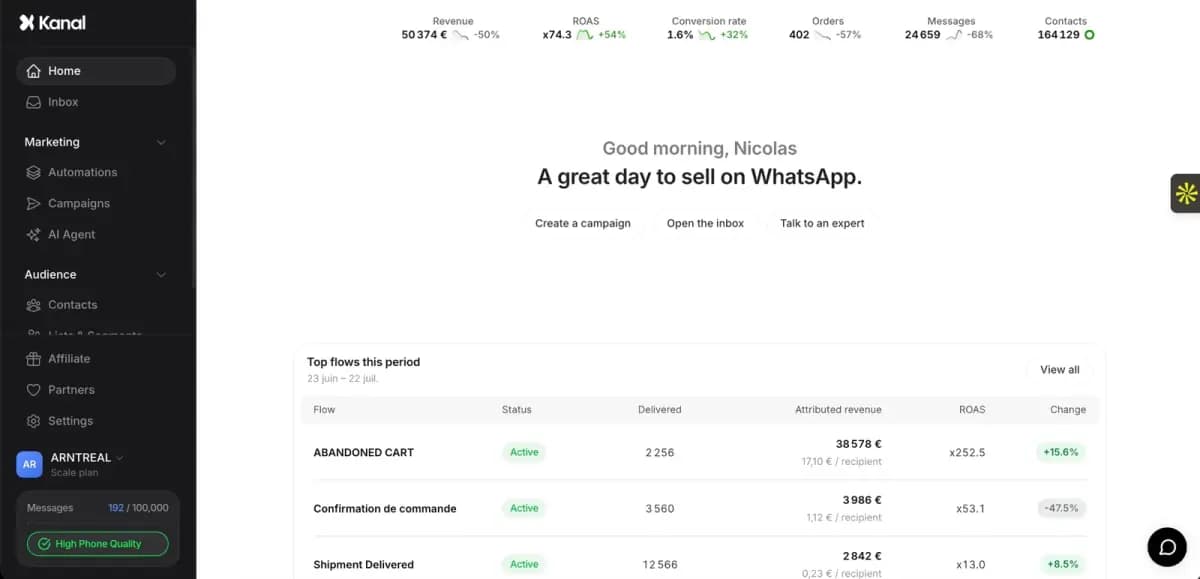
Copying 53 templates into Meta Business Manager one by one, wiring the variables, and building the triggers behind them is a full week of work. Kanal compresses it to minutes: pick the templates you want, Kanal submits them to Meta for approval and connects them to your Shopify events, so abandoned carts, review requests, back in stock alerts and winback messages fire automatically with every variable filled from store data. Compliance (opt-ins, opt-outs, the STOP keyword, GDPR rules covered in our opt-in guide) is handled by default.
Book a demo to see the library running on a real store, or check pricing to pick a plan.
Resources
Frequently asked questions
What is a WhatsApp message template?
A WhatsApp message template is a pre-approved message format required to start a conversation with a customer through the WhatsApp Business API. You submit the text once to Meta, with numbered variables like {{1}} for the personalized parts, and once approved you can send it at scale: campaigns, cart reminders, shipping updates. Inside the 24-hour window that follows a customer reply, free-form messages need no template.
How long does Meta take to approve a WhatsApp template?
Meta says a template review can take up to 24 hours. Plan ahead for peak season: submit Black Friday templates 7 to 10 days early, because review queues slow down when every brand submits at once.
Can I personalize WhatsApp message templates?
Yes. Templates support numbered variables such as {{1}} and {{2}} that are filled per recipient at send time: first name, product, order number, discount code, delivery date. With a Shopify integration like Kanal, variables are filled automatically from store data, so every message reads like it was written for one person. Test a personalized version against a generic one on reply and conversion rates.
Why do WhatsApp templates get rejected?
Templates get rejected for reasons such as a category mismatch (promotional content submitted as utility), malformed or missing variables, URL shorteners like bit.ly, spammy formatting (all caps, emoji walls), and misleading claims or fake urgency. Fix the flagged issue and resubmit, or appeal from Business Manager. Clean grammar, honest offers and a visible opt-out path leave the reviewer nothing to flag.
See Kanal on your own store
- Your campaigns and cart reminders on WhatsApp, starting from your own store
- Post-purchase offers, back-in-stock alerts, then the AI agent that advises your customers
- You leave with the plan that fits and its price

- brands
- 500+
- to set up
- 5 min
- open rate on WhatsApp
- +90%
5/5 on the Shopify App Store (125 reviews)

Nicolas helps e-commerce brands grow revenue with WhatsApp marketing. With deep expertise in Shopify ecosystems and conversational commerce, he shares proven strategies for abandoned cart recovery, broadcast campaigns, and AI-powered customer engagement.
Glossary terms in this article
Quick definitions for the WhatsApp Business terms used above.
Message Template
A message template is a pre-written WhatsApp message that Meta approves before a business can send it. Templates are the only messages a business can send outside the 24-hour customer service window, for example to start a conversation or run a campaign.
Read full definitionOpt-in
A WhatsApp opt-in is the permission a person gives a business to send them messages on WhatsApp. WhatsApp's Business Messaging Policy requires it before any message: the business must have the person's phone number and their agreement to hear from that business.
Read full definitionQuality Rating
The quality rating is the score WhatsApp gives a business phone number, and each of its message templates, based on how recipients react: blocks, reports and read rates. It is shown as high, medium or low (green, yellow, red).
Read full definitionUtility Template
A utility template is a WhatsApp message template that follows up on something the customer did or asked for: an order confirmation, a shipping update, a payment receipt. It must not contain promotional content, otherwise Meta re-categorizes it as marketing.
Read full definitionWebhook
A WhatsApp webhook is an HTTP request with a JSON payload that Meta's servers send to a business's server whenever something happens on its WhatsApp account, such as an incoming message or a delivery status change.
Read full definitionCustomer Service Window (24-hour window)
The customer service window is a 24-hour timer that starts when a WhatsApp user messages or calls a business. While it is open, the business can reply with free-form messages; once it closes, it can only send approved message templates.
Read full definitionSuggested articles
WhatsApp in Shopify Messaging: Pricing, Features and Limits
WhatsApp is live in Shopify Messaging: what the channel does, per-message prices by country ($0.106 UK, $0.172 France), limits and the US rule, October 2026.
Best WhatsApp Marketing Software: 10 Tools Compared (2026)
The 10 best WhatsApp marketing software tools compared: features, e-commerce integrations and starting prices for Kanal, Wati, Zoko, Charles and more.
WhatsApp Marketing for Beauty Brands: Strategies & Templates
The WhatsApp marketing playbook for beauty and skincare brands: consultation flows, replenishment automation, VIP loyalty and 7 templates (2026).
WhatsApp Click-to-Chat Links: Generate, Track & Convert (2026)
Create WhatsApp click-to-chat links that turn Shopify visitors into customers: link generator, URL syntax, tracking and Click to WhatsApp Ads comparison.