Win-Back Campaigns: How to Bring Lapsed Customers Back
How to run a win-back campaign for an online store: define lapsed customers from Shopify data, time each message, build the offer ladder, measure lift.
 Nicolas ProvostOct 24, 2026 · 15 min read
Summarize this article with an AI
 ChatGPT
 Claude
Table of contents (13)
Key takeaways
- A customer is lapsed when they have gone longer than your usual time between orders without buying, so the threshold comes from your own Shopify data, not from a fixed 90 days.
- A win-back series climbs an offer ladder (reminder, new products, incentive, last chance), then a sunset step stops marketing to the customers who never answer.
- Only a random holdout group shows how many orders the campaign really added, because some lapsed customers come back without any message.
A win-back campaign is a short series of messages sent to customers who have stopped buying, with one goal: their next order. For an online store, "stopped buying" has a precise meaning: the customer has gone longer than your usual time between orders without placing a new one. Three months without an order means a lost habit for a coffee brand and nothing unusual for a furniture store, so the threshold has to come from your own data.
A good win-back campaign has four parts: you define who is lapsed from your Shopify order history, you send just after a customer passes your usual buying cycle, you climb an offer ladder (reminder, new products, incentive, last chance), and you stop marketing to the customers who never answer. Then you measure it against a holdout group, because some lapsed customers come back on their own.
Our retention marketing guide places win-back among the other retention strategies; this one goes into the campaign itself, with Shopify's and Klaviyo's help centers as sources (read on October 24, 2026).
What is a win-back campaign?
Four terms are easy to mix up:
| Term | Who it targets | Based on | Goal |
|---|---|---|---|
| Win-back campaign | Customers who bought, then stopped | Purchase history | A new order |
| Re-engagement campaign | Subscribers who stopped opening or clicking | Message engagement | Renewed attention |
| Replenishment reminder | Customers whose product is about to run out | Product use | The reorder, on time |
| Sunset step | Contacts who answered none of the above | No response | Stop marketing to them |
Win-back runs in two forms. A one-off campaign goes to everyone who is lapsed today, to work through the backlog. An automated flow then picks up each customer the day they pass your threshold. Most stores need both: the campaign first, the flow after.
Step 1: Define a lapsed customer from your purchase cycle
"No order in 90 days" is a common default, but it fits no store in particular. Klaviyo's Help Center page How to create a winback flow makes the point with couches and shampoo, and says the flow should only target people who have not engaged with you for longer than your business's average buying cycle.
Measure your buying cycle in Shopify
Shopify's Returning customers report lists every customer with two or more orders, with the date of their first order, the date of their most recent order and their number of orders, according to the Help Center page on customers reports. Open it under Analytics > Reports, Category filter, Customers, and export it. For each customer:
Average gap = (most recent order date − first order date) ÷ (number of orders − 1)
Three customers of a fictional coffee store:
| Customer | First order | Most recent order | Orders | Average gap |
|---|---|---|---|---|
| A | January 10 | July 8 | 7 | 179 days ÷ 6 ≈ 30 days |
| B | February 3 | June 23 | 4 | 140 days ÷ 3 ≈ 47 days |
| C | March 15 | April 26 | 2 | 42 days ÷ 1 = 42 days |
Across all repeat customers, look for the gap by which most of them have reordered, for example 80% of them, rather than an average that a few very frequent buyers pull down. Say the fictional store finds 80% of gaps under 60 days: a customer with no order for 60 days is past the point where most buyers come back. That is the lapse threshold.
For products that run out (coffee, skincare), a replenishment reminder handles the normal reorder, and Klaviyo suggests keeping those items out of the winback flow. One-time buyers have no gap of their own: use the typical gap between the first and second order.
Turn the threshold into a Shopify segment
Shopify's customer segment filters include Last order date (last_order_date), which accepts relative dates such as -4w or -8m, and Number of orders (number_of_orders); our guide to customer segmentation for ecommerce covers the others. The coffee store's lapsed segment, capped at one year so that older customers go to the sunset step instead:
number_of_orders >= 1 AND last_order_date < -60d AND last_order_date >= -365d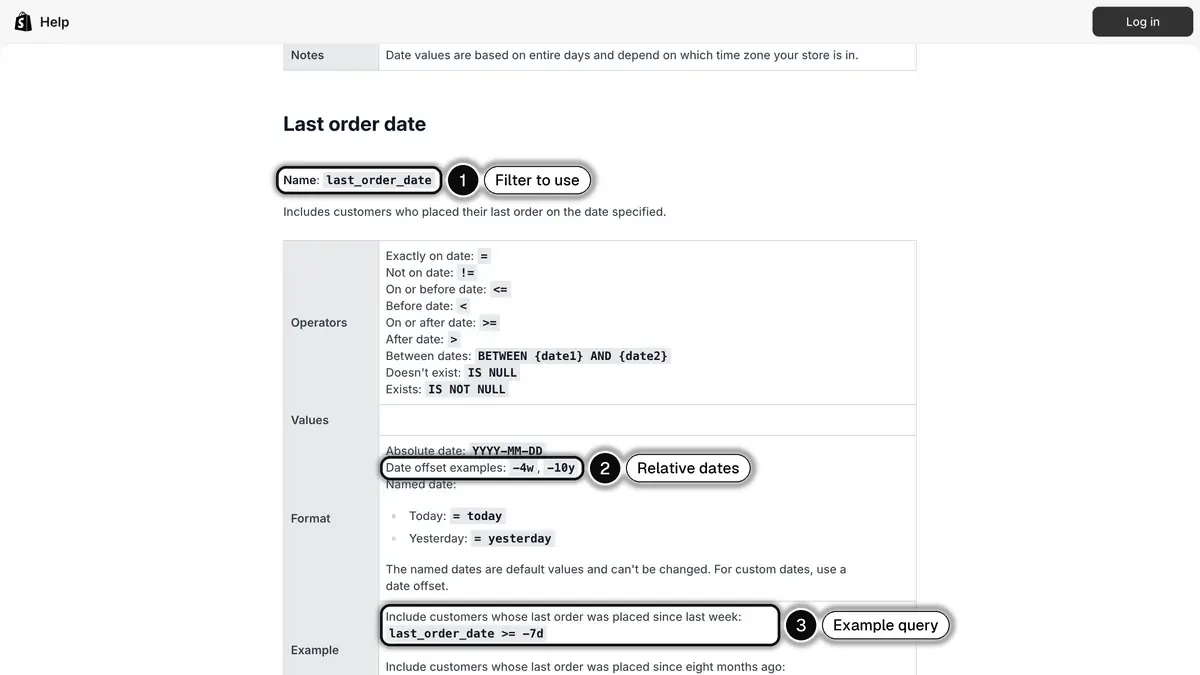
Source: Shopify Help Center, Shopify-based customer segment filters, read on October 24, 2026. In 1, the filter name; in 2, relative dates such as -4w; in 3, an example query.
Prioritize with RFM groups
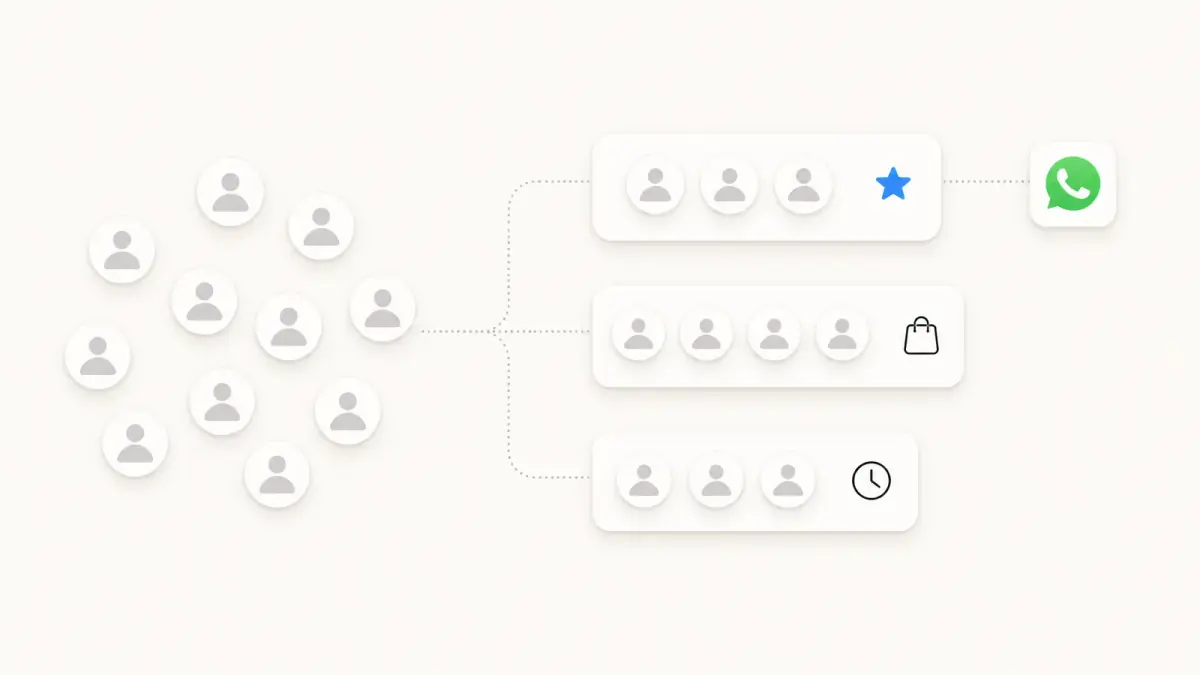
Shopify's RFM customer analysis report places customers in 11 groups, also available as a segment filter (rfm_group). Four describe customers who have drifted away (Shopify's descriptions, then our suggestion):
| RFM group | Shopify's description and suggested actions | Win-back treatment |
|---|---|---|
| Previously loyal | Very strong history, no recent purchase: new products or drops | Personal tone, early access before any discount |
| At risk | Strong history, no recent purchase: personalize, an offer too good to miss | Full ladder, your best incentive |
| Almost lost | Fewer orders, lower spend: useful resources, discounts on popular products | Best sellers, a moderate incentive |
| Dormant | Infrequent orders, low spend: newsletters, a campaign on brand value | Short series, then the sunset step |
Step 2: Decide when to send
The first message goes out just after the threshold. Klaviyo advises a first delay a little longer than your average buying cycle, to leave customers time to reorder on their own. In a flow: start at each order, wait until the threshold, check that no new order came in. A new order restarts the clock.
The spacing should give customers time to act. About a week between steps is a reasonable start; leave more room for expensive products. For the fictional coffee store:
| Days after the last order | Step | Message |
|---|---|---|
| 60 | 1. Reminder | "It's been a while", their usual coffee, no offer |
| 67 | 2. New products | The roasts launched since their last order |
| 74 | 3. Incentive | A personal code, valid 7 days |
| 80 | 4. Last chance | The code ends tomorrow |
| 90 | Exit | No order: the sunset step |
Before each send, exclude customers who ordered since the series started, those with an order not yet delivered or an open return, and those already in another flow that week. Send during the customer's daytime.
Step 3: Build the offer ladder
Klaviyo recommends three emails per recipient: a light first touch with three to six best sellers or new releases, a reminder of the incentive with an expiration date, then a final call to come back, update preferences or unsubscribe.
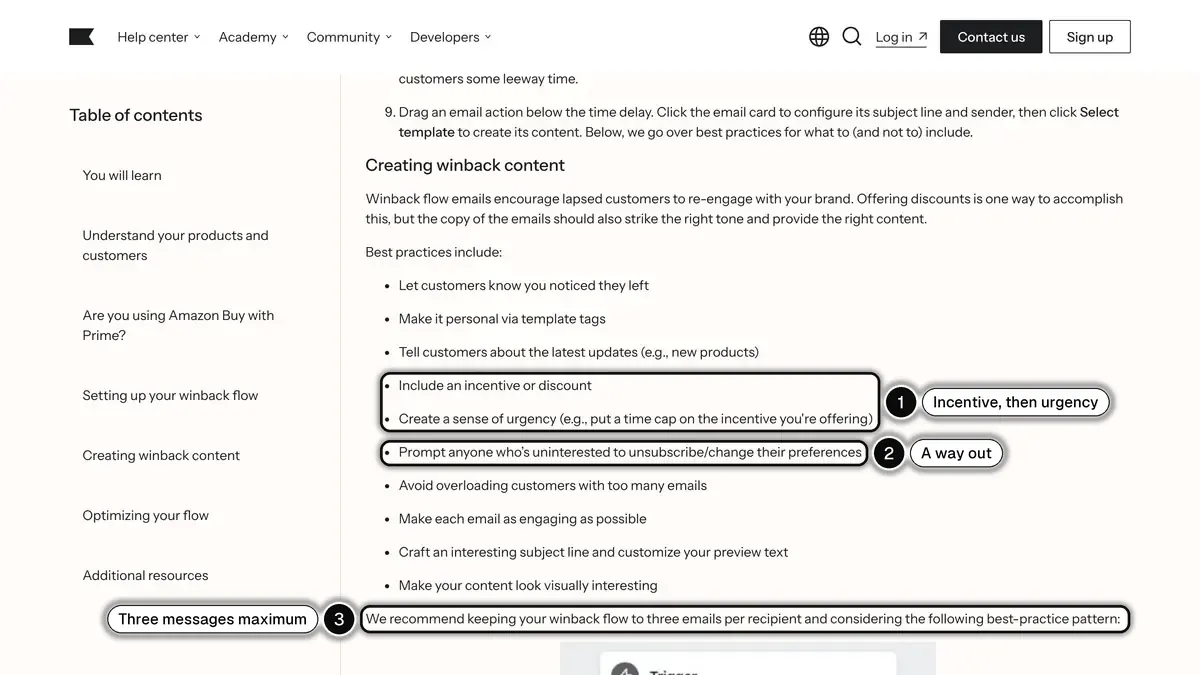
Source: Klaviyo Help Center, How to create a winback flow, read on October 24, 2026. In 1, the incentive and its time limit; in 2, the way out for customers who are not interested; in 3, three emails per recipient.
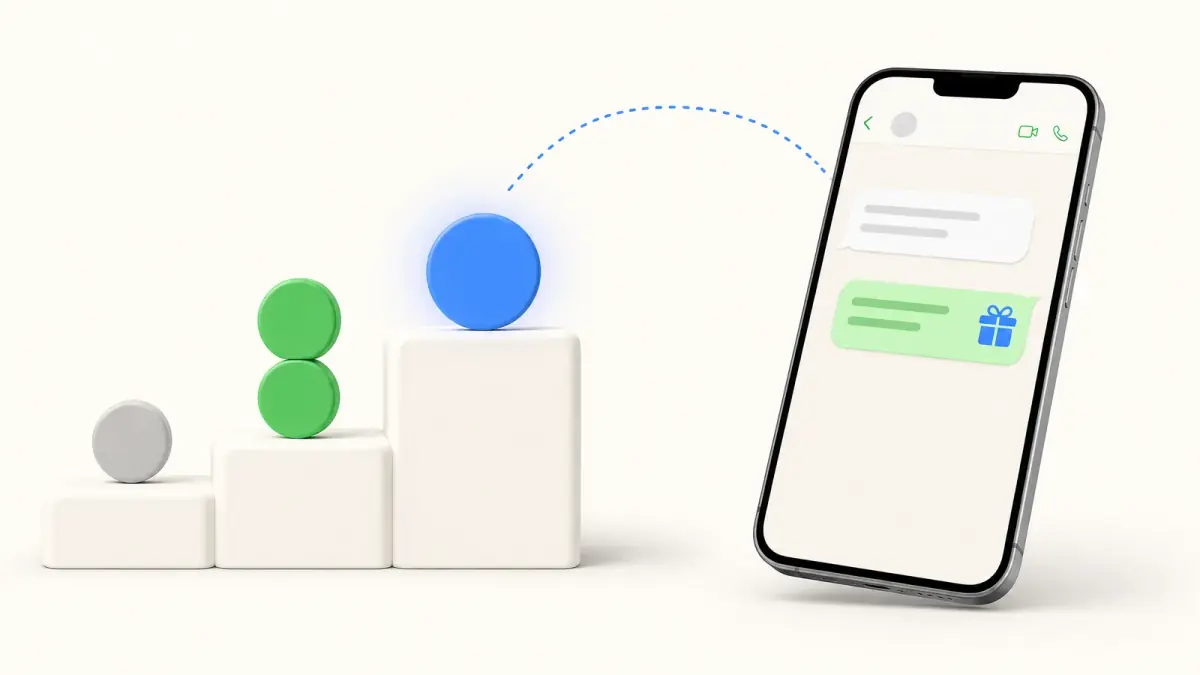
The ladder splits that logic into four rungs. The discount comes third, so customers who return for a reminder or a new product cost you nothing extra:
| Rung | Goal | Content | Offer |
|---|---|---|---|
| 1. Reminder | Bring the brand back to mind | What they bought, what customers like now | None |
| 2. New products | Give a reason to look again | What launched since their last order | None, or free shipping |
| 3. Incentive | Lower the barrier | A personal, time-limited code | A discount or a gift |
| 4. Last chance | Ask for a decision | The code ends, or "should we stop writing?" | The same code, with its deadline |
How much can you afford to give?
A win-back discount is paid on every order that uses it, including orders from customers who would have come back anyway. Fictional example: a $60 average order value and a 55% gross margin.
- Gross profit on a full-price order: $60 × 0.55 = $33
- A 15% code costs $60 × 0.15 = $9, which leaves $33 − $9 = $24
- A $10 code with a $50 minimum order leaves $23 on a $60 order
Our guide to customer lifetime value explains why this comparison belongs in gross profit, not revenue. Make each code personal and time-limited, keep the bigger incentive for At risk customers, and give it to the same customer once a year at most, or some customers learn to lapse.
Win-back message examples for each step
For a fictional coffee brand, Northline Coffee. On WhatsApp, keep each message to three or four short sentences with one call to action.
| Step | Email subject | WhatsApp message |
|---|---|---|
| 1. Reminder | "Your last bag of Ethiopia Guji was in May" | "Hi Sam, it's Northline Coffee. Your last order was a bag of Ethiopia Guji in May. This month, customers love the Colombia Huila, a little sweeter. Want a look?" Quick replies: "Show me", "Not for me" |
| 2. New products | "3 new roasts since your last order" | "Hi Sam, three new roasts arrived since your last order, including a decaf that tastes like the real thing." Button: "See the new roasts" |
| 3. Incentive | "15% off your next bag, just for you" | "Hi Sam, we would love to have you back. Here is a personal code for 15% off your next order, valid until Sunday: SAM15K2." Button: "Use my code" |
| 4. Last chance | "Your code ends tomorrow" | "Hi Sam, your 15% code ends tomorrow at midnight. If you would rather not hear from us, tell us and we will stop." Quick replies: "Order now", "Stop messages" |
On WhatsApp, a message sent to a customer who has not written to you in the last 24 hours must be a template approved by Meta, and these four are marketing templates. When the customer taps a quick reply, that reply opens a 24-hour conversation window, so the next message can be a regular one with the product link.
Step 4: The sunset step for contacts who never come back
Some customers will not answer any rung. The sunset step stops writing to them cleanly:
- Wait a grace period of a few days to a week after the last message.
- Move non-responders to a "no response" list excluded from marketing campaigns. Order updates continue.
- Allow one final attempt at most, months later, then stop. Klaviyo's sunset flow guide works this way: a last attempt for profiles that never engage, no more than three emails, then suppression. Our guide to Klaviyo flows details the segment Klaviyo suggests for it.
- Let them back in automatically when they order again.
Each channel has its own reason to stop. On email, Klaviyo notes that repeatedly sending to inactive inboxes can hurt deliverability. On WhatsApp, Meta may limit how many marketing messages a person receives when they are less likely to engage, based in part on their recent marketing read rate, according to its page on per-user marketing template message limits, and each delivered marketing message is billed. Opt-outs come first everywhere: for commercial email in the US, the FTC's CAN-SPAM compliance guide requires honoring an opt-out request within 10 business days.
Step 5: Measure incremental orders with a holdout group
Your messaging tool attributes orders to the campaign, including customers who would have reordered without a message. A holdout group separates the two: before sending, set aside a random share of the lapsed segment, for example 10%, that gets no message. After a fixed window, for example 30 days after the last message, count the customers who ordered in each group.
Klaviyo has a built-in version, global holdout groups: it requires at least 400,000 profiles, recommends about 5% of marketable profiles and a test of about 3 months, and the holdout still receives transactional flow messages. A smaller store does the same by hand, with a random list excluded from the send.
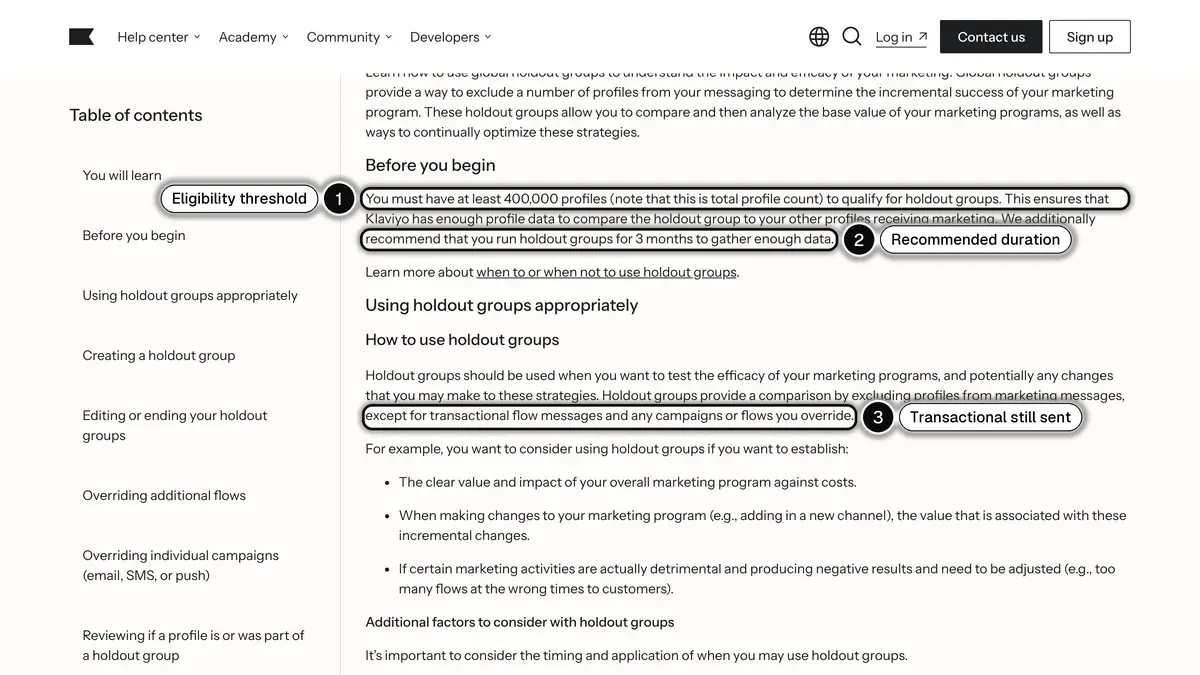
Source: Klaviyo Help Center, Getting started with global holdout groups, read on October 24, 2026. In 1, the 400,000-profile requirement; in 2, the recommended 3 months; in 3, transactional flow messages still reach the holdout.
The formulas:
- Reorder rate = customers who ordered ÷ customers in the group
- Incremental orders = (treatment rate − holdout rate) × customers in the treatment group
- Lift = (treatment rate − holdout rate) ÷ holdout rate, the definition Klaviyo uses for marketing lift
A fictional example: the coffee store has 2,000 lapsed customers, holds out 10% and sends the four-step series, with the 15% code at step 3, to the rest.
| Treatment | Holdout | |
|---|---|---|
| Customers | 1,800 | 200 |
| Customers who ordered within 30 days | 144 | 10 |
| Reorder rate | 8.0% | 5.0% |
- Incremental orders = (0.080 − 0.050) × 1,800 = 54
- Lift = (8.0% − 5.0%) ÷ 5.0% = 60%
- The tool may attribute up to 144 orders to the campaign. At the holdout's rate, 90 of those customers would have come back anyway.
With the $33 gross profit and $9 discount from step 3, assuming every returning customer used the code:
- Gross profit on the 54 incremental orders: 54 × ($33 − $9) = $1,296
- Discount given to the 90 customers who would have ordered anyway: 90 × $9 = $810
- Net gain before message costs: $1,296 − $810 = $486
The campaign pays, but the discount eats most of the margin: test a smaller incentive at rung 3, or none. With 10 orders in the holdout, results are noisy, so repeat over several waves before changing your plan.
Win-back campaigns on WhatsApp with Kanal
On WhatsApp, a win-back message is short and personal, and the customer can answer in one tap. Kanal, the WhatsApp app for Shopify stores, runs the campaign from your store's data:
- The lapsed segment. Kanal segments filter by number of orders, overall or over a period, such as customers with at least one order but none in the last 90 days. The phone number's country and group membership are filters too, to exclude US numbers and your holdout. A WhatsApp campaign then goes to that segment.
- The automated flow. An automation starts when an order is created, waits until your threshold, then checks with a condition that the customer has not ordered since (the Conditions node is on the Scale plan) before sending the first template. A setting stops the flow as soon as the customer replies, and quiet hours keep messages out of the night.
- Personal codes and a clean exit. On the Scale plan, a flow step creates a unique Shopify discount code for each customer, valid 24 hours, 7 days, 30 days or without limit. A "Not for me" quick reply can add the customer to a group excluded from later campaigns, and STOP opts them out.
- Klaviyo alongside. With the Klaviyo integration, Klaviyo segments become WhatsApp audiences, a Klaviyo flow webhook can trigger a Kanal automation, and WhatsApp events (delivered, read, clicked) go back to Klaviyo. Email stays in Klaviyo.
Consent. Marketing templates need WhatsApp marketing opt-in, which Meta requires before messaging people, according to its page on getting opt-in for WhatsApp. Kanal does not import Shopify's checkout marketing checkbox: opt-in comes from the website WhatsApp widget, a popup, a QR code, a WhatsApp link with a prefilled message, an opt-in step in an automation, or an import with consent.
US phone numbers. Meta's per-user limits page also states that WhatsApp does not currently deliver marketing template messages to users with US phone numbers (a +1 dialing code and a US area code). A win-back campaign is marketing, so it cannot run on WhatsApp for US customers: exclude US numbers from the WhatsApp segment and reach those customers by email and SMS from your existing tools, or with RCS messages, which Kanal also sends.
More than 500 brands use Kanal, rated 5/5 on the Shopify App Store and set up in 5 minutes. Brands on Kanal see open rates above 90% on WhatsApp, and plans start at €89 a month, with Meta's message fees billed separately.
Win-back campaigns in short
- Lapsed means past your usual time between orders: measure it in Shopify's Returning customers report.
- Ladder: reminder, new products, incentive, last chance, with a personal code at the third rung.
- Sunset customers who never answer, and measure incremental orders against a random holdout.
- On WhatsApp: consent first, and no marketing templates to US numbers.
To run win-back campaigns on WhatsApp from your Shopify data, book a demo: we will build the lapsed segment and the flow with you, on your own store.
See Kanal on your own store
- Your campaigns and cart reminders on WhatsApp, starting from your own store
- Post-purchase offers, back-in-stock alerts, then the AI agent that advises your customers
- You leave with the plan that fits and its price
From €89/month
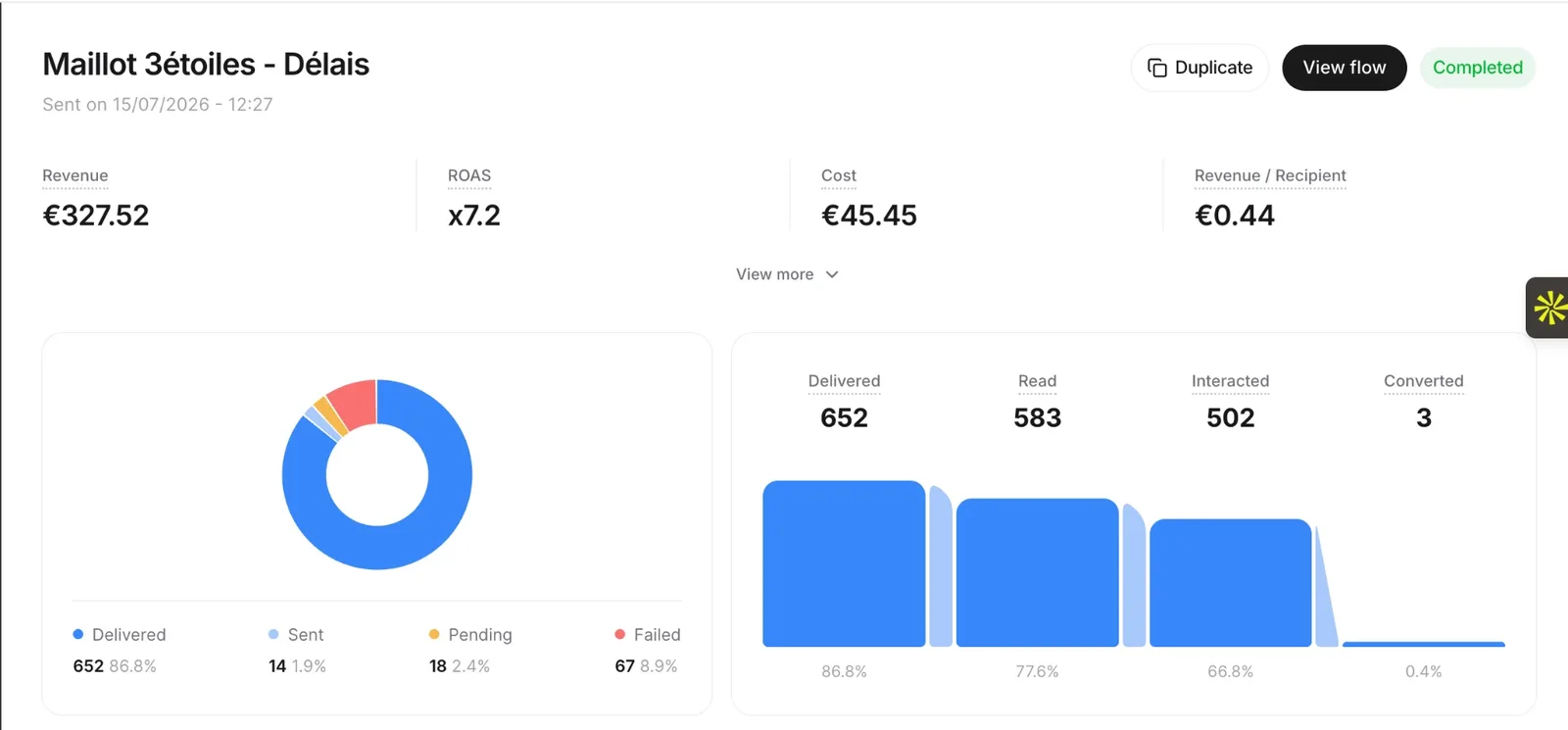
- brands
- 500+
- to set up
- 5 min
- open rate on WhatsApp
- +90%
Nicolas helps e-commerce brands grow revenue with WhatsApp marketing. With deep expertise in Shopify ecosystems and conversational commerce, he shares proven strategies for abandoned cart recovery, broadcast campaigns, and AI-powered customer engagement.