Best WhatsApp CRM: 12 tools compared for online stores
The best WhatsApp CRM for online stores, how to run WhatsApp as a CRM on Shopify, and 11 more tools compared with prices read on October 19, 2026.
 Nicolas ProvostSep 10, 2026 · 18 min read
Summarize this article with an AI
 ChatGPT
 Claude
Table of contents (20)
Key takeaways
- A WhatsApp CRM combines a shared inbox, contact profiles, segmentation and automation on the WhatsApp Business API, which the WhatsApp Business app does not provide.
- The 12 tools start from different needs, such as a sales pipeline, a CRM you already run or one inbox for many channels.
- The bill has two parts, a subscription priced per plan, per user or per seat, and Meta's WhatsApp fees, which some tools mark up.
- Kanal, our pick for e-commerce brands, syncs Shopify customers, orders and tags into a shared WhatsApp inbox with segments and automated flows, from $89/month.
The best WhatsApp CRM for an e-commerce brand is Kanal.
Kanal is a WhatsApp marketing and sales app for online stores that goes deepest on Shopify, installed from the Shopify App Store and running on the official WhatsApp Business Platform. As a WhatsApp CRM, Kanal syncs Shopify customers, orders and tags into a team inbox where several agents share one WhatsApp Business number, and it builds segments that feed campaigns and automated flows. It sends WhatsApp and RCS messages, plus SMS on the Scale plan; email stays in the merchant's other tools.
The other tools below are options for specific needs: a sales pipeline, a CRM you already run, or one inbox for many channels. Below, we show how to run WhatsApp as a CRM on Shopify, then compare 12 tools on their CRM features, their e-commerce integrations and the starting price shown on their own pricing page on October 19, 2026.
What is a WhatsApp CRM?
A WhatsApp CRM stores your customer relationships and conversations with WhatsApp as the primary channel. It combines a shared inbox, contact profiles, segmentation and automation, so a team can sell and support from one WhatsApp Business number.
It runs on the official WhatsApp Business API. The free WhatsApp Business app has labels and quick replies, but no shared team inbox, no order history and no automation.
How to run WhatsApp as a CRM on Shopify
A CRM does three jobs: it stores who your customers are, it logs every interaction with them, and it helps you act on that through segments and automation. Running WhatsApp as a CRM means doing all three where customers actually reply.
The WhatsApp Business app stops short of that. You can link devices to it, but there is no conversation assignment and no internal notes, so a team cannot work one number cleanly. A chat shows the messages, not the customer's orders or spend. You cannot target "customers who ordered twice but not in the last 60 days", and every follow-up is typed by hand.
The real version runs on the WhatsApp Business API, with a platform that adds the CRM layer. With Kanal, the setup takes five steps:
- Connect your store. Install Kanal from the Shopify App Store. Customers, orders and tags sync automatically, with no export or manual entry.
- Connect your WhatsApp Business number. Register a new number or migrate an existing one, as long as it is no longer tied to the WhatsApp Business app. Kanal walks you through it during onboarding.
- Open the shared inbox. Several agents work the same number, assign conversations, leave internal notes and use quick replies. If your support team lives in Gorgias, WhatsApp conversations arrive there as tickets instead.
- Build segments. Group customers by number of orders, orders over a period, how they engaged with your WhatsApp messages (delivered, read, clicked, replied) or the country of their number, using the criteria in our guide to customer segmentation for ecommerce. A Klaviyo segment can also be imported as the audience of a campaign, so you do not rebuild lists you already have.
- Automate the follow-ups. Start flows from store events: a new order, an abandoned cart, a shipping update, or a keyword the customer sends on WhatsApp.
Segments, the AI agent and native integrations such as Klaviyo and Gorgias come with the Scale plan.
What it looks like day to day
A customer writes in, and the agent sees their name, their last orders and the note a teammate left last week before typing a word. An abandoned checkout triggers a WhatsApp reminder without anyone lifting a finger. A customer who has just placed a third order drops into the segment that gets early access to the next launch. Nothing lives in a spreadsheet, and nobody asks the customer the same question twice.
How we compared the tools
We only used public pages: pricing pages, product pages, help centers and Shopify App Store listings. No scores, no ratings. Each tool was checked on four points:
- CRM features: contact profiles, shared inbox, assignment, notes and labels, pipelines, segmentation.
- E-commerce integrations: what the vendor documents on its own site or on the Shopify App Store.
- Starting price: the plan price shown on the vendor's pricing page, first read in September 2026 and re-read on October 19, 2026, in the currency the page displayed. Some pages showed euros, or several currencies at once. We did not convert anything.
- WhatsApp fees: whether the vendor says Meta's fees are included, passed through or charged on top.
Prices change often, so check the vendor's page before you buy.
WhatsApp CRM comparison table
| Tool | Key CRM features | E-commerce integrations | Starting price (as displayed) |
|---|---|---|---|
| Kanal | Contact profiles with orders, spend and tags; shared inbox; segments; automated flows | Shopify (native app), PrestaShop (store API) | Pro $89/month, Scale $149/month |
| Kommo | Sales pipelines, unified inbox, salesbots | Shopify (built-in integration) | €22 per user/month (Base, billed for 6 months) |
| HubSpot | CRM records with a WhatsApp channel in the conversations inbox | Shopify (Data Sync) | Free CRM; Professional $90 per seat/month billed annually |
| folk | Contact management, pipelines, WhatsApp conversation sync, contact enrichment | None listed (Zapier and Make available) | $24 per member/month (Standard, billed yearly) |
| Respond.io | Team and custom inboxes, lifecycle stages | Shopify (web chat plugin), WooCommerce | $79/month (Starter, yearly billing) |
| Wati | Team inbox (assign, tag, follow-ups), chatbots, broadcasts | Shopify (add-on), WooCommerce | €59/month billed annually (Growth) |
| SleekFlow | Omnichannel team inbox, flow builder, broadcasts | Shopify | US$49/month (Essential), US$109/month (Pro), billed yearly |
| Trengo | Shared inbox, labels, internal comments, contact fields | Shopify, WooCommerce, PrestaShop, Magento 2 | €299/month billed annually (Boost, 10 users) |
| Superchat | Unified inbox, chat labels, assignment, internal notes | Shopify via Zapier | Free plan (30 active contacts); Basic €89/month |
| Zoko | Shared inbox, tags and segments, automatic chat distribution | Shopify (app) | $49.99/month (Starter) |
| Gallabox | Shared team inbox, round-robin assignment | Shopify (add-on), Razorpay, Stripe | $112/month billed annually (Basic) |
| Interakt | Shared team inbox, auto-assignment, Sales CRM pipelines | Shopify, WooCommerce | $55/month (Growth, monthly billing) |
The 12 best WhatsApp CRM tools
1. Kanal, the WhatsApp CRM for e-commerce brands
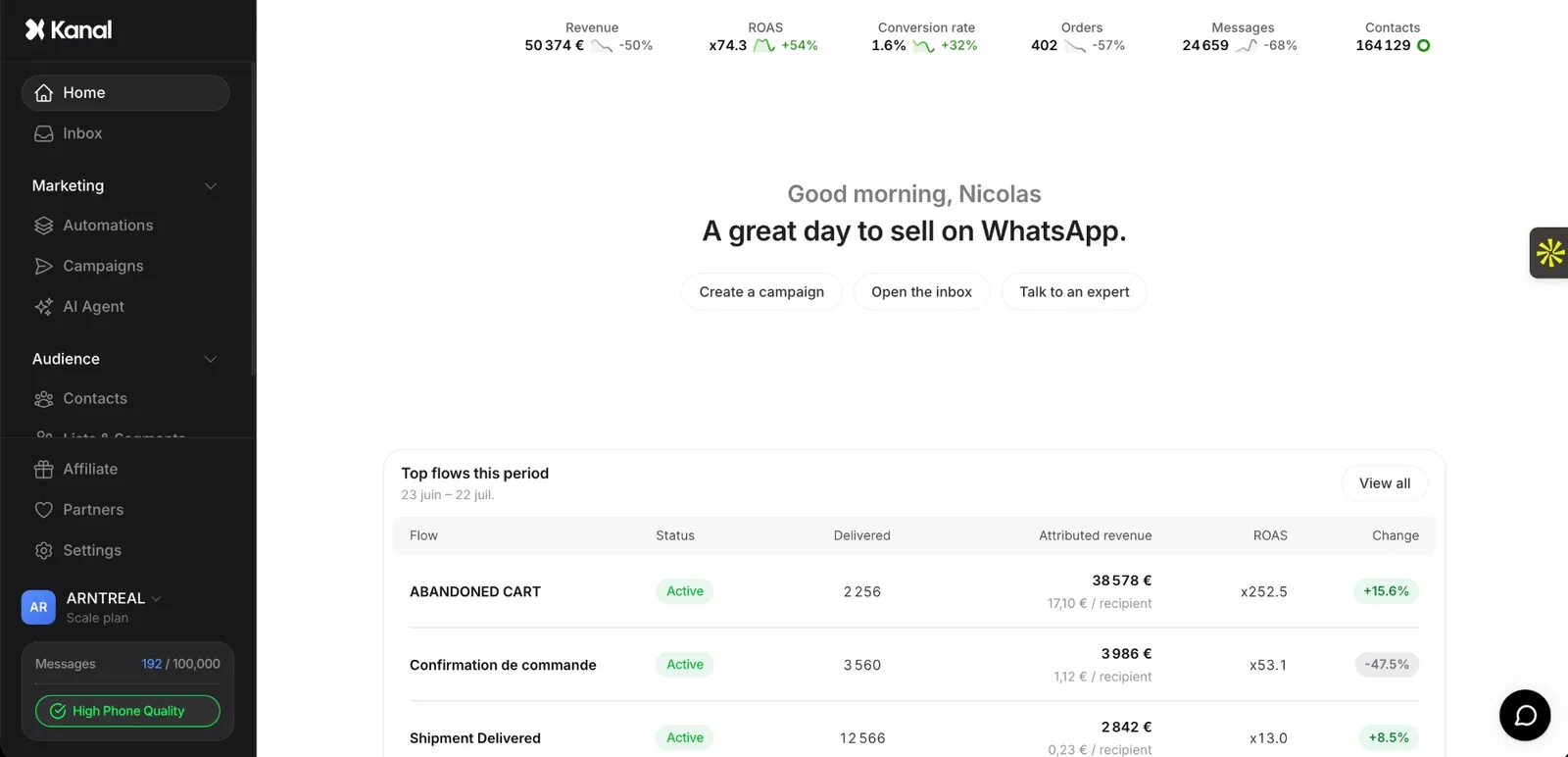 The Kanal app: home dashboard.
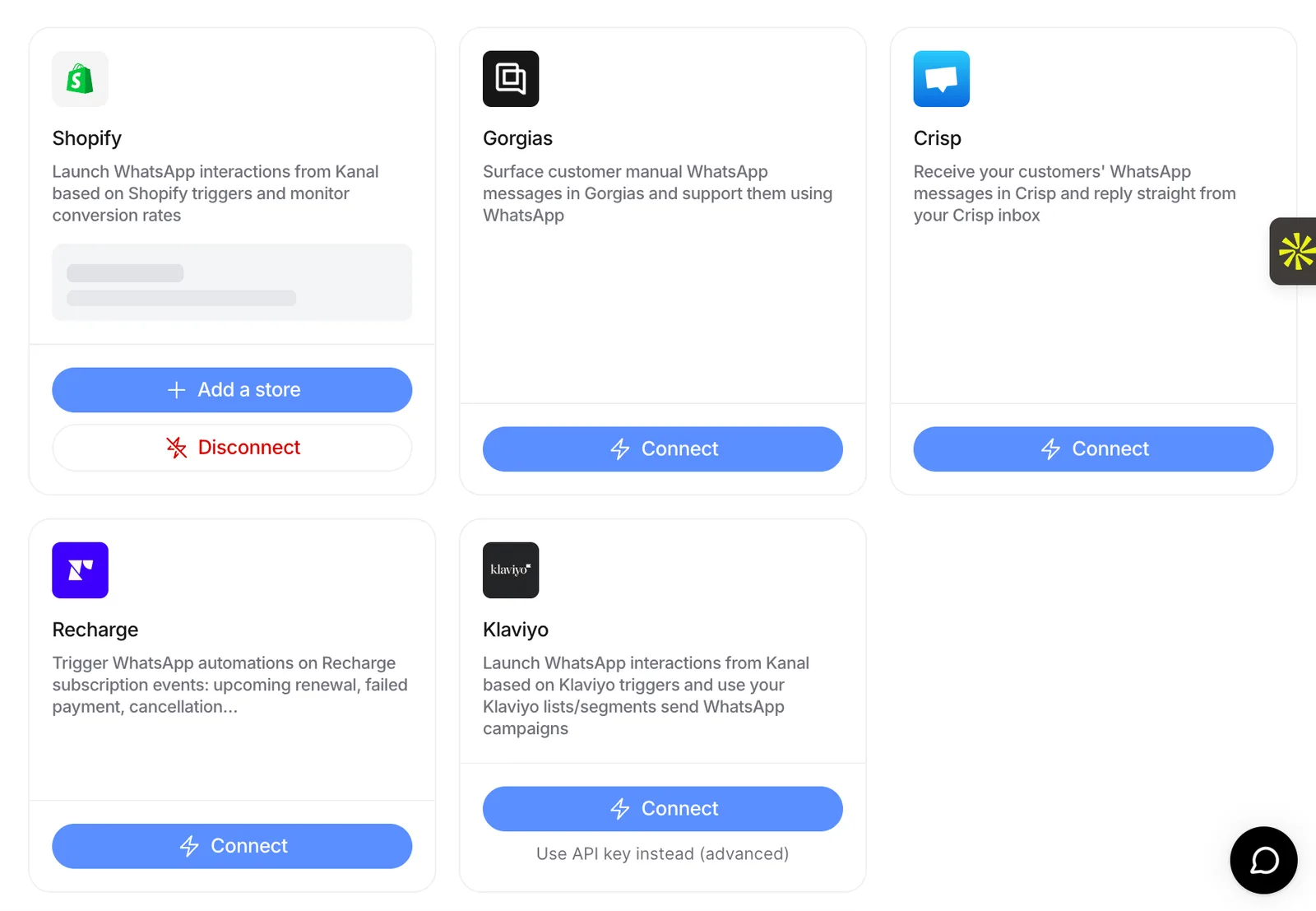 The Kanal app: integrations page.
Kanal is a WhatsApp CRM and marketing platform built for online stores. On Shopify, you install it from the Shopify App Store, and it syncs your customers, orders and tags automatically, with no export or manual entry. Your team knows who they are talking to before they reply.
- CRM features: contact profiles with order history, total spend, tags and past conversations. A shared inbox where several agents work one WhatsApp Business number, assign conversations, add internal notes and use quick replies. Segments by number of orders, orders over a period, WhatsApp engagement, phone country or list, plus Shopify or Klaviyo segments imported when you set up a campaign.
- Automation: flows triggered by store events (an order, an abandoned checkout, a shipment status, a keyword sent on WhatsApp), with conditions on order count, cart value, tags or products, plus abandoned cart recovery, an AI agent and WhatsApp campaigns.
- E-commerce integrations: Shopify as a native app, and PrestaShop through the store API, with setup done by a Kanal expert. Kanal also connects to Klaviyo, Gorgias, Zendesk, HubSpot, Crisp and Recharge.
- Price: on the Shopify App Store on October 19, 2026, Pro was $89/month and Scale $149/month, with Meta fees passed through at cost. Segments, the AI agent and native integrations such as Klaviyo and Gorgias come with the Scale plan, not with the entry Pro plan.
Choose it if you sell online and want your store data, your WhatsApp inbox and your automations in one tool. The WhatsApp CRM page lists every feature.
2. Kommo, a sales pipeline built around messaging
 Screenshot of the Kommo website.
Kommo is a CRM organized around sales pipelines, with a unified inbox for WhatsApp and other messengers. Salesbots, built in a no-code editor, can take the first steps of a conversation.
- CRM features: sales pipelines, unified inbox, pipeline automation, broadcasting, salesbots.
- E-commerce integrations: a built-in Shopify integration that syncs products, orders and customer data, with a sales funnel that includes Shopify stages. It is available on all plans.
- Starting price: on Kommo's pricing page on October 19, 2026 (shown in euros from France), Base was €22 per user/month billed for 6 months, or €19 billed yearly, with a 14-day free trial. Base includes one WhatsApp number.
- Trial: 14 days with full access.
Worth a look if your team works leads through pipeline stages and WhatsApp is one of several messaging channels.
3. HubSpot, WhatsApp inside an existing CRM
 Screenshot of the HubSpot website.
HubSpot connects a WhatsApp Business Account to its conversations inbox, next to your existing CRM records. It is an add-on channel rather than a WhatsApp-first tool.
- Requirements: Marketing Hub or Service Hub, Professional or Enterprise, and a WhatsApp Business Account. A personal WhatsApp account cannot be connected.
- E-commerce integrations: the Shopify Data Sync integration, available on all HubSpot plans, syncs customers, products, orders and abandoned checkouts.
- Starting price: HubSpot now sells one customer platform. On its pricing page on October 19, 2026, the CRM was free for up to 2 users, Starter cost $10 per seat/month billed monthly (a limited-time price), and Professional, the tier where HubSpot lists WhatsApp in the conversations inbox, cost $90 per seat/month billed annually ($100 monthly).
- Good to know: only new messages sync, not your chat history. Once connected, messages no longer appear in the WhatsApp app, only in HubSpot.
Worth a look if your sales or support team already works in HubSpot and needs WhatsApp in the same records.
4. folk, a CRM that keeps WhatsApp conversations attached to your contacts
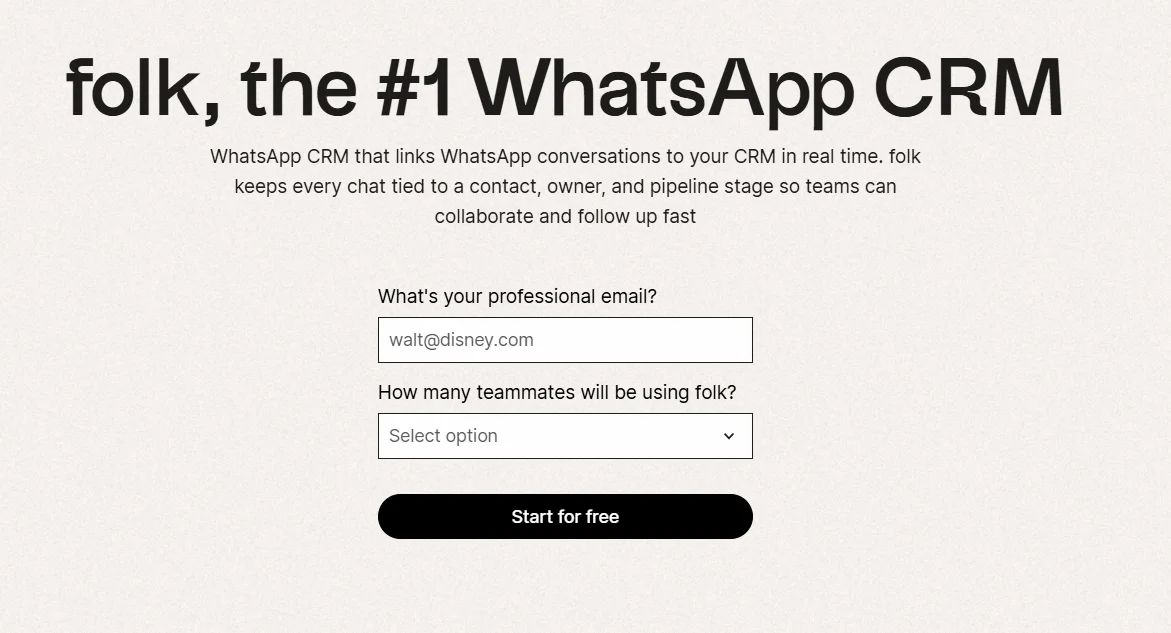 Screenshot of the folk website.
A client sends an update on WhatsApp, but the rest of the team has no record of it. folk helps close that gap by syncing direct conversations to contact profiles. Reps can check previous exchanges, organize leads in pipelines and share the context a teammate needs before taking over a relationship.
- CRM features: contact management, customizable pipelines, WhatsApp conversation sync, contact enrichment, notes and conversation sharing.
- WhatsApp integration: connect WhatsApp or WhatsApp Business to folk. Messages, contacts and group chats sync to the CRM.
- E-commerce integrations: none listed on its integrations page. Zapier and Make connect folk to other apps.
- Starting price: $24 per member/month on Standard, billed yearly, or $30 billed monthly. Standard includes email, calendar and WhatsApp sync.
- Trial: 2 weeks with all premium features.
Worth a look if your sales team uses WhatsApp for regular prospect and client conversations and needs to keep contact history and follow-ups organized.
5. Respond.io, lifecycle stages for conversation teams
 Screenshot of the Respond.io website.
Respond.io is a customer conversation platform priced on the contacts you talk to. Lifecycle management shows where each contact stands in the customer journey.
- CRM features: shared team inboxes, custom inboxes to segment contacts, lifecycle stages.
- Integrations: HubSpot and Salesforce. On the e-commerce side, a web chat plugin for Shopify websites and a WooCommerce integration.
- Starting price: $79/month on Starter with yearly billing ($99 monthly), on respond.io's pricing page on October 19, 2026. There is a 7-day free trial.
- WhatsApp fees: not included in any subscription. Meta charges them based on your usage.
Worth a look if you run WhatsApp next to a CRM like HubSpot or Salesforce and want lifecycle tracking in the inbox. Compare: Kanal vs Respond.io.
6. Wati, a team inbox with campaigns and chatbots
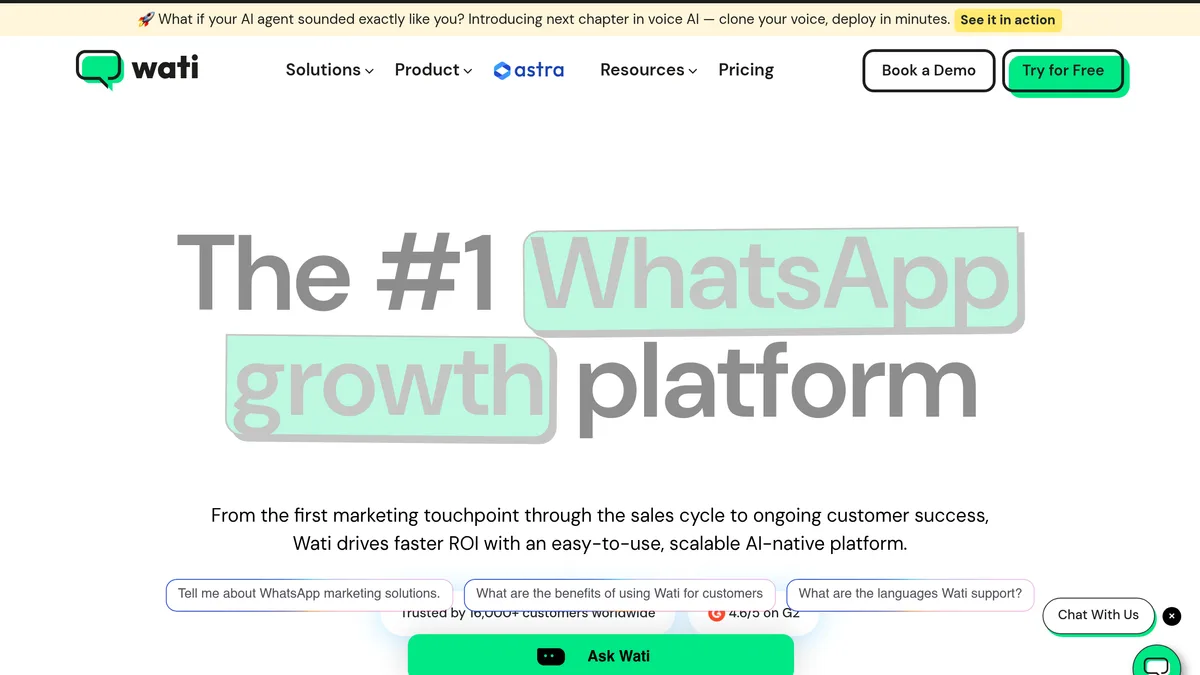 Screenshot of the Wati website.
Wati combines a team inbox with broadcast campaigns and no-code chatbots. Its inbox also covers Instagram, Facebook and TikTok.
- CRM features: a team inbox to assign, track, tag and automate follow-ups. Chatbots and broadcasts.
- E-commerce integrations: a Shopify integration sold as a $4.99/month add-on, with Shopify abandoned cart and order templates. WooCommerce and Klaviyo are listed among its integrations, with HubSpot from the Pro plan and Salesforce on Business. A separate Shopify app, Wati: WA Cart Recovery & AI, is listed from $69/month.
- Starting price: €59/month billed annually on Growth (€69 billed monthly), with 3 users, on Wati's pricing page on October 19, 2026 (shown in euros from France).
- WhatsApp fees: charged on top, per message, by category.
Worth a look if you need broadcasts and chatbots next to a shared inbox. Compare: Kanal vs Wati.
7. SleekFlow, an omnichannel inbox with flows
 Screenshot of the SleekFlow website.
SleekFlow brings WhatsApp and other messaging apps into one team inbox, with a flow builder and AI agents.
- CRM features: omnichannel team inbox, automation flow builder, broadcast campaigns, AI agents.
- Integrations: Shopify, Google Sheets and API on its plans. HubSpot and Zoho sync on Premium, Salesforce on Enterprise. Its Shopify app sends order confirmations and shipping updates on WhatsApp.
- Starting price: on SleekFlow's pricing page on October 19, 2026, billed yearly: Essential US$49/month (rolling out by country) and Pro US$109/month (US$1,308 a year). A free trial needs no card.
- WhatsApp fees: a WhatsApp number hosting fee of US$15/month, plus conversation rates from its rate card.
Worth a look if your team answers customers on many messaging apps and wants flows in the same inbox. Compare: Kanal vs SleekFlow.
8. Trengo, a shared inbox for email and messaging
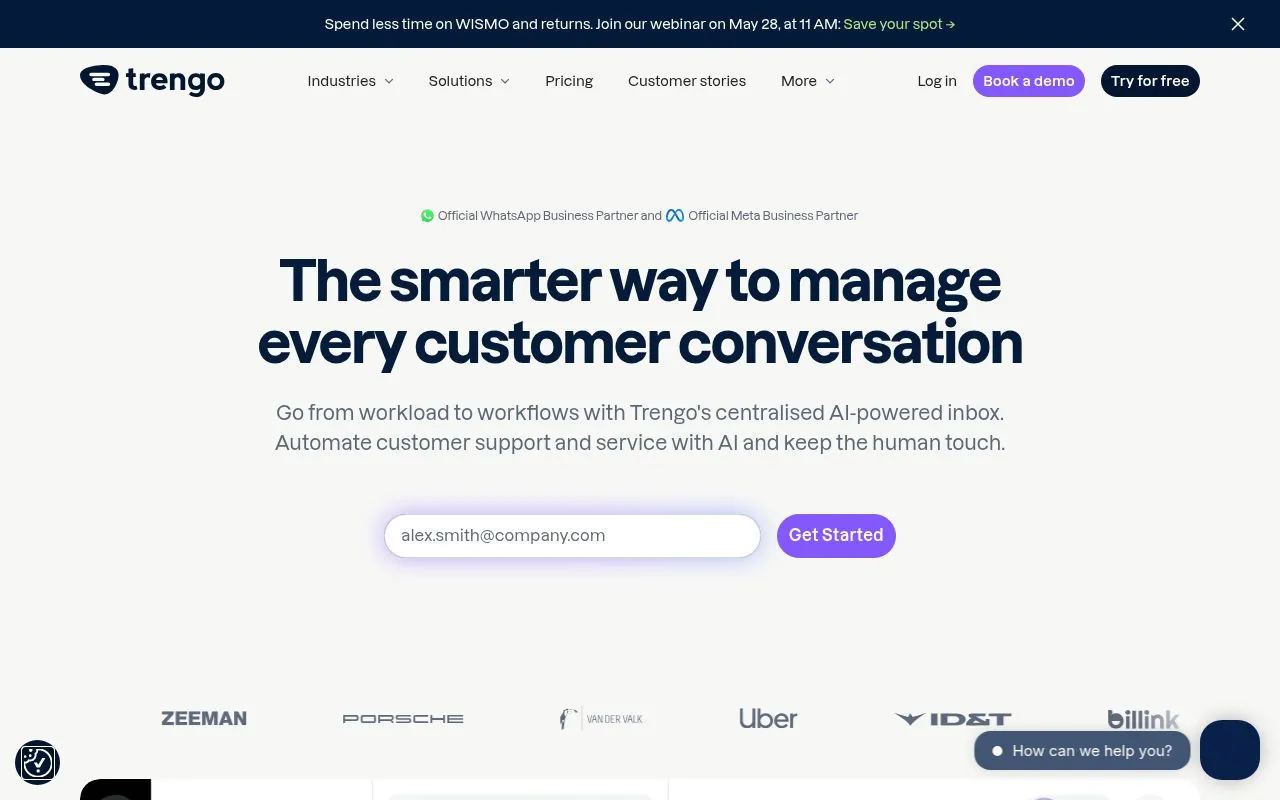 Screenshot of the Trengo website.
Trengo is a shared inbox for email, WhatsApp, Instagram, Facebook and more, with an AI agent called HelpMate.
- CRM features: assign and forward conversations, conversation labels, @mentions and internal comments, custom fields on contacts.
- E-commerce integrations: Shopify, WooCommerce, PrestaShop, Magento 2, Lightspeed and Shopware. CRM integrations include HubSpot, Pipedrive, Salesforce and Zoho CRM.
- Starting price: €299/month billed annually on Boost (€349 month to month), with 10 users and a set number of conversations (500 per month on monthly billing).
Worth a look if support runs through email and chat as much as WhatsApp. Compare: Kanal vs Trengo.
9. Superchat, one inbox for messaging channels
 Screenshot of the Superchat website.
Superchat groups WhatsApp, Instagram, Facebook Messenger, Telegram, live chat, email and SMS in one inbox.
- CRM features: unified inbox, chat labels, employee assignment, internal notes, templates, mobile app.
- E-commerce integrations: Shopify through Zapier, according to its help center (new contacts, order tracking messages, abandoned cart messages). Its pricing page lists Zapier, Make and HubSpot.
- Starting price: a free plan with 1 WhatsApp number, 1 user and 30 active contacts, then Basic at €89/month. Prices are net, with a 12-month minimum term.
Worth a look if you want labels, assignment and notes across several messaging channels, and your store automations can run through Zapier. Compare: Kanal vs Superchat.
10. Zoko, WhatsApp for Shopify brands
 Screenshot of the Zoko website.
Zoko is a WhatsApp tool for Shopify stores, with its app on the Shopify App Store.
- CRM features: multi-agent shared inbox, customer tags and segments, automatic chat distribution, quick replies.
- E-commerce integrations: campaigns sent to Shopify segments (purchases, tags, activity) and a WhatsApp catalog synced from Shopify.
- Starting price: $49.99/month on Starter, with a markup of $0.015 per conversation. Plus, at $79.99/month, includes 5K conversations without markup. 7-day free trial.
Worth a look if you mostly need WhatsApp campaigns and a shared inbox for a Shopify store. Compare: Kanal vs Zoko.
11. Gallabox, a WhatsApp inbox with CRM connectors
 Screenshot of the Gallabox website.
Gallabox is a WhatsApp inbox that connects to sales CRMs, for teams that capture and follow up leads.
- CRM features: WhatsApp shared team inbox, round-robin assignment.
- Integrations: Shopify as a $5/month add-on on all plans, plus Razorpay, Stripe and Shopflo. HubSpot and Zoho from the Essential plan, Pipedrive and Salesforce on Advanced.
- Starting price: $112/month billed annually on Basic ($150 billed quarterly), with 3 users. The page also shows prices in rupees and dirhams.
- WhatsApp fees: messaging charges are billed separately.
Worth a look if your leads live in HubSpot, Zoho or Pipedrive and you want to message them on WhatsApp. Compare: Kanal vs Gallabox.
12. Interakt, WhatsApp plus a Sales CRM
 Screenshot of the Interakt website.
Interakt pairs a WhatsApp inbox with a separate Sales CRM plan for pipelines.
- CRM features: shared team inbox, automatic chat assignment, custom fields and tags. The Sales CRM plan adds sales pipelines and auto-assigns new WhatsApp leads to agents.
- E-commerce integrations: Shopify, with automatic sync of contacts and catalog, and WooCommerce, plus Razorpay and PayU.
- Starting price: on Interakt's US pricing page on October 19, 2026, Growth was $55/month on monthly billing. Its Shopify app is listed from $21/month, plus WhatsApp conversation charges. The Sales CRM plan is priced separately.
- WhatsApp fees: message costs depend on the template type. The rates on its pricing page are for Indian numbers.
Worth a look if you want a simple sales pipeline next to your WhatsApp inbox. Compare: Kanal vs Interakt.
What a WhatsApp CRM costs: subscription plus Meta fees
Your bill has two parts.
1. The tool's subscription. Most plans are priced per month. Kommo and folk charge per user, HubSpot Service Hub per seat. Check how many users a plan includes: 3 on Wati Growth and Gallabox Basic, 10 on Trengo Boost.
2. Meta's WhatsApp fees. Since July 1, 2025, Meta charges per delivered template message. Rates depend on the message category (marketing, utility, authentication) and on the country calling code of the recipient's number. Replies inside the 24-hour customer service window were not charged until September 30, 2026. Since October 1, 2026, Meta charges these service messages per message, at the utility rate of each market, after 1,000 free service messages per business phone number each month. The details are on Meta's pricing page.
Each tool handles those fees in its own way:
- Kanal passes Meta fees through at cost.
- Respond.io says WhatsApp fees are not included in any subscription.
- Wati charges messages on top, by category.
- Zoko adds $0.015 per conversation on Starter. Its higher plans include conversations without markup.
- SleekFlow adds a WhatsApp number hosting fee of US$15/month, plus the conversation rates on its own rate card.
- Gallabox bills messaging charges separately.
For rates by country and a full cost model, read our WhatsApp Business pricing guide.
How to choose a WhatsApp CRM
Start from how you sell, not from the feature list.
- You run an online store and want CRM, automation and campaigns in one place: Kanal. Customer and order data from Shopify, or PrestaShop, feeds every conversation, and flows run on store events.
- Your team works deals in a pipeline: Kommo, folk, or Interakt's Sales CRM plan.
- You already run HubSpot: connect WhatsApp to a Professional or Enterprise hub.
- Support runs on many channels: Trengo, Superchat, Respond.io and SleekFlow bring email, social and messaging apps into one inbox.
- Your leads sit in another CRM: Gallabox and Respond.io connect to HubSpot, Salesforce and others.
Before you sign, check three things:
- Store data in the inbox: can an agent see orders and spend next to the chat, or only a name and a phone number?
- Users included: price the plan for your real team size.
- WhatsApp fees: included, passed through at cost, or marked up? Ask for the rate card.
If support is your main use case, our guide to WhatsApp customer support on Shopify goes further. For marketing tools, see our WhatsApp marketing software comparison. For CRMs beyond WhatsApp, see our ecommerce CRM comparison and our list of CRM apps for Shopify.
If you sell on Shopify or PrestaShop, book a Kanal demo to see your own store data inside a WhatsApp CRM, or compare Kanal's plans.
See Kanal on your own store
- Your campaigns and cart reminders on WhatsApp, starting from your own store
- Post-purchase offers, back-in-stock alerts, then the AI agent that advises your customers
- You leave with the plan that fits and its price
From €89/month
- brands
- 500+
- to set up
- 5 min
- open rate on WhatsApp
- +90%
Nicolas helps e-commerce brands grow revenue with WhatsApp marketing. With deep expertise in Shopify ecosystems and conversational commerce, he shares proven strategies for abandoned cart recovery, broadcast campaigns, and AI-powered customer engagement.