Klaviyo + WhatsApp Integration: Add WhatsApp to Your Flows
Add WhatsApp to your Klaviyo flows in 2026: why merchants stack both channels, the 3 integration paths, the first flows to migrate and attribution.
 Nicolas ProvostMay 19, 2026 · 13 min read
Summarize this article with an AI
 ChatGPT
 Claude
Table of contents (17)
Key takeaways
- Keep Klaviyo for email and SMS, and add WhatsApp for time-sensitive messages such as abandoned carts, back-in-stock alerts and flash sales.
- There are three integration paths: Klaviyo's own WhatsApp channel, a webhook bridge to a BSP, or a WhatsApp platform connected to Klaviyo, such as Kanal.
- Kanal connects to Klaviyo with a private API key, imports a Klaviyo segment when you launch a campaign and sends six WhatsApp metrics back to Klaviyo. The integration is included from the Scale plan, not the entry Pro plan.
Email is not dead. But Shopify merchants who run a large share of their revenue through Klaviyo flows tend to hit the same ceiling: crowded inboxes, flat open and click rates, and rising costs per send (our Klaviyo pricing guide shows how the bill grows with your list). The fix is not more email. It is adding a second channel, read in the app customers already use to talk to friends, without breaking your existing automation.
This guide walks through how to add WhatsApp to your Klaviyo flows in 2026. Why merchants stack both channels, the three integration paths (Klaviyo's own channel, a webhook bridge, and the Kanal Klaviyo WhatsApp integration), the five flows to migrate first, and how to track revenue without double-counting.
If you want to skip the theory, book a Kanal demo and we will show you the Klaviyo integration live on your store.
Why merchants stack Klaviyo + WhatsApp
Email and WhatsApp are not substitutes. They are complementary. Here is how the three channels differ in practice:
| Metric | Klaviyo email | Klaviyo SMS | WhatsApp via Kanal |
|---|---|---|---|
| Cost per send | Set by your Klaviyo plan | SMS credits, priced by country | Meta fee per delivered template (by category and country) |
| Rich media | Full HTML | Short text | Images, video, buttons, carousels |
| Best for | Long-form content, newsletters, nurture | Short alerts | Time-sensitive messages and two-way conversations |
Your own numbers are the benchmark that matters: compare open, click and reply rates per channel in your own reports once both channels run side by side.
The takeaway: WhatsApp is not "better email." It is a different channel that wins specific use cases. Measure what it adds on top of your existing Klaviyo setup with a holdout group before you move more flows.
Where Klaviyo wins (email + SMS strengths)
Klaviyo is strong on three things:
- Long-form content. Editorial newsletters, founder stories, lookbooks, holiday gift guides. Anything over 200 words belongs in email.
- Deep segmentation. Klaviyo's predictive analytics, lifetime value buckets, and cross-channel suppression rules go deep.
- Deliverability infrastructure. Sending domain warm-up, DKIM, DMARC, throttling. This is invisible plumbing that took Klaviyo years to build.
If you turn Klaviyo off, you lose your email engine. That is the wrong move. The right move is to layer WhatsApp on top.
Where WhatsApp wins (open rate, conversion, immediacy)
WhatsApp wins anywhere these three conditions overlap:
- Time-sensitive message. Cart abandonment, back-in-stock, flash sale, shipping update.
- Short, decision-driving content. One image, one CTA, under 50 words of copy.
- Personal feel. Reply, ask a question, get a product recommendation.
This is exactly where email struggles. An email opened hours later is too late to save a cart, and a flash sale cannot wait for the next inbox check. Email is great for nurture; WhatsApp is great for the moments that decide whether a customer buys today or never.
For the platform figures we could source, see our WhatsApp marketing statistics 2026 page.
Integration path 1: Klaviyo's own WhatsApp channel
Klaviyo has its own WhatsApp channel, documented in its WhatsApp help center. You connect a WhatsApp Business account to Klaviyo, collect consent with Klaviyo forms, click-to-chat links and keywords, write templates with dynamic content and send WhatsApp messages in automations, next to your email and SMS.
When it fits: you want email, SMS and WhatsApp in one tool, with the same segments and the same reports.
When a dedicated WhatsApp platform fits better: WhatsApp is becoming a sales and support channel of its own, and you want a shared WhatsApp inbox, an AI agent that answers customers, Shopify automations such as cart recovery and shipping updates, and opt-in tools built for WhatsApp, while email and SMS stay in Klaviyo. That is path 3.
Integration path 2: Webhook bridge between Klaviyo and a WhatsApp BSP
The DIY path: build a webhook bridge that fires Klaviyo events into a WhatsApp BSP (Business Solution Provider) like Twilio, 360dialog, or Gupshup.
The stack:
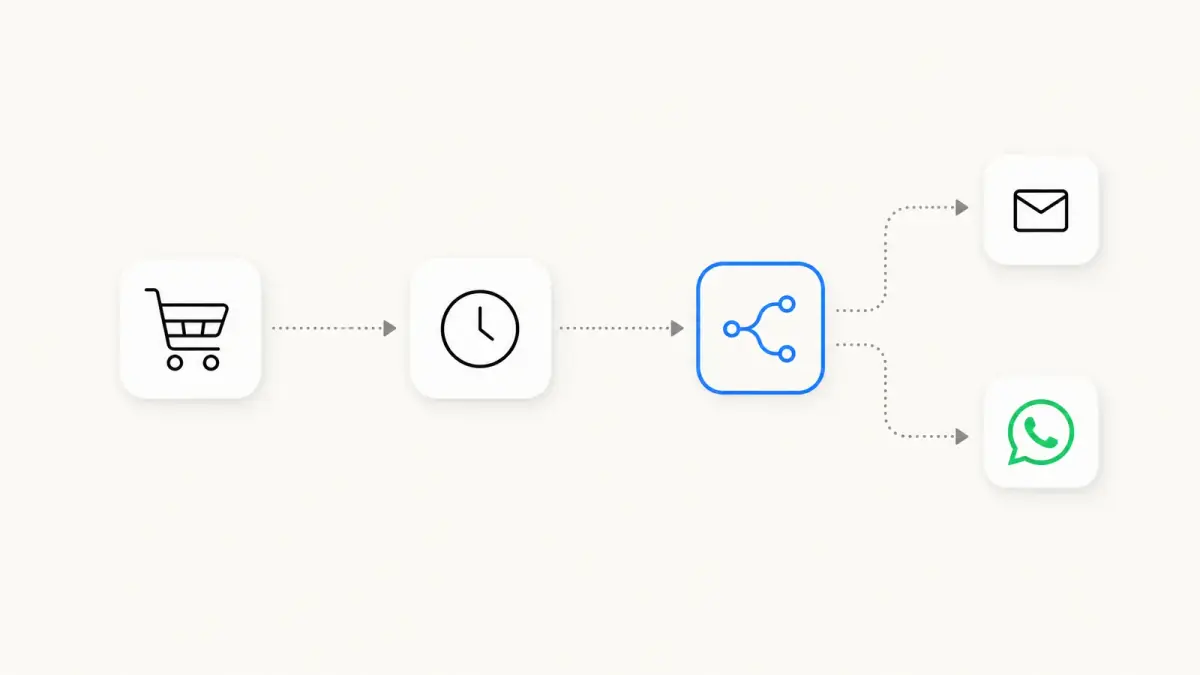
- Klaviyo flow triggers a webhook on a specific event (e.g., cart abandoned at 1 hour).
- The webhook hits a middleware (Make, Zapier, or a custom Cloudflare Worker).
- Middleware calls the BSP API with the right template ID and variables.
- BSP sends the WhatsApp message.
- Reply events are pushed back into Klaviyo as custom metrics via a reverse webhook.
Costs:
- BSP fees: a per-message or monthly fee on top of Meta's per-message fee, depending on the provider (see our BSP comparison).
- Middleware: a monthly subscription that grows with volume.
- Development: engineer time to build the bridge, plus ongoing maintenance.
This works but it is fragile. Every Shopify variant change, every template re-approval, every Klaviyo flow update has the potential to break the bridge, and the maintenance never stops.
For a comparison of BSP providers, see our WhatsApp Business API providers comparison. For the middleware layer, see our comparison of automation apps for Shopify.
Integration path 3: Kanal's Klaviyo integration (the recommended setup)
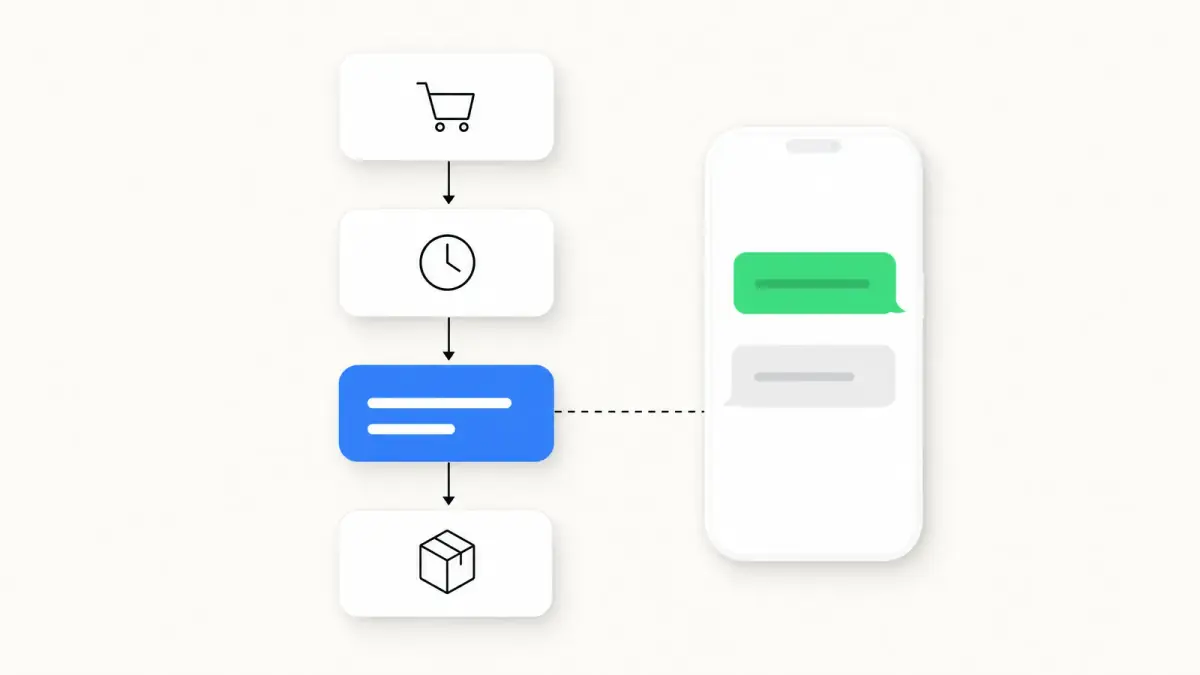
Kanal keeps email and SMS in Klaviyo and adds WhatsApp next to them, without middleware. The integration does four things:
Klaviyo segments in your WhatsApp campaigns:
- When you create a campaign in Kanal, you choose the From Klaviyo Segment audience. Kanal reads your active Klaviyo segments live and imports their contacts at that moment. There is no background sync: if the segment changes in Klaviyo afterwards, the campaign is not updated.
- First name, last name and phone number are available as template variables.
- Consent is not imported: contacts from Klaviyo arrive in Kanal with the Unknown opt-in status.
WhatsApp templates inside your Klaviyo flows:
- A Webhook block in your Klaviyo flow calls a Kanal "Incoming Webhook" automation. You paste the destination URL, the Authorization header with its Bearer token and the JSON body, which carries the phone_number and your template variables. Turn on "Format JSON for Klaviyo" in Kanal to copy the body in Klaviyo's syntax.
- The Kanal automation must be active: if it is not, Klaviyo's call is rejected and no message goes out.
- The other option is the "Send from Klaviyo Flows" button on a template page in Kanal, which sends the template directly, without an automation.
WhatsApp engagement back in Klaviyo:
- Kanal sends six metrics prefixed "KANAL - WhatsApp Message": Sent, Delivered, Read, Clicked, Inbound and Undeliverable.
- If the contact has no Klaviyo profile yet, Kanal creates it.
- Kanal does not send order and store events, Recharge events or opt-in status. WhatsApp revenue is measured in Kanal's own analytics (see attribution below). The full list is in Kanal's guide to its Klaviyo metrics.
Klaviyo in your Kanal automations:
- A Conditions node can check whether the contact is linked to Klaviyo, so linked and unlinked contacts can follow different branches.
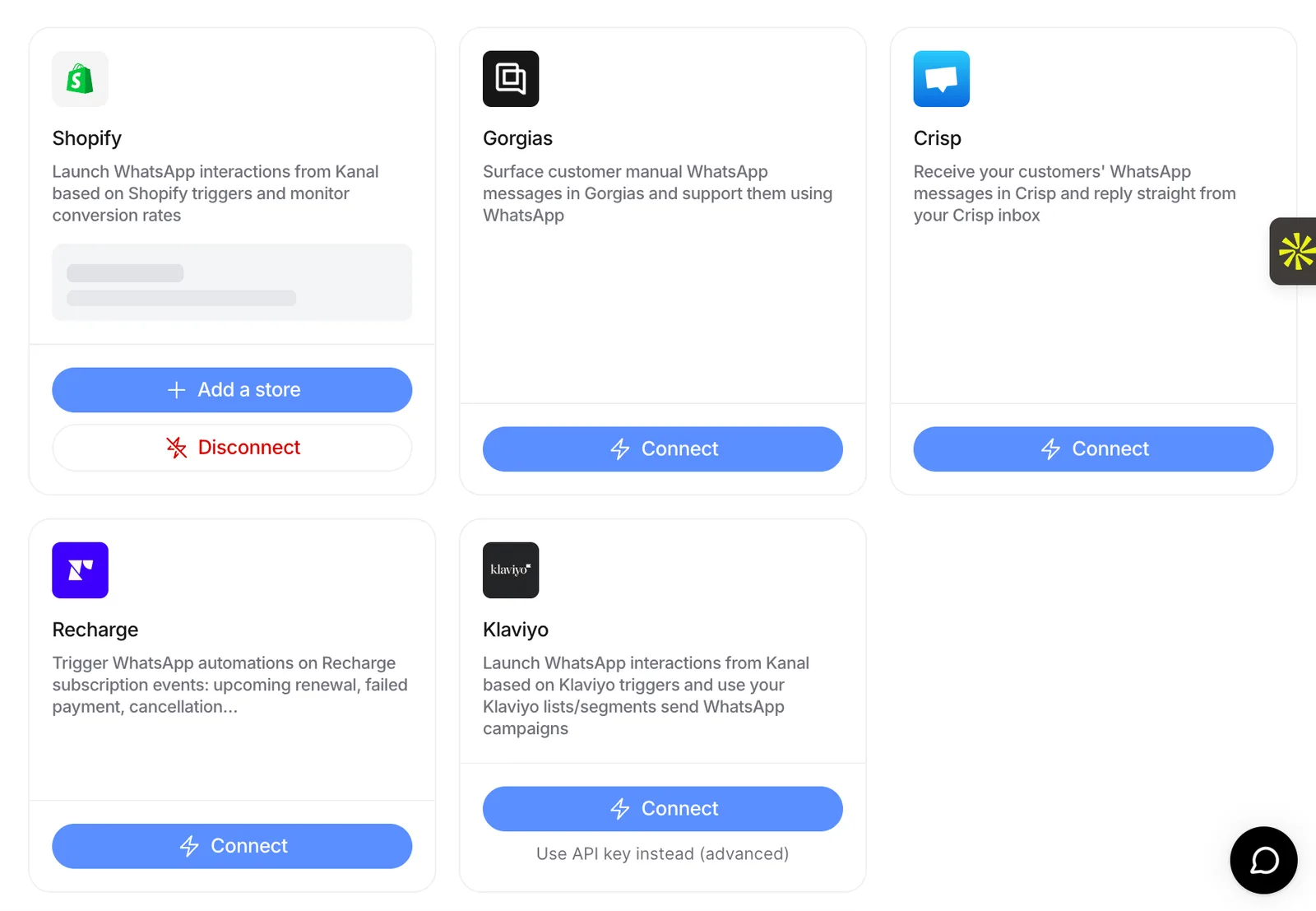
Connection: in Klaviyo, open Settings, then API Keys, and click Create Private API Key. Full Access works but is not required: with custom access, grant Read Access on Accounts and Segments and Full Access on Profiles and Events. The key starts with pk_. In Kanal, click Connect on the Klaviyo card (Settings, then Integrations) and paste the key. The 6-character public key (Site ID) cannot be used. Every step is in Kanal's Klaviyo integration guide.
Pricing: included from the Scale plan of Kanal. See pricing.
The full integration plus setup walkthrough is in the Kanal Shopify integration page.
5 flows to migrate from email to WhatsApp first
Do not move everything. Start with the five flows where WhatsApp's immediacy matters most. If the email versions of these flows are not built yet, our guide to Klaviyo flows covers their triggers, filters and timing.
1. Abandoned cart (the highest ROI win)
A cart reminder only works while the purchase intent is fresh, which is where a message read in the chat app beats an email opened hours later. It is usually the first flow worth testing, and the easiest one to measure against your email-only baseline.
The setup:
- Keep your Klaviyo email at +1 hour as a safety net.
- Add WhatsApp at +20 minutes for customers who opted in to WhatsApp, either with Kanal's own abandoned cart automation on your Shopify data or with a Webhook block in your Klaviyo flow.
- Send a second WhatsApp at +24 hours if no purchase.
Full playbook in abandoned cart recovery strategies and the WhatsApp cart recovery deep dive.
2. Welcome series
Replace email 1 of 3 in your welcome flow with a WhatsApp message, then compare engagement and time to first purchase against the email version.
Why it works: the customer just opted in. They are warm. WhatsApp's immediacy locks in the relationship before they forget you exist.
3. Post-purchase shipping updates
A shipping update with no promotional content fits Meta's utility category, which Meta prices below marketing templates (see our WhatsApp Business pricing guide). These messages also trigger replies (questions about delivery, sizing, returns) that turn into upsell opportunities.
Pair with the WhatsApp AI chatbot to answer the repetitive ones automatically.
4. Win-back (90+ days inactive)
Email win-back is graveyard territory: inactive segments stop opening. A WhatsApp message has a better chance of being seen because the chat inbox is not flooded with promotions.
Send one short message: "Hey [name], we miss you. Here is 15% off your next order." That is it. No image, no carousel, no fluff.
5. BFCM teaser + flash sales
For high-urgency campaigns, WhatsApp puts the offer in the app your customers check all day, right when the sale starts. Our full Black Friday WhatsApp playbook walks through the BFCM-week sequence.
Attribution: how to credit WhatsApp revenue without double-counting
The biggest mistake merchants make when adding WhatsApp: double-attributing orders to both email and WhatsApp, then over-investing in one or the other based on inflated numbers.
Each tool measures its own channel:
- Kanal credits an order to the last WhatsApp message the customer received before buying, within the attribution window you set in Kanal. That revenue shows in Kanal's analytics; Kanal does not send order events to Klaviyo.
- Klaviyo credits email and SMS revenue with its own attribution settings.
- The same order can therefore appear in both dashboards. Do not add the two totals together.
An example:
- Customer clicks a Klaviyo email link.
- Customer leaves without buying.
- Six hours later, Kanal sends a WhatsApp message.
- Customer clicks the WhatsApp link and buys.
Kanal counts the order for WhatsApp. If the email click falls within Klaviyo's attribution window, Klaviyo counts it for the email too.
To keep the numbers honest:
- Turn on UTM tracking in Kanal so tracked WhatsApp links carry UTM parameters, and compare channels in Shopify or Google Analytics, where one model applies to every channel.
- In Klaviyo, add a conditional split on the KANAL - WhatsApp Message Clicked metric to skip the email reminder when the WhatsApp message was clicked.
- Keep a holdout group without WhatsApp to measure the incremental revenue.
Our ROI calculator helps model the incremental revenue WhatsApp adds on top of email.
Migration checklist: 2-week timeline
Week 1: setup and pilot
- Day 1-2: Install Kanal from the Shopify App Store. Connect Klaviyo with a private API key.
- Day 3: Submit your first 3 WhatsApp templates to Meta (cart, shipping, welcome).
- Day 4-5: Set up WhatsApp opt-in: the Kanal widget on your product pages, a popup, a QR code or a WhatsApp magic link in your Klaviyo welcome email. Contacts imported from Klaviyo arrive with the Unknown opt-in status. Use the opt-in GDPR guide to stay compliant.
- Day 6-7: Pilot the abandoned cart flow on part of your traffic. Track conversion vs your email-only baseline.
Week 2: scale and measure
- Day 8-10: Roll out cart flow to all opted-in customers.
- Day 11-12: Add the welcome message and post-purchase shipping updates.
- Day 13: Run a WhatsApp broadcast to your top VIP segment.
- Day 14: Review WhatsApp revenue in Kanal's analytics and WhatsApp engagement in Klaviyo. Identify which flows to migrate next.
After 14 days, you have your own measure of the incremental revenue WhatsApp adds on top of your existing Klaviyo performance.
Common pitfalls to avoid
- Do not send the same message on both channels at the same time. It looks spammy. Stagger by 1-6 hours.
- Do not assume email opt-ins are WhatsApp opt-ins. They are not, under GDPR and Meta policy, and Kanal does not import consent from Klaviyo.
- Do not let Klaviyo email keep running blindly on cart abandonment. A customer who already clicked the WhatsApp reminder does not need the same reminder by email. Suppress email if WhatsApp was clicked, with a conditional split on the KANAL - WhatsApp Message Clicked metric.
- Do not send marketing messages outside the 24-hour customer service window without a Meta-approved template. Meta blocks free-form messages outside that window, and pushing volume that customers report hurts your quality rating.
Conclusion
Klaviyo plus WhatsApp is not a future setup. It is a stack any Shopify store can run in 2026. Klaviyo handles nurture, content, and deep segmentation. WhatsApp handles urgency, conversion, and conversation. Kanal sends WhatsApp engagement to the Klaviyo profile, so your Klaviyo segments and flows can react to it.
The Klaviyo integration is included from Kanal's Scale plan, and the attribution setup above tells you, flow by flow, what WhatsApp adds.
Ready to add WhatsApp to your Klaviyo flows? Book a Kanal demo or install Kanal on Shopify and we will walk through your existing flows live.
Resources
- Kanal Shopify integration
- Klaviyo WhatsApp integration
- Kanal help: Klaviyo integration with Kanal
- Kanal help: your Kanal data in Klaviyo
- Klaviyo pricing
- Klaviyo alternatives
- WhatsApp marketing statistics 2026
- Abandoned cart recovery playbook
- WhatsApp newsletter guide
- WhatsApp business API guide
- WhatsApp opt-in and GDPR
- Klaviyo benchmarks
- Meta WhatsApp Business Platform docs
See Kanal on your own store
- Your campaigns and cart reminders on WhatsApp, starting from your own store
- Post-purchase offers, back-in-stock alerts, then the AI agent that advises your customers
- You leave with the plan that fits and its price
From €89/month
- brands
- 500+
- to set up
- 5 min
- open rate on WhatsApp
- +90%
Nicolas helps e-commerce brands grow revenue with WhatsApp marketing. With deep expertise in Shopify ecosystems and conversational commerce, he shares proven strategies for abandoned cart recovery, broadcast campaigns, and AI-powered customer engagement.