Ecommerce Marketing Automation: A Practical Guide for Shopify Stores (2026)


Summarize this article with an AI
 ChatGPT
 Claude
Ecommerce marketing automation explained: how flows work, the 10 flows every online store needs, email vs SMS vs WhatsApp, and how to set it up on Shopify.
Table of contents (24)
Key takeaways
- Start with abandoned checkout recovery, order notifications and a welcome series, then add cross-sells, review requests, win-back, replenishment and VIP flows.
- Shopify Messaging automates email and SMS on the Basic plan or higher, with 10,000 emails a month included, while its WhatsApp covers campaigns only.
- Kanal triggers WhatsApp flows from Shopify events such as carts, orders and restocks, from $89 a month with Meta's fees passed through at cost.
Ecommerce marketing automation is software that sends marketing messages for you when a shopper does something in your store: subscribes, views a product, leaves a checkout, places an order or stops buying. You set the trigger, the conditions and the message once, and every customer who matches gets it at the right moment, by email, SMS or WhatsApp.
This guide covers how flows work, the 10 flows every online store should run (trigger, timing and channel for each) and what Shopify does natively. For WhatsApp flows, our pick and practical example is Kanal: it triggers WhatsApp messages from Shopify events, keeps each customer's orders next to the conversation, and also connects PrestaShop stores.
What is e-commerce automation?
E-commerce automation is the wider category: software that runs store tasks on its own when an event happens, such as tagging orders, routing fulfillment, updating inventory or flagging risky orders. Shopify Flow, Shopify's own automation app, covers that range, from marketing to fulfillment, inventory and fraud prevention, according to its App Store listing.
Marketing automation is the customer-facing part: the messages. For each shopper, it answers three questions. What just happened? Should this person get a message? What do we send, on which channel, and when?
How marketing automation works: triggers, conditions and actions
Every flow is built from the same blocks. Shopify's Flow documentation describes triggers, conditions and actions, and marketing tools follow the same logic:
- Trigger: the event that starts the flow, such as a signup, a product view, an abandoned checkout, a paid order, a delivery or a new tag.
- Conditions: who continues. Subscribed to this channel? Already ordered? Cart above a set value? Phone number from which country?
- Actions: send an email, an SMS or a WhatsApp message, add a tag, create a discount code.
- Delays: wait steps that space out messages, which Shopify's automations page highlights.
- Segments: groups of customers by behavior and value, such as VIPs or customers inactive for 60 days. A segment can filter a flow or start one: several Shopify templates run on a "Customer joined segment" trigger.
Shopify's own example tags big spenders as VIPs: the Order created trigger, a condition on orders of $500 or more, then the Add customer tags action. In Kanal's flow builder, the same logic sends a message: when a customer places their third order, wait two days, then send a VIP offer on WhatsApp.
Add two safeguards to every flow: an exit condition (a cart reminder stops as soon as the customer orders) and a frequency cap (when several flows target the same person in the same week, decide which one has priority).
The 10 marketing automations every online store needs
| Flow | Trigger | Suggested timing | Channel |
|---|---|---|---|
| Welcome series | New subscriber (signup form, checkout opt-in) | Right away, then 1 or 2 follow-ups in the first week | Email, plus WhatsApp if they opted in there |
| Browse abandonment | Product viewed, not added to cart | Once, a few hours later | |
| Abandoned cart and checkout | Cart or checkout started, no order | Within the hour, then the next day | WhatsApp and email (SMS for US numbers) |
| Order and shipping updates | Order placed, shipped, delivered | Instantly | Email, plus WhatsApp or SMS |
| Post-purchase cross-sell | Delivery, or a set time after purchase | After delivery | WhatsApp or email |
| Review request | Delivery confirmed | A few days after delivery | WhatsApp or email |
| Replenishment | Purchase of a product that runs out | Shortly before it runs out | WhatsApp or email |
| Back in stock | Restock of a product the shopper subscribed to | Instantly | WhatsApp, with email as a fallback |
| Win-back | No order for a set number of days | Based on your repeat purchase cycle | Email, then WhatsApp for high-value customers |
| VIP and loyalty | Customer joins your VIP segment, birthday | On the event | WhatsApp or email |
The timings are starting points to test against your own data, not benchmarks.
1. Welcome series
Start right after the signup, then send one or two follow-ups. Shopify's "discount series" template, for example, sends a discount email, then 2 brand-building emails, then a reminder if no purchase follows. Email has room for the brand story. If the shopper opted in to WhatsApp messages, confirm it there too: Meta lists opt-in confirmations as utility templates, while a welcome discount is a marketing message.
2. Browse abandonment
Shopify defines it as a shopper who views at least one product without adding it to the cart. Send one email a few hours later. A product view is the weakest buying signal in this list, so keep SMS and WhatsApp for stronger ones.
3. Abandoned cart and checkout recovery
In Shopify's terms, an abandoned cart stops before checkout, an abandoned checkout stops once checkout has started. Send a first reminder within the hour, a second one the next day, and a last one with an incentive if you use discounts.
This is where WhatsApp earns its place: the message shows the product images, names and prices, carries a discount code and lets the shopper reply with a question. Run email alongside it. Meta classes cart reminders as marketing templates, which it does not currently deliver to US phone numbers, so US customers should get this flow by email and SMS (Kanal has a page on abandoned cart text messages). Kanal's abandoned cart recovery runs multi-step WhatsApp sequences and tracks revenue recovered in real time. More tactics: abandoned cart recovery strategies.
4. Order and shipping notifications
These messages are transactional, not marketing, but they trigger the flows that follow. Send them instantly. Shopify already sends order and shipping emails from its Notifications settings, plus SMS order confirmations in supported countries. On WhatsApp, they go out as utility templates, and Meta's rule is strict: an order update must not promote, upsell or cross-sell, or it counts as marketing. Kanal's order notifications cover the confirmation, shipping updates with the tracking number and carrier link, and a delivery notification that can trigger the next two flows.
5. Post-purchase cross-sell
Trigger it on delivery, or a set number of days after purchase for products used over several weeks. Suggest one or two complementary products, not your whole catalog. On WhatsApp, an offer tied to the last order is a marketing message. Kanal's post-purchase flows recommend complementary products, with post-purchase discount codes and revenue attribution. Our WhatsApp post-purchase playbook goes further.
6. Review request
Send it a few days after delivery, once the product has been used. On WhatsApp, customers can answer with a photo or a video in the same thread. Meta approves a feedback request as a utility template only when it refers to a specific order or interaction; with promotional content, it counts as marketing. Kanal's review collection syncs the reviews with Judge.me, Loox and Shopify's native reviews. If you have not picked one yet, see our comparison of review apps for Shopify.
7. Replenishment reminder
For products that run out, such as skincare, coffee or supplements, send a reminder with a direct reorder link a few days before the usual reorder date, based on the typical gap between two orders in your own data. It promotes a product, so on WhatsApp it is a marketing template. Build it with an order trigger, a condition on the product and a delay.
8. Back-in-stock alerts
Send the alert the moment a product the shopper subscribed to is restocked, on WhatsApp with email as a fallback. Meta counts messages that promote or recommend products as marketing even when the user asked for them, so plan restock alerts as marketing templates. Kanal's back-in-stock alerts take one-tap opt-ins (a WhatsApp button on the product page, a QR code or a message to your number), send the product photo with a buy link and show the waitlist demand for each product. See our guide to back-in-stock WhatsApp alerts.
9. Win-back
Shopify's win-back template fires once a chosen amount of time has passed since the last order. Match that delay to your repeat purchase cycle: 60 days without an order means something different for a coffee brand and a furniture store. Start with email, then add WhatsApp for customers with a higher past spend. In Kanal, an inactive customer can trigger a flow in the same automations builder.
10. VIP and loyalty
By default, Shopify's "Welcome VIP customers" template treats a customer as a VIP after a third order and a total spend of $1,000 USD or more, or when they carry a VIP tag. Birthdays are the other classic trigger, and Meta counts birthday greetings as marketing. WhatsApp adds a personal touch to both. For a full program, read how to run a WhatsApp VIP tier. If you also run a points program, see our comparison of loyalty and rewards apps for Shopify.
Email, SMS or WhatsApp: choosing the channel for each flow
| SMS | |||
|---|---|---|---|
| Format | Long content, several products, rich layout | Short text | Images, buttons, products and two-way replies in one thread |
| Consent | Email marketing consent | SMS consent, under laws such as the GDPR, the CPRA and the TCPA | Opt-in required by Meta before you message someone |
| Cost | Shopify Messaging: 10,000 emails a month included, then from $1 per 1,000 | Charged per message | Meta charges each delivered template, by category and country |
| Limits | Inbox placement | Supported countries depend on the provider | Business-initiated messages need Meta-approved templates; no marketing templates to US numbers |
What WhatsApp changes. A flow started by a store event goes out as a template message, the only type Meta lets a business send outside a customer service window. Since July 1, 2025, Meta has charged each delivered template by category (marketing, utility, authentication) and by the country code of the recipient's number. A message from the customer opens a 24-hour window for free-form replies (service messages). Those replies, and utility templates sent inside the window, were not charged until September 30, 2026. Since October 1, 2026, both are billable, with 1,000 free service messages per business phone number each month. Details: Meta's pricing documentation and our WhatsApp Business pricing guide.
A simple rule. Match the channel to the intent. High-intent moments where a reply helps (a cart, a restock, an order question) go to WhatsApp, for customers who opted in. The welcome story and browse abandonment go to email. SMS covers short alerts, and your US customers' marketing flows. Don't send the same reminder on three channels at once: stagger them and stop at the first order.
Shopify marketing automation: what's built in
 Screenshot of the Shopify website.
Shopify has two native tools for this.
Shopify Messaging, formerly Shopify Email, sends email, SMS and WhatsApp marketing campaigns. Its marketing automations cover email and SMS: abandoned checkout, cart and product browse templates by email or SMS, then welcome, post-purchase (thank-you, first-purchase upsell, win-back), birthday and VIP templates by email. According to Shopify's help center:
- Your store must be on the Basic plan or higher, with the Shopify Flow app installed for full functionality.
- Automation emails count toward the 10,000 free emails each month, except Recover abandoned checkout emails. Beyond that, email pricing starts at $1 USD per 1,000 emails.
- SMS automations are charged per message, and Shopify Messaging sends SMS marketing to customers in 12 countries, including the US, Canada and the UK.
- WhatsApp is available for campaigns only, charged per message, and they can't be sent to customers in the United States.
Shopify Flow is a free app on the Basic, Grow, Advanced and Plus plans. It builds workflows from triggers, conditions and actions, including wait steps, and Shopify points to it for custom marketing automations or ones that involve a third-party app. Apps can add their own triggers and actions to Shopify's marketing automations, and those appear in Flow too (Shopify.dev).
How to set up your first automation on Shopify
- Pick three flows: abandoned checkout recovery, order notifications and a welcome series.
- Check consent: your signup forms and checkout should collect consent for each channel you plan to use.
- Turn on a template: in your Shopify admin, go to Apps, then Messaging, then Automations. Click Create automation, choose a template, select Email or SMS (see what SMS means if the format is new to you), edit the message, send a test and turn it on.
- Add custom logic in Flow, such as tagging customers after a high-value order for a VIP flow.
- Add WhatsApp with an app such as Kanal: connect a WhatsApp Business number (new or existing) and turn on flows like abandoned checkout recovery and order updates. The Shopify connection takes about 5 minutes, with no code.
- Review the numbers after a few weeks, then adjust timing and content.
Ecommerce marketing automation tools
Starting prices below come from each tool's Shopify App Store listing, read on September 11, 2026.
| Tool | Channels | Automation | Starting price |
|---|---|---|---|
| Kanal | Visual flow builder on Shopify events: carts, orders, post-purchase, reviews, restocks | From $89/month | |
| Shopify Messaging and Flow | Email and SMS automations, WhatsApp campaigns | Templates, plus custom workflows in Flow | Messaging: 10,000 emails a month included, then from $1 per 1,000. Flow: no charge |
| Klaviyo | Email, SMS, WhatsApp, push | Segments and flow triggers from store data | Free for up to 250 email contacts; paid plans from $15/month (SMS) and $20/month (email) |
| Omnisend | Email, SMS, web push | Welcome, abandoned cart and post-purchase workflows | Free plan (250 contacts); Standard from $16/month |
| Mailchimp | Email, with SMS as an add-on | Welcome, abandoned cart and back-in-stock emails | Free plan; Essentials from $13/month (up to 4 automations) |
Kanal, our pick for WhatsApp automation
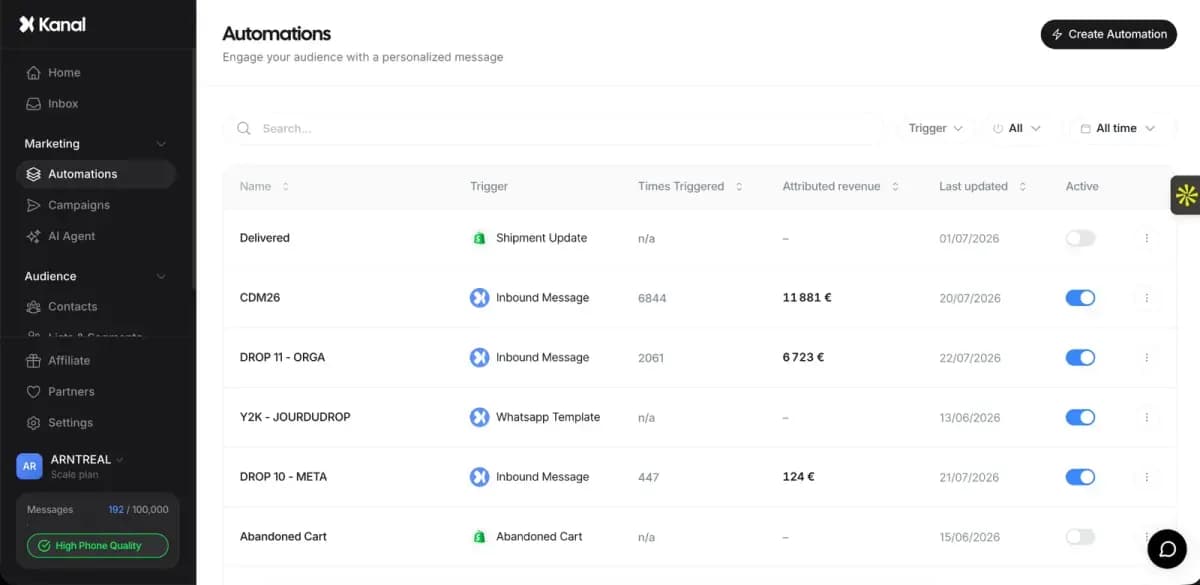
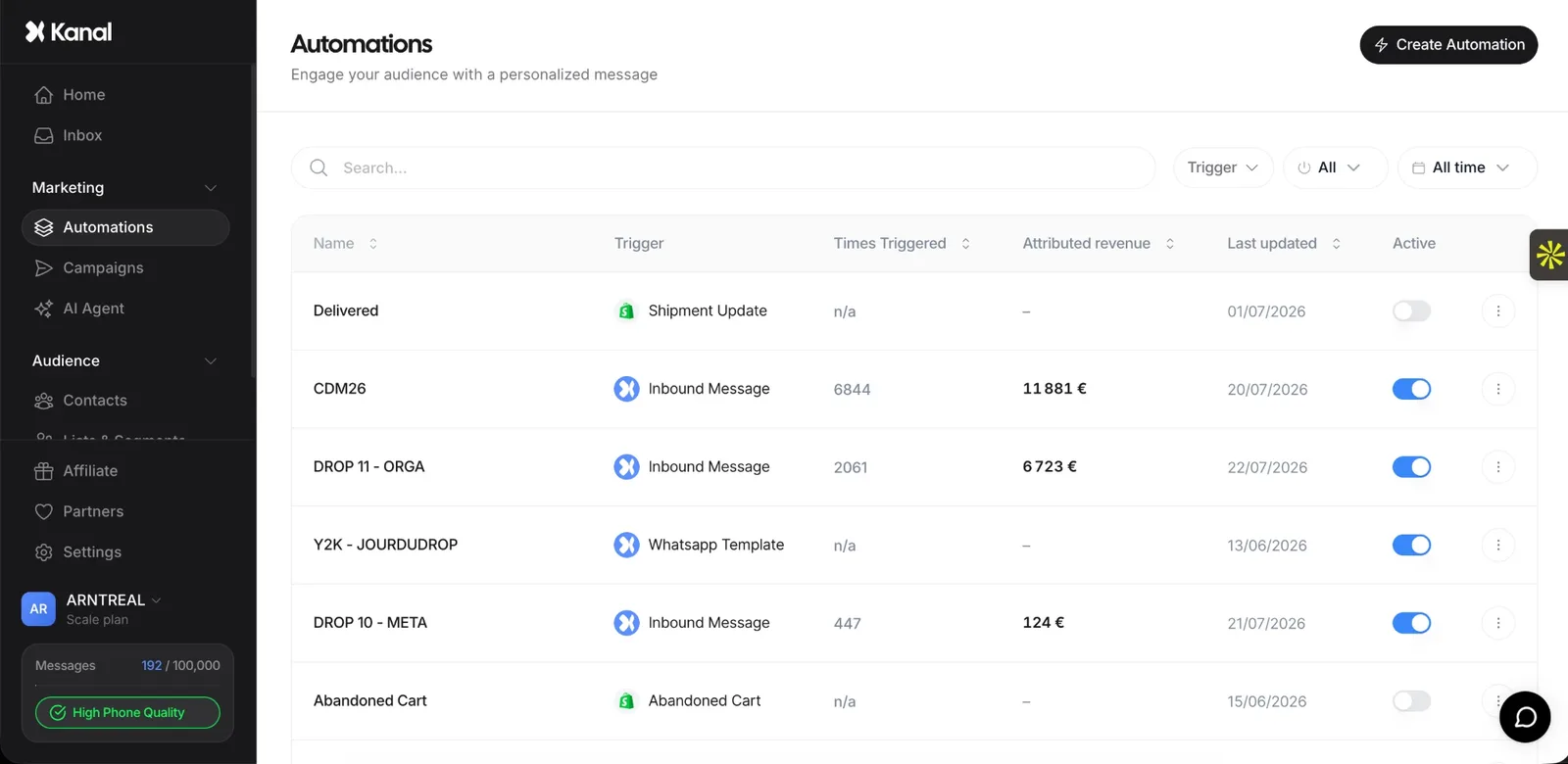 The Kanal app: automations list.
Kanal is a WhatsApp marketing and automation platform for e-commerce brands. It installs as a native Shopify app and also connects PrestaShop stores through its store API, with the setup done by a Kanal expert.
- Flows: a visual drag-and-drop builder with conditions, delays and branches, triggered by Shopify events such as orders, checkouts, signups and tags.
- Use cases: abandoned cart recovery, order notifications, post-purchase upsells, review requests and back-in-stock alerts, plus welcome, win-back, birthday and VIP flows.
- Compliance: opt-ins collected at checkout and on your site, template management for the marketing, utility and authentication categories, and opt-outs handled for you.
- Plans: the entry Pro plan covers abandoned cart recovery and WhatsApp campaigns. Segments, unlimited and advanced automations and the Klaviyo integration, which syncs your Klaviyo segments to Kanal, come with the Scale plan. The AI agent is not part of the entry plan either.
- Price: from $89/month, no commitment, with Meta's WhatsApp fees passed through at cost and no hidden per-message markup.
Choose it if you want your store events to trigger WhatsApp messages, next to the email tool you already use.
Klaviyo
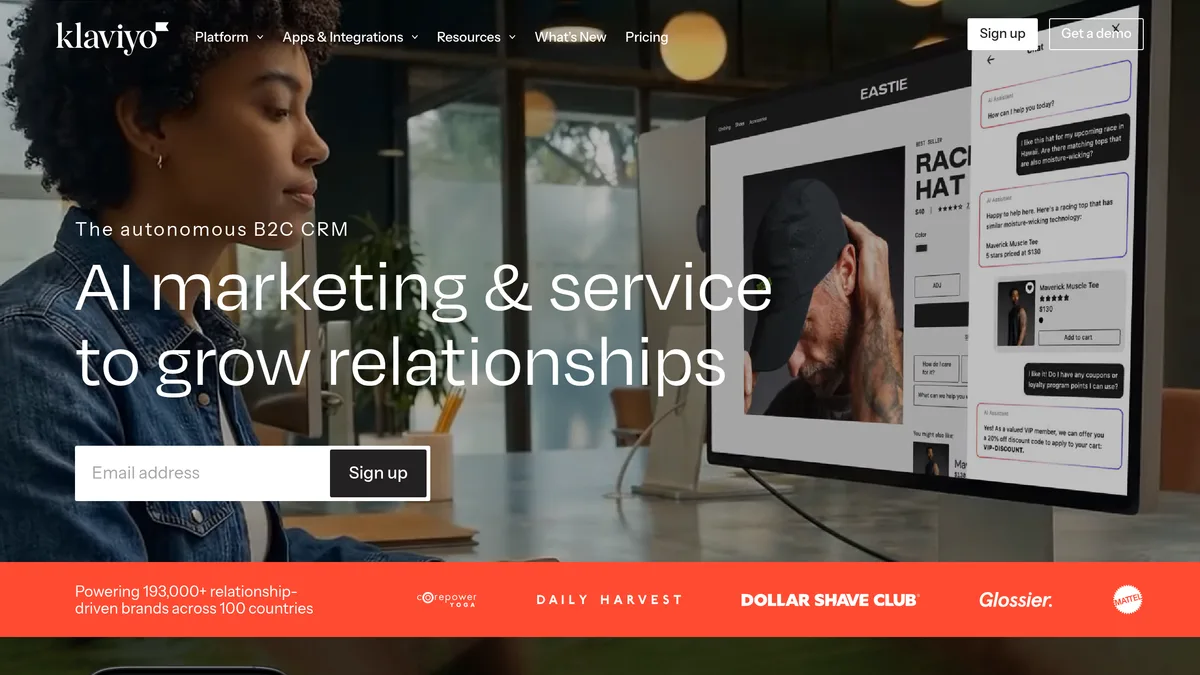 Screenshot of the Klaviyo website.
Klaviyo's Shopify app covers email, SMS, WhatsApp, mobile push and pop-ups, with segments and flow triggers built on historical and real-time data. It works with Shopify Flow.
Worth a look if you want email and SMS flows in one platform.
Omnisend
 Screenshot of the Omnisend website.
Omnisend combines email, SMS, newsletters and web push in one app, with pre-built welcome, abandoned cart and post-purchase workflows, plus pop-ups and signup forms.
Worth a look if you want ready-made email workflows and list-growth forms in the same app. Our Omnisend and Klaviyo comparison shows where the two differ on price and features.
Mailchimp
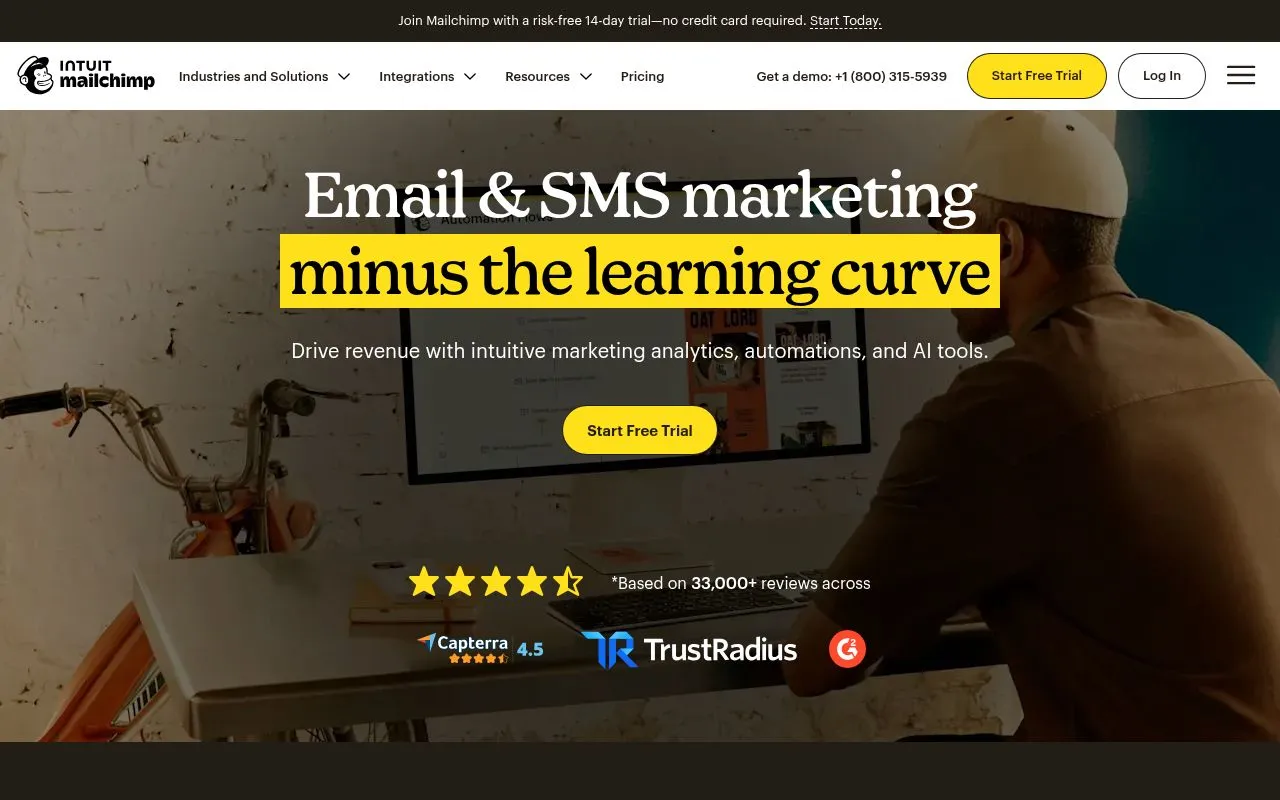 Screenshot of the Mailchimp website.
Mailchimp's Shopify app automates welcome, abandoned cart and back-in-stock emails, syncs your Shopify segments and offers SMS as an add-on. Its plans cap marketing automations: up to 4 on Essentials and up to 200 on Standard (from $20/month).
Worth a look if your team already uses Mailchimp. If you are choosing between the two, see how Mailchimp compares with Klaviyo.
To compare more apps, see our collections of the best Shopify automation apps, email marketing apps, SMS apps and WhatsApp apps for Shopify.
Metrics to track
Measure each flow on its own, not only the channel as a whole.
- Delivery rate: messages delivered out of messages sent. On WhatsApp, Meta only charges for delivered templates.
- Open or read rate, and click rate: whether the message gets attention.
- Conversion rate and attributed revenue: Shopify's automation reports show reach, sessions, orders, conversion rate and sales for each automation.
- Revenue per recipient: attributed revenue divided by the number of recipients, to compare a small high-intent flow with a large one.
- Cost and ROAS: message fees and discounts against the revenue they bring.
- Opt-outs and blocks: Meta rate-limits businesses whose quality stays low for a sustained period, so watch your WhatsApp quality rating.
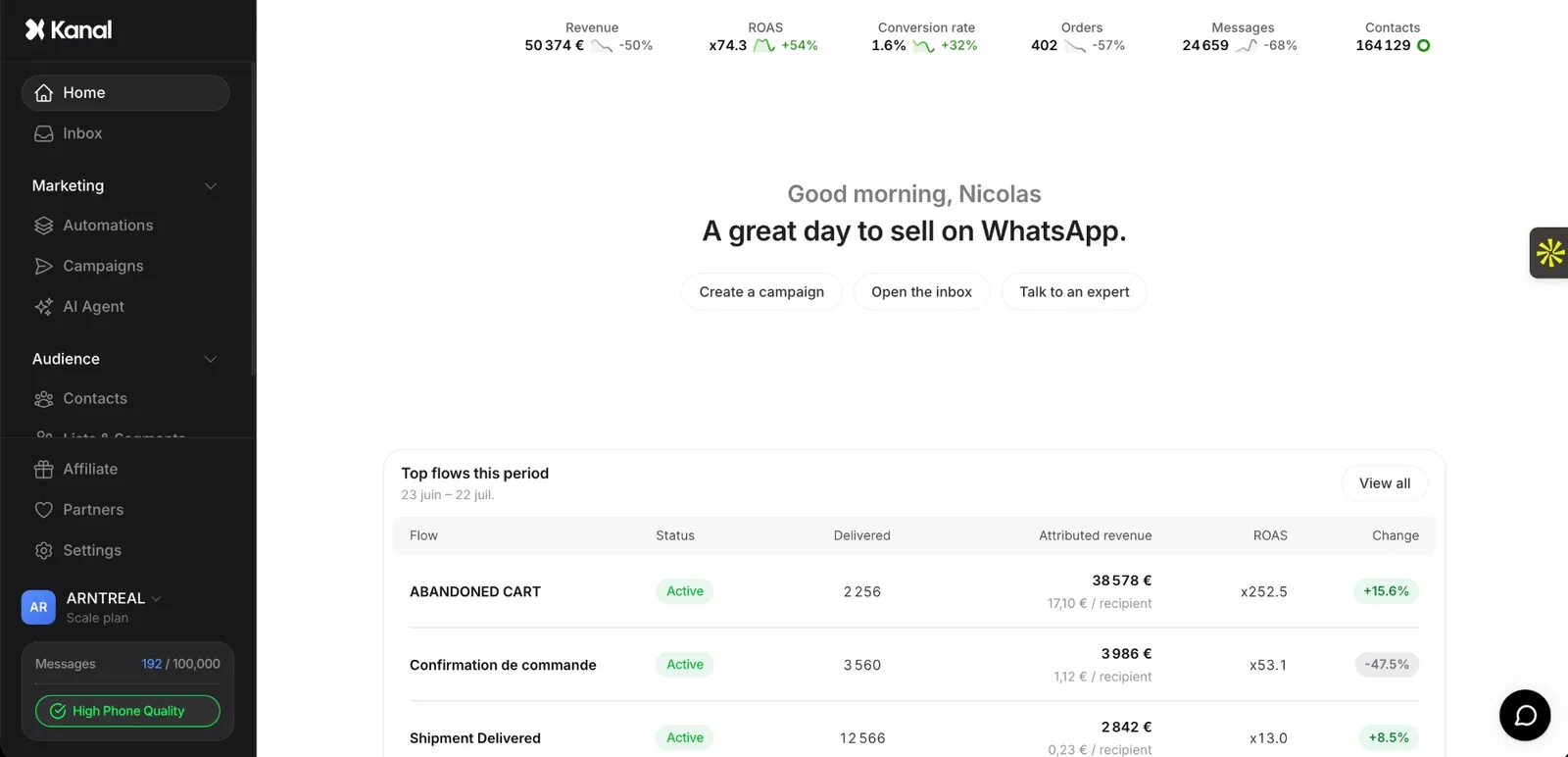 The Kanal app: home dashboard.
In Kanal, the home dashboard lists your top flows with messages delivered, attributed revenue, revenue per recipient and ROAS.
Attribution shows what happened after a message, not what it caused: to measure the real lift of a flow, keep a small holdout group that doesn't receive it.
Common mistakes to avoid
- Overlapping flows. Shopify's own example: with two welcome automations active, customers get twice as many emails. Map every trigger before you add a flow.
- Promotions in order updates. Meta treats an order update with a promo as a marketing template.
- Messaging without opt-in. Meta requires opt-in before you message someone on WhatsApp, and the opt-in must name your business. Our WhatsApp opt-in guide covers the GDPR side.
- A discount in every flow. It can train customers to wait for a code. Keep incentives for the last reminder.
- Ignoring where your customers are. WhatsApp marketing templates can't reach US numbers today, and SMS tools only cover a list of countries.
- Set and forget. Review each flow's copy, timing and results on a regular schedule.
Where to start
Turn on abandoned checkout recovery, order notifications and a welcome series first. Add post-purchase cross-sells and review requests next, then win-back, replenishment and VIP flows once repeat customers build up. If you want these flows on WhatsApp, triggered by your Shopify events, see how Kanal automations work, compare Kanal's plans or book a demo.
Frequently asked questions
What is e-commerce automation?
E-commerce automation is software that runs store tasks on its own when an event happens, such as a new order, an abandoned checkout or a restock. It covers operations (order tagging, fulfillment, inventory, fraud checks) and marketing. Ecommerce marketing automation is the marketing part: emails, SMS and WhatsApp messages sent automatically when a shopper does something in your store.
What are examples of ecommerce marketing automation?
The core flows are a welcome series for new subscribers, browse abandonment, abandoned cart and checkout recovery, order and shipping notifications, post-purchase cross-sells, review requests, replenishment reminders, back-in-stock alerts, win-back messages for lapsed customers and VIP or loyalty messages. Each one starts from a store event and sends a message by email, SMS or WhatsApp.
How do I set up marketing automation on Shopify?
In your Shopify admin, go to Apps, then Messaging, then Automations. Click Create automation, pick a template such as Recover abandoned checkout, choose email or SMS, edit the message and turn it on. Your store must be on the Basic plan or higher, with the Shopify Flow app installed for full functionality. For custom logic, build a workflow in Shopify Flow. For WhatsApp flows, install an app such as Kanal, connect a WhatsApp Business number and turn on flows like abandoned checkout recovery and order updates.
Which marketing automations should an online store set up first?
Start where purchase intent is highest: abandoned checkout and cart recovery, order and shipping notifications, and a welcome series for new subscribers. Then add post-purchase cross-sells and review requests. Win-back, replenishment and VIP flows come once you have repeat customers to work with.
Should automated flows use email, SMS or WhatsApp?
Use each channel for what it does well. Email has room for longer content like a welcome series. SMS suits short alerts in the countries your provider supports. WhatsApp adds images, buttons and two-way replies, which helps on high-intent moments like carts, restocks and order questions. Meta requires opt-in before you message someone, and it does not currently deliver WhatsApp marketing templates to US phone numbers.
How much does ecommerce marketing automation cost?
You pay the tool's subscription plus message fees. Shopify Messaging includes 10,000 emails a month at no cost, then charges from $1 per 1,000, and its SMS automations are charged per message. Meta charges WhatsApp per delivered template message, by category and by the recipient's country. Kanal starts from $89/month, with Meta's fees passed through at cost.
See Kanal on your own store
- Your campaigns and cart reminders on WhatsApp, starting from your own store
- Post-purchase offers, back-in-stock alerts, then the AI agent that advises your customers
- You leave with the plan that fits and its price

- brands
- 500+
- to set up
- 5 min
- open rate on WhatsApp
- +90%
5/5 on the Shopify App Store (132 reviews)

Nicolas helps e-commerce brands grow revenue with WhatsApp marketing. With deep expertise in Shopify ecosystems and conversational commerce, he shares proven strategies for abandoned cart recovery, broadcast campaigns, and AI-powered customer engagement.
Glossary terms in this article
Quick definitions for the WhatsApp Business terms used above.
WhatsApp Flows
WhatsApp Flows is a feature of the WhatsApp Business Platform for building structured, multi-screen interactions inside a chat, such as forms, sign-ups, bookings and guided product selection. The customer fills in screens instead of typing free text.
Read full definitionOpt-in
A WhatsApp opt-in is the permission a person gives a business to send them messages on WhatsApp. WhatsApp's Business Messaging Policy requires it before any message: the business must have the person's phone number and their agreement to hear from that business.
Read full definitionUtility Template
A utility template is a WhatsApp message template that follows up on something the customer did or asked for: an order confirmation, a shipping update, a payment receipt. It must not contain promotional content, otherwise Meta re-categorizes it as marketing.
Read full definitionMarketing Template
A marketing template is a WhatsApp message template used for promotion: offers, product launches, back-in-stock alerts or cart reminders. It can be sent at any time to customers who opted in, and Meta charges each delivered message at the marketing rate of the recipient's country.
Read full definitionCustomer Service Window (24-hour window)
The customer service window is a 24-hour timer that starts when a WhatsApp user messages or calls a business. While it is open, the business can reply with free-form messages; once it closes, it can only send approved message templates.
Read full definitionSuggested articles
Klaviyo + WhatsApp Integration: Add WhatsApp to Your Flows
Add WhatsApp to your Klaviyo flows in 2026: why merchants stack both channels, the 3 integration paths, the first flows to migrate and attribution.

Judge.me Email Marketing: What the New Shopify App Does and Costs
Judge.me, known for Shopify product reviews, now sells email marketing: automations, campaigns and popups, with 15,000 free emails a month. Features, pricing and where it fits in your stack.
50+ WhatsApp Message Templates for Ecommerce: Copy and Paste (2026)
53 WhatsApp message templates ready to copy and paste: abandoned cart, order updates, review requests, winback and promos. With Meta categories.
WhatsApp in Shopify Messaging: Pricing, Features and Limits
WhatsApp is live in Shopify Messaging: what the channel does, per-message prices by country ($0.106 UK, $0.172 France), limits and the US rule, October 2026.