WhatsApp Flows: Meta's In-Chat Forms Explained (2026)
WhatsApp Flows let businesses send multi-screen forms inside a chat for sign-ups, bookings and lead capture. Setup, publishing, pricing and Shopify uses.
 Nicolas ProvostMay 26, 2026 · 15 min read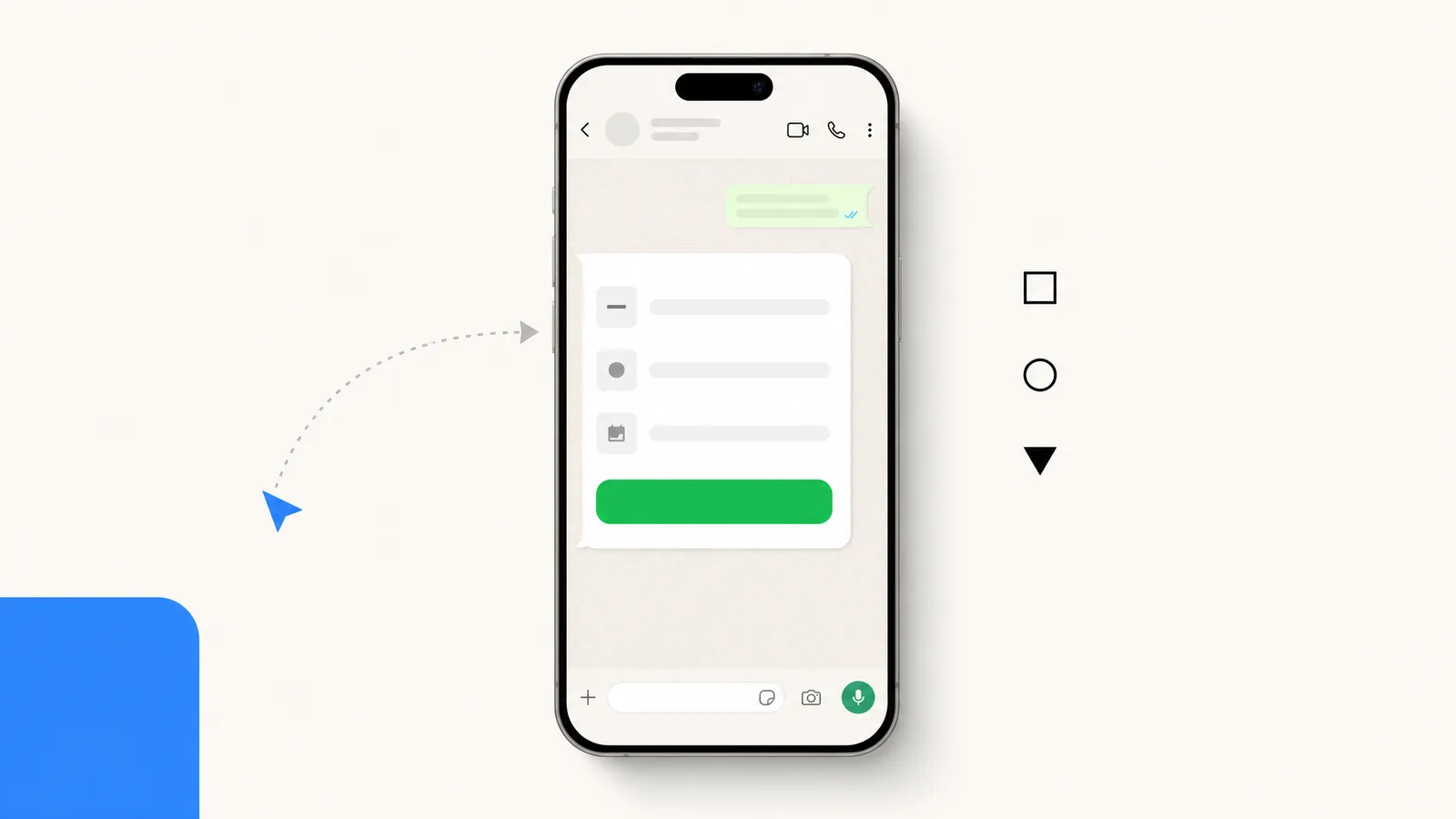
Summarize this article with an AI
 ChatGPT
 Claude
Table of contents (15)
Key takeaways
- WhatsApp Flows are multi-screen forms a customer fills in inside the chat, used for sign-ups, bookings, lead capture, return requests and surveys.
- To send Flows, Meta asks for a verified business; an endpoint is optional, and when you use one, Meta times its requests out after 10 seconds.
- A Flow is not reviewed like a template: you publish it yourself, and the template that opens it goes through template review.
- Meta adds no Flow surcharge, so you pay for the message that carries the Flow, for example $0.0859 for a marketing template to a French number.
WhatsApp Flows is Meta's feature for sending structured, multi-screen forms inside a WhatsApp chat. Flows let businesses collect sign-ups, bookings, lead data, and support intake without sending customers to an external landing page. Meta's Flows changelog goes back to October 2023, and Meta keeps adding components to it. Flows are built on the WhatsApp Business Platform (see Meta's WhatsApp Flows documentation), and replace brittle typed-answer exchanges with a native form UI. This guide covers what Flows can do, how to build one, how publishing works, pricing under the 2026 model, and how Shopify merchants can use them. For a one-paragraph definition, see the WhatsApp Flows entry of our glossary.
WhatsApp Flows vs Templates vs Broadcast
The three formats often get conflated. They are not interchangeable. Each was built for a different stage of the conversation.
| Feature | WhatsApp Flows | Template Message | Broadcast |
|---|---|---|---|
| Direction | Two-way (collect data) | One-way notification | One-way fan-out |
| UI | Multi-screen native form | Single message + up to 10 buttons | Single message |
| Best for | Sign-up, booking, lead capture, intake | Order updates, OTPs, marketing | Bulk send to a list |
| Data captured | Structured fields, validations | Button taps only | None at the message layer |
| Opened by | A Flow button in a template, or an interactive message inside the 24-hour window | Sent on schedule or event | Scheduled or one-shot |
| Available on | Cloud API, plus a form option in click-to-WhatsApp ads | Cloud API | Cloud API + free app (capped) |
| Meta billing | The delivered message that carries the Flow | Each delivered template | Each delivered template, per recipient |
If you only need to push an update, send a template. If you need to broadcast to a list, see our WhatsApp broadcast guide. If you need to collect structured data inside the chat, that is what Flows were built for.
What a WhatsApp Flow Can Do
The core unit is a screen. A screen contains components (text input, text area, radio buttons, checkboxes, dropdown, date picker, opt-in, photo or document upload) plus a footer button. A Flow can have a single screen or several, with routing deciding which screen comes next.
Common patterns:
Sign-up Flow. Capture name, email, segment, opt-in. One screen, four fields, one CTA. Used to convert click-to-chat ad traffic into newsletter subscribers without a landing page.
Booking Flow. Pick a service, pick a date, pick a slot, confirm. Used by salons, clinics, and service-led commerce.
Lead-capture Flow. Multi-step qualifier with branching. Common for B2B and high-ticket B2C.
Support intake Flow. Order number, issue category, severity, description, photo upload. Routes the message to the right queue with the right context. Used by Shopify brands offering WhatsApp customer support.
Post-purchase survey Flow. NPS plus a couple of follow-ups, sent as a template a few days after delivery (Meta decides whether it counts as utility or marketing). Customers answer inside the chat instead of clicking through to an external survey.
Technical Requirements
Three points to check before you commit:
- WhatsApp Business Platform. Flows built with Flow JSON are sent through the Cloud API; the On-Premises API has been sunset by Meta (see our Cloud API vs On-Premises comparison). Meta also offers a form option inside click-to-WhatsApp ads, covered in the use cases below. Flows open on Android 6.0 and newer and iOS 12 and newer, not on WhatsApp Web.
- Verified business and good quality. Meta asks you to verify your business and keep a high message quality before you send Flows to customers.
- An endpoint only when you need live data. Meta's best practices recommend Flows without an endpoint unless the form needs live data while the customer fills it in, such as available booking slots. If you use one, it must accept POST requests over HTTPS with a valid TLS certificate, and Meta's requests to it time out after 10 seconds.
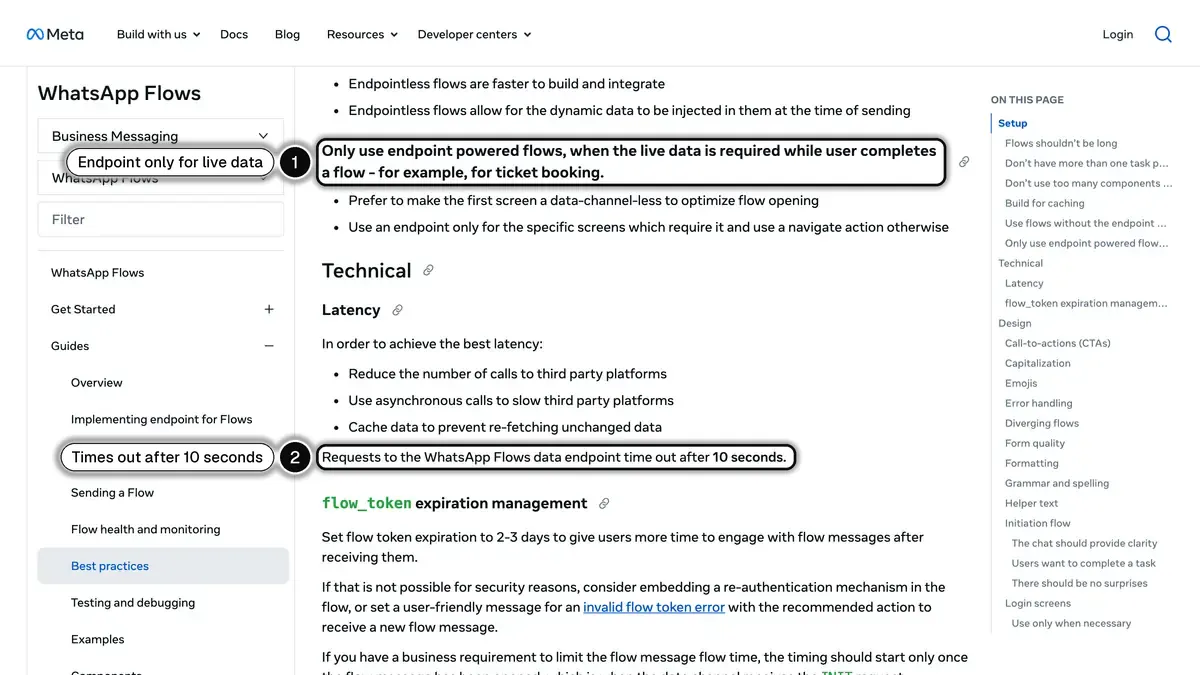 Source: Meta for Developers, WhatsApp Flows best practices, read on October 23, 2026. In 1, endpoint-powered Flows are for live data such as ticket booking; in 2, requests to the endpoint time out after 10 seconds.
For most Shopify forms (sign-up, return request, survey), a Flow without an endpoint is enough: when the customer submits it, the answers come back as a response message in the chat, and your messaging platform or your own server stores them.
How to Build a WhatsApp Flow
Meta exposes two ways to build a Flow.
The Flow Builder UI
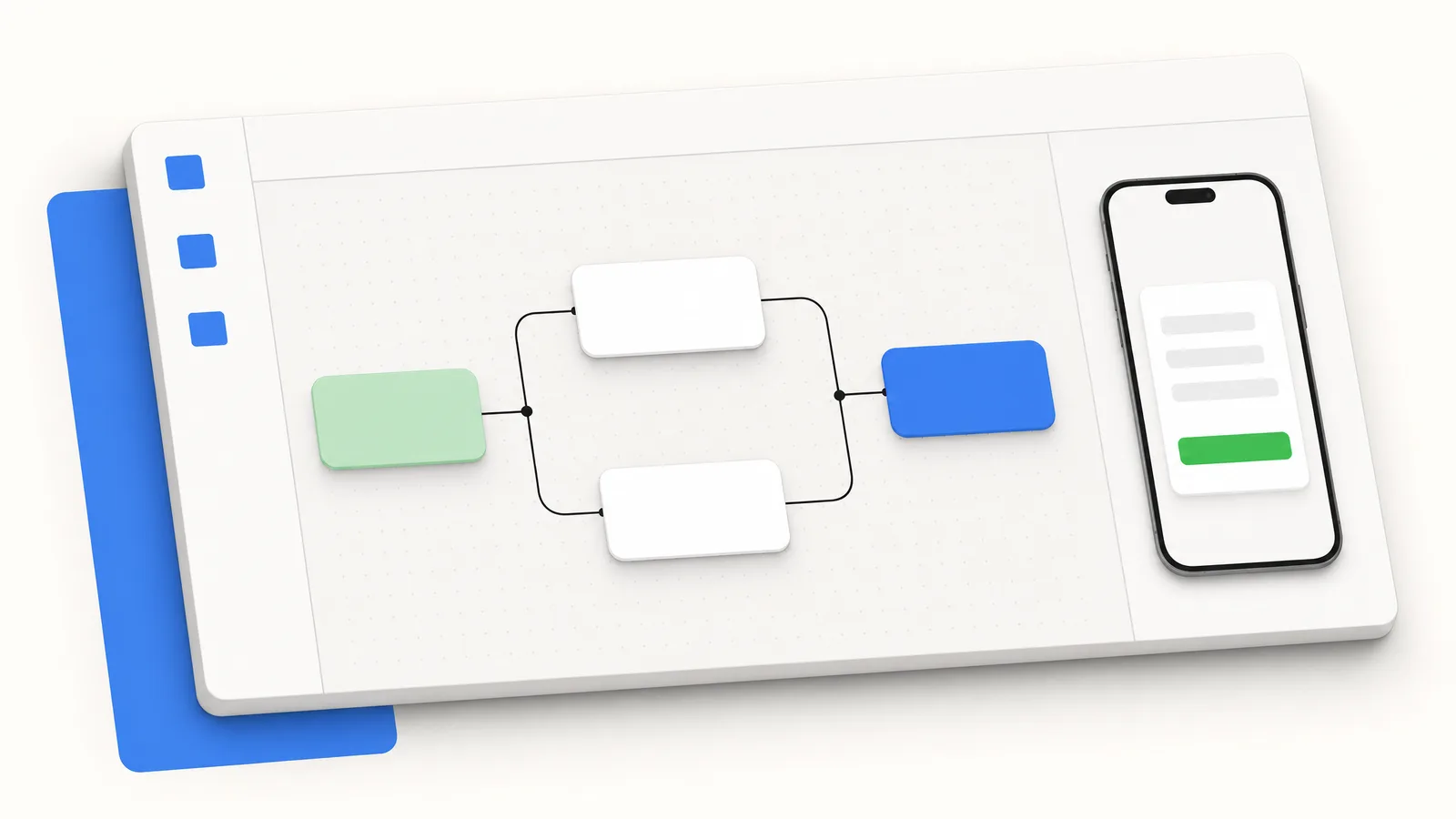
The Flow Builder lives in WhatsApp Manager. Add screens, add components, set validations and routing. The builder writes the underlying JSON for you. Best for marketing and operations teams without a developer in the room.
The JSON Spec
For developers, Meta publishes the Flow JSON reference. A Flow is a single JSON document with a required version and list of screens, plus a routing_model and a data_api_version when the Flow uses an endpoint. The JSON path is faster to version-control and the right choice when Flows are part of a larger codebase.
Most Production Builds Use a BSP
In practice, many Shopify brands do not work with Meta's raw tooling. They use a BSP that wraps Meta's API with a Shopify-aware UI and handles the data mapping into Shopify customer or order objects and the trigger from Shopify events (cart abandoned, post-purchase, repeat customer).
Publishing, Template Review and Health Checks
A Flow is not reviewed the way a template is. It goes through states that Meta describes in its Lifecycle of a Flow page:
- Draft. A new Flow can only be sent for testing, and WhatsApp shows a banner on it.
- Published. You publish it when it is ready. Before that, Meta checks that a phone number is connected to your WhatsApp Business account, that a Meta app is linked to the Flow and that the Flow JSON and its versions are valid; for a Flow with an endpoint, it also checks the signed public key, the endpoint URL and a health check.
- Throttled, then blocked. For Flows that use an endpoint, WhatsApp monitors error rate, latency and availability. If they deteriorate, sending is limited to 10 Flow messages per hour; if they get worse, the Flow is blocked until the endpoint recovers.
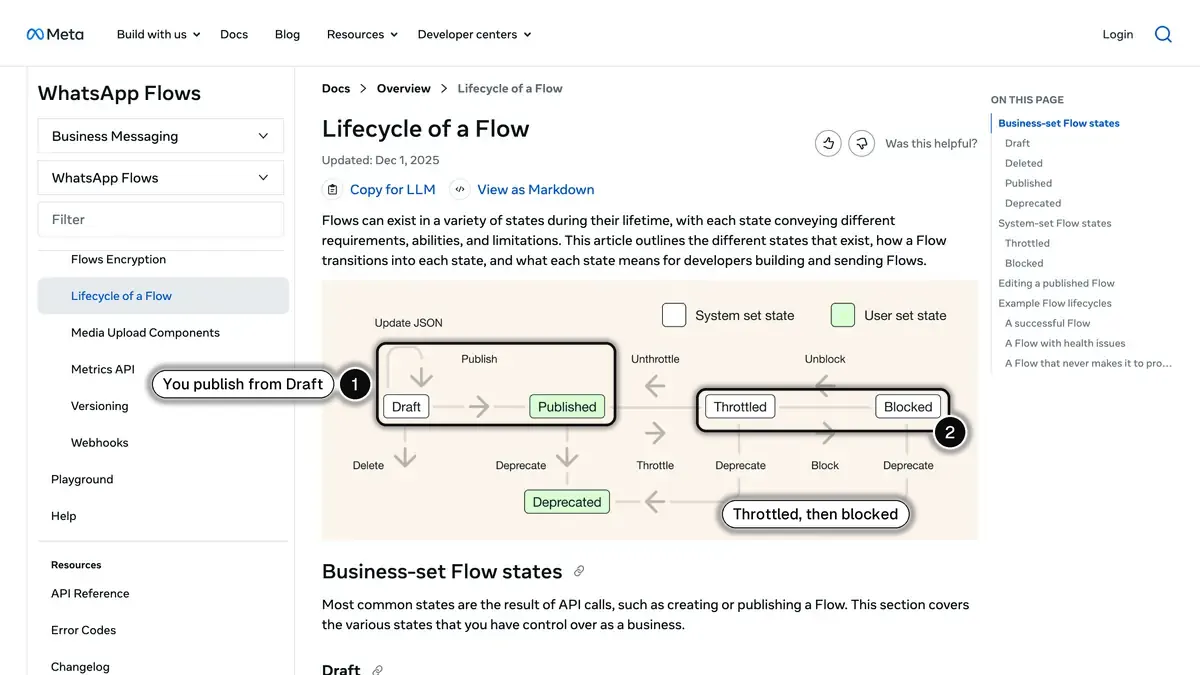 Source: Meta for Developers, Lifecycle of a Flow, read on October 23, 2026. In 1, you publish a Flow from Draft yourself; in 2, WhatsApp can throttle, then block, a Flow whose endpoint degrades.
What does go through review is the template that opens the Flow. Meta reviews every template when it is created or edited and says review can take up to 24 hours; our WhatsApp Business templates guide covers how to get them approved. Collect only what the task needs: Meta reminds businesses to follow local rules on user data and the WhatsApp Business Messaging Policy, and its best practices ask for a clear opt-in when the Flow asks for consent.
Editing a published Flow puts it back to Draft. Messages already sent keep the previous version, only new messages carry the new one, and WhatsApp supports up to the last 5 versions. For a significant change, Meta suggests cloning the Flow instead.
Use Cases for Shopify E-commerce
Five Flow patterns that fit Shopify stores in 2026:
Welcome sign-up Flow. Triggered from a click-to-WhatsApp ad or QR code. Captures name, segment, and explicit opt-in. Converts cold ad traffic into a subscriber base. Meta also lets advertisers add a form to a click-to-WhatsApp ad directly in Ads Manager: the person can fill in the form or start a chat, and the answers appear in the WhatsApp Business app thread (About WhatsApp Flows on ads that click to WhatsApp). Meta says this option is not available to all advertisers yet, nor to advertisers using message templates from partner apps. Our Click-to-WhatsApp ads guide covers how to measure those campaigns. Compare the Flow's completion rate with your landing-page form.
Return request Flow. Order number, item, reason (dropdown), photo upload. Replaces an email or a help-desk form, and the agent gets every detail up front instead of chasing it over several messages. Write the reasons and deadlines to match your return policy.
Sizing-helper Flow. A short quiz that recommends a size based on height, weight, fit preference. Sent after purchase as part of a post-purchase sequence. Track size-related returns before and after launch.
Post-purchase survey Flow. NPS plus open feedback. Used to recover at-risk customers and to surface SKU-level quality issues early.
B2B lead Flow. For Shopify Plus and B2B brands. Qualifies inbound demand from ads or referral. Routes high-fit leads to a human sales rep, low-fit to a self-serve checkout. For the rest of a Plus stack, see our comparison of the best Shopify Plus apps.
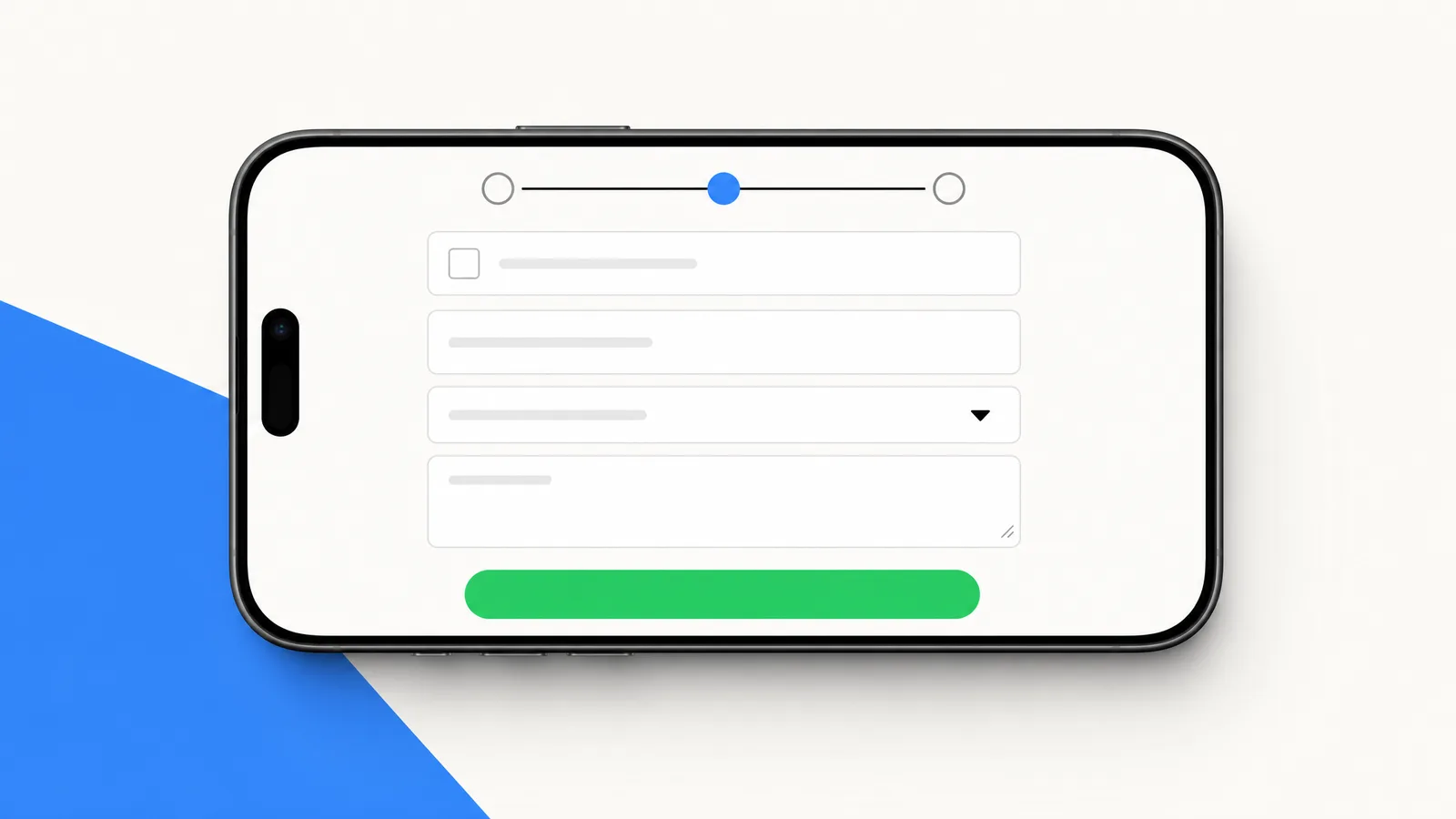
What to Measure
There is no independent public benchmark for WhatsApp Flows, and vendor figures are not audited. Track these five metrics in your own account, Flow by Flow:
- Read rate of the template that opens the Flow
- Tap rate on the CTA button that opens the Flow, by incentive and audience warmth
- Completion rate once the Flow is opened, single-screen vs multi-screen
- Time spent inside the Flow, against the equivalent landing-page form
- Conversion rate from data submitted to action taken on Shopify (sign-up recorded, return processed)
Then run the same form as a landing page or an email link for a comparable segment: that comparison is the benchmark that matters for your store.
Limitations and Gotchas
Things to plan around in 2026:
- No payment inside a Flow. Flows have no payment component. Meta's Payments API, documented for India and Brazil, works through invoice (order_details) messages in the chat, not inside a Flow. Elsewhere, the customer pays on your Shopify checkout.
- Upload limits. Photo and document pickers accept files up to 25 MiB each by default, and a submitted Flow can carry at most 10 files and 100 MiB in total. There is one picker per screen.
- No revenue attribution from Meta. You receive the answers, not the orders they lead to, and Meta lists its Flows metrics API as deprecated in April 2026. You need your messaging platform or your own pipeline to tie a Flow completion to revenue.
- No A/B testing in Meta's Flow Builder. You can ship two Flows and split traffic at the template level yourself.
- Versions and edits. Editing a published Flow sends it back to Draft, messages already sent keep the old version, and only the last 5 versions are supported. Be careful when changing field names mid-campaign.
- Mobile only. Flows do not open on WhatsApp Web or other companion devices.
Pricing Under Meta's 2026 Model
Since July 1, 2025, Meta charges per delivered message, not per conversation. A Flow travels inside a message: a template, which you can send at any time, or a free-form reply, which you can only send inside the 24-hour customer service window. Meta charges that message at its category rate for the country of the recipient's number. The answers the customer submits are messages from the customer, which Meta does not charge.
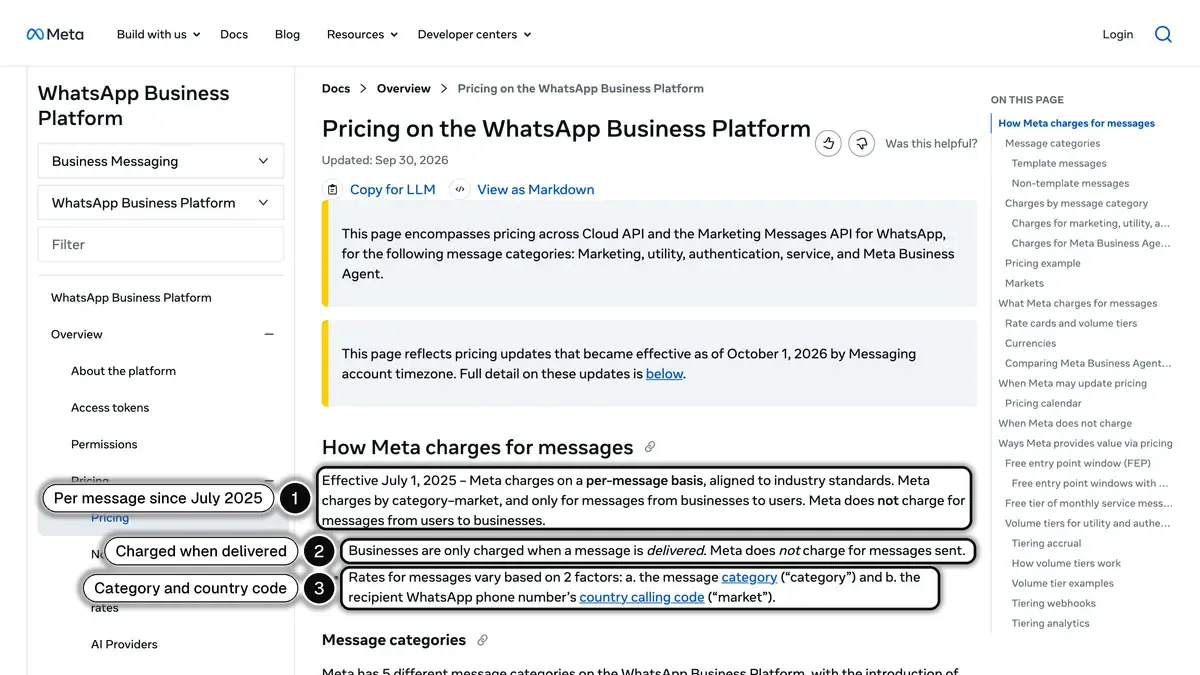 Source: Meta for Developers, Pricing on the WhatsApp Business Platform, read on October 23, 2026. In 1, the per-message model; in 2, only delivered messages are charged; in 3, the two factors that set the rate.
| Category | US price per delivered message | France price per delivered message | Flow example |
|---|---|---|---|
| Marketing | $0.0250 | $0.0859 | Promotional Flow opened from a marketing template |
| Utility | $0.0034 | $0.0300 | Order, sign-up, return Flow opened from a utility template |
| Authentication | $0.0034 | $0.0300 | OTP-related Flow (rare) |
| Service | Utility rate after 1,000 free per number each month | Utility rate after 1,000 free per number each month | Flow sent as a reply inside an open 24-hour customer service window |
Prices are per delivered message, in USD, at Meta's rates effective October 1, 2026, read on October 23, 2026 (US prices are Meta's North America rates): see Meta's pricing. Since October 1, 2026, a service message costs the utility rate after 1,000 free service messages per business phone number each month, and utility templates sent inside an open customer service window, not charged until then, are billable too. When a customer messages you from a Click to WhatsApp ad on the Android or iOS app and you reply inside the 24-hour customer service window, your messages are not charged while the free entry point window is open, which may be for up to 7 days according to Meta's pricing documentation read on October 23, 2026 (Meta Business Agent messages excluded).
There is no separate Flow surcharge from Meta. Your BSP typically adds a platform fee on top, often a fixed monthly fee plus Meta's per-message fees passed through. Kanal passes WhatsApp fees through at cost, with no per-message markup, and plans start from €89/month. See our WhatsApp Business pricing guide for the per-country breakdown.
Where Kanal Fits
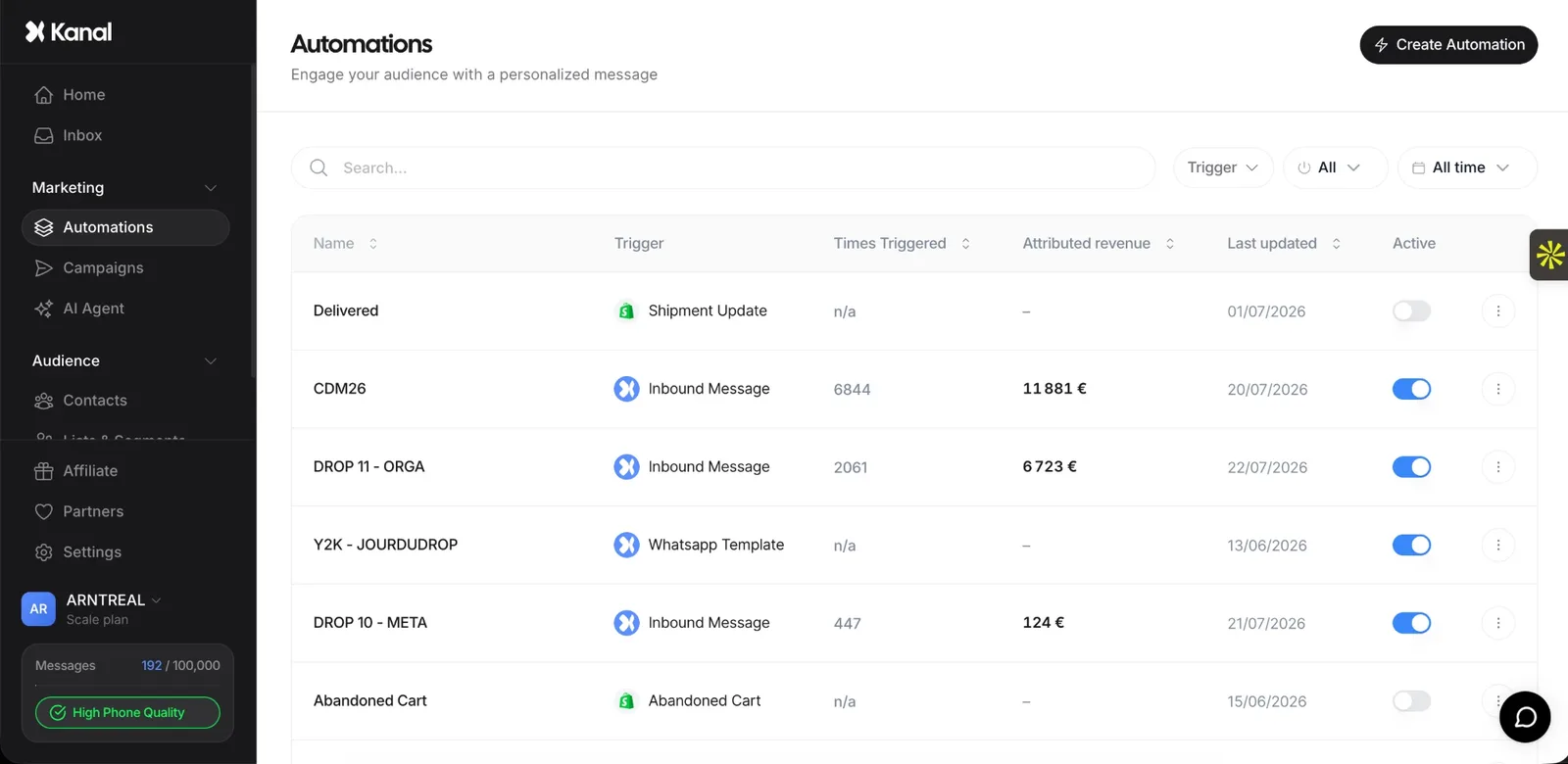
Kanal runs the WhatsApp automations around your forms on Shopify. Its automations start from a Shopify order, an abandoned checkout, a shipment status or a WhatsApp keyword, and from the Scale plan they include list messages and question steps that store the customer's answer in a variable, which covers many short data-collection needs without a Flow.
Shopify-event triggers. An automation pulls the order and customer data into its messages as variables, so the merchant does not write any code.
Built-in tracking. Kanal can add UTM parameters to every button and link it sends and attributes orders to the messages that preceded them.
The full set of Shopify automations is on our WhatsApp campaigns page. If you're comparing tools, our Kanal vs Wati comparison and Kanal vs Charles comparison put the tools side by side. If a multi-screen Meta Flow is central to your project, ask us about it in a Kanal demo, or check the pricing page.
When to Use a Flow Instead of Other Surfaces
A decision tree to keep on a sticky note:
- Need to push an update, no response expected: send a template message.
- Need to broadcast to a list: send a template campaign to an opted-in segment.
- Need to chat in free text, no structured fields: use an AI chatbot or a human agent.
- Need to collect 2 or more structured fields in one session: send a Flow.
- Need to take payment: send a Shopify checkout link after the Flow is submitted (Meta's Payments API is documented for India and Brazil).
- Need recurring content delivery to fans (one-to-many, no replies expected): see our WhatsApp Channels guide.
Flows fill the gap between "send a message" and "open the website." They keep the customer inside WhatsApp while still collecting the structured data your Shopify backend needs.
Getting Started
Three steps: check that your number runs on the Cloud API and that your business is verified with Meta. Pick a single, low-stakes Flow to launch first (sign-up or return request). Ship behind a small test segment, measure completion rate, then scale.
If your store is on Shopify, install Kanal for the automations around your forms: Shopify event triggers, keyword flows and question steps, set up in 5 minutes.
See Kanal on your own store
- Your campaigns and cart reminders on WhatsApp, starting from your own store
- Post-purchase offers, back-in-stock alerts, then the AI agent that advises your customers
- You leave with the plan that fits and its price
From €89/month
- brands
- 500+
- to set up
- 5 min
- open rate on WhatsApp
- +90%
Nicolas helps e-commerce brands grow revenue with WhatsApp marketing. With deep expertise in Shopify ecosystems and conversational commerce, he shares proven strategies for abandoned cart recovery, broadcast campaigns, and AI-powered customer engagement.