Average Order Value (AOV): Formula and How to Raise It
Average order value explained: the AOV formula, what to do with tax, shipping and refunds, how Shopify calculates it, examples and five ways to raise it.
 Nicolas ProvostOct 7, 2026 · 15 min read
Summarize this article with an AI
 ChatGPT
 Claude
Table of contents (24)
Key takeaways
- Average order value is revenue divided by the number of orders over the same period, so $24,000 in sales from 400 orders gives $60.
- Shopify calculates it as gross sales minus discounts, divided by orders, before taxes and shipping and without removing returns made after the order.
- Bundles, a free shipping threshold set above most current orders, cross-sells, personalized recommendations and post-purchase offers are the five levers that raise it.
Average order value (AOV) is the average amount a customer spends per order: AOV = revenue ÷ number of orders, both taken over the same period. With $24,000 in sales from 400 orders, the average order value is $60. To get yours in a few seconds, with or without sales tax, shipping and refunds, use our average order value calculator.
The formula is simple, but the result changes with what you put in the revenue: sales tax, shipping charges, refunds, canceled orders. This guide helps you choose the right version, read the figure in Shopify and understand why it often differs from your own calculation, with fictional worked examples. It then compares AOV with conversion rate, customer lifetime value and repeat purchase rate, and goes through the levers that raise it. The Shopify definitions come from the Shopify Help Center, read on October 7, 2026.
What is average order value?
Average order value is the average amount spent per order over a period. In physical retail, the same calculation on register receipts is called the average ticket or average transaction value.
It answers one question: what does a typical order bring in? It does not say how many visitors buy, or how often your customers come back. It is, however, one of the three factors of an online store's revenue:
Revenue = visits × conversion rate × average order valueWith the same traffic and conversion rate, each dollar added to the average order is multiplied by your number of orders, without buying a single extra visitor.
Per order, not per customer
AOV is calculated per order. A customer who orders three times in a month counts as three orders. The amount spent per customer over a period is a different metric, closer to customer lifetime value (see below).
What is a good average order value?
There is no universal good AOV. It depends on your prices, your catalog and your customers, and averages that mix very different stores tell you nothing about yours. The right comparison is your own history: month by month, year over year, by channel and by type of customer.
How do you calculate average order value?
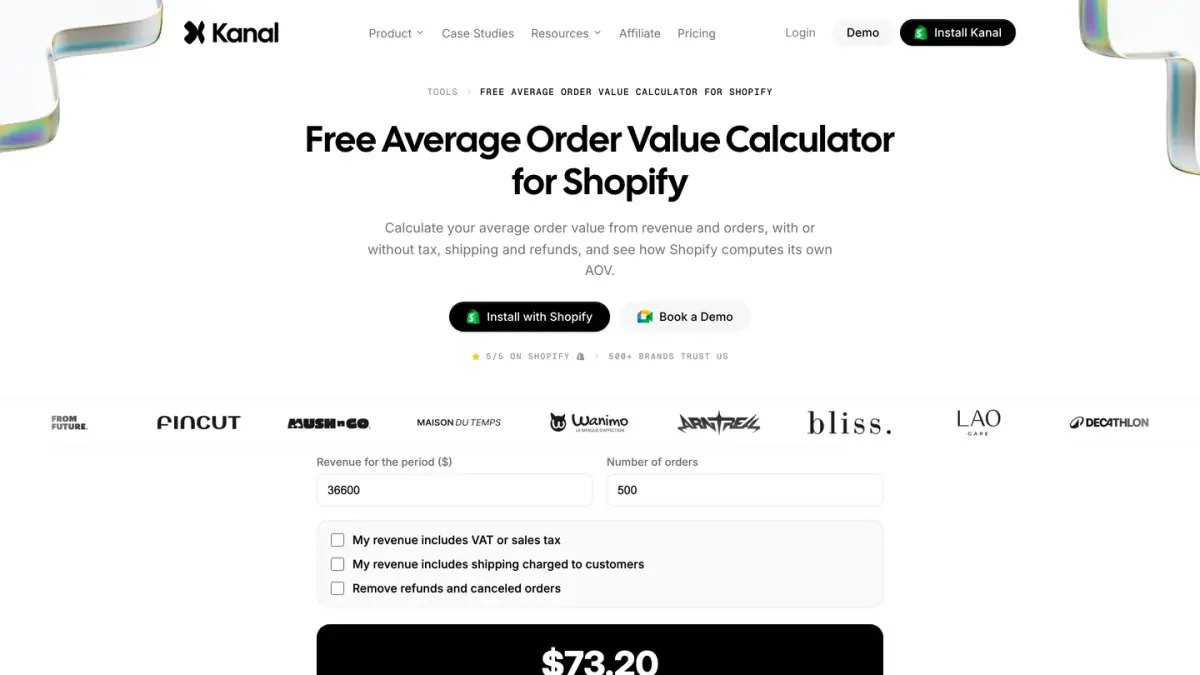
The formula, with revenue and orders taken over the same period:
Average order value = revenue ÷ number of ordersFictional example: a store makes $24,000 in sales in April from 400 orders. Its average order value for April is 24,000 ÷ 400 = $60.
Three rules prevent most mistakes:
- The same period for revenue and orders: a full month or a full quarter, never one month's sales divided by another month's orders.
- The same scope: if you also sell in a physical store or to wholesale buyers, calculate an AOV per channel instead of one overall figure.
- The same convention from month to month: with or without sales tax, with or without shipping, before or after refunds.
The calculator linked above applies these options for you: enter your revenue and your number of orders, then tick the tax, shipping or refunds you want to take out.
With or without sales tax?
The sales tax you collect is not your revenue: you remit it. To steer margin, prices or an ad budget, use an AOV before sales tax. To see what a customer actually pays at checkout, use the total charged. The two are both valid. Mixing them from one month to the next is what makes the figure useless.
With or without shipping?
Shipping charges paid by the customer do not pay for your products: they cover all or part of a delivery cost. Take them out to measure what customers buy, keep them in to measure what they pay in total. Shopify leaves them out of its own calculation. If you offer free shipping above a threshold, compare that threshold with an AOV that excludes shipping: the customer reaches it with the value of the products.
Refunds, returns and canceled orders
Two readings coexist:
- AOV as ordered counts each order at its value when it was placed. This is Shopify's measure, useful to judge the effect of an offer, a product page or a campaign.
- Net AOV removes what was not sold in the end: refunded amounts leave the revenue, and orders that were canceled or refunded in full leave the order count too. This is the measure that matters for profitability and for customer lifetime value.
A partial refund lowers revenue, but the order still counts. Discount codes, for their part, lower the value of the order from the start: a generous discount can trigger a sale while pulling AOV down. And always exclude test orders.
| Version | Calculation | Useful for |
|---|---|---|
| AOV on total paid | Total charged to customers (tax and shipping included) ÷ orders | Seeing what a customer pays at checkout |
| AOV on products (Shopify's measure) | (Gross sales - discounts) ÷ orders, before tax and shipping | Tracking the effect of your offers from month to month |
| Net AOV | (Product sales - discounts - refunds) ÷ (orders - canceled orders) | Profitability, margin, customer lifetime value |
Where do you find average order value in Shopify?
In Shopify, the metric is called Average order value. The Help Center defines it as gross sales minus discounts, divided by the number of orders, excluding adjustments, where adjustments are all the edits, exchanges or returns made to an order after it was created.
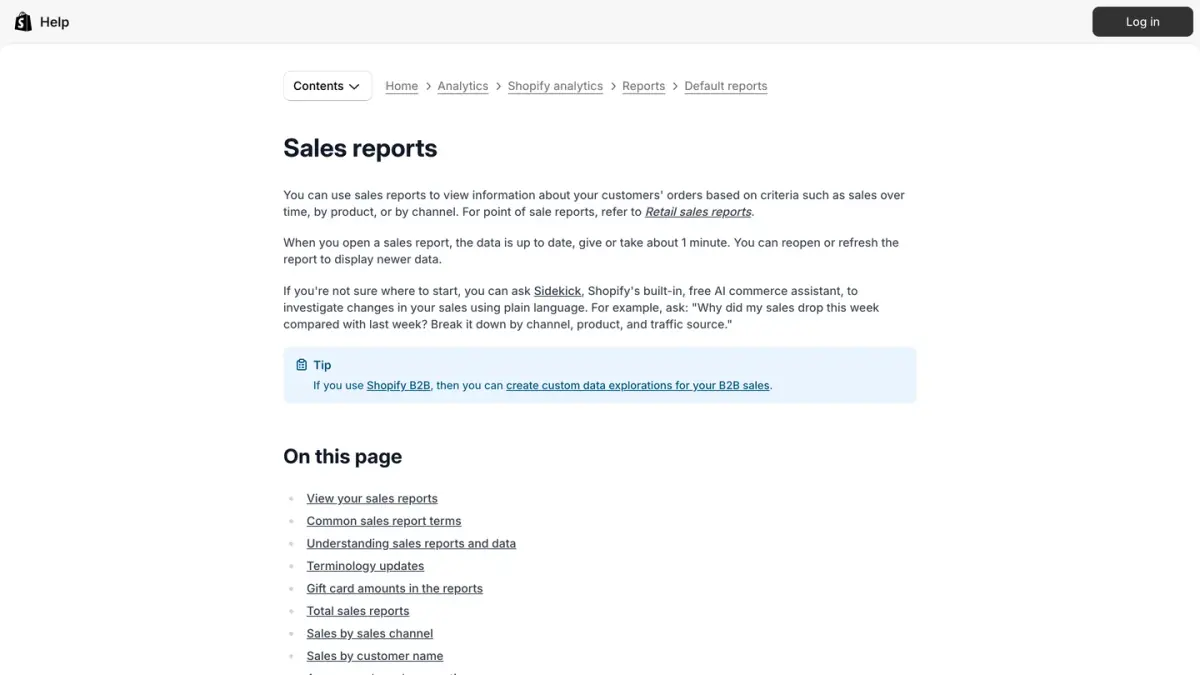
To display it:
- In your Shopify admin, open Analytics.
- Choose the date range at the top of the dashboard (the default is the last 90 days) and, if you want, a comparison period such as the previous year (Shopify Help Center).
- Click the title of a metric card to open the matching report. The cards on the dashboard can be customized.
- You can also open the Average order value over time report from the Sales reports. Group by displays the value by hour, day, week, month, quarter or year.
What Shopify counts, and what it leaves out
Shopify's definition has three practical consequences, all set out in its sales reports documentation:
- Before taxes and shipping. Gross sales equal product price × quantity, before taxes, shipping, discounts and sales reversals.
- Before returns. Edits, exchanges and returns made after the order was created are not taken into account: a returned product stays in the average order value.
- Canceled orders included. Pending, canceled and unpaid orders are part of gross sales. Test orders and deleted orders are not.
Shopify illustrates the calculation with a month of 10 orders, $1,000 in gross sales, $200 in discounts, $100 in taxes, $150 in shipping and $50 in adjustments: the average order value is ($1,000 - $200) ÷ 10 = $80, whatever the taxes, shipping and adjustments of the month.
If you divide Total sales by the number of orders yourself, you will get another result: total sales equal gross sales minus discounts and sales reversals, plus taxes, duties, shipping charges and fees.
To go further, the New or returning customer dimension labels each order as coming from a new or a returning customer. Compare the AOV of the two groups to see at which point of the relationship to concentrate your offers.
Average order value examples
The figures below are fictional. They show how the result changes with the convention you choose, and how to estimate the effect of an action.
Example 1: one month, four average order values
A fictional cosmetics store closes September with these figures:
| September figure (fictional) | Amount |
|---|---|
| Gross product sales | $30,000 |
| Discounts (promo codes) | $1,500 |
| Shipping charged to customers | $2,000 |
| Sales tax collected | $2,280 |
| Total paid by customers | $32,780 |
| Refunds on products | $1,200, of which $600 for 10 orders canceled or refunded in full |
| Orders placed | 500 |
Depending on the convention, its average order value for September is:
- $65.56 on the total paid, tax and shipping included: 32,780 ÷ 500. This is what a customer pays on average.
- $61 before tax, shipping included: (30,000 - 1,500 + 2,000) ÷ 500.
- $57 on products, Shopify's measure: (30,000 - 1,500) ÷ 500.
- $55.71 net, without tax, shipping, refunds or canceled orders: (28,500 - 1,200) ÷ (500 - 10) = 27,300 ÷ 490.
A gap of $9.85 separates the highest version from the lowest, without a single sale changing. That is the reason to set a convention and keep it.
Example 2: when the average misleads
Another fictional store records 100 orders of $50 and one wholesale order of $3,000. Its average order value is (100 × 50 + 3,000) ÷ 101 = $79.21, while a typical order is worth $50. The median, the value that splits your orders into two halves, stays at $50.
If your AOV jumps from one month to the next, export your orders to a spreadsheet and calculate the median: a few large orders are enough to move the average.
Example 3: estimating the effect of an offer
Before you launch an offer, estimate its effect with a simple rule: increase in AOV = share of orders affected × amount added per order. Fictional example: out of 500 orders, 60 customers take a bundle at $49 instead of the single product at $29. Revenue rises by 60 × 20 = $1,200, and AOV by 12% × $20 = $2.40. If the offer costs you a discount or loses a few sales, subtract that before you conclude.
AOV vs conversion rate, CLV and repeat purchase rate
AOV is always read with other metrics, as one of a short set of ecommerce KPIs. Each answers a different question:
| Metric | Question | Formula |
|---|---|---|
| Average order value | What does an order bring in? | Revenue ÷ orders |
| Conversion rate | What share of visits ends in a purchase? | Visits with a purchase ÷ visits |
| Returning customer rate | What share of customers comes back to buy? | Returning customers ÷ customers who ordered |
| Customer lifetime value (CLV) | What does a customer bring in over the whole relationship? | AOV × number of orders per customer over time |
AOV and conversion rate
The two multiply each other in revenue, and the same action can improve one while hurting the other: a discount can lift conversion and lower AOV, and a free shipping threshold set too high can do the opposite. Judge each action on revenue or margin per visit, not on a single metric. Shopify defines conversion rate as the percentage of online store visits (sessions) that resulted in a sale. Our guide to ecommerce conversion rate covers the formula and how to read the result.
One caution for 2026: Shopify rolled out a new session measurement from September 21 to 23, 2026, and asks you to treat it as a measurement change for sessions, conversion rate and other session-based metrics when you compare reports across that period (Shopify Help Center). AOV depends on orders alone and is not a session-based metric.
AOV and customer lifetime value
Customer lifetime value adds up all of a customer's orders: CLV = AOV × number of orders per customer over the period studied. Multiplied by your margin rate, it tells you how much you can spend to acquire a customer. AOV is one factor of it: a message that triggers a small second order can lower AOV while raising lifetime value. AOV also sets what your advertising can afford, since ROAS equals average order value divided by cost per acquisition: our guide to what ROAS is explains the link.
AOV and returning customers
Returning customer rate measures loyalty, not value. In Shopify, a returning customer is a customer who placed an order and whose order history already includes at least one order. A store can have a high AOV and few customers who come back, or the reverse: track both. To follow one group of customers over time instead, see our guide to customer retention rate.
How do you increase average order value? Five levers
Raising AOV means selling more items, or more expensive items, in each order. Five levers apply to most Shopify stores. For each, track AOV, and also conversion rate and margin.
1. Product bundles
A bundle is a set of two or more related products, commonly offered at a discount. Shopify lists a higher average order value among the benefits of bundles, and you need a bundles app installed to create them (Shopify Help Center). Build your bundles from products that customers already buy together: a full routine, a starter kit, an outfit. Set a price below the sum of the products without wiping out your margin.
2. A well-placed free shipping threshold
Shopify notes that you can offer free shipping based on the cart value to increase your total order value, with the example of free shipping on orders over $50, and that the shipping cost then has to be accounted for elsewhere, for instance in your product prices (Shopify Help Center). Our guide to Shopify shipping rates shows where to set that minimum order amount. To raise AOV, set the threshold above the amount of most of your current orders: if the majority already reach it, it no longer nudges anyone to add an item. Find the median of your orders, set the threshold a little above it, and check that the margin on orders that cross it covers the shipping.
Then show the amount left to add, in the cart and on product pages. In the Baymard Institute's research on cart abandonment, extra costs that are too high (shipping, tax, fees) are the first reason given by US online shoppers who abandoned for a reason other than just browsing: 40% of them (Baymard Institute, as of October 7, 2026). The fixed part of card fees also weighs more on small orders, as our guide to Shopify pricing shows.
3. Cross-sells
A cross-sell offers a product that complements the one in the cart: the case with the phone, the cleanser with the cream. Place it where the purchase is decided: product page, cart, cart drawer. To choose the products, Shopify advises picking products that are lower or equivalent in cost to the original product. Not to be confused with an upsell, which offers a more expensive version of the same product: a larger size, a higher model. Our comparison of the best upsell apps for Shopify covers both.
4. Personalized recommendations
Recommendations show each customer products chosen for them. Some Shopify themes display complementary and related products on product pages, and the Shopify Search & Discovery app lets you customize them: related products are generated automatically, and you can add your own selection (Shopify Help Center). Beyond the site, use purchase history: the buyer of a refillable product will need the refill, the buyer of a device the matching accessory.
5. Post-purchase offers
A post-purchase offer appears right after payment, when the customer has just said yes. On Shopify, post-purchase apps can add content such as upsell offers after the customer completes their payment, but before the order confirmation page (Shopify Help Center). Two measurement precautions:
- Check how your app records the accepted offer. If it edits the original order, the added value can escape Shopify's average order value, which excludes adjustments made after the order.
- If the offer goes out later, by email, SMS or WhatsApp, the purchase that follows is a new order. It raises revenue per customer, but one more small order can lower AOV. Judge that lever on customer lifetime value.
For that second case on WhatsApp, Kanal, our WhatsApp marketing app for Shopify, sends product recommendations after an order. Our WhatsApp post-purchase playbook describes the flows, and our guide to abandoned cart recovery strategies covers the orders that never got placed.
Average order value in one table
| Question | Answer |
|---|---|
| Definition | Average amount spent per order over a period |
| Formula | Revenue ÷ number of orders, over the same period |
| Sales tax | Leave it out to steer margin, keep it in to see what the customer pays, never mix the two |
| Shipping | Take it out to measure purchases, keep it to measure what the customer pays |
| Refunds and cancellations | Remove them for net AOV; Shopify does not remove them |
| In Shopify | Average order value, in Analytics: (gross sales - discounts) / orders |
| Not to be confused with | Conversion rate, customer lifetime value, returning customer rate |
| Levers | Bundles, free shipping threshold, cross-sells, recommendations, post-purchase offers |
Calculate your average order value with a clear convention first, track it every month in Shopify, then test one lever at a time while keeping an eye on conversion rate and margin.
See Kanal on your own store
- Your campaigns and cart reminders on WhatsApp, starting from your own store
- Post-purchase offers, back-in-stock alerts, then the AI agent that advises your customers
- You leave with the plan that fits and its price
From €89/month
- brands
- 500+
- to set up
- 5 min
- open rate on WhatsApp
- +90%
Nicolas helps e-commerce brands grow revenue with WhatsApp marketing. With deep expertise in Shopify ecosystems and conversational commerce, he shares proven strategies for abandoned cart recovery, broadcast campaigns, and AI-powered customer engagement.