Instagram AI Chatbot: How Shopify Stores Automate DMs (2026)


Summarize this article with an AI
 ChatGPT
 Claude
What an Instagram AI chatbot is, how it differs from keyword bots, what Meta allows in DMs, and how Shopify stores use AI to turn conversations into orders.
Table of contents (8)
Key takeaways
- An Instagram AI chatbot answers DMs on a professional account by reading the intent of the whole message, where a keyword bot only matches trigger words.
- Meta allows automated replies to inbound DMs, story replies and comments, provided you respect its messaging window and offer a path to a human.
- Roll it out in order, with product FAQs first, then story and comment triggers, and send refunds, complaints and VIPs straight to a human.
Quick answer
An Instagram AI chatbot replies to your DMs automatically on a professional account, but unlike a keyword bot it understands what the customer means. Connected to a Shopify store, it answers product and order questions from live data, recovers hesitant buyers, and escalates to a human when the conversation needs one. For a brand, DMs are where Instagram actually sells: the chatbot makes that channel work at 2 a.m. too.
Why DMs Became the Real Storefront on Instagram
Instagram's public surface (posts, reels, stories) builds the audience. The buying happens in private, the pattern Shopify describes as conversational commerce. Meta has been pushing this shift for years: story replies open DM threads, ads can send people straight to a conversation, and creators run entire launches through "comment SHIP and I'll send you the link" mechanics. Our guide on how to sell on Instagram covers the public side: shop, catalog and product tags.
For a Shopify brand this means the DM inbox fills with three kinds of messages:
- Pre-sale questions: sizing, shipping, restock dates, "is this true to color".
- Post-sale questions: where is my order, how do I return this.
- Reaction traffic: story replies, comment-to-DM campaigns, mention replies.
Each unanswered message is a sale that cools down. And the volume is exactly why keyword bots became popular, then disappointing.
Keyword Bots vs AI: Where the Difference Shows
The first generation of Instagram automation was keyword matching: message contains "price" → send the price list. It works in demos and breaks in real inboxes, because customers write "how much for the small one in blue?" and the bot answers with a menu.
An AI chatbot works from intent, not trigger words:
- It reads the whole message, typos and voice-note energy included.
- It pulls answers from connected data: your catalog, your shipping policy, the order status.
- It knows what it does not know: the good ones escalate to a human instead of improvising an answer about a refund.
The practical test when you evaluate any tool: ask a product question a real customer would ask, phrased badly. A keyword bot sends its fallback message. An AI agent answers it.
What Meta Allows (and What Gets Accounts in Trouble)
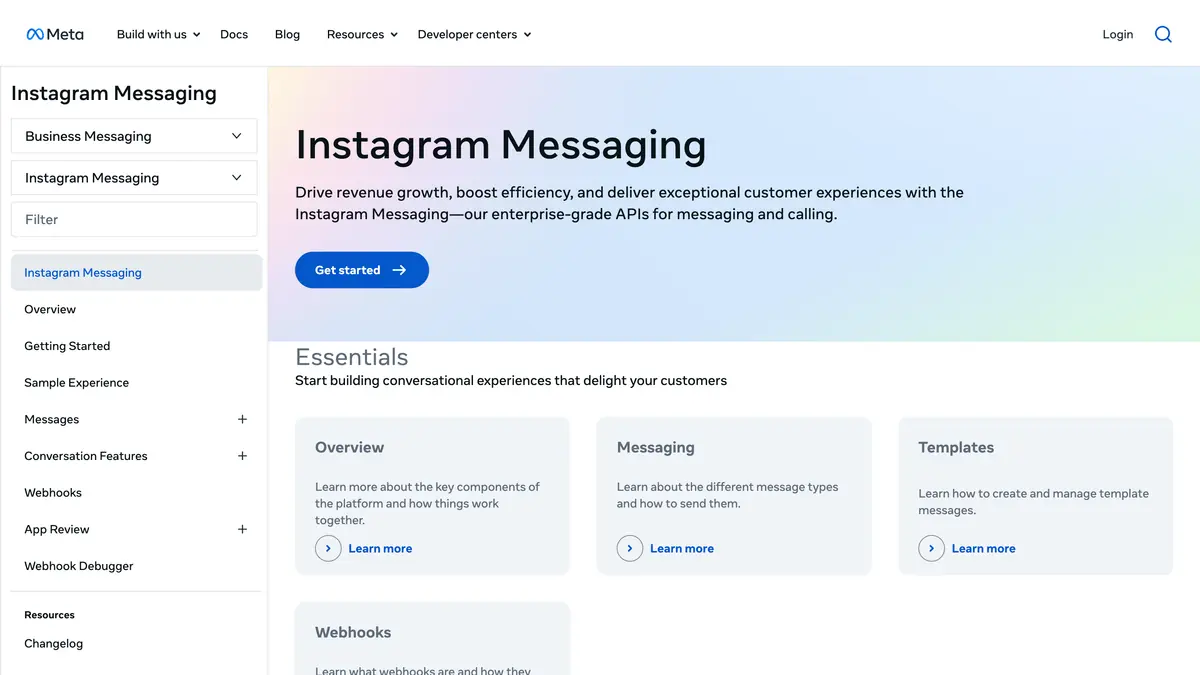
Instagram DM automation is official and supported on professional accounts through Meta's Instagram Messaging API. The rules that matter for a store:
- Reply windows: businesses respond to people who messaged first, within Meta's messaging window rules. Automation extends your speed, not your reach into strangers' inboxes.
- A path to a human: conversations must be able to reach a person. This is also just good selling.
- No spam mechanics: mass unsolicited DMs, follow-unfollow bots, and scraped outreach are what trigger restrictions, the same logic we detail for WhatsApp in our account in review guide.
Automating replies to inbound messages, story reactions, and comments is squarely inside the rules, and our comparison of Instagram automation tools lists the platforms that do it through the official API. That is where the revenue is anyway. For the native saved replies layer and the 48-hour cap on marketing messages, our Instagram auto reply guide covers the full rulebook, with copyable message examples.
What a Store Actually Automates
The automations worth setting up, in a sensible rollout order:
- Instant answers to product FAQs: sizing, materials, shipping times, restocks. These are the repetitive questions of the pre-sale inbox.
- Story reply conversion: someone reacts to a product story, the AI takes over, links the exact product, answers the follow-up.
- Comment-to-DM campaigns: "comment WANT and check your DMs" posts, with the conversation continuing intelligently instead of a single canned blast.
- Order status: "where is my order" answered from real order data, without a human touching it.
- Escalation with context: when a human takes over, they see the whole thread and the customer profile, not a cold start.
With Kanal, these run on the Instagram AI chatbot, the same AI agent that handles WhatsApp: one brain trained on your Shopify catalog, orders, and policies, one inbox for both channels. (To put that catalog on Instagram itself, with a shop and product tags, see the Shopify and Instagram integration guide.) The Instagram DM automation page shows the full setup, and the same agent powers the WhatsApp AI agent side. For that half of the funnel, the WhatsApp chatbot for ecommerce guide covers flows, setup, and the KPIs to track in depth.
Setting Up an AI Chatbot for Instagram Without Breaking Things
A clean rollout looks like this:
- Switch to a professional account (business or creator) if you have not already, and connect it to the platform you chose.
- Start with FAQs only. Let the AI answer the questions it can ground in store data. Watch a week of conversations.
- Add story and comment triggers once the FAQ layer is trusted.
- Define escalation rules: refunds, complaints, and VIPs go to a human, immediately.
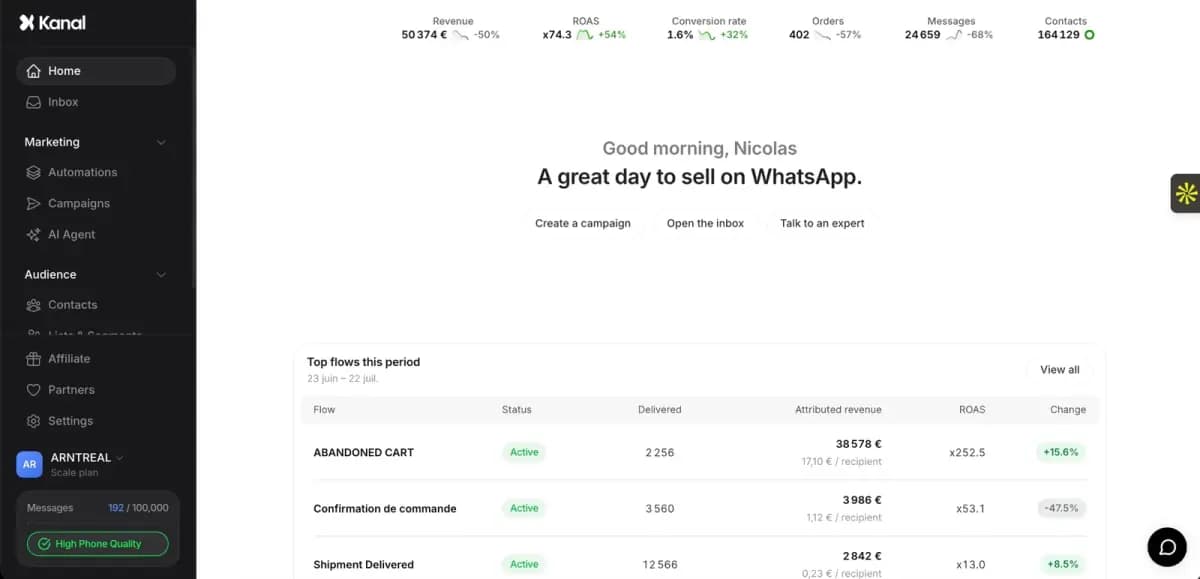
- Measure revenue, not replies. The metric that matters is orders and revenue from DM conversations, not "messages handled".
That last point is the difference between chat marketing and chat noise. If your dashboard cannot tell you what a conversation earned, you are optimizing blind.
Conclusion: The Inbox Is a Salesperson Now
Instagram DMs stopped being a support queue somewhere around the time story replies became a purchase path. An AI chatbot is how a lean brand staffs that channel around the clock: grounded in real store data, honest about when a human should step in, and measured in revenue. If your Shopify store gets DMs every day, book a demo and watch the AI answer your own product questions live.
Resources
Frequently asked questions
What is an Instagram AI chatbot?
An Instagram AI chatbot answers direct messages on a professional Instagram account automatically, using AI to understand the question instead of matching exact keywords. For a store, that means it can handle product questions, sizing doubts, and order requests in natural language, and hand the conversation to a human when needed.
Are chatbots allowed on Instagram?
Yes, on professional accounts through Meta's official messaging tools. Businesses can automate replies to DMs, story replies, and comments, within Meta's messaging policies: respond within the allowed messaging window and give people a clear path to a human. Automation that spams users or scrapes accounts is what gets banned.
What is the difference between a keyword bot and an AI chatbot?
A keyword bot matches trigger words: if the message contains "price", send reply A. It breaks the moment customers phrase things their own way. An AI chatbot reads the intent of the full message, pulls the answer from connected data such as a product catalog, and writes a natural reply, so an unusual phrasing no longer sends the conversation to a dead end.
Can an Instagram chatbot access my Shopify products?
Only if the platform behind it connects to your store. Kanal's AI agent is trained on your Shopify catalog, inventory, policies, and order data, so the answer to "does this come in size M" or "where is my order" comes from live store data, not a script.
How much does an Instagram AI chatbot cost?
Generalist chat tools usually price per contact, so the bill grows with audience size. Kanal prices by plan starting at 89€ per month with Instagram DM automation and the AI agent included alongside WhatsApp marketing, which keeps costs flat as your audience grows.
See Kanal on your own store
- Your campaigns and cart reminders on WhatsApp, starting from your own store
- Post-purchase offers, back-in-stock alerts, then the AI agent that advises your customers
- You leave with the plan that fits and its price

- brands
- 500+
- to set up
- 5 min
- open rate on WhatsApp
- +90%
5/5 on the Shopify App Store (132 reviews)

Nicolas helps e-commerce brands grow revenue with WhatsApp marketing. With deep expertise in Shopify ecosystems and conversational commerce, he shares proven strategies for abandoned cart recovery, broadcast campaigns, and AI-powered customer engagement.
Suggested articles
Shopify Sidekick in 2026: What It Does and How Stores Use It
What Shopify Sidekick is, what the AI assistant does since the Spring '26 Edition, how MCP app extensions work, and what AI changes for store operations.
Shopify Instagram Integration: Connect Your Store (2026)
How to connect Shopify to Instagram with the Facebook & Instagram sales channel: requirements, steps, catalog sync, common errors and product tags.
ManyChat for Instagram: How It Works, Setup and Rules
How ManyChat automates Instagram: connecting a professional account, the comment, story reply and DM keyword triggers, and the Meta rules that apply.
7 ManyChat Alternatives for Instagram DM Automation (2026)
Seven ManyChat alternatives compared for Instagram DM and WhatsApp automation, with the plans and prices each vendor displayed on October 11, 2026.