WhatsApp Status for Business: 20 Ideas to Drive Sales in 2026

Summarize this article with an AI
 ChatGPT
 Claude
20 WhatsApp Status ideas for ecommerce brands in 2026: product drops, behind-the-scenes, polls, countdowns and UGC, plus how to track what works.
Table of contents (13)
Key takeaways
- A WhatsApp Status disappears after 24 hours and is only seen by contacts who saved your number and whose number you saved.
- Status exists in the WhatsApp Business app, not on the API, and works best for brands with under 5,000 saved contacts.
- The app only lists who viewed each Status, so measure results with UTM-tagged links and Status-only discount codes.
What is a WhatsApp Status and why brands use it
A WhatsApp Status is a 24-hour disappearing post that lives on your business profile and shows up to every contact who has saved your number. Think Instagram Story format, but inside a private messaging app built for talking to friends and family. That combination, organic reach inside a personal channel, is what makes it worth testing for a DTC brand.
The format itself is simple. Vertical photo or video, up to 30 seconds, plus an optional caption and link. No algorithm filters who sees it. If a contact has your number saved and you have theirs saved, the Status lands at the top of their Updates tab. No paid boost, no ranking penalty for posting too often, no shadow ban for using too many emojis.
But the reach is gated by one rule that is easy to miss: contacts have to have your number saved in their phone to see your Status. That makes the WhatsApp greeting message and the post-purchase "save our number" prompt the main lever for growing Status reach. Compare the number of viewers per Status with the size of your contact list to see whether the prompt is working.
Kanal is built around the WhatsApp Business API, which means we treat Status as a complementary channel rather than the main one. Status works best for brands with under 5,000 saved contacts. Above that, Channels and Broadcasts scale better. The WhatsApp marketing guide covers the full channel mix.
WhatsApp Status vs Channels vs Broadcasts: the key differences
Three formats, three different jobs, and a lot of confusion online about which is which. Here is the breakdown that matters for an ecommerce operator.
WhatsApp Status. 24-hour disappearing posts visible only to mutual contacts. Available only on the WhatsApp Business app, not the API. Reach is gated by your contact list size and save rate. Best for brands under 5,000 contacts who want a free, organic surface to test creative.
WhatsApp Channels. One-to-many broadcast surface launched by Meta in 2023. Public, discoverable, no contact save required. The brand publishes, followers consume. No replies, no DMs, just one-way content. Best for brands that want to build a media-style audience and treat WhatsApp like a newsletter.
WhatsApp Broadcasts. Direct messages sent to a segmented list of opted-in customers via the WhatsApp Business API. Two-way conversation, rich media, link buttons, full attribution. The workhorse of a DTC WhatsApp program. The broadcast guide goes deep on the mechanics.
For a sub-5K-contact brand, the right move is to start with Status to learn the visual language, layer in Broadcasts via the API once the list passes 1,000 opt-ins, and add Channels only if your brand has a content-first identity (an editorial or creator-led brand, for example). The WhatsApp Business app vs API comparison helps decide when to graduate.
Ideas 1 to 5: Product drops and new launches
Start with product drops. The 24-hour lifespan creates natural scarcity, the vertical format is native to mobile shopping, and the private-channel feel makes followers feel like insiders. Five formats to test against your usual launch posts.
Idea 1. The teaser drop. Single image of the product with a third of it cropped out. Caption: "tomorrow 10am. tap to set a reminder." One link to a landing page that fires the reminder broadcast at 9:55. It suits a relaunch as well as a new product, and the clicks on that link tell you how many viewers want the reminder.
Idea 2. The countdown sticker. Status video with the native WhatsApp countdown sticker pinned to launch time. Caption: "10 minutes." It fits a recurring drop, such as a weekly capsule released at the same time every Friday: followers learn when to look. Track sell-through on the hero pieces in the first hour.
Idea 3. The unboxing teaser. Vertical phone-shot video of someone opening the new product box. No edits, no music, no logo overlay. Just the package being opened in real time. Caption: "guess what?" It reads as authentic rather than as an ad. Compare its view-through with your polished launch creative.
Idea 4. The pre-order vote. The made-to-order playbook translated to Status. Image of the next product with a poll sticker: "should we make this in navy or charcoal?" Replies route to a tag in the CRM, and only voters get the pre-order link 48 hours later. Compare pre-order conversion in the voter segment with the rest of your list.
Idea 5. The back-in-stock alert. Hero shot of the returning product with a single caption: "she is back. link below." It fits a best-selling shade or size that sold out. The combination of name recognition, scarcity (it sold out), and a one-tap link does the work. Tag the link with UTMs to count the clicks.
Ideas 6 to 10: Behind-the-scenes and brand storytelling
Behind-the-scenes Status content does not drive direct conversion. It drives the save rate, which is the metric that compounds. Every Status that earns a contact save unlocks a future drop, broadcast, and abandoned cart message. Treat BTS as audience infrastructure, not a sales channel.
Idea 6. The factory walkthrough. 30-second vertical video shot inside your supplier, sewing shop, or fulfillment center. Caption: "this is where your sweater comes from." It anchors brand authenticity, especially for brands whose story is about how and where they make things. Compare the save rate on your post-purchase prompt before and after a BTS series.
Idea 7. The founder note. Vertical photo of the founder with a handwritten caption on the image itself. Two lines of personal text. No product, no link. Post it once a month, for example. It builds the parasocial trust that makes future broadcasts welcomed instead of tolerated.
Idea 8. The "what we are working on" tease. Photo of a sample, mood board, or fabric swatch with a question: "guess what this is going to be." The reply DMs it triggers are gold for the segmentation engine. Tag every replier as "high engagement" and compare their conversion on the eventual launch with the rest of your list.
Idea 9. The customer service window. Photo of your CX team at their desks (or your founder at the kitchen table) with a caption: "ask us anything until 5pm." Every inbound DM it triggers is a chance to qualify and convert. The WhatsApp customer support playbook covers the response framework.
Idea 10. The brand archive. Throwback image of the brand's first product, first packaging, or first store. Caption: "five years ago today." It suits brands with a few years of history and signals durability to newer customers.
Ideas 11 to 15: Polls, Q&A and engagement triggers
The poll sticker is an easy Status feature to overlook. Every reply is a CRM tag, every tag is a future segment, and every segment improves the next broadcast. Engagement Statuses are not about the views, they are about the data.
Idea 11. The two-option poll. "Which color should we restock first?" with two product photos and a poll sticker. Maximum 30-second decision window for the viewer, maximum data for you. Run it weekly if you restock often, and compare restock conversion among voters with the rest of your list.
Idea 12. The price-anchor poll. "What would you pay for this?" with three price options. Builds anchoring in the viewer's mind before launch and gives you a real demand signal. Treat the winning answer as one input for the launch price, next to your margins.
Idea 13. The "this or that" feature poll. "Wool blend or cashmere?" "Crew neck or V?" Two photos, one poll. Excellent for narrowing a final SKU decision and creating co-creation feeling. A concrete question is easy to answer, which keeps the replies coming.
Idea 14. The Q&A invite. Photo of the founder with a caption: "ask me anything about the new collection." Replies pour in. You batch-answer the top 5 in your next Status with the question as text overlay. Loops viewers back to your Status the next day.
Idea 15. The "rate our new packaging" ping. Photo of new packaging with a 1-to-5 emoji rating ask. Replies create a feedback loop that informs the next packaging revision and tags engaged customers for early access. Check your save rate before and after the campaign.
Ideas 16 to 20: Time-limited offers and countdowns
Status is built for scarcity. The post itself disappears in 24 hours, so the offer can match that timeline without feeling fake. Five formats that turn the format's lifespan into a conversion weapon.
Idea 16. The 24-hour flash sale. Image of the product with a caption: "20 percent off, only on Status, gone at midnight." Link to a hidden URL with the discount auto-applied. The trick is the link, not the discount. Routing through a Status-only URL filters out non-engaged customers and creates true exclusivity. The WhatsApp click-to-chat link guide shows how to set up clean tracking URLs.
Idea 17. The countdown video. 15-second video with a visible clock counting down to the offer expiration. Use it for end-of-sale closures, with the camera focused on a single product on a white background. Compare sell-through in the final hours of the sale with a past sale that ran without a countdown Status.
Idea 18. The "first 50 customers" early-bird. Image of the new launch with a caption: "first 50 orders get 30 percent off, no code needed." Creates urgency without devaluing the brand long-term. Keep it for limited drops, where the cap is real.
Idea 19. The post-event flash. Same-day Status posted after an in-store event, pop-up, or live stream: "thanks for coming. 15 percent off until midnight as a thank you." Re-engages event attendees and ports the IRL energy into a digital conversion window. The WhatsApp marketing examples post has more event-driven ideas.
Idea 20. The reminder Status. Used when the previous offer Status was still up but the offer was ending. Black background, white text only: "3 hours left." No image, no product, no link. The lack of visual noise is the point. Test it against a more polished reminder and keep the version that drives more orders before the deadline.
How to create a high-performing WhatsApp Status (technical tips)
The format constraints are tight, and they are easy to break. Here is the checklist that separates a Status that sells from noise.
Vertical, always. 9:16 aspect ratio, 1080x1920 minimum. Anything horizontal gets letterboxed and looks amateur. Shoot vertical natively, do not crop from horizontal.
Caption length under 12 words. WhatsApp truncates after roughly 12 words on the preview. Anything longer requires a tap to expand, which kills click-through. Front-load the message.
One clickable link maximum. WhatsApp Status supports URLs in the caption that render as previews. Use one, and make sure the OG image of the destination page is also vertical or square so the preview looks intentional.
Brand-safe filters only. Heavy filters scream "amateur creator." Brands that win on Status use minimal color grading, real lighting, and the brand's own palette. The aesthetic is "professional friend," not "Instagram influencer."
Test the contact-save rule before posting big. Your Status only reaches contacts who have saved your number. Send a quick test from a second device, save it as "Brand Test," and confirm the post lands. The WhatsApp Business profile optimization guide covers how to make your profile worth saving.
Time the post. Newer updates from other contacts push yours down the Updates tab, so a Status posted at 10am can sit near the bottom by the time an evening audience checks it. Test a late-afternoon slot (5:30pm or 6pm in your target time zone) against your usual time and compare views.
Tracking Status performance: Meta's analytics + workarounds
WhatsApp's native Status analytics are limited. The Business app shows you the list of contacts who viewed each Status, but no aggregate metrics, no time-on-Status, no link click count. For real measurement, brands stitch together three workarounds.
Workaround 1. UTM-tagged links. Every Status link gets a unique UTM parameter (?utm_source=whatsapp&utm_medium=status&utm_campaign=launch_2026_05). Google Analytics or your Shopify analytics will then bucket the traffic. This is the only real way to know how much revenue a Status drove.
Workaround 2. Unique discount codes. A Status-only code like STATUS24 lets you count redemptions in Shopify and attribute revenue cleanly. Pair with a UTM and the data triangulates. For the platform figures we could source, see our WhatsApp marketing statistics page.
Workaround 3. View list export. Manually export the viewer list every 24 hours before the Status expires. The list is your warmest audience, and you can use it to seed lookalike segments or trigger a follow-up broadcast. Tedious but high-signal.
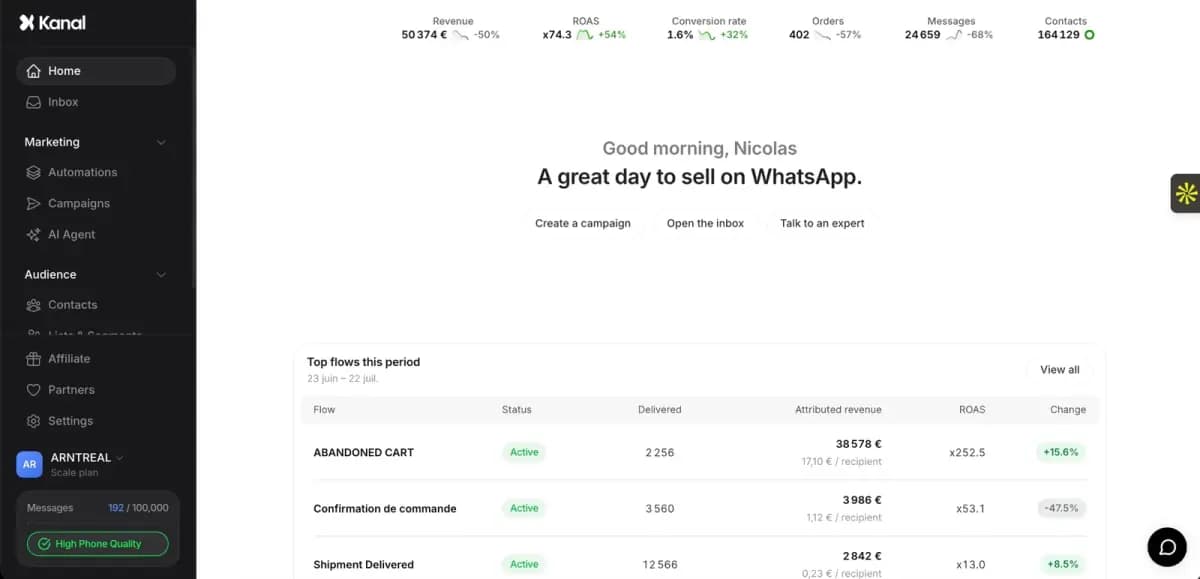
For brands running 5+ Statuses per week, the right move is to graduate to the API and use Broadcasts plus Channels, both of which have real Meta-provided analytics. Kanal ships with a unified analytics dashboard that ports the metrics shop owners actually care about (revenue per message, opt-out rate, CTR by segment) into one view.
Common WhatsApp Status mistakes by brands
Five mistakes to avoid on brand Statuses. Each one is easy to fix.
Mistake 1. Treating Status like Instagram Stories. Status is not Stories. The audience is smaller, more permission-based, and expects less polish. Stories-grade production reads as "marketing," which kills the channel's intimacy advantage. Lower the production bar.
Mistake 2. Three or more CTAs. "Tap the link, reply STOP to opt out, follow our Channel, save our number." Pick one. Every additional CTA competes with the one that matters. The click-to-chat link guide covers single-link best practices.
Mistake 3. No save-our-number prompt anywhere in the funnel. If your customers do not save your number, they cannot see your Status. The brand that wins Status is the brand with the best save prompt at checkout, in the welcome message, and on the order confirmation. The WhatsApp QR code guide shows how to make the save action one tap.
Mistake 4. Same Status posted to every contact. Status segmentation is impossible on the Business app. To work around it, brands use multiple numbers (one per region or persona) and post Status-specific content per number. Yes, it is operationally heavy. The fix is to graduate to the API and Broadcasts.
Mistake 5. No follow-up Broadcast to the viewers. Status is the top of the funnel, the Broadcast is the close. Brands that post a Status drop teaser and never follow up with a Broadcast on launch day leave revenue on the table, because they count on viewers to remember the drop on their own. The WhatsApp Business templates library has follow-up sequences.
For Shopify: scaling beyond Status with Kanal broadcast + chatbot
Status gets harder to run as your contact list grows. Past a certain size, the operational cost of posting from a phone, the lack of segmentation, and the no-API constraint make it a poor fit. That is where the API tier kicks in, and where Shopify-native tools like Kanal take over.
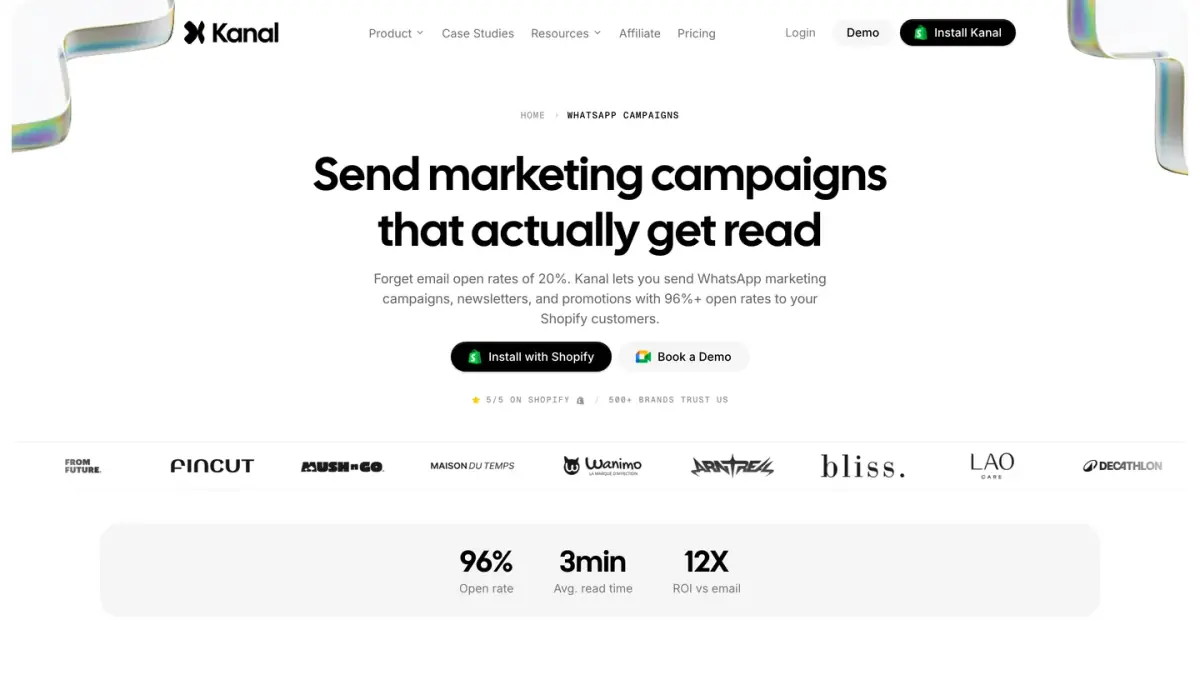
The migration path is well-worn. You keep Status running as the always-on organic surface for the under-5K segment of the audience (high-intent, hand-raised, save-our-number followers). You layer Broadcasts on top via the API to hit the rest of your opt-in list at scale, with real segmentation by purchase history, browsing behavior, and engagement. You add a chatbot to handle the reply traffic that both surfaces generate.
The AI chatbot product page shows what the bot side looks like, and the Shopify integration page explains how it connects to your store data. Measure the share of revenue attributed to WhatsApp before and after the move to see what the API tier adds.
Meta's fees scale with the number of messages delivered, not with contact count, which means a brand graduating from Status to the API does not pay for the contacts they never message. The WhatsApp Business pricing guide breaks down the math.
Conclusion
WhatsApp Status is a low-cost, intimate marketing surface for a DTC brand. The 24-hour disappearing format creates natural urgency, the contact-save gating filters for high-intent followers, and the lack of an algorithm means every post lands. The 20 ideas above are not the only options, but they give you a solid base to start from.
Pick three ideas that match your brand voice. Post one per week for the next four weeks. Track views via the contact list, clicks via UTM, and revenue via discount codes. Iterate from there. The brands that crack Status build a saved-contact audience that compounds, and that audience becomes the launch pad for the API tier when the time comes.
Ready to graduate from Status to a full WhatsApp marketing program? Book a Kanal demo and we will map out the right channel mix for your stage. Or install Kanal from the Shopify App Store and explore the templates yourself.
Resources
- WhatsApp Business API guide
- Best WhatsApp apps for Shopify
- WhatsApp Broadcast guide
- WhatsApp Business templates
- WhatsApp greeting message examples
- WhatsApp marketing examples
- WhatsApp QR code guide
- How to start WhatsApp Business in 2026
- WhatsApp link generator
- WhatsApp QR code generator
- Meta WhatsApp Business Platform (official)
- Meta Business case studies (official)
- Shopify App Store WhatsApp category (official)
FAQ
What is a WhatsApp Status?
A WhatsApp Status is a vertical photo, video, or text update that you post on your business profile and that disappears after 24 hours. Only contacts who have your number saved and whose number you have saved can view it, which makes it a permission-based, opt-in channel. Statuses support short captions, links, and stickers, and can be replied to in direct messages.
How many people can see my WhatsApp Status?
Every contact you have a two-way save with can see your Status by default. There is no published cap from Meta, but on the WhatsApp Business app the contact list is what limits reach. On the WhatsApp Business API, Status is not available at all, so brands at scale use Channels or Broadcasts instead. There is no public benchmark for Status views: the viewer list of each Status shows how many of your contacts actually watch it.
How long does a WhatsApp Status last?
A WhatsApp Status stays visible for 24 hours from the moment you post it, then disappears automatically. You can delete it earlier or archive it to your own device. The 24-hour lifespan is fixed and cannot be extended, which is part of why scarcity-based promos work so well on the format.
Can I post a WhatsApp Status from WhatsApp Business?
Yes. The WhatsApp Business app supports Status the same way the consumer app does. You open the Updates tab, tap the camera icon, and add a photo, video, or text update. The WhatsApp Business API does not support Status, so brands using providers like Twilio, 360dialog, or Kanal post Status from the Business app on a dedicated phone or use Channels and Broadcasts instead.
Are WhatsApp Statuses encrypted?
Yes. WhatsApp Statuses are protected by the same end-to-end encryption as direct messages. Meta cannot view the content of your Status, and neither can third parties intercepting traffic. The encryption applies to text, photos, and videos, but viewer lists are visible to you as the poster within the 24-hour window.
See Kanal on your own store
- Your campaigns and cart reminders on WhatsApp, starting from your own store
- Post-purchase offers, back-in-stock alerts, then the AI agent that advises your customers
- You leave with the plan that fits and its price

- brands
- 500+
- to set up
- 5 min
- open rate on WhatsApp
- +90%
5/5 on the Shopify App Store (125 reviews)

Nicolas helps e-commerce brands grow revenue with WhatsApp marketing. With deep expertise in Shopify ecosystems and conversational commerce, he shares proven strategies for abandoned cart recovery, broadcast campaigns, and AI-powered customer engagement.
Glossary terms in this article
Quick definitions for the WhatsApp Business terms used above.
WhatsApp Business App
The WhatsApp Business App is a free mobile application designed for small businesses to chat with customers, with a catalog, quick replies, and automated greeting messages.
Read full definitionWhatsApp Channels
WhatsApp Channels are a one-to-many broadcast feature in the Updates tab, where admins post to an unlimited audience of followers who can react and vote but not reply.
Read full definitionOpt-in
A WhatsApp opt-in is the permission a person gives a business to send them messages on WhatsApp. WhatsApp's Business Messaging Policy requires it before any message: the business must have the person's phone number and their agreement to hear from that business.
Read full definitionSegmentation
Segmentation is the practice of splitting a WhatsApp contact list into groups based on traits like purchase history, behavior, or engagement, so each group receives messages that are actually relevant.
Read full definitionCustomer Service Window (24-hour window)
The customer service window is a 24-hour timer that starts when a WhatsApp user messages or calls a business. While it is open, the business can reply with free-form messages; once it closes, it can only send approved message templates.
Read full definitionOpt-out
A WhatsApp opt-out is a person's request to stop receiving messages from a business on WhatsApp. WhatsApp's Business Messaging Policy requires businesses to respect every such request, whether it is made on WhatsApp or elsewhere.
Read full definitionSuggested articles
WhatsApp disappearing messages: turn them on or off
WhatsApp disappearing messages erase new messages after 24 hours, 7 days or 90 days. How to turn them on or off, set a default timer, and what stays.
WhatsApp chat lock: lock, hide and unlock your chats
WhatsApp chat lock hides a chat behind your passcode, Face ID, fingerprint or a secret code. How to lock, open, hide and unlock chats on phone and Web.
WhatsApp Backup: How to Back Up and Restore Your Chats
Back up WhatsApp to Google or iCloud, restore your chats on Android and iPhone, turn on encrypted backup and fix a stuck backup, with official steps.
How to Transfer WhatsApp to a New Phone (iPhone, Android)
Move WhatsApp to a new phone without losing your chats: QR code transfer, Android to iPhone with Move to iOS, iPhone to Android, and what stays behind.