How to Start with WhatsApp Business in 2026: Beginner Guide

Summarize this article with an AI
 ChatGPT
 Claude
Launch WhatsApp Business for your Shopify store in 2026: app vs API, profile setup, first message, opt-in collection and a growth playbook.
Table of contents (17)
Key takeaways
- Start with the free WhatsApp Business app under 50 orders a month, then move to the API, which adds Shopify automations, broadcasts and a team inbox.
- Use a dedicated phone number that is not active on personal WhatsApp and can receive an SMS or voice call for verification.
- Meta business verification takes 2 to 7 business days, and marketing messages need explicit opt-in collected at checkout, in ads, after purchase or by pop-up.
WhatsApp has more than 2 billion daily active users (Meta, Q4 2025 earnings call), and your messages land in the same app people use to talk to friends and family. If you sell on Shopify in 2026 and you are not on WhatsApp yet, you are leaving conversion on the table. The good news: setup is faster than it has ever been, and you can be live with your first automation in under 60 minutes. This guide walks you through every step, from picking the right WhatsApp version to sending your first broadcast, with the playbook we use at Kanal to onboard Shopify brands.
1. Why Start WhatsApp Business Now
According to Meta, the WhatsApp Business app had more than 200 million monthly users in July 2023 (Meta, Q2 2023 earnings call). For e-commerce specifically, the case is practical: a message arrives in the chat app your customers already use, with product images, buttons and replies in the same thread.
There is no independent public benchmark for WhatsApp open, click or cart recovery rates; vendor figures are not audited. The numbers that count come from your own store: track read rate, click-through, cart recovery and revenue per message from your first campaigns, and compare them with your email baseline.
Brands that move first build subscriber lists before competitors and benefit from the trust the channel still carries.
If you want a deeper dive on the macro trend, read our conversational commerce guide. For region-specific volumes, the WhatsApp vs SMS pricing by country article shows where the unit economics make the most sense.
2. WhatsApp Business App vs API: Choose the Right One
There are two flavors of WhatsApp Business, and picking the wrong one wastes weeks. Here is the decision matrix.
| Feature | WhatsApp Business App | WhatsApp Business API |
|---|---|---|
| Price | Free | Per delivered message |
| Devices | 1 phone + 4 linked | Unlimited |
| Broadcast list | 256 contacts max | Unlimited |
| Templates | Not required | Pre-approved required |
| Shopify integration | Manual | Native (via Kanal) |
| Chatbot / AI | None | Full automation |
| Team inbox | No | Multi-agent with routing |
| Best for | 0 to 50 orders/month | 50+ orders/month |
Rule of thumb: start with the free app if you are pre-launch or doing under 50 orders a month, then graduate to the API once you have a real subscriber list to monetize. Read our complete WhatsApp Business API guide if you want the full technical breakdown, or our Cloud API vs On-Premise comparison if you are weighing hosting options.
3. Setup Step 1: Get a Dedicated Business Phone Number
This step is easy to get wrong. Three rules to remember:
- One number = one WhatsApp account. You cannot use a number that is already active on personal WhatsApp.
- The number must accept SMS or voice calls for verification.
- Avoid landlines unless you can receive automated voice calls (most VoIP providers handle this fine).
If you are trying to avoid a second line altogether, our guide on getting a WhatsApp Business number at no extra cost covers what works and what Meta blocks.
Recommended options:
- Mobile SIM (cheapest, easiest): buy a second SIM from your carrier and dedicate it to the business
- VoIP number (Twilio, RingCentral, OnOff): 1 to 5€/month, full control
- Existing landline: works for the API only, choose the voice verification method
Skip dedicated numbers from new prepaid SIMs in flagged countries (Nigeria, Vietnam, certain India regions) as they often get blocked by Meta during the first 30 days.
4. Setup Step 2: Create Your WhatsApp Business Profile (10 Fields to Optimize)
Your profile is your storefront inside WhatsApp. Spend 30 minutes here, because every prospect lands on it before opting in.
The 10 fields you must fill (in order of importance):
- Business name (cannot be changed after green tick): use your legal trading name, not a tagline
- Profile picture: 640x640 PNG, logo on solid background (no faces, no busy patterns)
- Category: pick the closest match from Meta's 50+ categories (e.g. "E-commerce Website")
- Description: 256 characters, lead with value prop and CTA
- Address: full street address (Meta uses this for trust signals)
- Hours: be precise, including timezone
- Website URL: your Shopify domain (not a Linktree)
- Email: the same domain as your website
- About: 139 characters visible in contact card, perfect for a USP line
- Catalog: link your Shopify catalog so products show inside chat
Pro tip: a complete profile answers the questions prospects have before opting in (who you are, what you sell, how to reach you). Compare your opt-in rate before and after you fill it in.
5. Setup Step 3: Get Verified (Green Tick, Business Account)
There are two stages of trust on WhatsApp:
Business Account (gray check): confirms your account is registered as a business. Granted automatically once you complete Meta Business verification with company documents. Required for the API. Takes 2 to 7 business days.
Verified Business (green tick): awarded to "notable" brands. Adds the green checkmark next to your name. Optional but builds massive trust. Average wait time is 2 to 8 weeks.
We wrote a dedicated step-by-step on this: WhatsApp Business verification 2026: how to get the green tick badge. It covers the exact documents, the reasons applications get rejected, and the benefits you unlock after approval.
6. Setup Step 4: Connect to Shopify and Your Tech Stack
If you stopped at the free app, skip this section. If you went the API route, this is where the ROI comes from.
The minimum viable stack for a Shopify brand:
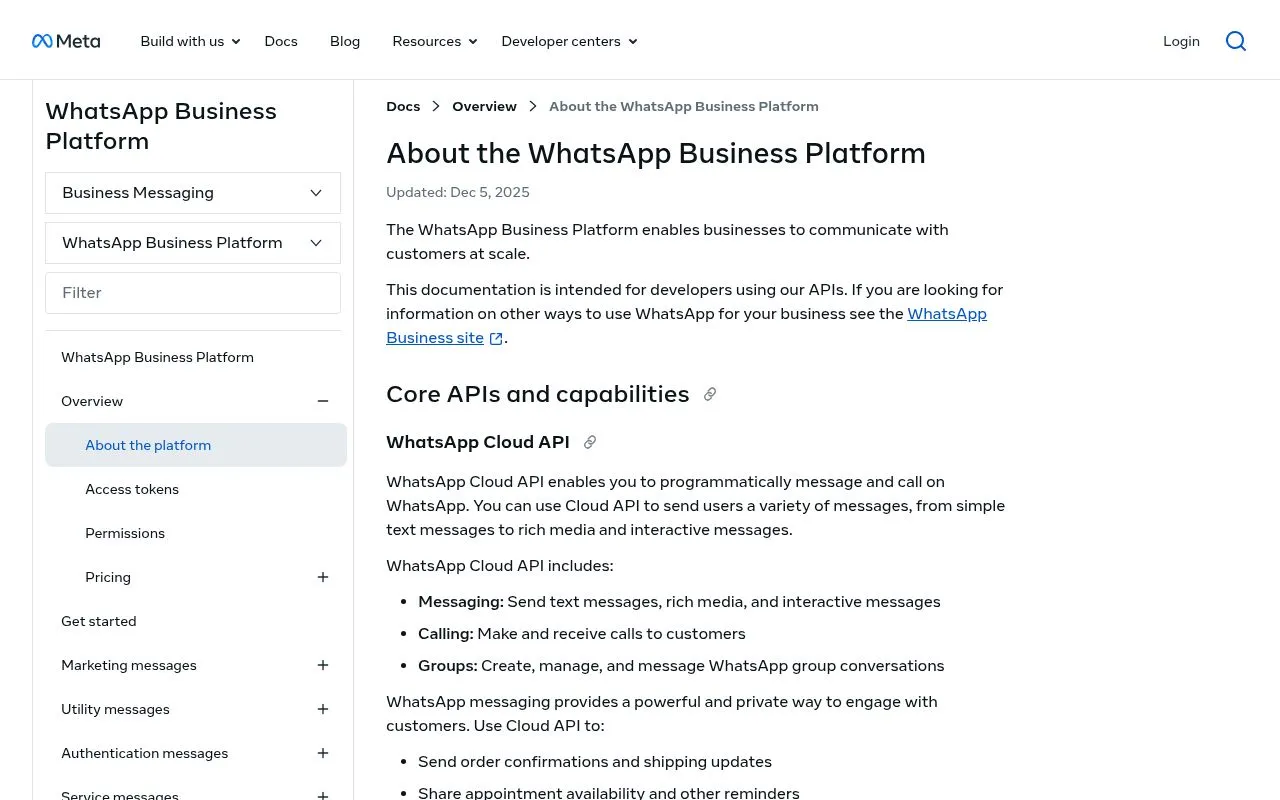
- WhatsApp Business API access via a BSP (Business Solution Provider)
- A Shopify-native app to sync customers, orders, and abandoned carts
- A CRM app or email marketing tool to unify WhatsApp data with email lists
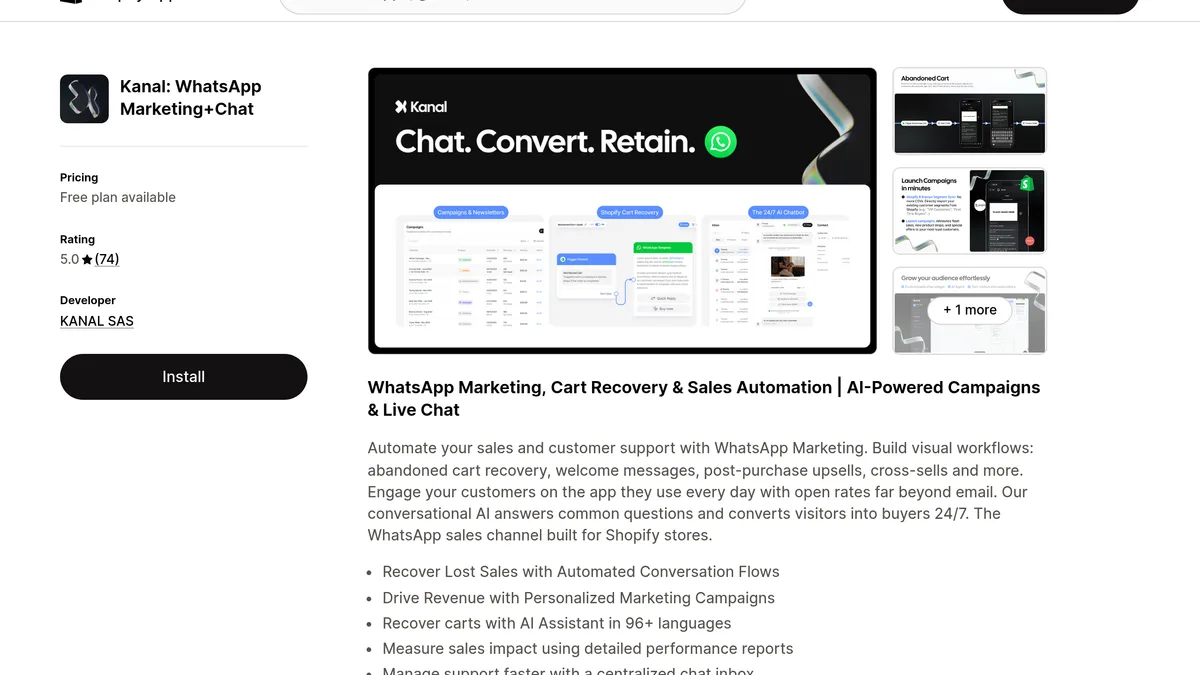
The fastest path is Kanal (installed from the Shopify App Store), which handles BSP onboarding, Shopify sync, AI chatbot, broadcast campaigns, and team inbox in one tool. If you would rather skip the setup entirely, have Kanal do it for you in 24 hours. If you want to evaluate alternatives, our best WhatsApp apps for Shopify comparison and our BSP providers comparison cover every serious option.
Other integrations worth setting up week 1:
- Klaviyo: unify email + WhatsApp segments
- Gorgias or Zendesk: route customer support tickets
- Meta Ads: Click-to-WhatsApp ads pre-fill subscribers into your list
7. Setup Step 5: Build Your First Opt-in Flow
Without opt-ins, you cannot send proactive marketing messages. Meta enforces explicit consent (GDPR-style) and your sender reputation depends on opt-in quality.
Four opt-in placements to set up:
- Checkout page WhatsApp checkbox. Add an unticked box: "Get order updates on WhatsApp"
- Click-to-WhatsApp Meta ads. Best for cold acquisition.
- Post-purchase thank-you page widget. Add a "Track on WhatsApp" button.
- Pop-up with discount incentive. "10% off your first order, sent on WhatsApp."
Build all four, then track opt-ins per placement to see which ones work on your store. For the legal side, our WhatsApp opt-in GDPR guide covers exactly what consent text to use.
You can also create a frictionless first contact point with our free WhatsApp link generator and WhatsApp QR code generator for offline assets.
8. Your First 30 Days: What to Send, When, to Whom
A common beginner mistake is to blast a massive promo to a fresh list. Slow down. Here is the 30-day plan that maximizes long-term LTV.
Week 1: Welcome and warm up
- Send an automated welcome message to every new opt-in (catalog link + 10% discount)
- Set up an abandoned cart recovery flow (3 messages over 24 hours)
- Configure order confirmation + shipping update templates
Week 2: Transactional excellence
- Add a CSAT survey 24h after delivery
- Build a re-order reminder for consumables (60 to 90 days post-purchase)
- Set up a chatbot for product questions to handle FAQ 24/7
Week 3: First soft broadcast
- Send a value-first message to your most engaged segment (e.g. tips, behind-the-scenes content)
- Measure CTR and replies: this first send is the baseline for every later broadcast.
Week 4: First commercial broadcast
- Send a limited-time offer to engaged subscribers
- Track ROAS, response rate, and unsubscribes
- Iterate copy based on what worked
If you sell beauty, our WhatsApp marketing for beauty brands playbook has copy templates. For broader strategy, the WhatsApp marketing for e-commerce guide lays out the full funnel.
9. Common Beginner Mistakes (5)
These five mistakes are easy to make, and easy to avoid.
1. Using a personal number. It seems harmless at first, then you cannot scale, and migrating later requires uninstall + reinstall on the API side. Buy a dedicated number on day one.
2. Sending without opt-in. Meta bans repeat offenders. One blast to non-consented contacts can kill your account permanently within 24h.
3. Cold launching templates. Every marketing template is reviewed by Meta. Vague or salesy copy gets rejected. Read our WhatsApp Business templates guide before submitting.
4. Ignoring the 24-hour window. Once a customer messages you, you have 24h to reply with free-form messages. Meta did not charge these replies until September 30, 2026. Since October 1, 2026, they cost the utility rate after 1,000 free service messages per business phone number each month (Meta's pricing). Outside that window you need a paid template. Reply fast or set up an auto-response message.
5. No measurement. WhatsApp ROI is easy to track because conversions happen inside Shopify. Use our ROAS break-even calculator and read WhatsApp marketing ROI KPIs to benchmark.
10. Conclusion + CTA
Starting WhatsApp Business in 2026 is no longer a nice-to-have for a Shopify merchant. The Business app gives you a foundation. The API unlocks automation, AI and broadcasts, with revenue you can track in Shopify. The hardest step is the first 60 minutes of setup; after that, measure each flow against your baseline and scale what pays off.
If you want the fastest path: book a 15-minute demo with Kanal and we will walk you through onboarding live, or install directly from the Shopify App Store and connect your store in under 5 minutes.
Frequently Asked Questions
Is WhatsApp Business free?
The WhatsApp Business app is 100% free to download and use. The WhatsApp Business API has no fixed subscription either, but Meta charges each delivered template message ($0.0250 for a US marketing message and $0.0034 for a US utility message, per Meta's pricing) plus the fees of your BSP provider. Replies inside the 24-hour customer service window were not charged until September 30, 2026. Since October 1, 2026, they cost the utility rate after 1,000 free service messages per business phone number each month. Kanal passes WhatsApp fees through at cost, with no per-message markup, and plans start from $89/month.
Do I need a separate phone number for WhatsApp Business?
Yes, strongly recommended. The number you use for WhatsApp Business cannot be active on a personal WhatsApp account at the same time. For the API version, the number must be brand new or migrated through an official port-in process. The simplest option is a dedicated mobile or VoIP number (Twilio, OnOff, RingCentral) to keep personal and business separate.
How long does WhatsApp Business verification take?
Business verification via Meta Business Suite takes 2 to 7 business days on average when documents are clean. The optional green tick badge takes an additional 2 to 8 weeks and is granted only to notable brands. Phone number verification itself (the SMS or call code) is instant.
Can I migrate from a personal WhatsApp number to WhatsApp Business?
Yes. You can convert a regular WhatsApp account to WhatsApp Business by installing the Business app and importing your chat history. The reverse (Business to personal) requires a full uninstall and reinstall. Migrating from the Business app to the Business API is also possible but disconnects the number from the app permanently.
Is WhatsApp Business worth it for a small Shopify store?
Yes, even at low volume. The free Business app already enables a catalog, quick replies, away messages, and labels, which improve response time and conversion. Once you reach 50+ orders per month, upgrading to the API via a BSP like Kanal unlocks abandoned cart recovery, broadcast campaigns, and Shopify-native automations: measure their revenue against your baseline before you scale.
Resources
See Kanal on your own store
- Your campaigns and cart reminders on WhatsApp, starting from your own store
- Post-purchase offers, back-in-stock alerts, then the AI agent that advises your customers
- You leave with the plan that fits and its price

- brands
- 500+
- to set up
- 5 min
- open rate on WhatsApp
- +90%
5/5 on the Shopify App Store (125 reviews)

Nicolas helps e-commerce brands grow revenue with WhatsApp marketing. With deep expertise in Shopify ecosystems and conversational commerce, he shares proven strategies for abandoned cart recovery, broadcast campaigns, and AI-powered customer engagement.
Glossary terms in this article
Quick definitions for the WhatsApp Business terms used above.
WhatsApp Business App
The WhatsApp Business App is a free mobile application designed for small businesses to chat with customers, with a catalog, quick replies, and automated greeting messages.
Read full definitionOfficial Business Account (blue tick)
An Official Business Account (OBA) is a WhatsApp Business Platform phone number that Meta has verified as belonging to an authentic business. It shows a blue checkmark next to the business name; the green tick it replaced no longer exists.
Read full definitionOpt-in
A WhatsApp opt-in is the permission a person gives a business to send them messages on WhatsApp. WhatsApp's Business Messaging Policy requires it before any message: the business must have the person's phone number and their agreement to hear from that business.
Read full definitionBusiness Solution Provider (BSP)
A Business Solution Provider (BSP) is a company authorized by Meta to give other businesses access to the WhatsApp Business Platform, usually through its own software. Meta now calls these companies partners and splits them into Solution Partners, Tech Providers and Tech Partners.
Read full definitionClick-to-WhatsApp Ads
Click-to-WhatsApp ads are Facebook and Instagram ads whose button opens a WhatsApp chat with the business instead of a website. The shopper sends the first message, which lets the business reply freely and, under Meta's pricing, for free during a limited window.
Read full definitionMarketing Template
A marketing template is a WhatsApp message template used for promotion: offers, product launches, back-in-stock alerts or cart reminders. It can be sent at any time to customers who opted in, and Meta charges each delivered message at the marketing rate of the recipient's country.
Read full definitionCustomer Service Window (24-hour window)
The customer service window is a 24-hour timer that starts when a WhatsApp user messages or calls a business. While it is open, the business can reply with free-form messages; once it closes, it can only send approved message templates.
Read full definitionQuick Replies
Quick replies are saved message shortcuts in the WhatsApp Business App that insert a frequently used answer when the user types a slash command.
Read full definitionSuggested articles
RCS business messaging: how it works and how to get access
RCS business messaging explained: what it is, how a brand gets access through Google's RCS for Business, what a message can show, and where WhatsApp fits.
WhatsApp Business Search: How to Get Your Store Found (2026)
Users can now find businesses directly in WhatsApp search. The readiness checklist for your Shopify store: profile, catalog, verification and fast replies.
How to Use WhatsApp as a CRM for Shopify (2026)
How to use WhatsApp as a CRM: the limits of the Business app and how to get contact profiles, a shared inbox and automation for your Shopify store.
WhatsApp Business Profile: 12 Best Practices That Convert
Set up a WhatsApp Business profile that converts in 2026. 12 best practices for photo, name, description, catalog, verification, and Shopify sync.