

Les meilleures applications d'automatisation pour Shopify se répartissent en deux familles : les outils qui appliquent des règles dans la boutique, et ceux qui écrivent aux clients. Shopify Flow arrive en tête de ce comparatif : il est conçu par Shopify et ne coûte rien. Kanal est deuxième pour les messages WhatsApp et les SMS déclenchés par les événements Shopify, Klaviyo et Omnisend couvrent l'automatisation marketing par email et SMS, et Zapier relie Shopify au reste de vos outils. Mechanic, Arigato et Hextom Bulk Product Edit gèrent la logique sur mesure et l'automatisation des produits.
Nous avons comparé douze des meilleures applications d'automatisation pour Shopify sur les déclencheurs, la profondeur de l'éditeur, les intégrations et les tarifs, des outils de back-office à l'automatisation marketing qui transforme les événements Shopify en chiffre d'affaires.
Comment nous avons comparé les 12 applications
Nous avons configuré les cinq mêmes automatisations dans chaque application capable de les gérer : taguer les clients selon leur valeur vie client, bloquer les commandes à fort risque de fraude, prévenir un fournisseur quand une référence précise se vend, programmer un changement de prix pour une promotion et envoyer un message au client quand sa commande part. Nous avons noté les déclencheurs Shopify disponibles, la profondeur de l'éditeur, les intégrations externes, les journaux et la gestion des erreurs, les canaux vers les clients et le prix à 5 000 exécutions par mois. Les notes, les nombres d'avis et les prix ont été relevés sur la fiche Shopify App Store de chaque application en septembre 2026, et les fiches de Shopify Flow, Kanal, Klaviyo, Omnisend et Zapier ont été relues le 7 octobre 2026. Une plateforme généraliste a été écartée parce que sa fiche Shopify compte trois avis et une note d'une étoile.
Comparatif rapide
| # | Application | Fonctions | Offre gratuite | À partir de | Conçue pour |
|---|---|---|---|---|---|
| 1 | Shopify Flow | Déclencheurs natifs, conditions, modèles | Oui | Gratuit | La première couche de toute boutique |
| 2 | Kanal WhatsApp | Flows WhatsApp déclenchés par les événements Shopify, réponses IA | Démo sur demande | 89 €/mois | L'automatisation côté client sur WhatsApp |
| 3 | Klaviyo | Flows email, SMS, push et WhatsApp | Oui (250 contacts) | 20 $/mois | L'automatisation du marketing de cycle de vie |
| 4 | Omnisend | Workflows marketing prêts à l'emploi | Oui (250 contacts) | 16 $/mois | Des workflows clés en main |
| 5 | Zapier | Zaps en plusieurs étapes, chemins, filtres | Oui (offre payante requise pour Shopify) | 29,99 $/mois | Les outils hors e-commerce |
| 6 | Mechanic | Plus de 355 tâches, scripts Liquid | Non (essai de 15 jours) | 16 $/mois | Développeurs et utilisateurs avancés |
| 7 | Arigato Automation | Plus de 340 modèles, code sur mesure | Non (essai de 14 jours) | 15 $/mois | La logique sur mesure au-delà de Flow |
| 8 | Order Automator | Expédition, tags, règles anti-fraude, Amazon MCF | Oui | 10 $/mois | Les opérations de commande |
| 9 | MESA | Automatisations en langage courant, modèles | Oui | 12 $/mois | Automatiser sans éditeur |
| 10 | Alloy Automation | Éditeur sans code sur plus de 100 applications | Non | 2 500 $/mois | Les équipes des grandes entreprises |
| 11 | Hextom Bulk Product Edit | Modifications en masse, tâches planifiées, retour arrière | Oui (10 produits par tâche) | 9,99 $/mois | Les changements de catalogue programmés |
| 12 | React Flow | Éditeur sur mesure, délais, intégrations externes | Installation gratuite (100 exécutions/mois) | 19 $/mois | Flow avec plus de déclencheurs |
Pourquoi l'automatisation compte pour une boutique Shopify
L'automatisation rapporte en deux monnaies. La première est le temps : l'ajout de tags, l'orientation des expéditions, les contrôles anti-fraude et les mises à jour manuelles des clients prennent des heures à une équipe, alors qu'un moteur de règles s'en charge en arrière-plan. La seconde est le chiffre d'affaires, car les automatisations les plus précieuses parlent aux clients : un rappel de panier une heure après l'abandon, une mise à jour d'expédition qui répond à « où est ma commande ? » avant que la question ne devienne un ticket, une alerte de retour en stock ou un upsell après achat.
Le problème : les outils d'opérations et les outils de messagerie vivent rarement dans la même application. Shopify Flow, Mechanic et Arigato modifient les données dans Shopify, mais envoient au mieux un email à l'équipe. Klaviyo, Omnisend et Kanal écrivent aux clients, mais ne sont pas conçus pour bloquer une commande ou modifier un metafield. Une bonne stack prend un outil dans chaque famille.
Les critères pour choisir une application d'automatisation Shopify
- Des déclencheurs adaptés à votre activité. Commande créée, payée, expédiée, remboursée, changements de produits et de stocks, événements clients, planifications, webhooks venant d'autres outils.
- La profondeur de l'éditeur. Les conditions et les embranchements sont le minimum. Les délais, le code sur mesure (Liquid, GraphQL, JavaScript) et les appels à une API externe distinguent les outils sérieux des outils simples.
- Journaux et gestion des erreurs. Chaque exécution doit être visible avec ses entrées et ses sorties, et les échecs doivent vous alerter.
- Les canaux vers les clients. Si l'automatisation doit toucher un acheteur, l'application a besoin d'un canal réellement lu et d'un opt-in en règle : WhatsApp, SMS ou email.
- Le modèle de prix. La facturation à l'exécution convient aux petits volumes, les forfaits aux usages intensifs, et la facturation au contact grandit avec votre liste.
Les 12 meilleures applications d'automatisation pour Shopify
#1 Shopify Flow, la couche d'automatisation native et gratuite
Shopify Flow est conçu par Shopify, gratuit, et c'est le premier outil d'automatisation que toute boutique devrait activer. Il surveille les événements natifs (commandes, clients, produits, stocks, expéditions) et permet de construire des workflows avec conditions et actions illimitées dans un éditeur visuel, à partir de centaines de modèles : taguer les clients à forte valeur, annuler les commandes qui échouent à un contrôle anti-fraude, ajouter une note quand un emballage cadeau est acheté, alerter Slack ou écrire dans Google Sheets. Des connecteurs vers Klaviyo, Asana et d'autres applications permettent à Flow de déclencher des actions ailleurs. Noté 4,7/5 sur 14 572 avis (relevé le 7 octobre 2026), il applique les règles dans Shopify, et les outils ci-dessous y ajoutent les messages aux clients et la logique scriptée.
#2 Kanal WhatsApp, des automatisations déclenchées par les événements Shopify
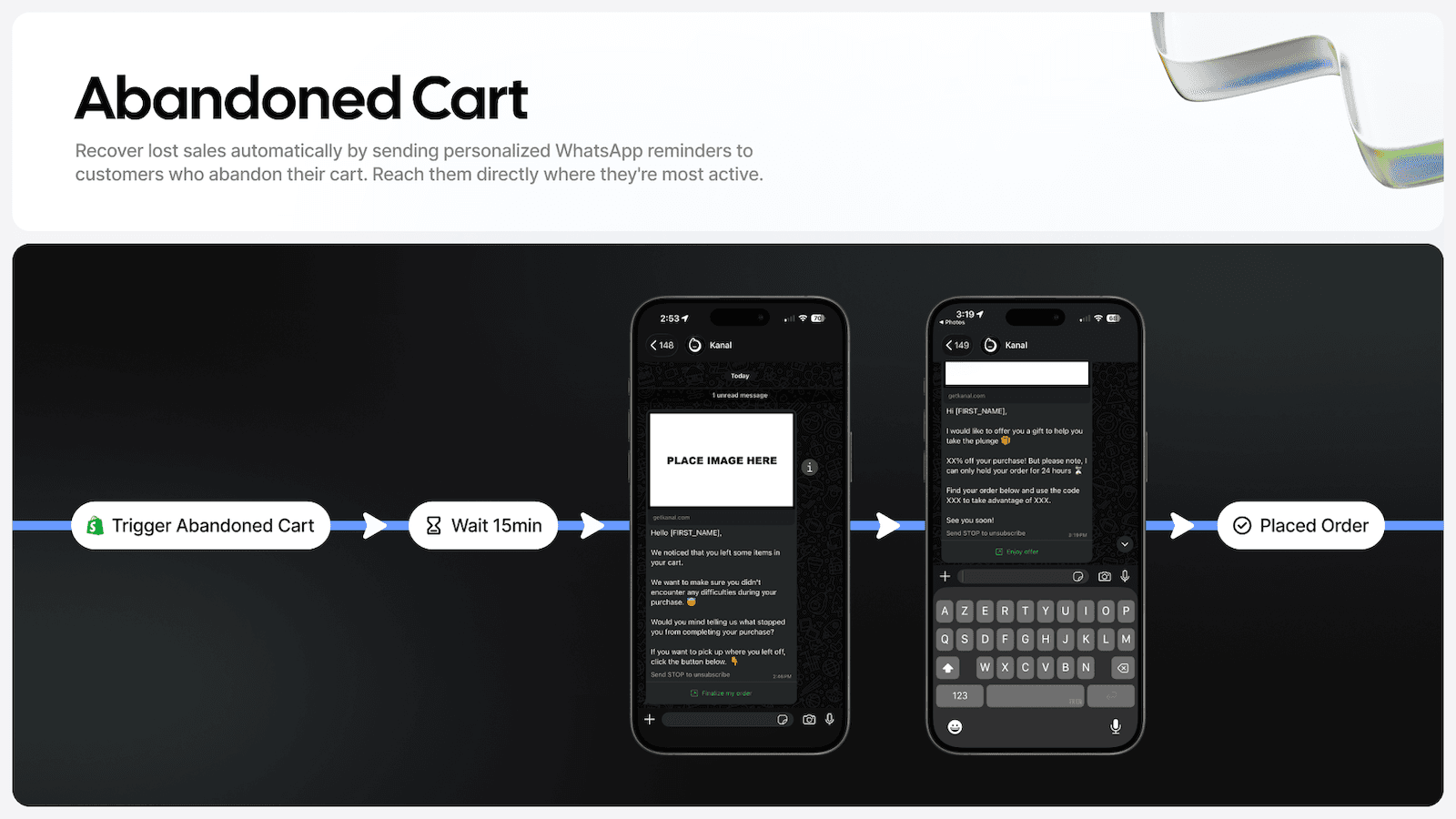
Kanal couvre la moitié tournée vers les clients d'une stack d'automatisation : c'est pourquoi il arrive juste après Shopify Flow. Les événements Shopify (checkout abandonné, commande passée, expédiée ou livrée, client créé, produit réapprovisionné) déclenchent des messages WhatsApp dans un éditeur visuel de flows, avec délais, conditions et images produits tirées de la commande. Des flows prêts à l'emploi couvrent la relance de panier abandonné, les notifications de commande et d'expédition, les upsells après achat, les demandes d'avis et les séquences de reconquête, et un chatbot IA traite 24/7 dans 96+ langues les réponses que suscitent ces messages, avant de passer la main à votre équipe. Flow applique les règles dans Shopify, Kanal envoie les messages que voient les clients. Noté 5/5 sur 125 avis sur le Shopify App Store (relevé le 7 octobre 2026), Kanal démarre à 89 €/mois. Le chatbot IA ne fait pas partie de l'offre d'entrée : il est inclus à partir de l'offre Scale. Consultez la page automatisations et notre page WhatsApp pour Shopify.
#3 Klaviyo, des flows de cycle de vie pilotés par les données Shopify
Klaviyo est une automatisation marketing construite sur une couche de données clients. Il réunit en temps réel les données de Shopify et de plus de 350 applications, puis fait tourner des flows sur l'email, le SMS, le push et WhatsApp, avec segmentation, analyses prédictives, tests A/B et suivi du chiffre d'affaires intégrés. Les flows de bienvenue, de panier abandonné, d'abandon de navigation, d'après-achat et de reconquête sont des modèles prêts à l'emploi. L'email est gratuit jusqu'à 250 contacts et démarre à 20 $/mois de 251 à 500 contacts, et le SMS démarre à 15 $/mois pour 1 250 crédits. Noté 4,7/5 sur 3 358 avis, Klaviyo s'adresse aux marques dont la stratégie d'automatisation passe d'abord par le marketing de cycle de vie, et il s'intègre à Kanal pour qu'une étape WhatsApp prenne place dans le même parcours client.
#4 Omnisend, des workflows marketing prêts à l'emploi
Omnisend est livré avec des workflows prêts à l'emploi pour les paniers abandonnés, les séries de bienvenue et les messages d'après-achat, sur l'email, le SMS et le web push : une boutique ne part pas d'une page blanche. Les pop-ups et les formulaires d'inscription alimentent la liste, l'IA aide pour les recommandations de produits et les objets d'email, et les campagnes peuvent se construire depuis ChatGPT ou Claude via MCP. L'offre gratuite couvre 250 contacts, Standard démarre à 16 $/mois jusqu'à 500 contacts et Pro à 59 $/mois jusqu'à 2 500. Noté 4,7/5 sur 3 186 avis, Omnisend s'adresse aux boutiques qui veulent des workflows marketing prêts à l'emploi plutôt qu'une construction sur mesure.
#5 Zapier, pour relier Shopify à tout le reste
Zapier relie Shopify aux outils qu'utilise le reste de votre entreprise : sa fiche cite plus de 7 000 applications, dont Google Sheets, Gmail, Google Ads, Mailchimp et Slack. Les Zaps partent de modèles ou de zéro, exécutent des workflows en plusieurs étapes sans code, se divisent en chemins (logique si/alors), appliquent des filtres pour ne se déclencher que si les conditions sont réunies, et tournent selon un calendrier. Zapier est un outil généraliste plutôt qu'un outil propre à Shopify : il trouve sa place quand l'autre bout de l'automatisation n'est pas une application Shopify. La fiche affiche une offre gratuite, mais précise que Shopify exige une offre Zapier payante : Professional coûte 29,99 $/mois et Team 103,50 $/mois, avec des essais de 14 jours. Il est noté 4,0/5 sur 72 avis.
#6 Mechanic, l'automatisation des développeurs et des utilisateurs avancés
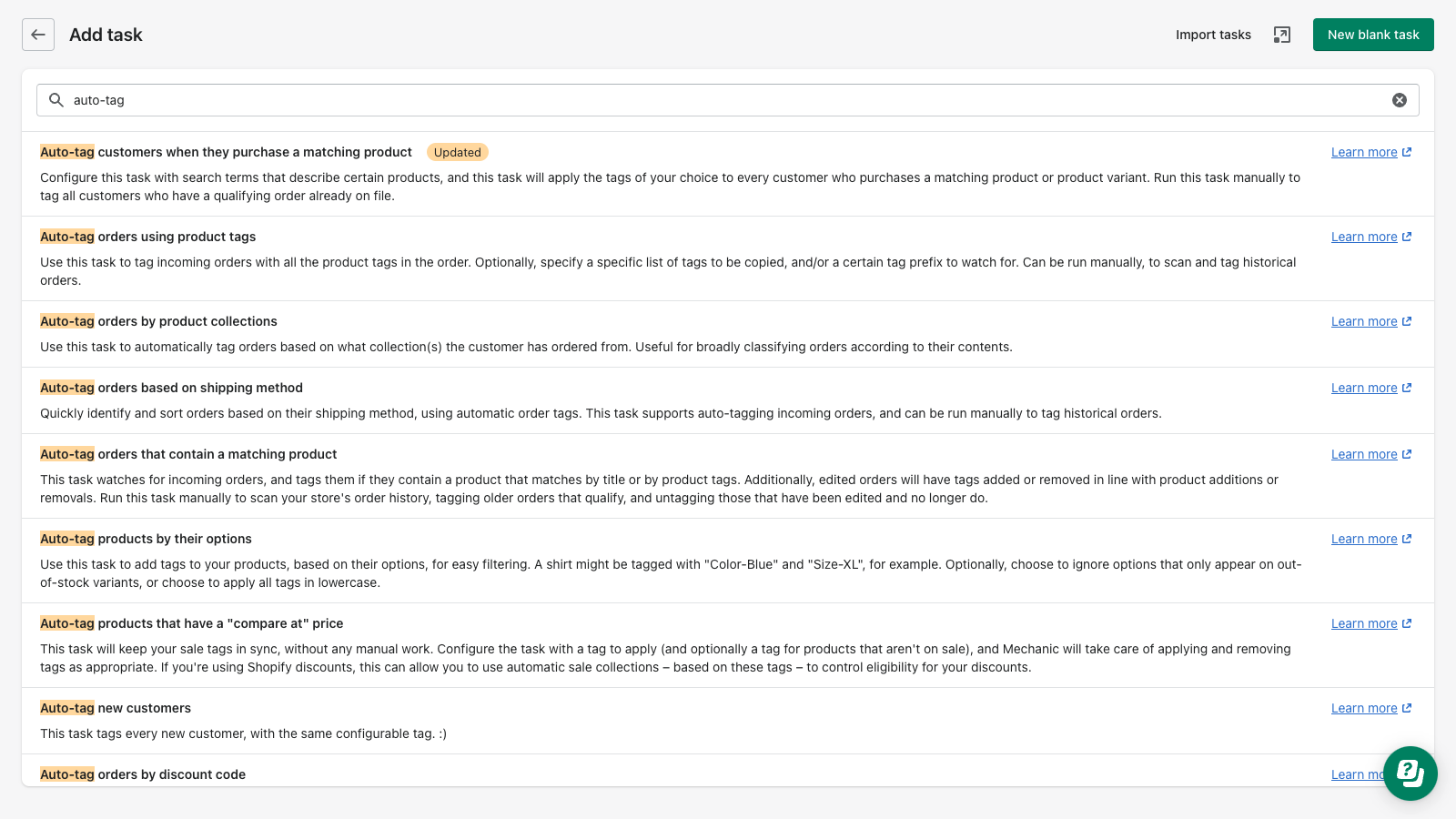
Mechanic est une plateforme d'automatisation construite autour de Liquid, le langage de templates de Shopify, avec plus de 355 tâches prêtes à l'emploi pour les tags clients, l'expédition des commandes, les stocks, la détection de fraude, les tâches planifiées et les opérations multi-boutiques. Les tâches peuvent appeler des API, réagir à des webhooks, envoyer des emails et écrire dans Google Sheets, Slack, Airtable et FTP, sans frais d'usage. Toute personne à l'aise avec Liquid peut modifier une tâche ou en écrire une nouvelle, ce qui fait de Mechanic l'outil des automatisations que Flow ne sait pas exprimer. Le prix suit votre offre Shopify : 16 $/mois sur Basic, 29 $ sur Grow, 99 $ sur Advanced et 199 $ sur Plus, avec un essai de 15 jours. Noté 5/5 sur 147 avis, c'est l'un des outils les mieux notés de cette liste.
#7 Arigato Automation, la logique sur mesure au-delà de Flow
Arigato Automation, de Bonify, se situe entre Flow et un développeur : un éditeur de flows sans code pour les cas courants, et du code entièrement sur mesure avec Liquid, GraphQL et REST quand vous en avez besoin. Plus de 340 modèles prêts à l'emploi couvrent les tags, les remises, les stocks, la prévention de la fraude et les intégrations avec Slack, Klaviyo, Airtable et Twilio SMS. Les déclencheurs incluent les événements de commande et de produit, les webhooks, les planifications et des exécutions manuelles en un clic. Les offres démarrent à 15 $/mois (Basic), puis 25 $, 40 $ et 100 $/mois, avec un essai de 14 jours. Noté 4,8/5 sur 194 avis, Arigato convient aux boutiques qui ont atteint les limites de Flow mais ne veulent pas maintenir du code dans un système séparé.
#8 Order Automator, les opérations de commande en pilote automatique
Order Automator se concentre sur le circuit des commandes : expédier automatiquement les commandes qui correspondent à une règle, taguer commandes et clients, exécuter des tâches planifiées, traiter des commandes en masse, détecter les commandes à risque et prévenir par email l'équipe, les fournisseurs ou les partenaires avec les informations dont ils ont besoin. Il connecte aussi Amazon Multi-Channel Fulfillment, pour que le stock FBA expédie automatiquement les commandes Shopify, et inclut des offres d'upsell après achat. L'offre gratuite couvre l'essentiel, Core coûte 10 $/mois, Growth 19 $ et Scale 29 $, avec des essais de 14 jours. Noté 4,8/5 sur 112 avis, Order Automator est un choix pratique pour les boutiques dont le point faible est la gestion des commandes plutôt que le marketing.
#9 MESA, des automatisations décrites en langage courant
MESA permet de construire des automatisations sur mesure en les décrivant en langage courant, puis transforme la description en workflow avec les bons déclencheurs, conditions et actions. Des modèles couvrent les tâches e-commerce habituelles, les données restent synchronisées entre les outils de votre stack, et les alertes vont au bon membre de l'équipe quand quelque chose demande de l'attention. L'offre Starter est gratuite, Basic coûte 12 $/mois, Flex 29 $ et Pro 99 $, avec des essais de 7 jours. Noté 4,9/5 sur 167 avis, MESA convient aux marchands qui savent ce qu'ils veulent automatiser mais ne veulent ni apprendre un éditeur ni écrire de code pour y arriver.
#10 Alloy Automation, des workflows d'entreprise sur plus de 100 applications
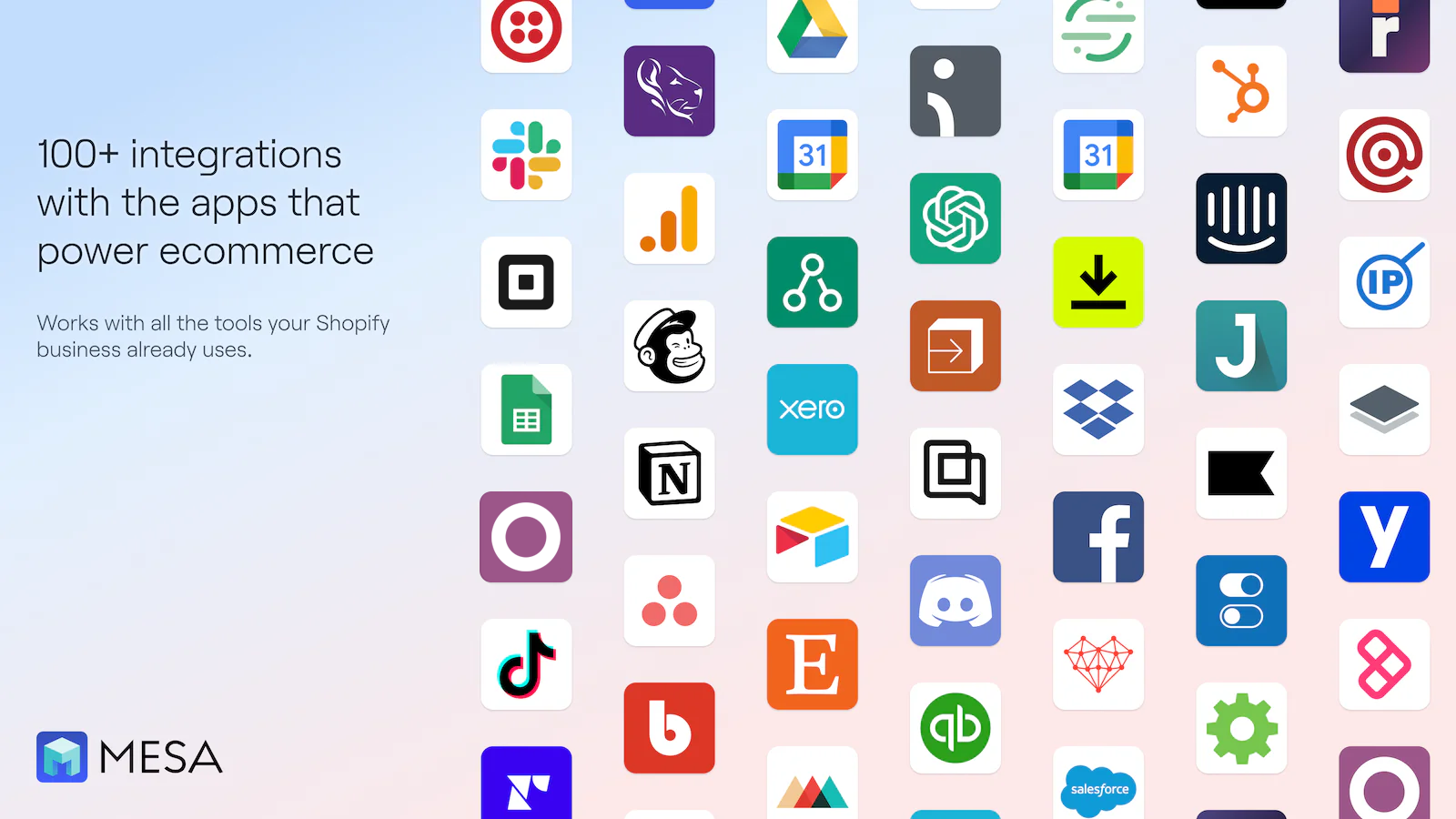
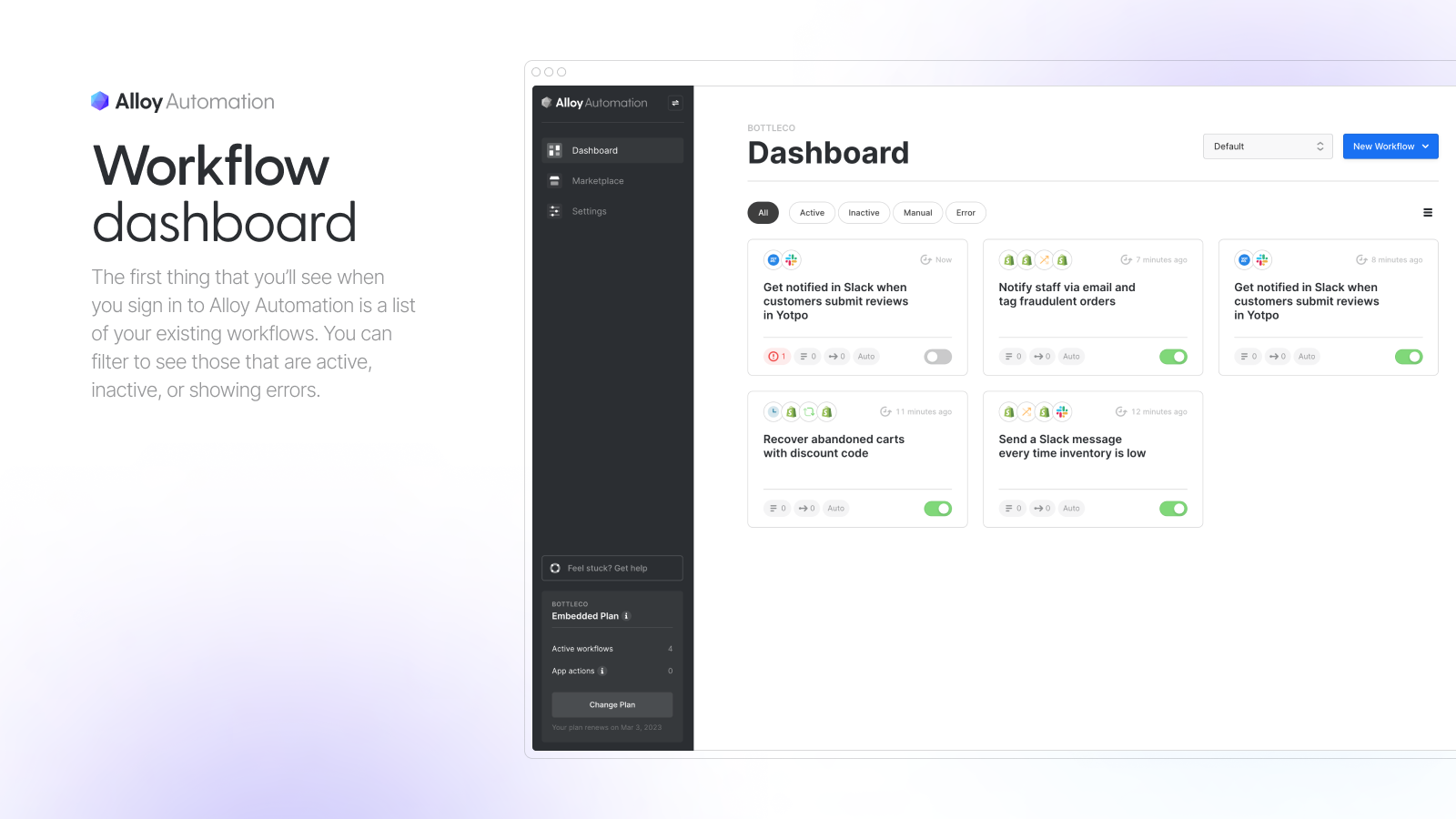
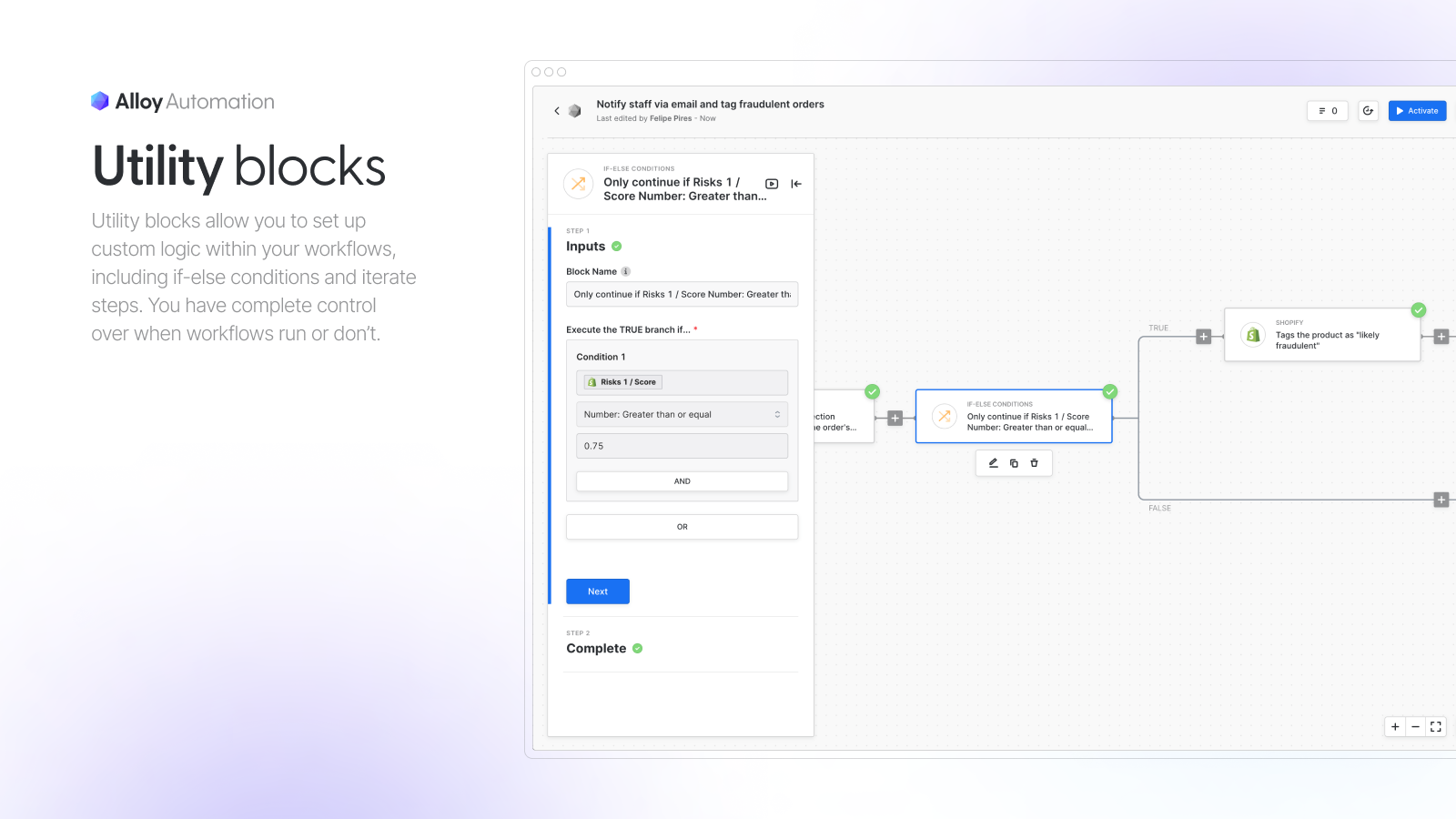
Alloy Automation est un éditeur de workflows sans code qui relie Shopify à plus de 100 applications, avec des embranchements logiques selon les données ou les événements, des webhooks sur mesure et un accès API pour les développeurs, ainsi que des espaces de travail d'équipe avec support dédié et workflows actifs illimités. Les usages types : tags clients, réponses email automatisées, traitement des commandes et workflows déclenchés dans le temps. Les tarifs sont ceux d'une solution d'entreprise : l'offre Business démarre à 2 500 $/mois et varie selon le nombre d'actions mensuelles, sans offre gratuite ni essai. Noté 5/5 sur 7 avis sur sa fiche Shopify, Alloy s'adresse aux équipes opérations des grands marchands qui ont besoin de gouvernance et de support autour de l'automatisation, pas à une boutique qui hésite entre Flow et Arigato.
#11 Hextom Bulk Product Edit, des changements de catalogue programmés
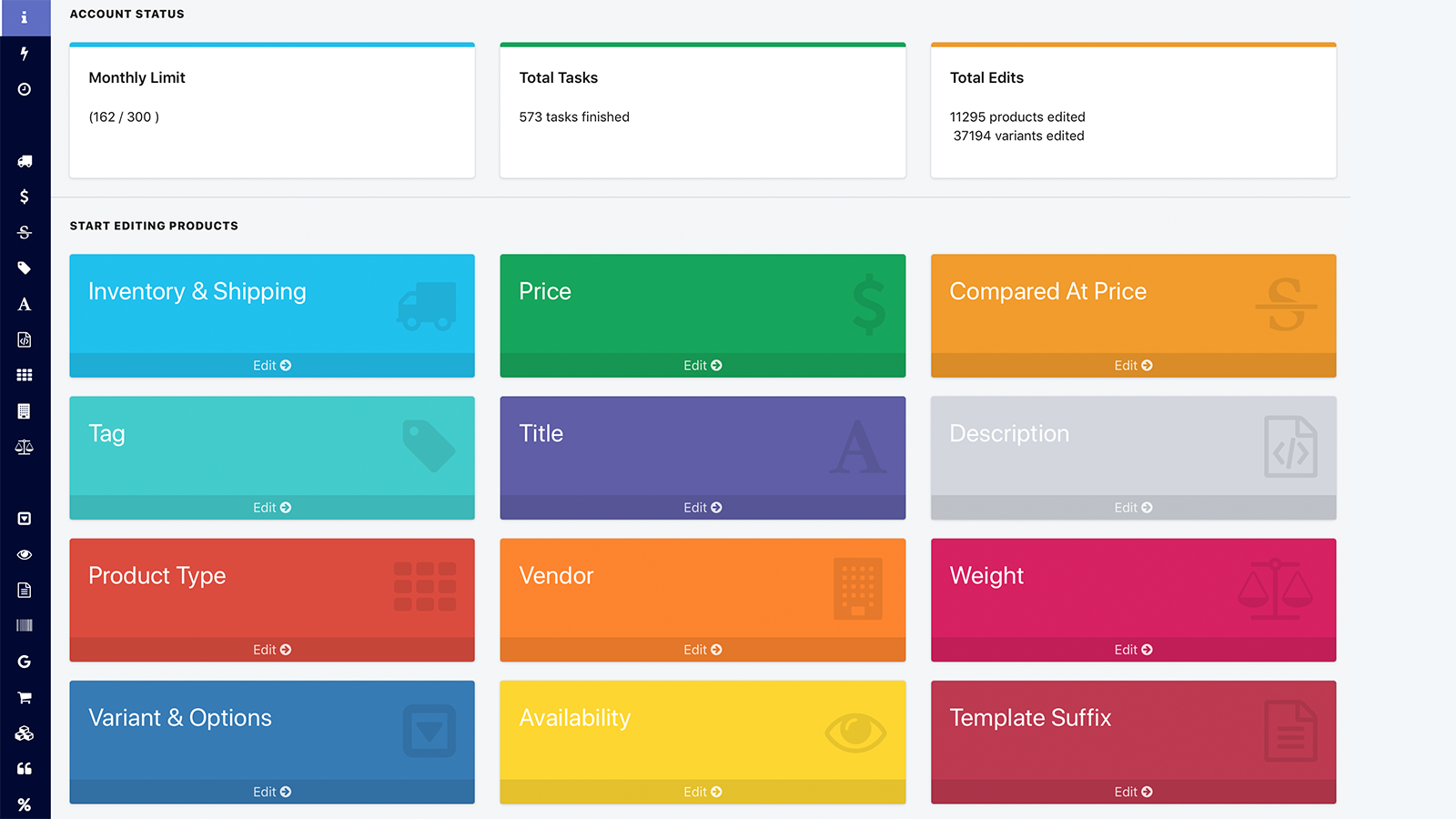
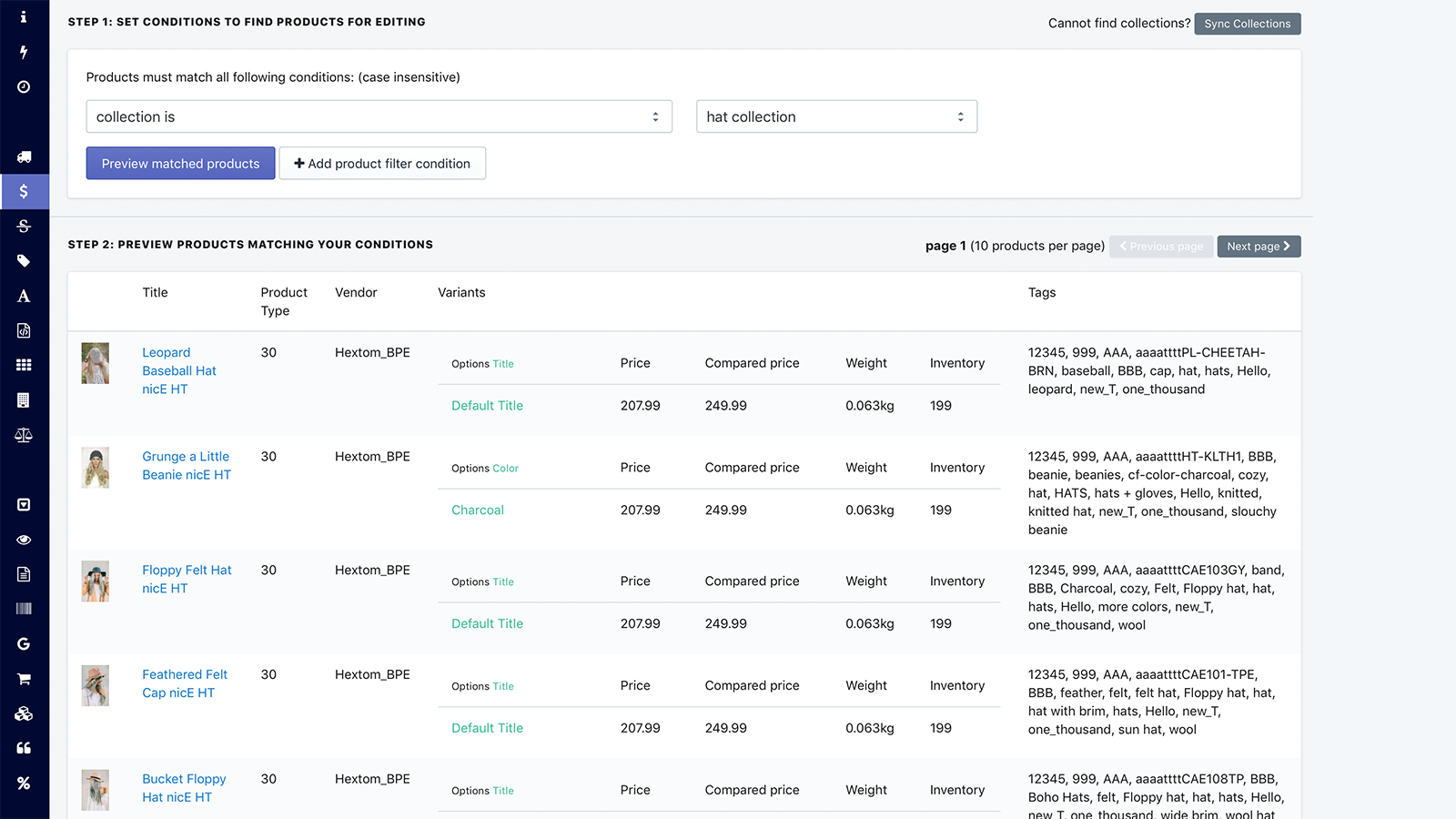
Bulk Product Edit, de Hextom, automatise le catalogue. Modifiez des milliers de prix, de tags, de titres, de niveaux de stock ou de metafields en quelques clics, avec des filtres ou un import et export CSV, sur les produits, les variantes, les collections, les commandes et les clients. Les tâches planifiées appliquent un changement à une heure précise puis l'annulent ensuite, ce qui simplifie nettement une promotion du week-end, et chaque tâche a une sauvegarde qui permet de revenir en arrière. L'offre de démonstration est gratuite pour 10 produits par tâche, Basic coûte 9,99 $/mois pour 500, Professional 19,99 $ pour 5 000 et Advanced 49,99 $ pour 50 000. Noté 4,9/5 sur 1 157 avis, c'est le moyen le plus fiable de programmer des changements de prix et de produits.
#12 React Flow, des workflows à la Flow avec plus de déclencheurs
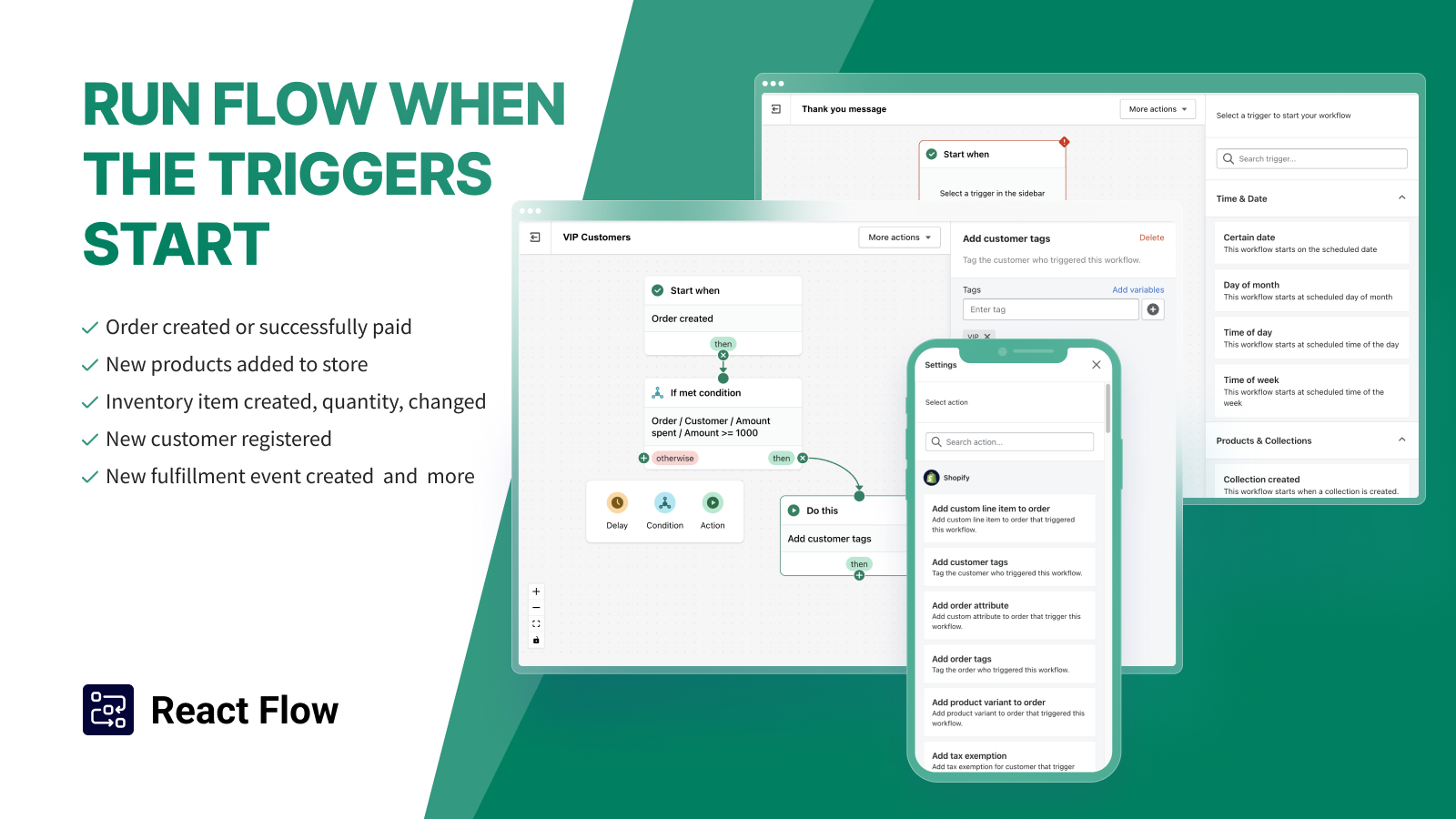
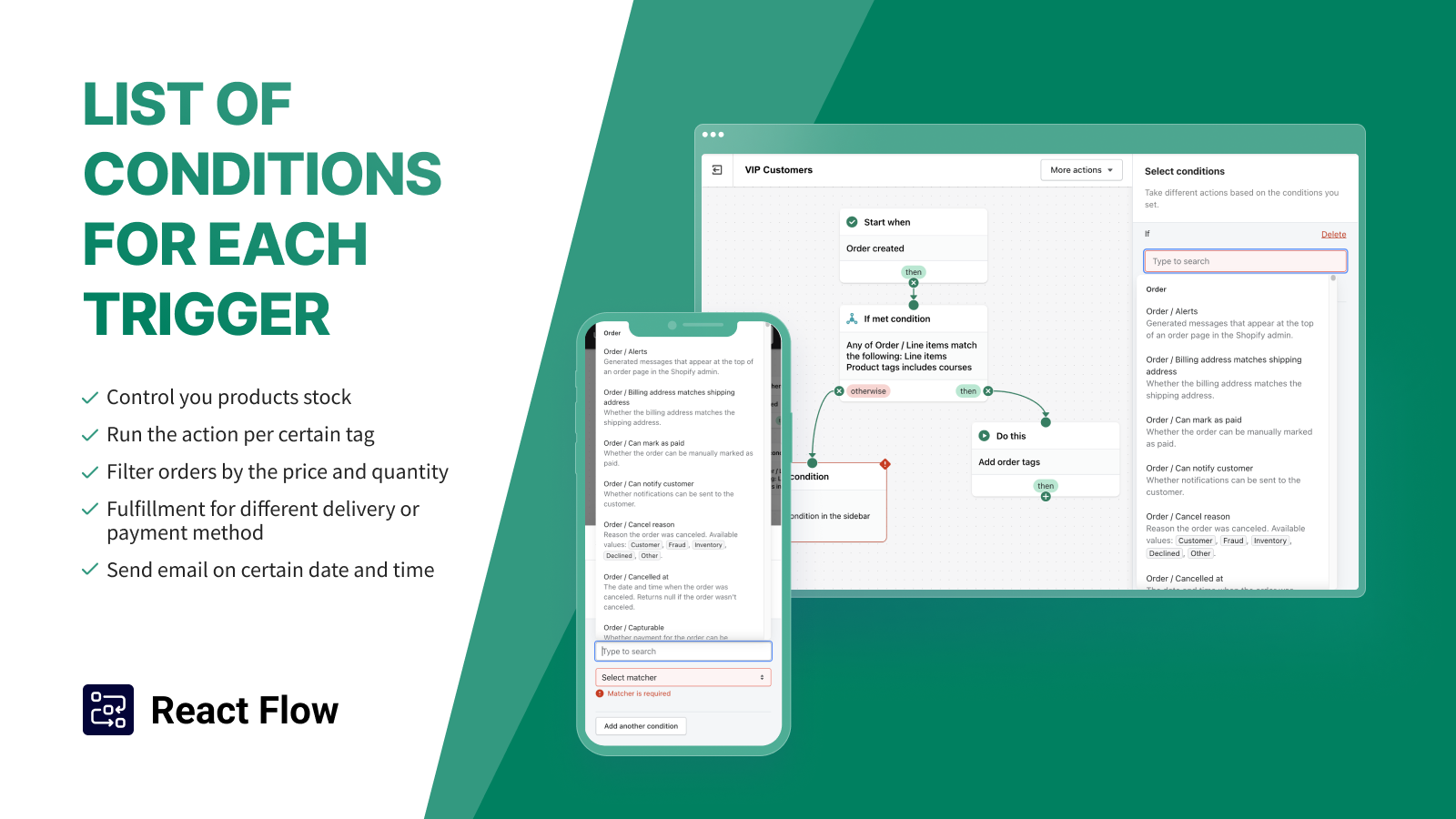
React Flow est un éditeur de workflows sur mesure qui prend le relais là où s'arrête Shopify Flow. Il gère les remboursements, les avoirs et les alertes, planifie des tâches avec délais et étapes conditionnelles, et se connecte à Mailchimp, Slack, Asana, Twilio, WhatsApp, Xero et Google Sheets. Il peut aussi générer des remises au checkout et des Shopify Functions pour les règles de validation et de paiement. La facturation se fait à l'exécution : installation gratuite pour 100 exécutions par mois, avec 0,03 $ par exécution supplémentaire, puis Starter à 19 $/mois pour 1 000 exécutions, Standard 29 $ pour 10 000 et Professional 49 $ pour 50 000, avec des essais de 7 jours. Noté 5/5 sur 178 avis, React Flow est l'étape suivante naturelle pour les boutiques qui aiment le modèle de Flow mais ont besoin de plus de déclencheurs et d'intégrations.
Par quelle application d'automatisation commencer
- Toutes les boutiques : activez d'abord Shopify Flow, gratuit, qui couvre les tags, les règles anti-fraude et les alertes à l'équipe.
- Messages aux clients : ajoutez Kanal pour les flows WhatsApp déclenchés par les commandes et les paniers, et Klaviyo ou Omnisend pour l'email.
- Au-delà des limites de Flow : Arigato ou React Flow pour la logique sur mesure et les intégrations, Mechanic si votre équipe écrit du Liquid.
- Opérations de commande : Order Automator pour l'orientation des expéditions et les notifications aux fournisseurs, Bulk Product Edit pour les changements de catalogue programmés.
- Relier des outils hors Shopify : Zapier ou MESA, et Alloy pour les équipes des grandes entreprises.
Limitez le nombre d'outils et documentez quel outil gère chaque déclencheur.


Automatisez vos messages WhatsApp à partir des événements Shopify : paniers abandonnés, mises à jour de commande et d'expédition, upsells après achat et flows de reconquête, construits dans un éditeur visuel de flows, avec un chatbot IA qui répond 24/7.


Klaviyo est une application de référence pour l'email et le SMS marketing sur Shopify. Améliorez le ROI de votre marketing grâce à ses modèles pour envoyer des campagnes email et SMS personnalisées.


Omnisend est l'application d'email marketing Shopify pour l'email, le SMS et les pop-ups, utilisée par plus de 100K marques. Créez des campagnes par IA dans ChatGPT ou Claude via MCP et vendez plus.


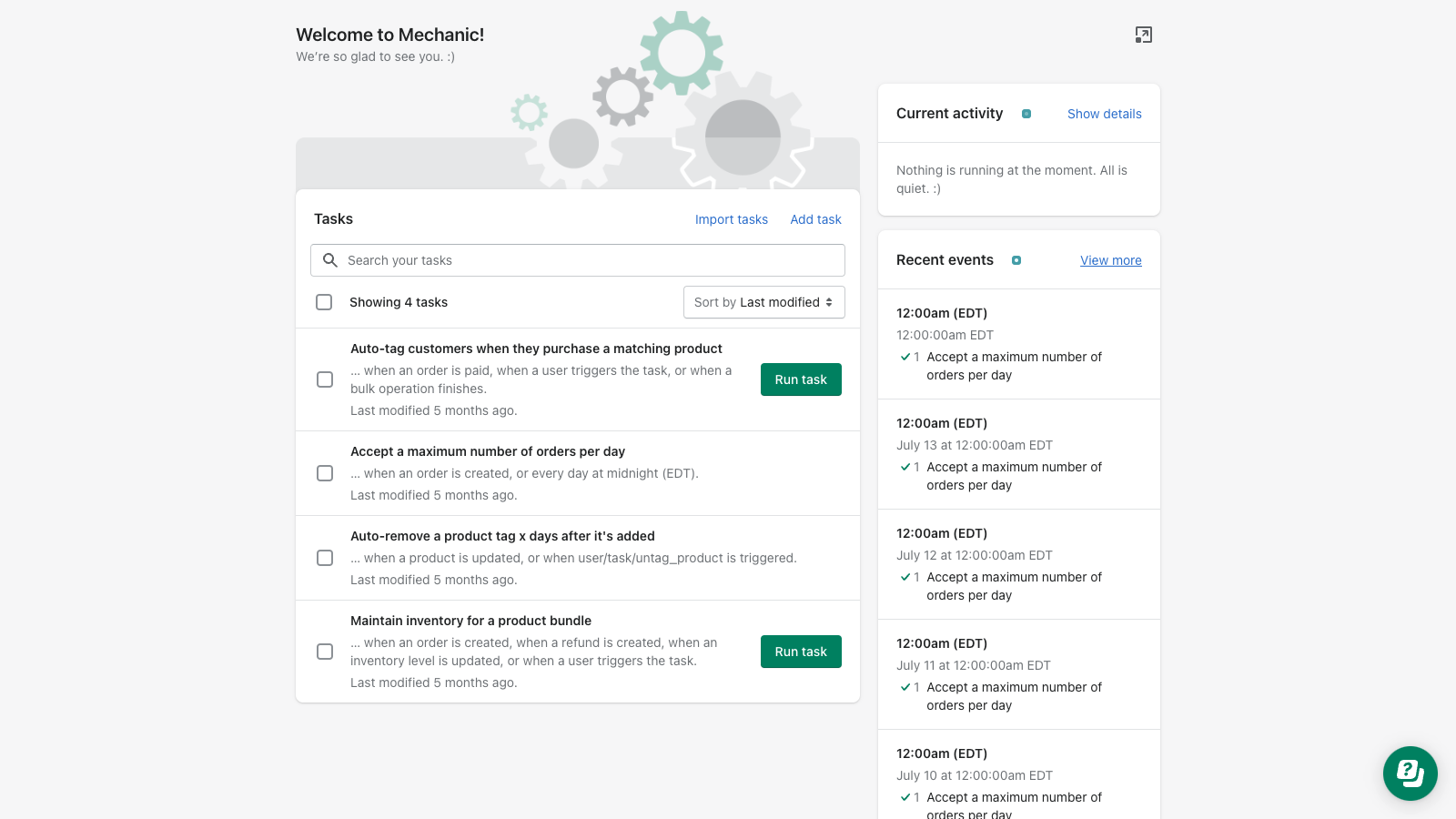
Automatisez tout dans votre boutique Shopify. Choisissez parmi des centaines d'automatisations ou utilisez Mechanic comme plateforme de développement pour créer des fonctionnalités Shopify sur mesure.

Automatisez votre boutique et vos opérations back-office avec les flows et workflows, sans code ou sur mesure, dont votre boutique a vraiment besoin. Démarrez vite et connectez les meilleures applications et l'IA


Automatisez les workflows de commande Shopify comme l'expédition, les tags, le contrôle anti-fraude et Amazon MCF, depuis une seule application fiable et personnalisable.


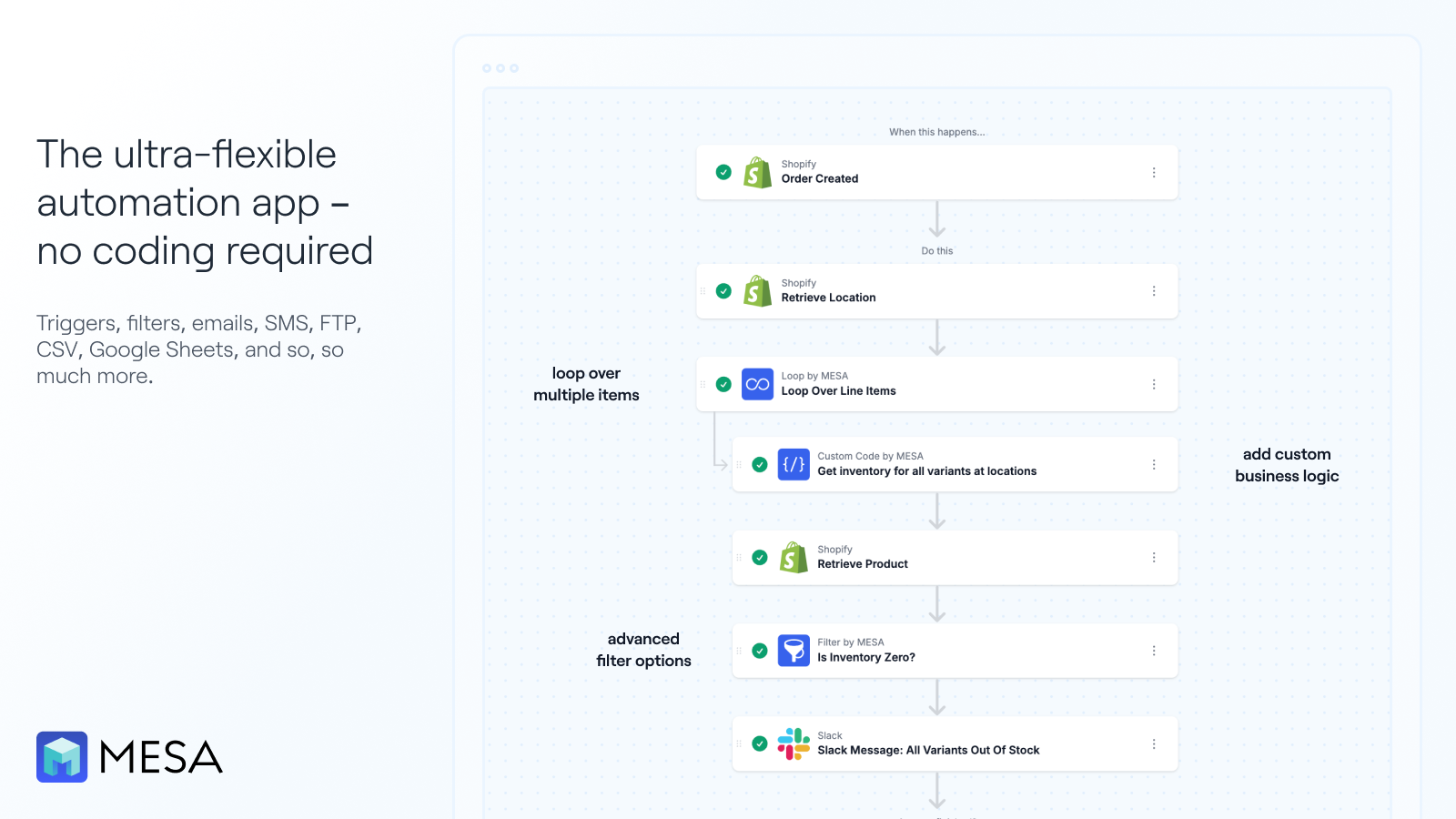
Pour les marchands Shopify submergés par les opérations répétitives, MESA transforme des demandes formulées en langage courant en automatisations qui fonctionnent avec vos outils existants.


BPE est un outil complet de gestion de boutique Shopify qui vous aide à modifier vos produits en masse pour les promotions et à synchroniser les stocks. Import et export CSV de la base de données de la boutique.

React Flow est une solution d'automatisation pour Shopify qui vous aide à automatiser vos workflows. Laissez l'application gérer vos tâches de routine pour gagner du temps en toute tranquillité.
Questions fréquentes
Quelle est la meilleure application d'automatisation pour Shopify ?
Shopify Flow est le meilleur point de départ, parce qu'il est gratuit et natif. Pour l'automatisation tournée vers les clients, Kanal arrive deuxième, avec des flows WhatsApp déclenchés par les événements Shopify et un chatbot IA pour les réponses, à partir de 89 €/mois (chatbot IA inclus à partir de l'offre Scale). Mechanic et Arigato couvrent la logique sur mesure, Klaviyo et Omnisend les flows marketing, et Order Automator les opérations de commande.
Quelles sont les meilleures applications d'automatisation marketing pour Shopify ?
Trois applications de ce classement automatisent le marketing. Kanal (n° 2) envoie des flows WhatsApp déclenchés par les événements Shopify, comme les checkouts abandonnés et les commandes. Klaviyo (n° 3) fait tourner des flows email et SMS sur les données Shopify, l'email étant inclus jusqu'à 250 contacts. Omnisend (n° 4) fournit des workflows email, SMS et web push prêts à l'emploi. Shopify Flow, n° 1, applique les règles dans la boutique et peut déclencher des actions dans Klaviyo.
Shopify Flow est-il gratuit ?
Oui. Shopify Flow est gratuit et inclus dans votre offre Shopify, avec des centaines de modèles et des actions illimitées par workflow. Flow agit sur les données de la boutique et sur les applications auxquelles il se connecte : pour écrire aux clients sur WhatsApp, associez-le à une application de messagerie.
Puis-je automatiser des messages WhatsApp depuis Shopify ?
Oui. Kanal se connecte aux événements Shopify comme les checkouts abandonnés, les commandes et les expéditions, et envoie automatiquement des templates WhatsApp approuvés, l'opt-in des clients étant géré par l'application. Découvrez la relance de panier abandonné et les flows de la page automatisations.
Quelle automatisation construire en premier ?
Trois automatisations sont rentables le plus vite : un flow de panier abandonné, une mise à jour d'expédition qui répond à la question « où est ma commande ? » avant qu'elle ne soit posée, et une règle anti-fraude qui bloque les commandes à risque. Avec les applications ci-dessus, elles se mettent en place rapidement.
Notre recommandation
Commencez par Shopify Flow pour les règles qui vivent dans Shopify, puis ajoutez Kanal pour les automatisations que voient vraiment les clients : relance de panier, mises à jour de commande, upsells et reconquête sur WhatsApp, avec un chatbot IA qui traite les réponses (à partir de l'offre Scale). Associez-le à Klaviyo ou Omnisend pour l'email, et passez à Arigato, React Flow ou Mechanic quand une règle dépasse Flow. Order Automator et Bulk Product Edit règlent à petit prix des problèmes opérationnels précis, et Zapier, MESA ou Alloy relient le reste de vos outils. Nos guides des meilleures applications de relance de panier abandonné Shopify et des meilleures applications marketing pour Shopify couvrent la moitié de la stack tournée vers les clients.
Guides associés
Meilleures applications de bundles Shopify
Quelle application de bundles choisir sur Shopify ? Comparatif de 13 applications et de l'application gratuite Shopify Bundles : types d'offres, avis et prix.
Lire le guide11 apps comparéesMeilleures applications de pop-up Shopify
Quelle application de pop-up choisir sur Shopify ? 11 applications comparées : pop-ups email, SMS et code promo, tests A/B, offres gratuites et prix.
Lire le guide12 apps comparéesMeilleures applications pour Shopify Plus
Les 12 meilleures applications pour Shopify Plus par besoin, de Flow, Launchpad et Checkout Blocks à Klaviyo, Recharge et Gorgias. Prix relevés le 7 octobre 2026.
Lire le guideKanalWhatsApp pour Shopify
Le guide complet Kanal du marketing WhatsApp pour les boutiques Shopify : fonctionnalités, mise en place et tarifs.
Lire le guide