WhatsApp Newsletter: Complete Guide for E-commerce (2026)

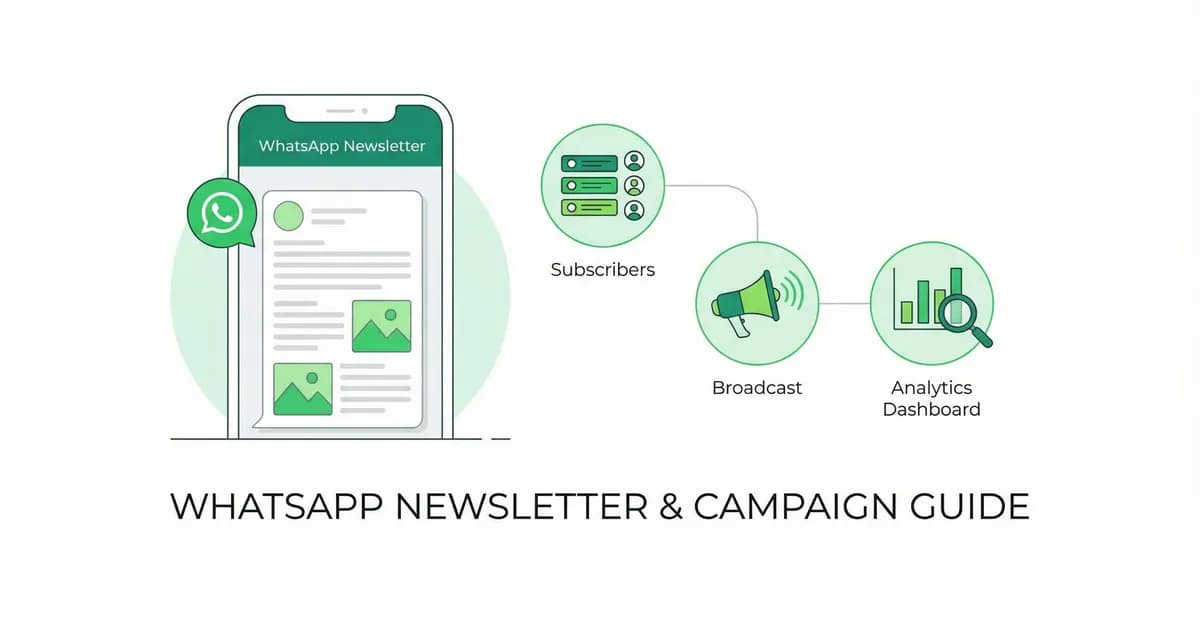
WhatsApp newsletter guide for e-commerce in 2026: opt-in, broadcast, tools, templates and the metrics to track. Comparisons with Wati, Charles, and Kanal.
Table of contents (33)
A WhatsApp newsletter is a recurring series of messages sent to opted-in subscribers through the WhatsApp Business Platform. Unlike a small broadcast list on the free app (256 contact cap), a real newsletter uses the Business API for unlimited subscribers, template approval, and analytics, which is what WhatsApp broadcast at scale means in practice. Messages land in the app customers use to talk to friends and family, with buttons they can tap straight from the chat. This guide covers opt-in, templates, segmentation, tools, and how to measure ROI.
What Is a WhatsApp Newsletter?
A WhatsApp newsletter is a regular series of messages sent to opted-in subscribers via WhatsApp broadcast. Unlike email newsletters, WhatsApp messages appear in the app customers already use to chat with friends and family, not in a crowded inbox.
WhatsApp Newsletter vs Email Newsletter
| Metric | WhatsApp Newsletter | Email Newsletter |
|---|---|---|
| Rich Media | Images, video, buttons, catalogs | Full HTML design |
| Delivery | Instant, no spam folder | Can land in spam/promotions |
| Cost per Send | per delivered message, rate by country | per contact per month |
| Best For | Urgency, promotions, updates | Long-form content, digests |
For the email side, Mailchimp's benchmarks put the average e-commerce open rate at 29.81%, the click rate at 1.74% and the unsubscribe rate at 0.19% (data available in December 2023). There is no independent public benchmark for WhatsApp marketing open or click rates, and vendor figures are not audited: compare the read, click and opt-out rates in your own account with your own email numbers.
WhatsApp Newsletter vs Broadcast vs Group
The three terms get used interchangeably and shouldn't be. Each has different mechanics, limits, and use cases.
| Mechanic | WhatsApp Newsletter (API) | Broadcast (free app) | Group |
|---|---|---|---|
| Max recipients | Unlimited | 256 per list | 1024 |
| Member visibility | Hidden from each other | Hidden from each other | Visible to all members |
| Sender | Business API number | Personal or Business number | Any member |
| Replies visible to | Only the business | Only the business | All members |
| Templates required | Yes, Meta-approved | No | No |
| Analytics | Full (delivered, read, click, opt-out) | None | None |
| Best use | E-commerce marketing at scale | SMB or trial sends | Communities, customer support clusters |
| Risk | Template rejections, opt-out spikes | Free app limits, manual labor | Members spamming each other |
For e-commerce marketing, newsletters and broadcasts via the API are appropriate. Groups are not, because members can see each other's phone numbers and any spammer in the group ruins the experience for everyone. If you see a tool offering "group blast", that is a red flag for WhatsApp policy.
Our broadcast guide and the broadcast glossary entry cover the mechanics in more detail.
Why E-commerce Brands Add WhatsApp Newsletters to Email
Email is mature, cheap, and predictable. WhatsApp is younger, more expensive per message, and harder to scale. So why do brands add it? Three reasons tied to how the channel works:
No spam folder. Messages land in the same inbox where customers chat with friends and family, next to their personal conversations rather than in a promotions tab.
Inline buttons. The format is conversational, the CTAs are buttons inside the message, and the customer can reply in the same thread.
Delivery you can check. The WhatsApp Business Platform reports whether each message was delivered, so you know how many subscribers actually received the newsletter.
The trade-off is per-message cost (Meta charges each delivered marketing message at a rate set by the recipient's country, plus BSP fees) and a more constrained design surface (no full HTML). Whether the math favors WhatsApp for your store is something to measure: compare revenue per recipient on both channels for the same offer.
If you sell on Shopify, our WhatsApp campaigns feature page covers how newsletters fit alongside abandoned cart, post-purchase, and back-in-stock automations. Track revenue per recipient across the mix to decide which email sends WhatsApp should take over.
How to Start a WhatsApp Newsletter
Step 1: Get a WhatsApp Business API Account
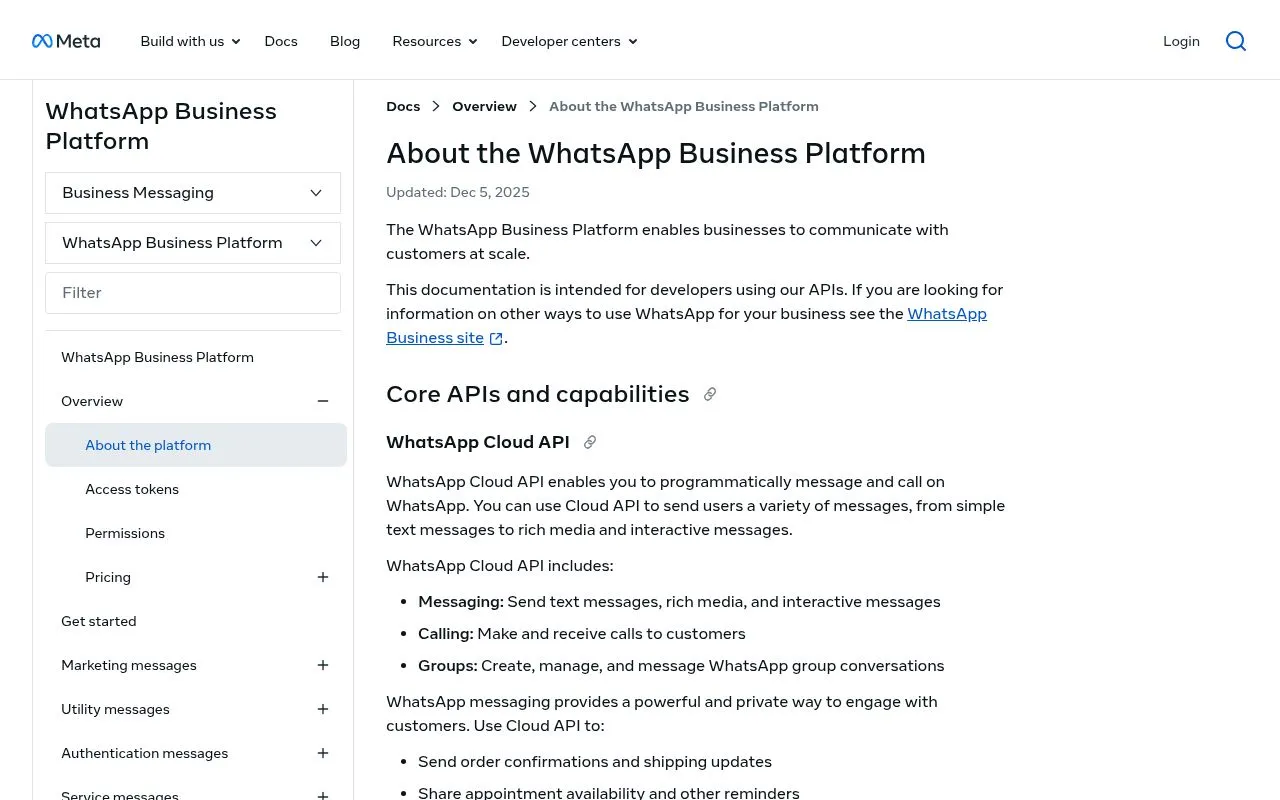 WhatsApp Cloud API documentation, the API behind unlimited newsletter sends" style="max-width:100%;border-radius:12px" loading="lazy" />
The free WhatsApp Business app limits broadcasts to 256 contacts, not enough for a real newsletter. You need the WhatsApp Business API.
The easiest way: Install Kanal on Shopify. API setup is handled automatically.
Step 2: Build Your Subscriber List with Compliant Opt-in
You need explicit opt-in from subscribers. WhatsApp's opt-in policy requires you to state clearly that the person is opting in to receive messages from your business, to name your business, and to comply with applicable law. Here are four common opt-in mechanisms for e-commerce:
1. Checkout opt-in. A checkbox or post-purchase prompt on your Shopify checkout asking customers to receive order updates and offers via WhatsApp. It reaches customers at the moment they buy, without ad spend. Compliant by default if the wording is clear ("Receive updates from {brand} on WhatsApp"). Built into the Kanal Shopify integration.
2. Popup or floating widget with incentive. Site popup that offers a code in exchange for WhatsApp opt-in. Works well on DTC and apparel. Compliant when you store the consent timestamp and source URL.
3. Click-to-WhatsApp ads (varies by spend). Meta ads that route to a click-to-chat flow that captures the opt-in inside the chat. Useful for cold acquisition. The cost per subscriber depends on your category and targeting: track it per campaign.
4. QR codes on packaging, receipts, in-store (low volume, high quality). A QR that opens a WhatsApp chat with a prefilled message. Customers who scan are already engaged. Works especially well for repeat-purchase brands.
For each method, make sure you have:
- Explicit consent (a click or message, not a pre-checked box)
- Clear language identifying your brand and the type of messages
- An easy opt-out method (replying STOP, or a button in every marketing template)
- A record of the consent (timestamp and source URL)
Measure the opt-in rate of each mechanism on your own store before you scale the one that works. Our WhatsApp link generator and QR code generator create the links and QR codes for these opt-in points.
Step 3: Get Your Templates Approved
Every marketing WhatsApp message that goes outside the 24-hour customer window must be sent through a Meta-approved marketing template. The approval process is a meaningful friction point that catches first-time senders off guard.
Categories. Meta has three categories: Marketing, Utility, and Authentication. Newsletters belong in Marketing. Picking the wrong category at submission triggers an automatic rejection.
Review timeline. Most templates are reviewed within 1 to 24 hours. Marketing templates take longer than Utility. Q4 is slower because of volume.
Common rejection reasons. Too promotional in a Utility template, missing opt-out language, broken variables, hard-to-read formatting, language not declared in template settings.
Approval rate. Track your first-pass approval rate by category. A rejection comes with a reason: fix the cited issue and resubmit.
If you use a BSP like Kanal, the platform pre-validates the template against Meta's rules before submission, so common rejection causes are caught before Meta's review. The submission also tracks template performance over time, so you can pause templates that are starting to drag your quality rating.
Step 4: Create Your First Newsletter
With the WhatsApp Business API through Kanal:
- Choose your template type: Text, image, video, or carousel
- Write your copy: Keep it concise, WhatsApp is conversational, not editorial
- Add rich media: Product image, GIF, or short video
- Include a CTA button: "Shop Now", "See Collection", "Get Offer"
- Submit for Meta approval: Templates are reviewed within 1-24 hours
- Segment your audience: Use Klaviyo integration for advanced segments
- Schedule and send: Pick optimal timing based on your audience
Step 5: Optimize Based on Analytics
Track these metrics in your Kanal dashboard:
- Delivery rate: delivered messages divided by messages sent
- Open rate: read messages divided by delivered messages
- Click-through rate: button clicks divided by delivered messages
- Conversion rate: Track revenue attributed to each newsletter
- Opt-out rate: opt-outs divided by recipients, per send
- Revenue per recipient: a more useful long-term metric than CTR alone
Your first sends give you the baseline: compare every new newsletter against it rather than against someone else's average.
WhatsApp Newsletter Templates That Convert
Weekly Product Drop
Hey {name}! 🔥 New this week:

{product_image}

{product_name} just dropped, and it's selling fast.

Early access for our WhatsApp VIPs. Ships free today.

[Shop Now] [Save for Later]
Flash Sale Alert
{name}, this is your 4-hour warning ⏰

Our Spring Sale starts at 6PM:
• Up to 50% off bestsellers
• Free shipping on everything
• Extra 10% for WhatsApp subscribers: WANEWS10

[Set a Reminder] [Shop Early Access]
Behind-the-Scenes / Story
{name}, want to see how {product} is made? 👀

{video_preview}

Our founder shot this at the workshop last week. 90 seconds of pure craftsmanship.

[Watch Now]

P.S. We only made 200 units. First come, first served.
Customer Spotlight
Meet {customer_name} from {city} 💚

"{testimonial_quote}"

They've been using {product} for 3 months. Here's what changed...

[Read Their Story] [Shop {product}]
Segmentation Strategy for WhatsApp Newsletters
Generic newsletters underperform. Segment your list and send tailored copy: these four segments are the ones to build first.
VIP customers (top 10% by lifetime value). Send early access, exclusive products, and personal-tone messages. Compare their click-through rate with your general broadcasts.
First-time buyers (1 purchase). Send cross-sells and a small repeat-purchase discount in the 30 days following the first order. Measure the share who place a second order within 30 days.
Cart abandoners (no purchase in 30 days). Send reactivation: stock urgency, a review quote, a small discount. Measure the recovered revenue against a holdout group. See our abandoned cart recovery strategies.
Subscribers without purchase (engagement-only). Send conversational segmentation: "what's holding you back?" with reply options. Track how many cold subscribers place a first order.
VIP customers (top 10% by lifetime value)
Hey {first_name} 👑

Your favorite collection just expanded. We added 3 new pieces
inspired by what you've already loved.

{product_image}

VIP early access for the next 48h. After that, it goes live
to everyone.

[Shop the new pieces] [Reply STOP to opt out]
Why it works: early access rewards your best customers before the offer goes public.
First-time buyers (1 purchase)
Welcome to the club, {first_name} ✨

Loved your first {product_category}? Customers like you keep
coming back to these:

{carousel_3_products}

Use code REPEAT15 for 15% off your second order.
Valid for 7 days.

[Browse recommendations]
Why it works: the first order tells you what they like, so the recommendations are relevant.
Cart abandoners (no purchase in 30 days)
{first_name}, we saved your spot 👀

That {product_name} you were eyeing? Still in stock, but only
{stock_count} left.

Here's what other customers said about it:
{review_quote}

[Finish your order: code SAVE10 inside]
Why it works: low stock and a review from another customer give a reason to finish the order now rather than later.
Subscribers without purchase (engagement-only)
{first_name}, time for a confession 💬

You've been with us for {days_subscribed} days but haven't
ordered yet. What's holding you back?

[I want to see new arrivals]
[I'm waiting for a sale]
[I have questions]
Conversational segmentation: each reply triggers a specific follow-up flow, and the answers tell you what holds cold subscribers back.
A/B Testing Best Practices for WhatsApp Newsletters
Sending WhatsApp newsletters without testing leaves results to chance. Here's a structured testing playbook.
What to test
- Send time: 9 AM vs 6 PM vs Saturday morning
- Subject line / first 50 chars: WhatsApp shows the first message preview in the app, so the opening matters
- Image vs no image: check whether an image lifts clicks for your audience
- CTA wording: "Shop now" vs "See what's new" vs "Get the offer"
- Discount value: 10% vs 15% vs free shipping
- Frequency: weekly vs bi-weekly impact on opt-out
Sample sizes that matter
For a statistically valid test:
- Minimum 1,000 recipients per variant
- Run for at least 24 hours so late readers are counted
- Track CTR and conversion rate, not just open rate (a read does not mean a click)
First tests to run
Set these up with Kanal's A/B testing and keep what wins on your own list:
- Personalized first name vs generic copy
- Single CTA vs multiple options (to avoid decision paralysis)
- Soft urgency ("only 24h left") vs hard urgency ("HURRY")
- Products in use vs product-only shots
How to Measure WhatsApp Newsletter ROI
Open rate is a vanity metric on WhatsApp: a message that was read has not necessarily driven a click or a sale. The metrics that matter:
Revenue per recipient (RPR). Total revenue attributed to the newsletter divided by recipients reached. Compare against email RPR and SMS RPR on the same offer for a fair channel comparison.
Click-through rate (CTR). Clicks on the CTA button divided by delivered messages. When it drops from one send to the next, the offer is weaker or the audience is poorly segmented.
Conversion rate. Purchases attributed within a 7-day window divided by clicks. Compare it with the conversion rate of your email clicks and of your store overall.
Opt-out rate. Customers tapping the opt-out button or replying STOP divided by recipients. A rise from one send to the next is a warning signal; a sudden spike calls for an immediate pause and an audit of the segment and the offer.
Quality rating impact. Meta tracks your block rate (in the first 24h) and dispositive feedback. If quality drops from Green to Yellow, your messaging tier and template approval rate both slow down. Worth tracking as a leading indicator, not a lagging one.
Cost per acquired revenue (CPA inverse). Total WhatsApp send cost divided by revenue attributed. Set your own ceiling from your margins, and check that the ratio stays under it as the list grows.
We dig into channel-level economics in our WhatsApp Business pricing guide. The conversation-based pricing glossary entry covers the older model, which Meta replaced with per-message pricing on July 1, 2025.
Subscriber Acquisition Channels Compared
Building a WhatsApp list costs money. Here is how the main acquisition channels compare. Track the cost per subscriber of each one on your own store: ad spend, discounts, printing and creator fees all count.
| Acquisition channel | Volume potential | Best for |
|---|---|---|
| Checkout opt-in | High | All brands |
| Popup with discount | Medium | DTC and apparel |
| QR code on packaging | Low but high quality | Repeat purchase brands |
| Email list migration | One-time bulk | Established email lists |
| Paid social to WhatsApp link | High | Scaling brands |
| Influencer collab | Variable | Lifestyle and beauty |
Checkout opt-in is the natural place to start: it reaches buyers who are already engaged, without ad spend. Use the Kanal Shopify integration to enable it in 1 click.
WhatsApp Newsletter Frequency: How Often to Send
Use this as a starting point, then adjust it to your own opt-out and block rates:
| Frequency | Best For | Opt-out Risk |
|---|---|---|
| Daily | Flash sales, time-sensitive offers | High |
| 2-3x/week | Active e-commerce with frequent drops | Medium |
| Weekly | Most e-commerce brands (recommended) | Low |
| Bi-weekly | Low-frequency purchase categories | Very low |
| Monthly | Luxury, high-consideration products | Very low |
Our recommendation: Start weekly, then adjust based on engagement. If read rates slide or opt-outs climb from one send to the next, reduce frequency.
Best WhatsApp Newsletter Tools in 2026 (Compared)
The right WhatsApp newsletter tool depends on your stack, list size, and segmentation needs. Here is an honest read across the main options as of 2026.
| Tool | Best for | Strengths | Watch-outs |
|---|---|---|---|
| Kanal | Shopify brands wanting native checkout opt-in and one-click install | Native Shopify integration, Klaviyo sync, included BSP onboarding, AI-assisted templates | Shopify-only at the moment |
| Wati | Mid-market across e-commerce and services | Mature broadcast features, broad team inbox functionality | Pricing scales aggressively, generic UX outside Shopify |
| Charles | Conversational commerce focus, DACH market | Strong design, deep automation, customer experience tooling | Higher price point, longer onboarding |
| Zoko | SMB Shopify and WooCommerce | Lower price entry, multi-product carousels | Smaller template library and analytics depth |
| Trengo | Multi-channel customer service plus marketing | Strong on inbox unification across WhatsApp, email, social DMs | Marketing-side features are lighter than dedicated newsletter tools |
| Gallabox | Cost-sensitive India and APAC | Aggressive pricing, decent feature set | Less e-commerce-native, smaller library |
For Shopify-first brands, the choice usually narrows to Kanal, Wati, or Charles. We cover differences in detail on the dedicated pages: Kanal vs Wati, Kanal vs Charles. For a deeper comparison across all major BSPs and how messaging volume affects price, read WhatsApp Business API providers compared.
If you are not on Shopify or want a non-Kanal option, that is fine, the most important thing is to be on the API and respect WhatsApp's policy. Most of this guide applies regardless of the tool you pick.
Newsletter Formats Worth Testing
Below are five newsletter formats worth testing, with what each one is for. Compare them on revenue per recipient in your own account.
Format 1: Single product, single CTA, image-led. A square product image, two lines of copy, one button. Used for new product drops and restock alerts.
Format 2: 3-product carousel with category framing. A carousel card showing 3 products under a single category headline ("New in summer", "Customer favorites"). Lets the customer pick which product interests them. Used for cross-sell and replenishment campaigns.
Format 3: Multi-button "choose your path". A single hero image with three reply buttons. Used for engagement-only segments and conversational lead qualification. The qualitative signal (which button they pick) is the real value.
Format 4: Founder video, short and unfiltered. A 30 to 60 second vertical video from the founder. Used for storytelling and brand building. Judge it on replies and repeat purchases rather than clicks.
Format 5: Time-bounded flash sale. A short message with a clear deadline and code. Used for end-of-collection sales and BFCM. Use it sparingly: the format wears out quickly.
Growing Beyond the Newsletter
A WhatsApp newsletter is your top-of-funnel. Combine it with automated flows for maximum revenue:
- Newsletter → drives traffic and awareness (WhatsApp campaigns)
- Abandoned cart → recovers lost sales (cart recovery)
- Post-purchase → increases LTV (upsells)
- Support → builds loyalty (AI chatbot)
- Reviews → builds social proof (review collection)
- Back-in-stock → captures demand (alerts)
Sync everything with Klaviyo for a unified view of your customer journey across email, SMS, and WhatsApp.
Legal Compliance
WhatsApp newsletters must comply with:
- GDPR (EU): Explicit opt-in, easy opt-out, data processing transparency
- TCPA (US): Prior express written consent for marketing
- Meta's Business Policy: Template approval, quality rating, opt-out honoring
With Kanal, compliance is built-in: opt-in tracking, automatic opt-out handling, and template pre-approval.
Conclusion
WhatsApp newsletters reach customers in the app they use to talk to friends and family, with buttons and replies built in. For e-commerce brands on Shopify, they are a direct way to drive repeat purchases and build customer loyalty, and the metrics above tell you what they add on top of email.
Start your WhatsApp newsletter today. Install Kanal on Shopify to send your first newsletter in minutes, or book a demo to see how leading brands use WhatsApp newsletters to drive revenue.
Build your subscriber list with our free WhatsApp Link Generator and QR Code Generator.
Further Reading
- WhatsApp Broadcast Guide: master the broadcast feature that powers newsletters
- WhatsApp Business Pricing: understand the cost of sending newsletters at scale
- WhatsApp Business API Providers Compared: full BSP comparison including newsletter features
- Abandoned Cart Recovery Strategies: pair newsletters with cart recovery for maximum revenue
- Best Shopify Abandoned Cart Apps: combine newsletters with cart recovery for maximum ROI
- Kanal vs Wati: side-by-side feature comparison
- Kanal vs Charles: side-by-side feature comparison
- WhatsApp campaigns feature page
- Marketing Template glossary entry
- Broadcast glossary entry
- Kanal pricing
Frequently asked questions
What is a WhatsApp newsletter?
A WhatsApp newsletter is a recurring series of messages sent to opted-in subscribers through the WhatsApp Business Platform. Unlike a one-to-one conversation or a small broadcast list on the free app (capped at 256 contacts), a real WhatsApp newsletter uses the Business API to reach unlimited subscribers with rich media (images, videos, buttons, catalog cards), template approval, and analytics.
How do I create a WhatsApp newsletter?
On the free WhatsApp Business app, use the Broadcast feature, limited to 256 contacts who saved your number. For a proper newsletter with unlimited subscribers, analytics, segmentation and scheduling, use the WhatsApp Business API through a Business Solution Provider like Kanal, Wati, or Charles. Setup steps: get a Meta Business Manager, complete Business Verification, choose a BSP, get template approval, build your opt-in list, then schedule the send.
What is the best WhatsApp newsletter tool in 2026?
The right WhatsApp newsletter tool depends on your stack and segment sophistication. Kanal is built specifically for Shopify with one-click install and native checkout opt-in. Wati covers most messaging features at higher mid-market price points. Charles is strong on conversational commerce but pricier. Smaller toolings like Zoko and Gallabox compete on price for SMB. We compare the trade-offs in our BSP comparison guide and side-by-side alternative pages.
Is a WhatsApp newsletter free?
Sending newsletters via the free WhatsApp Business app is free but limited to 256 contacts per broadcast list. Via the WhatsApp Business API, Meta charges each delivered marketing message at a rate set by the recipient's country, and your BSP adds its own fees on top (Kanal passes WhatsApp fees through at cost, with no per-message markup, and plans start from $89/month). Costs grow with every message delivered, so compare revenue per recipient with email before you scale.
WhatsApp newsletter vs broadcast vs group: what is the difference?
A WhatsApp newsletter is a one-way series of messages sent to opted-in subscribers through the Business API, with analytics and template approval. A broadcast is a one-time send to a small list (256 contacts max on the free app, unlimited on the API). A group is a many-to-many chat where every member can reply visibly to everyone. For e-commerce marketing, newsletters and broadcasts are appropriate. Groups are not, as members can see each other's numbers and it scales poorly.
How do you grow a WhatsApp newsletter subscriber list?
The main opt-in channels for WhatsApp newsletters are checkout opt-in on Shopify, a popup with a discount, QR codes on packaging, click-to-chat ads from Meta, and migration from existing SMS or email lists. Measure the opt-in rate of each one on your own store. All methods require explicit consent under WhatsApp's opt-in policy and GDPR or TCPA depending on your market.
How often should I send a WhatsApp newsletter?
Start with 1 to 2 newsletters per week. Outside flash-sale models, sending daily wears a list out quickly: opt-outs and blocks climb, and blocks hurt your quality rating. Weekly is a good default for active e-commerce brands. Bi-weekly or monthly works for luxury and high-consideration categories. Watch your opt-out rate after every send: when it rises from one send to the next, that is the signal to slow down.
What is the open rate of a WhatsApp newsletter compared to email?
There is no independent public benchmark for WhatsApp marketing open rates; vendor figures are not audited. The reliable number is the read rate in your own account, compared with the open rate of your own email newsletters for the same offer. The trade-off is a higher cost per message and a more limited design surface (no full HTML), so compare revenue per recipient on both channels, not just opens.

Nicolas helps e-commerce brands grow revenue with WhatsApp marketing. With deep expertise in Shopify ecosystems and conversational commerce, he shares proven strategies for abandoned cart recovery, broadcast campaigns, and AI-powered customer engagement.
Ready to boost your WhatsApp sales?
 Install with Shopify
Glossary terms in this article
Quick definitions for the WhatsApp Business terms used above.
WhatsApp Business Platform
The WhatsApp Business Platform is the umbrella name for the set of products and APIs that Meta offers businesses to message customers programmatically at scale.
Read full definitionBroadcast
A broadcast is a message sent to many WhatsApp contacts at once, typically a marketing campaign delivered to a segment of opted-in customers.
Read full definitionOpt-in
An opt-in is the explicit permission a customer gives a business to contact them on WhatsApp. It is required before a business can send any message.
Read full definitionSegmentation
Segmentation is the practice of splitting a WhatsApp contact list into groups based on traits like purchase history, behavior, or engagement, so each group receives messages that are actually relevant.
Read full definitionOpt-out
An opt-out is a customer's request to stop receiving WhatsApp messages from a business, typically expressed by replying with a keyword like STOP or tapping an unsubscribe button.
Read full definitionBusiness Solution Provider (BSP)
A Business Solution Provider (BSP) is a Meta-approved company that gives businesses access to the WhatsApp Business Platform, usually through a dashboard built on top of the API.
Read full definitionWhatsApp Cloud API
The WhatsApp Cloud API is the version of the WhatsApp Business API hosted directly by Meta in the cloud, so businesses do not need to run their own servers.
Read full definitionWhatsApp Business App
The WhatsApp Business App is a free mobile application designed for small businesses to chat with customers, with a catalog, quick replies, and automated greeting messages.
Read full definitionClick-to-WhatsApp Ads
Click-to-WhatsApp ads are Facebook and Instagram ads that open a WhatsApp chat with the business when tapped, instead of sending the user to a website.
Read full definitionMarketing Template
A marketing template is a message template categorized as promotional, used for offers, product launches, and campaigns. It requires opt-in and is the most heavily reviewed template category.
Read full definitionUtility Template
A utility template is a message template that delivers information tied to a specific transaction or account, such as order confirmations, shipping updates, and appointment reminders.
Read full definitionQuality Rating
The quality rating is a score WhatsApp assigns to a business phone number based on recent customer feedback, mainly blocks and reports. It influences messaging limits.
Read full definitionMessaging Limits
Messaging limits define how many unique customers a business can start conversations with in a rolling 24-hour period. New numbers start low and scale up with good quality.
Read full definitionConversational Commerce
Conversational commerce is the practice of selling and supporting customers through messaging channels like WhatsApp, where buying happens inside a chat.
Read full definitionWhatsApp Flows
WhatsApp Flows is a feature for building structured, multi-step experiences inside a chat, such as forms, surveys, bookings, and guided product selection.
Read full definitionAbandoned Cart Recovery
Abandoned cart recovery is the practice of messaging shoppers who added items to their cart but left without buying, to encourage them to complete the purchase.
Read full definitionSuggested articles
Black Friday WhatsApp Marketing: 8-Step Shopify Playbook
The Black Friday WhatsApp marketing playbook for Shopify: pre-BF list building, broadcast timing, cart recovery, templates and KPIs for 2026.
WhatsApp Broadcast: Send Bulk Messages Past 256 Limit
WhatsApp Broadcast lets you message thousands at once. Step-by-step setup, free vs API, templates, and how to bypass the 256-contact limit on Shopify.
50+ WhatsApp Message Templates for Ecommerce: Copy and Paste (2026)
53 WhatsApp message templates ready to copy and paste: abandoned cart, order updates, review requests, winback and promos. With Meta categories.
Shopify Messaging Adds WhatsApp: What It Means for Your Store
Shopify announced WhatsApp as a native marketing channel in Shopify Messaging at the Spring '26 Edition. What we know, what is still open, and how to prepare.